


What is fascinating about the Arctic P14 is the particularly high contrast of price to (cooling) efficiency. These fans are among the cheapest, while at the same time achieving top results with respect to all 140 mm fans in terms of airflow per unit of noise. And that’s even through obstacles. Arctic has made almost the maximum out of the funds available to produce the fan, and it is definitely worth it.
The Arctic P14 fan certainly fits in the top 5 most popular solutions in the 140mm format. Overall, across all price ranges. Within its – low-end – range, then, you will hardly find anything within ten euros that would be characterized by more attractive results. In this respect, the P14 Arctic is virtually unrivaled and the user interest is correspondingly high, but let’s not get ahead of ourselves.
The Arctic P14’s design is based on five large blades with distinctly curved leading edges up to 65 mm long. These blades are not only long, but also wide. The opposite (narrower blades) would increase the gap between the blades, thus decreasing the static pressure and consequently the airflow through the obstacles that always put some resistance to the fan. Some smaller, some larger, in any case, Arctic’s goal in this case (P14) was to defy it as efficiently as possible. So that the drop in airflow through the obstacles is as low as possible.

As these are cheap fans, cheaper and less rigid materials are naturally used for the production. The PBT blades, due to their technical parameters, are quite flexible, although an attempt has been made to make the critical points as rigid as possible. This was done with an increase in material thickness up to approximately 3.4 mm (blade tips). You won’t see such thick profiles just like that, but also 140 mm fans with blades of above-standard dimensions, like the Arctic P14 has.


The blades can be long due to the relatively smaller impeller hub as well. With a diameter of 41.6 mm it better fits into the scheme of 120 mm fans, but even the one of the P12 is extra small (ø 34.4 mm). In this way Arctic tries to use as much area as possible from the 140 mm format efficiently, although of course, towards the impeller hub the performance of the blades decreases considerably and the effect of their footprint on the airflow is already quite small at these points.
On the other hand, a smaller hub always indicates less robustness, which can mean a shorter lifetime. This is not something Arctic is boasting about anymore. But the question is whether the lifespan can be so short that it would force you to replace the fans after a certain period of time. It doesn’t have to be. And it also depends on the temperature and cleanliness of the environment in which you run the fans.

The tested Arctic P14 fans are in the PWM PST variant. This means with support for pulse control (referred to by “PWM” in the designation) and with the option of simple daisy chaining (“PST”). You can connect the fans to each other via a second connector. From an electrical point of view, the connection is parallel, so the voltage (and set speed) stays and the current increases. In his case, you need to be careful not to exceed the limits of the header which supplies them with power.

The recommended load current capability on motherboard headers is usually up to 1 A. Those can theoretically fit nine such fans even at maximum speeds (about 1700 rpm). If we were counting with peak power draw and the fact that motor power goes up to 0.25 A, it’s fewer, but for the common three-fan configurations, you can still fit in even in the “most critical” scenario.
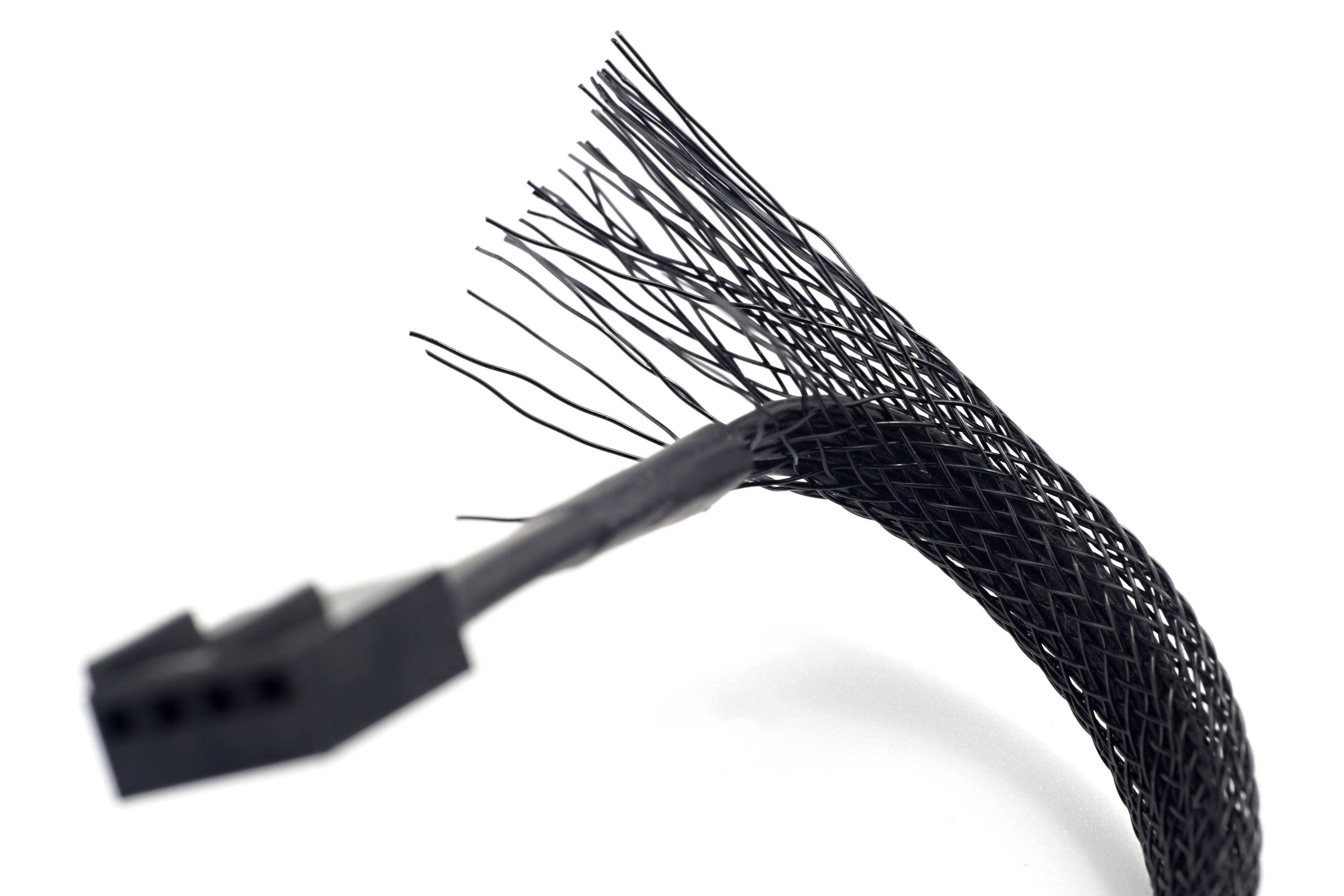
Lengths: To the 4-pin male connector it is about 40 cm of cable and to the “female” it is 50 cm. A flat type of cable is used, which has the insulation of the individual wires glued side by side. Unlike with wires with their insulation not connected but only covered with a mesh, there will be no fraying as there is with some fans.
We have the Arctic P14 PWM PST in the latest revision 4, most of the changes are cosmetic in nature. In Arctic’s words, these are mainly graphical changes around the logos (on the fan itself or on the packaging graphics) or a change in the date code position. None of this affects the measurables, but there is one thing that does. And that is the addition of semi-passive mode support, where the fan turns off at low PWM duty cycle (below 5%). We don’t know if this is a new feature of this latest (4th) revision, in any case it already supports “0 dBA” mode, which has not always been the case with the P14 PWM PST.
And one more thing: To navigate through the result graphs as easily as possible, you can sort the bars according to different criteria (via the button on the bottom left). By (non)presence of lighting, profile thickness, brand, bearings, price or value (with the option to change the sorting to descending or ascending). In the default settings, there is a preset “format” criterion that separates 120mm fans from 140mm fans.


These results are more or less useless if I just want an answer to a simple question. How loud are these fans?
I have another simple question for you.
How deep is the sea?
…Both questions are, besides being simple, also silly. (No offense) 😉
Just as it depends on where the depth of the sea is measured, it also depends on what kind of noise corresponds to what kind of airflow.
If you are only interested in noise at max RPM and you are not using regulation, then look at the last two graphs (max airflow and corresponding noise)
I don’t think I fully understand your question. Can you please elaborate? I’ll be happy to answer in detail. In case you mean noise level at maximum speed, then the corresponding graph is at the end of each chapter. Click through the 14. to 19. chapters and you’ll receive an answer to your question. Noise level, of course, also depends on the obstacle a fan is facing. 🙂