




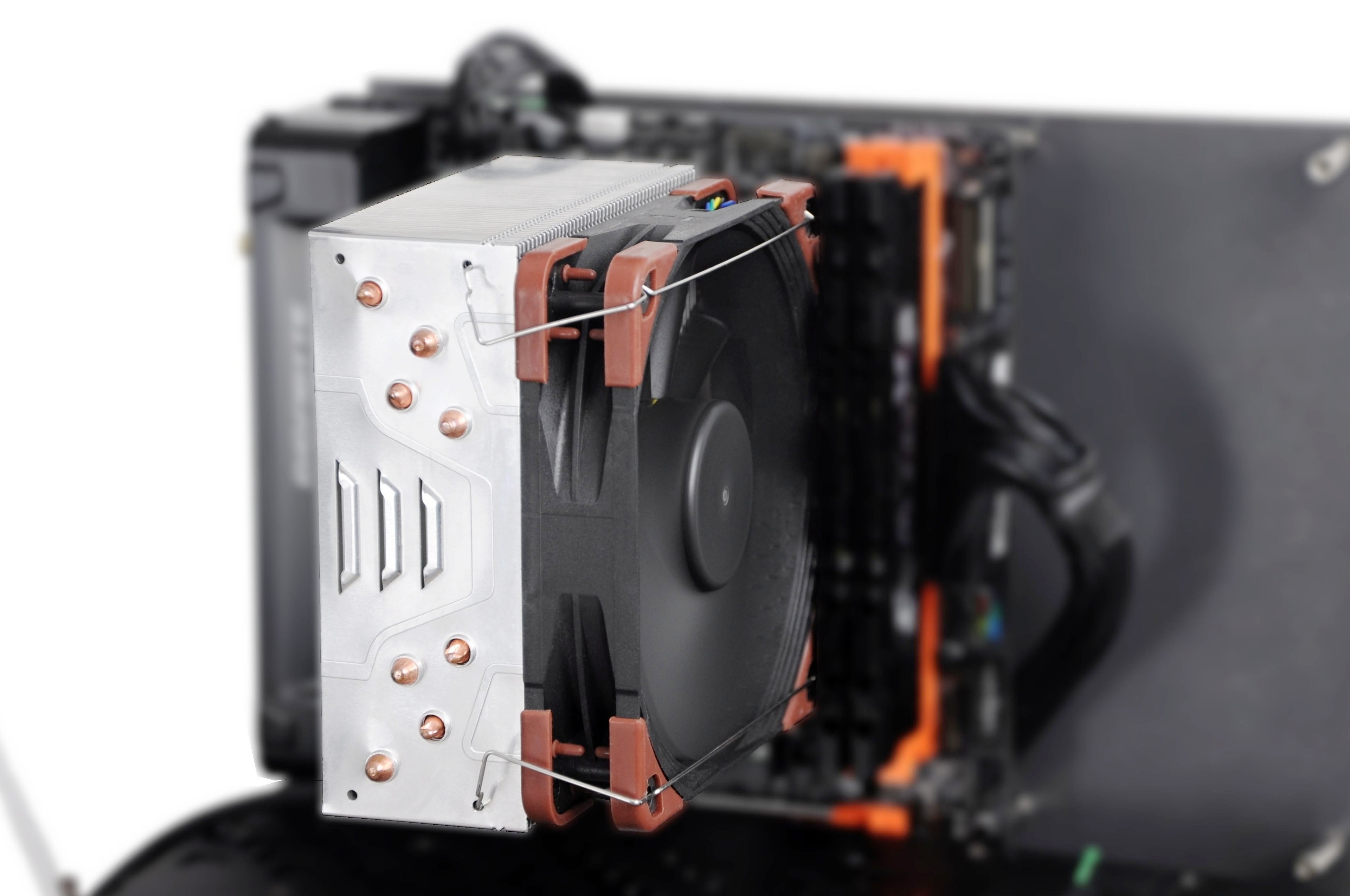
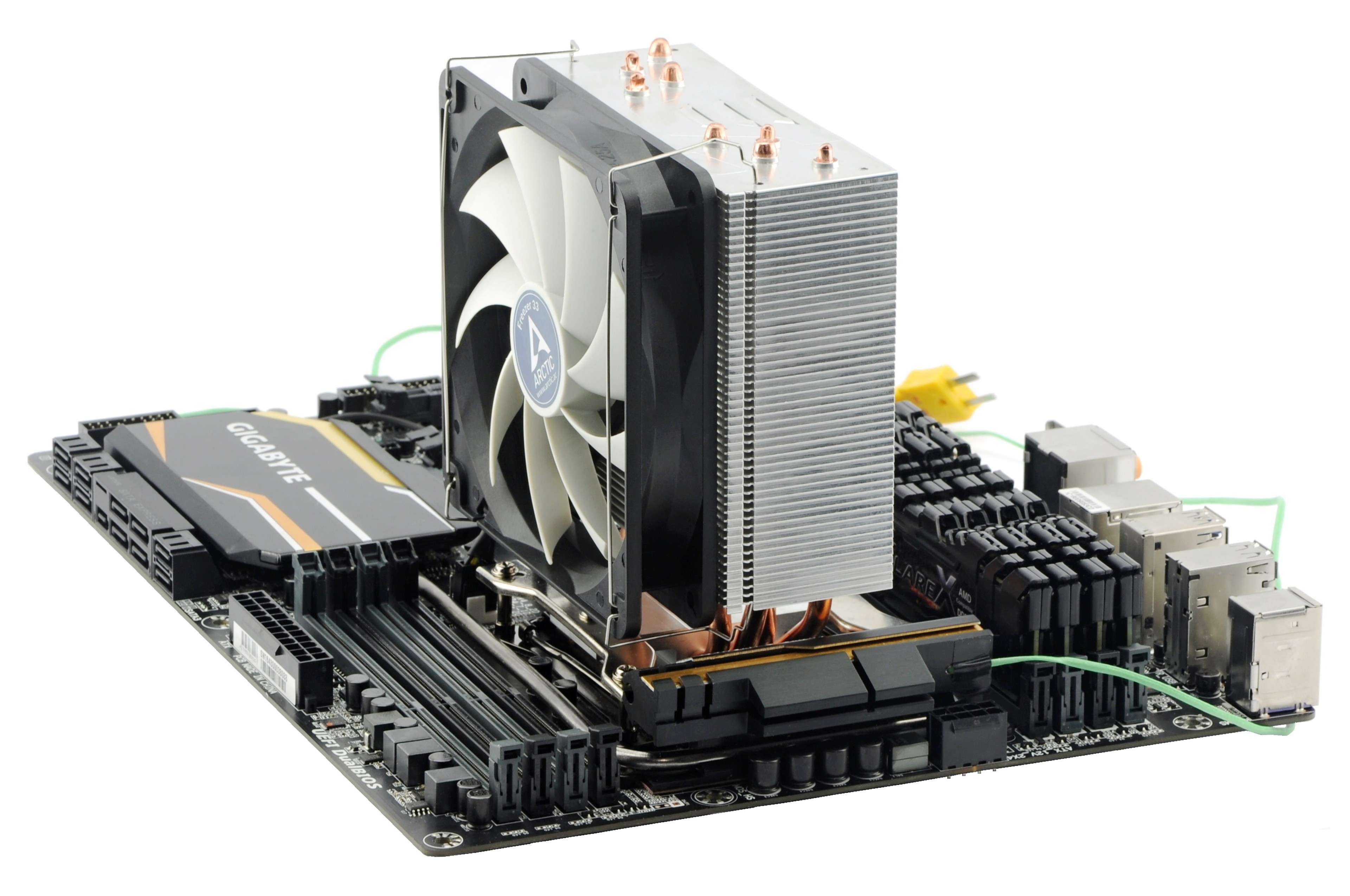
From the previous tests, you already know that Freezer 33 loses its breath quite quickly in tower cases. But it does not have to be always like that – the distinctive performance difference between the vertical and the horizontal position appears only with certain cooling efficiency requirements. At 90 W, the cooler performs differently than at 180 W. Interesting is also the comparison on the “big” Haswell-E and on the “small” Kaby Lake.
We knew right from the beginning that there will be six modes in our procedures for coolers tests. From noiseless 31 dBA to very noisy 45 dBA. This is due to the fact that the same cooler can be great at low flow, but average with high RPM, and vice versa.
We have also considered testing with different processor consumptions. However, each additional level would multiply the number of measurements, which would be untenable in the long run and maybe a bit unnecessary too. Whether you are testing with 100 W or 200 W processor, the resulting ratios will be practically the same. Of course, the difference in absolute numbers will be higher with higher consumption and temperature. Sure, this is not the case of smaller coolers which can handle a processor with lower consumption, but logically have no use on hungry ones. These are typically low-end coolers or low-profile top-flows which will be tested by specific procedures on HWCooling.
The problem of Freezer 33 is its heatpipe capacity limit in the vertical position. However, not on the paper. Apart from the fact that the four “healthy” 6-millimeter pipes have to be sufficient for 180 W, the manufacturer mentions maximal TDP of up to 320 W.
How we were testing and results
Tests were carried out without system cooling, outside the wind tunnel, and the original fan was replaced by the high-speed Noctua NF-F12 iPPC (2000 rpm). There were four levels of CPU heat intensity – 90, 120, 150, and 180 W. In addition to the processor from the usual methodology, we used also Core i5-7600K which was modified (4.9 GHz @ 1.445 V) so that it consumes approximately 120 W. In the charts, you can see that Core i7-5930K is much more heated with similar consumption. This is due to the smaller chip, the smaller manufacturing process, and, last but not least, the liquid metal on the chip that has lower thermal conductivity than the Haswell-E‘s solid brazed joint. Despite the relatively high temperatures of Kaby Lake, Freezer’s cooling performance was always balanced regardless of the orientation of the motherboard. Breaking point appeared with higher consumption. After addition of + 30 W, the situation in vertical position was worse by 10 ºC. Another additional 30 W would mean critical increase of 20 ºC.
When we summarize and draw conclusions from these results, we can say that Freezer 33 is enough for casual overclocking of mainstream chips, and the heatpipes do not limit the radiator in this case. After all, you cannot achieve much more than 120 W with Kaby Lake in domestic conditions anyway. However, massive overclocking of larger chips is a completely different story, unless you own a length-oriented case like BitFenix Prodigy or Fractal Design Core 500 and so on.
If you would like to give us a tip for a review, feel free to do so in the comment section.
We will be grateful for any feedback!



