




In today’s review, I would like to show you another all-in-one liquid cooler. This time it is the highest AIO model from SilentiumPC – Navis Evo ARGB 360. In terms of price, AIO coolers from the Navis series are very attractive and offer an interesting price-performance ratio. So today, we’re going to check whether the manufacturer did not save costs in the wrong areas and whether this cooler can defend its place in a market full of competitors.
Key features of the cooler

The design of the Navis Evo ARGB 360 will probably not surprise you in any way, it is a classic all-in-one liquid cooler without unnecessary fads. The heart of the entire cooler is a copper-based processor block. Inside this block is a pump that pumps heated liquid from the block through hoses to the aluminum radiator.
In the radiator, the liquid is cooled by the means of three 120 millimeter fans. The hoses are equipped with a protective braid and due to their length of 460 millimeters, you will likely have no problem with the installation of the radiator, even in larger cases. You may more likely encounter minor problems with storing excess hose lengths in more compact setups. Fortunately, the hoses are attached to the cooling block for easier handling using swivel fittings.

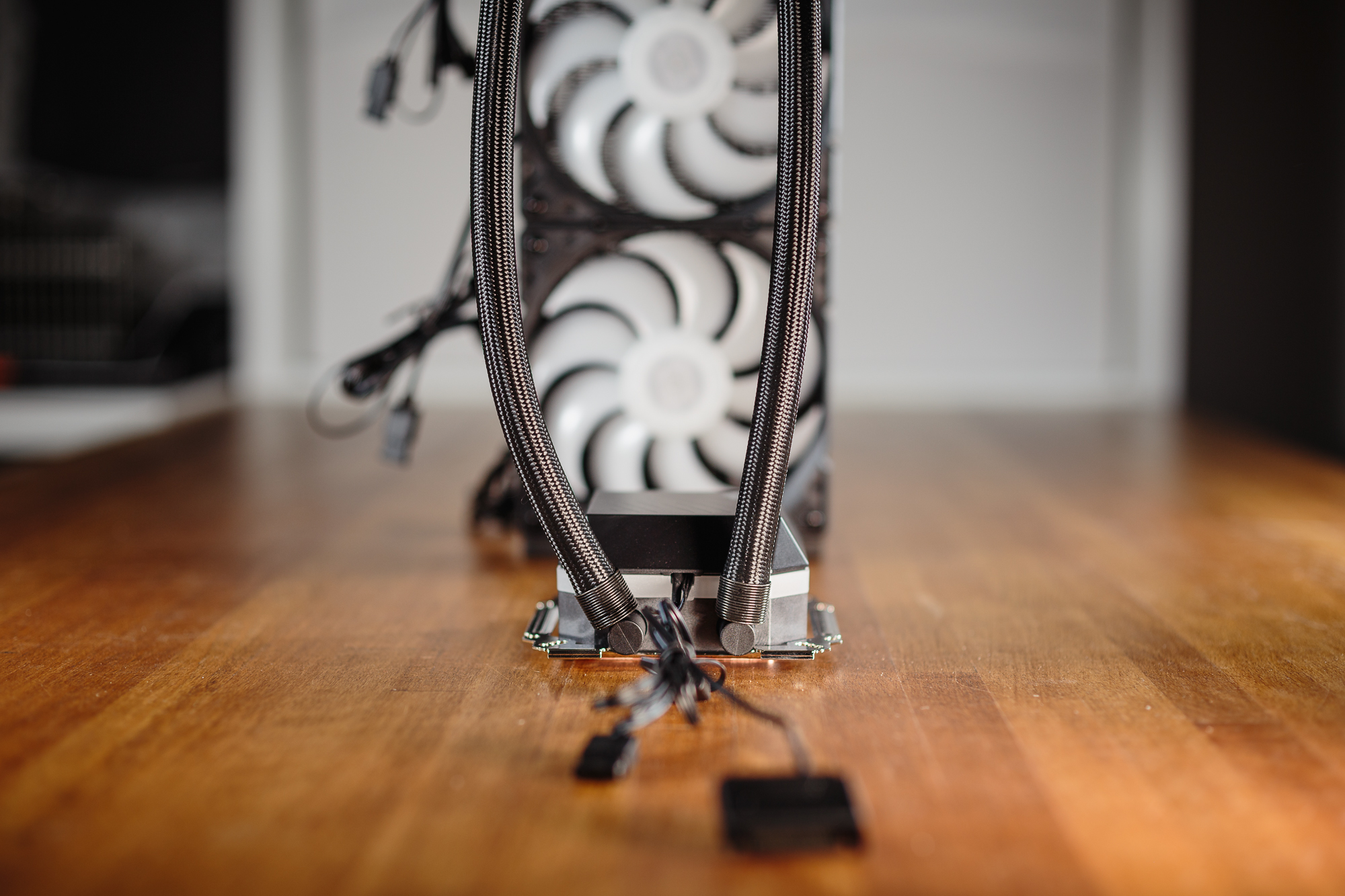
The entire cooler is completely maintenance-free and is ready to be installed in your setup right after unboxing, including the fans on the radiator. All you have to do is prepare the corresponding components of the mounting kit according to the socket of your processor, apply thermal paste onto the processor and install the cooling block on the processor. Then all you have to do is attach the radiator to a suitable spot in the case, plug the cables and you’re done.
The cabling of this cooler is elegantly solved, as the fans enable gradual connection of both PWM and ARGB cables. You can connect all fans in series to a single PWM connector on the motherboard. However, the pump is not equipped with any PWM cable, its power supply is provided by a SATA cable and it is therefore not possible to regulate its speed. However, you can also connect the ARGB backlight on the fans to the cooling block and have everything synchronized via a single ARGB 5 V connector. However, if your motherboard is not equipped with it, you do not need to despair.
You will also find a Nano-Reset controller in the cooler’s package. Simply plug the cable from the Reset button on your case into this controller, changing its function to a switch between a total of fifty backlight modes. The power supply of the controller itself is done by the means of a SATA cable.

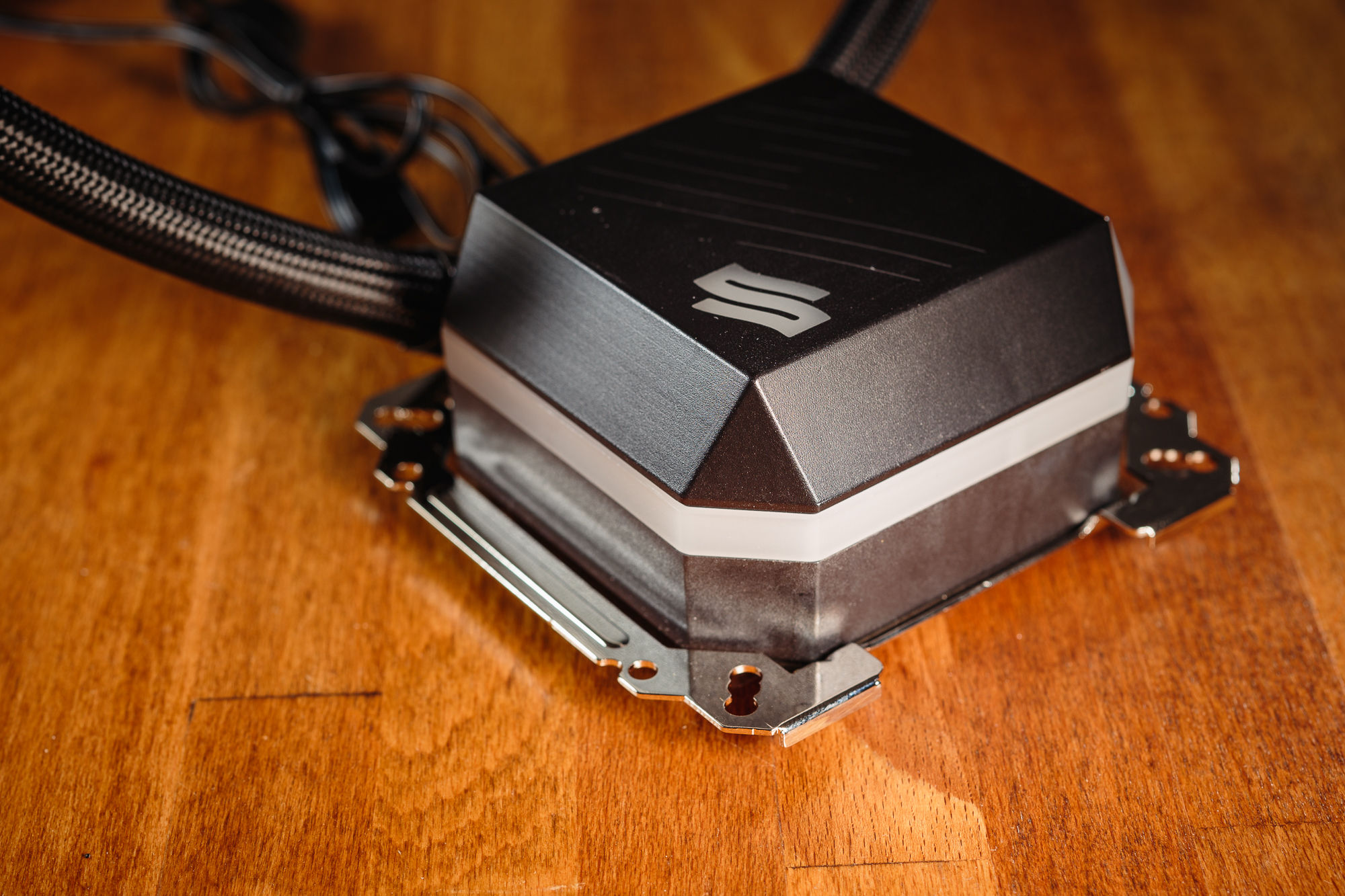
The contact surface of the cooling block is made of copper and its dimensions are an eye-catcher, 52.5 x 58 millimeters. Of course, this dimension is not random, as the base can cover most of the area of the heat spreader (IHS) of AMD Threadripper processors. Given the individual chips of these processors are concentrated in the middle of the substrate, I wouldn’t be afraid to install this cooler on AMD Threadripper 3970X or 3990X. However, to mount the cooler on a motherboard with the TR4/sTRX4 socket, you must replace the preinstalled bracket for standard desktop processors.

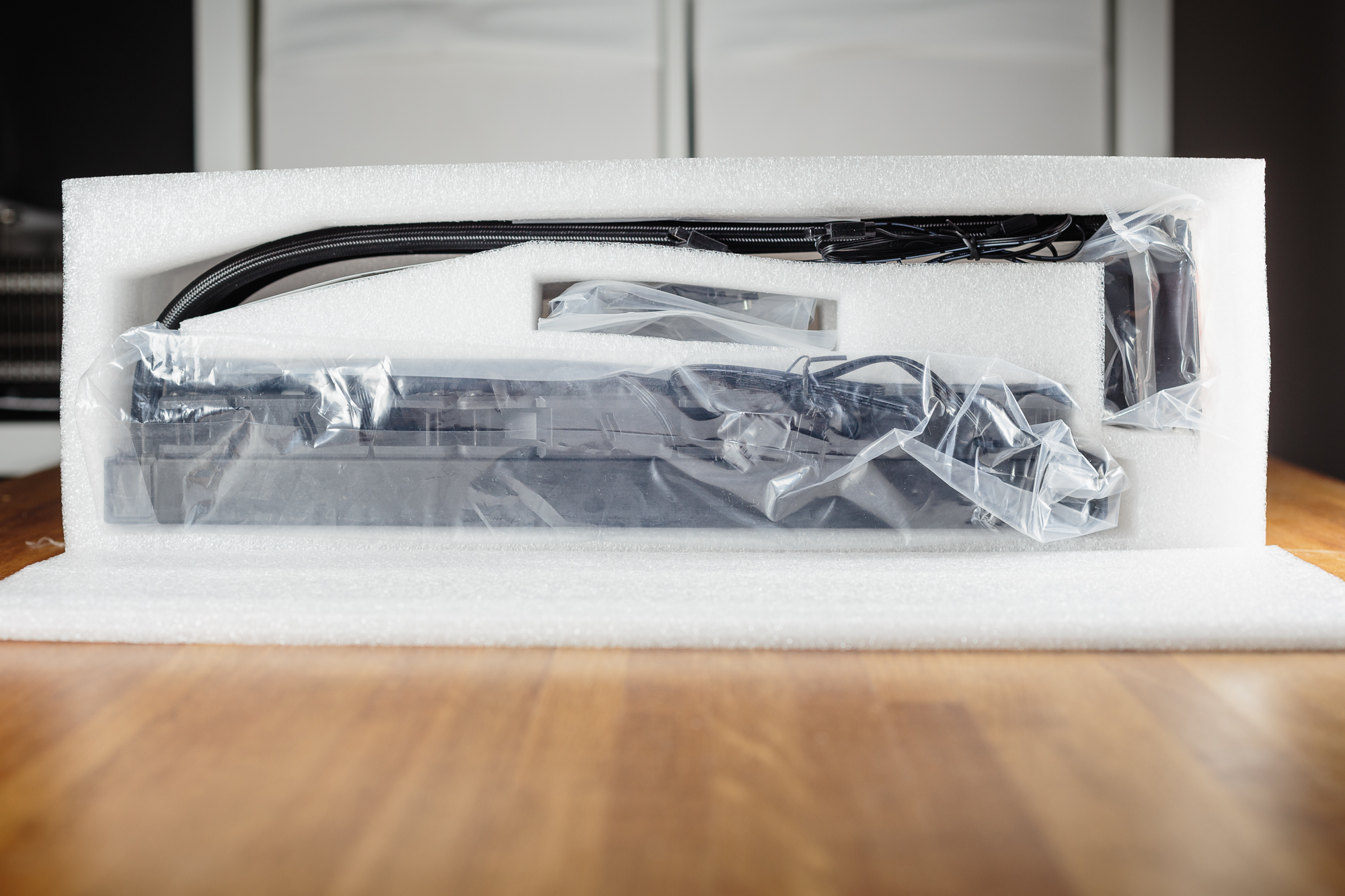
The Navis Evo ARGB 360 immediately caught my eye by its protective cover inside the box. The entire cooler is thoroughly protected by polymer foam. Although it is not as ecological a solution as commonly used cardboard, you can be sure that the cooler will withstand intact even when manipulated carelessly by forwarding companies.
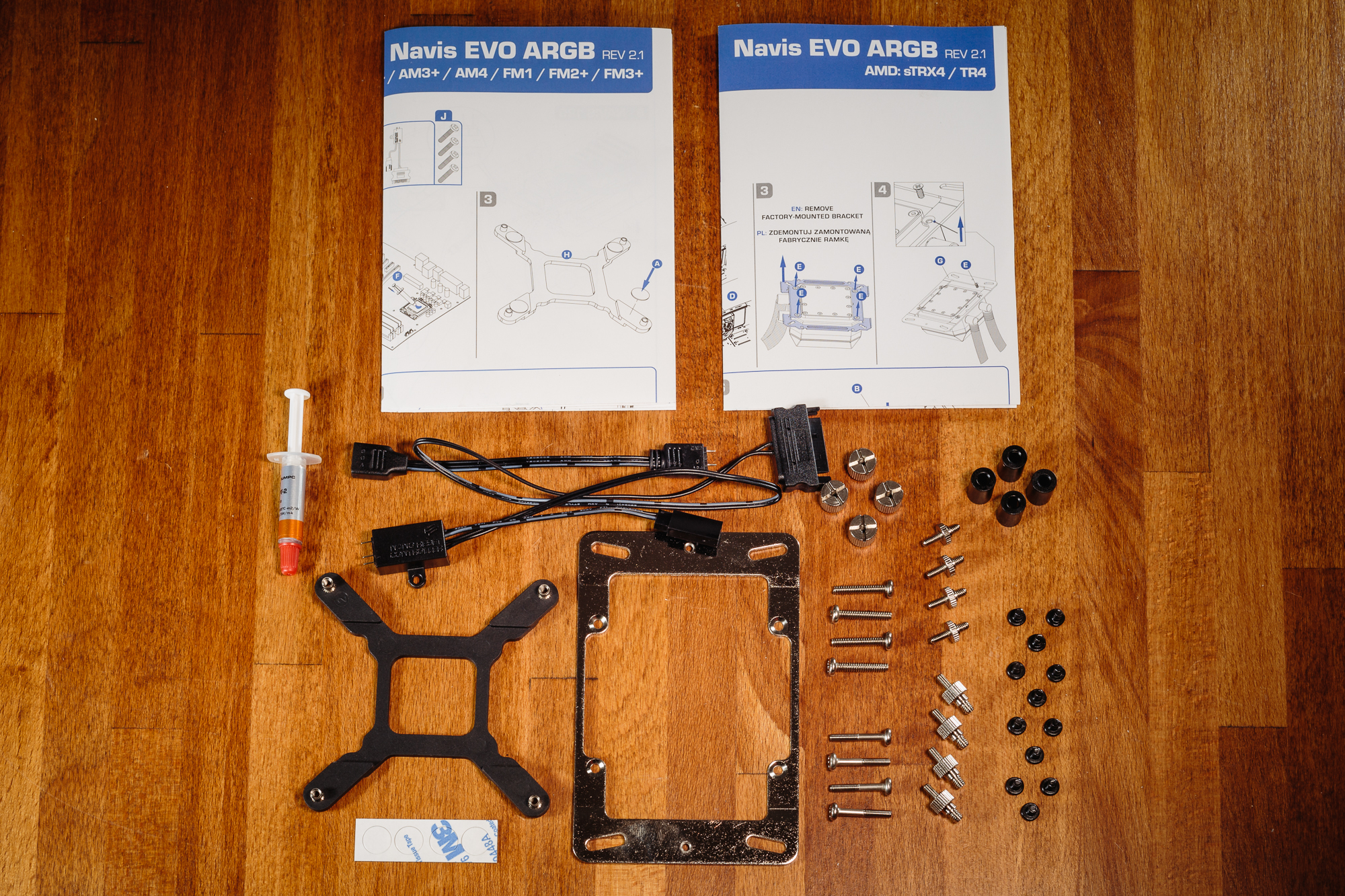
The accessories of the cooler do not lack anything significant. The cooler itself is ready for installation out of the box. The mounting bracket, which is pre-installed on the base, is universal for common Intel and AMD sockets. All you have to do is prepare the corresponding screws around the processor socket, apply the Pactum PT-2 paste from the supplied tube and attach the cooler to the processor. In the package, you will also find the aforementioned bracket for installing the cooler on AMD Threadripper.
And as I’ve also mentioned, you will also find a Nano-Reset controller in the package as a small bonus, with which you can control the backlight of the cooler base and fans, even if your motherboard is not equipped with a connector for ARGB. The accessories are complemented by two clear user manuals and a set of short screws for attaching the radiator to the case.
Specifications of the cooler and fans
Interestingly, I compared the Navis Evo ARGB 360 with the recently tested AIO coolers MPG Coreliquid K360 from MSI and Celsius+ S36 Prisma from Fractal Design. The size of the Navis Evo ARGB 360 is not very different from its competitors, so only the MPG Coreliquid K360 stands out from the crowd with its oversized base with LCD display. Navis then offers a shorter warranty period, but where it completely decimates its opponents is its price, which is practically half. Perhaps the manufacturer did not save costs on important components and the SilentiumPC cooler will be able to offer a solid price-performance ratio.
| Cooler | SilentiumPC Navis Evo ARGB 360 | Fractal Design Celsius+ S36 Prisma | MSI MPG Coreliquid K360 | |
| Supported sockets | Intel 115x, 1200, 20xx; AMD AM4, TR4/sTRX4 | Intel 115x, 1200, 20xx; AMD AM4 | Intel 115x, 1200, 20xx; AMD AM4, TR4/sTRX4 | |
| Radiator dimensions (H × W × T) | 395 × 120 × 29 mm | 400 × 123 × 30 mm | 394 × 120 × 27 mm | |
| Block dimensions (H × W × T) | 89 × 75 × 45 mm | 86 × 75 × 45 mm | 97 × 83 × 94 mm | |
| Hose length | 460 mm | 400 mm | 400 mm | |
| Pump speed | 2500 rpm | 2800 rpm | 2800 rpm | |
| Radiator material | aluminum | aluminum | aluminum | |
| Max RAM height | no restrictions | no restrictions | no restrictions | |
| MSRP | € 118 | € 230 | € 255 |
Unfortunately, I was not able to find any relevant data regarding the supplied fans. I have requested these specs from the manufacturer in the past, but the R&D department at SilentiumPC notes that the maximum values are not usually indicative for normal fan use, as they do not usually operate at maximum speed all the time.
| Fan | SIlentiumPC Stella HP ARGB 120 PWM | Fractal Design Prisma AL-12 PWM ARGB | MSI Torx 4.0 | |
| Bearing | hydraulic (HBS) | sleeve | double-row design | |
| Max speed | 1600 rpm | 2000 rpm | 2500 rpm | |
| Max static pressure | N/A | 2.78 mm H2O | 4.29 mm H2O | |
| Max airflow | N/A | 145.6 m3/h | 131.5 m3/h | |
| Noise level | N/A | 32.7 dBA | 39.9 dBA |



