Analysis of clock speed, power draw and temperatures
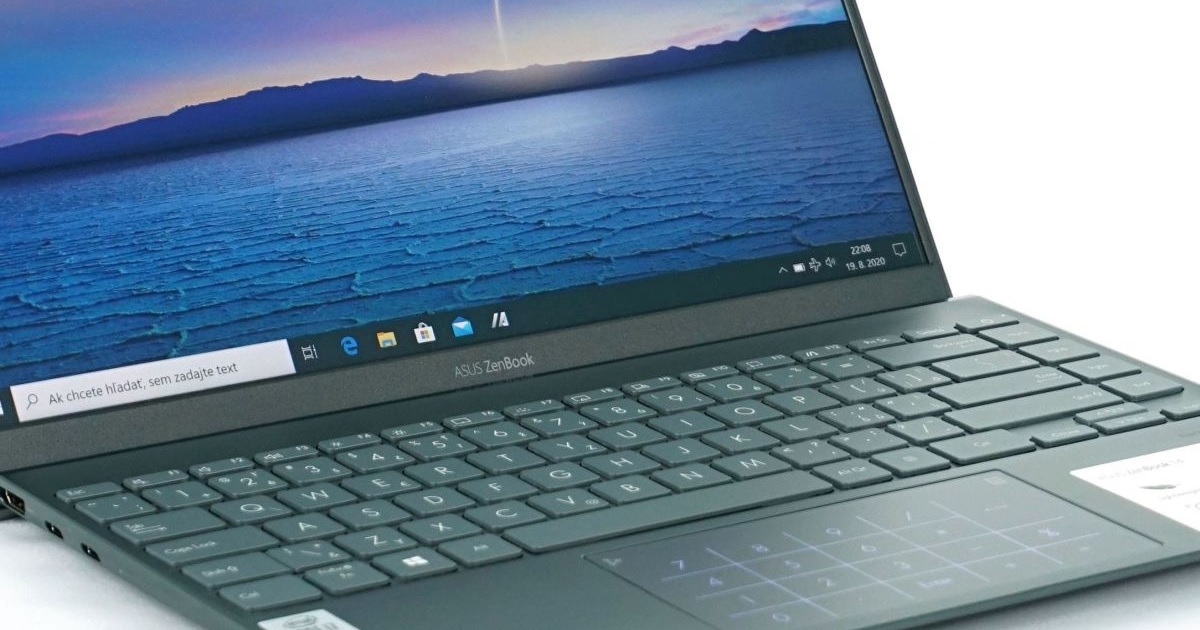
At the end of June, Asus revealed refreshed ZenBooks, which immediately impressed me with their design, elegance, but also their equipment and compact dimensions. We tested its predecessor, ZenBook 14 UX431F, which looked a bit awkward and didn’t interest me much except for the price. However, the new UX425 is a completely different story. Will it dare to be the title of the best ultrabook with the 10th generation Intel Core we have tested?
Blender
Just as we started to monitor the development of clock speed, consumption and temperatures in Blender and 3DMark in gaming laptops, we will also address these areas for non-gaming laptops. In this case, we are mainly interested in the visualization of the performance progress, as we found out from the tests that the ZenBook gives great results under a short-term load, but longer tests do not suit it at all.
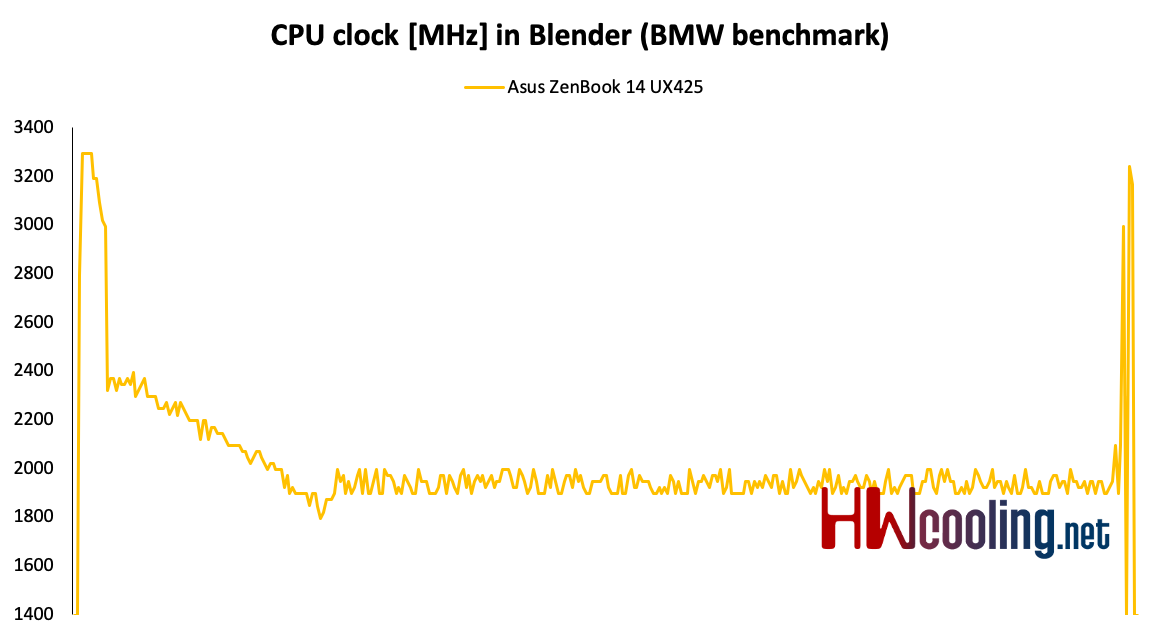
The Blender test is one of them. As you can see from the bar chart, the clock is above 3 GHz in the beginning, but then falls to the 2 GHz limit, which is reflected in the longer result time.
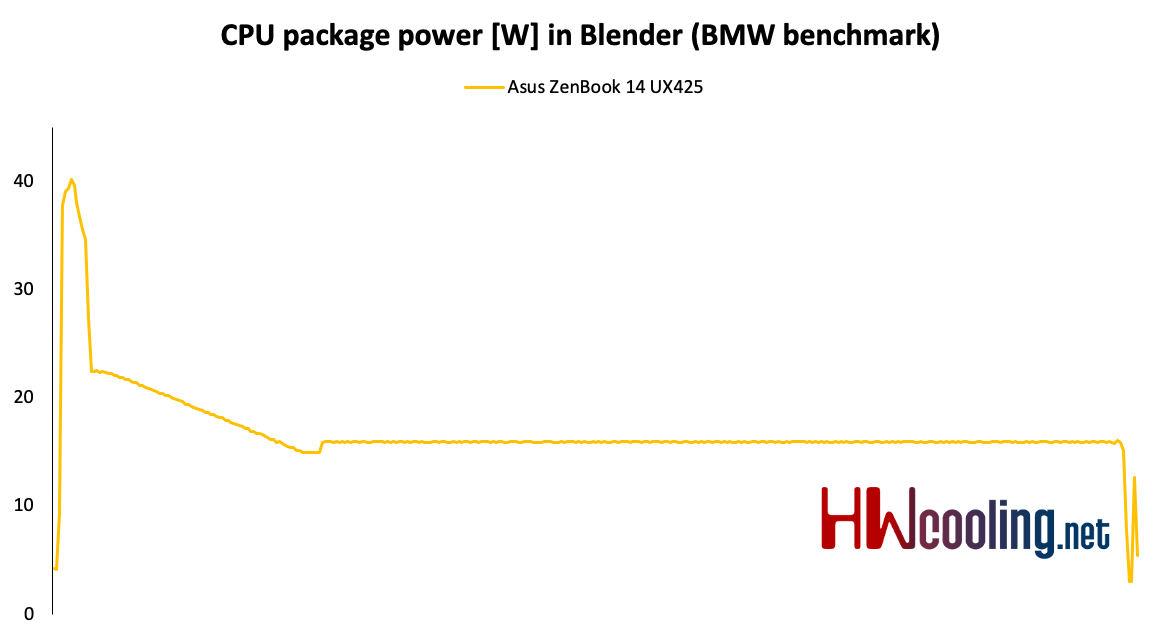
Power draw exactly copies the clock curve. After the power reduction, the draw stabilized at 15 W.
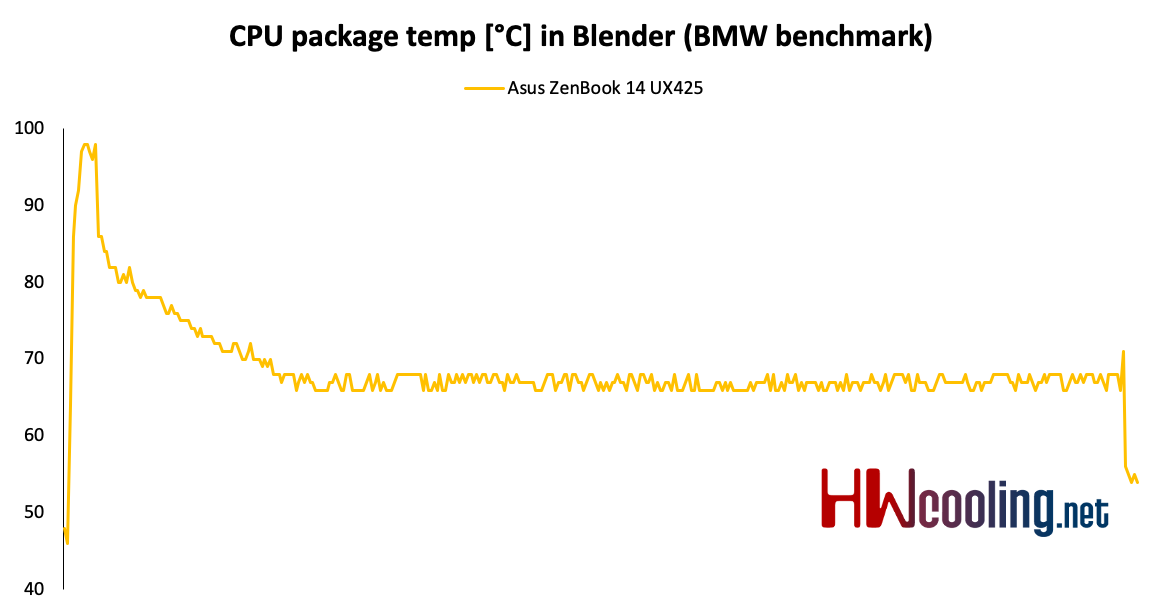
The temperature progress after the high initial value decreases and remains around 70 degrees.
3DMark
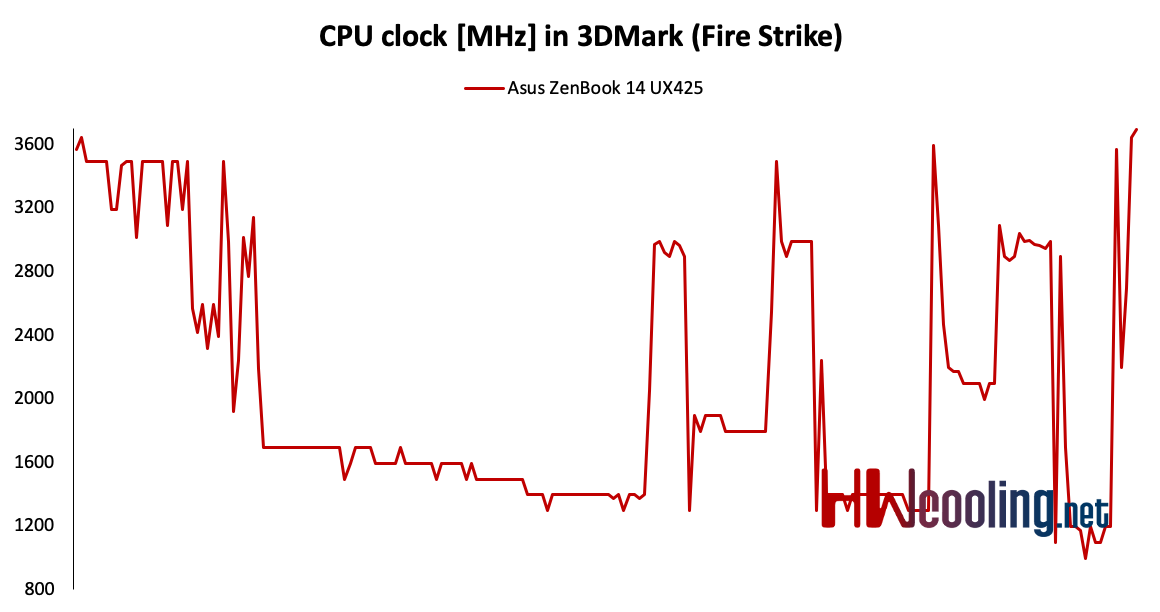
A similarly long load test is the old familiar Fire Strike. Here we see the bars fall and rise depending on the current scene.
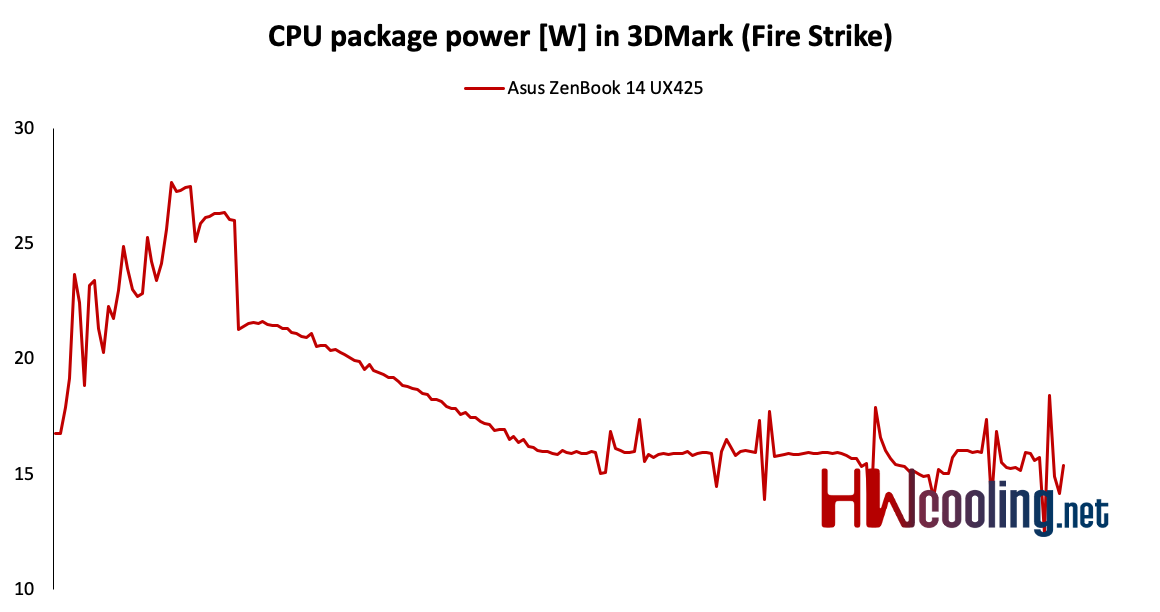
Power draw fluctuations are smaller than those of clock speed, but again they are heading for 15 W.
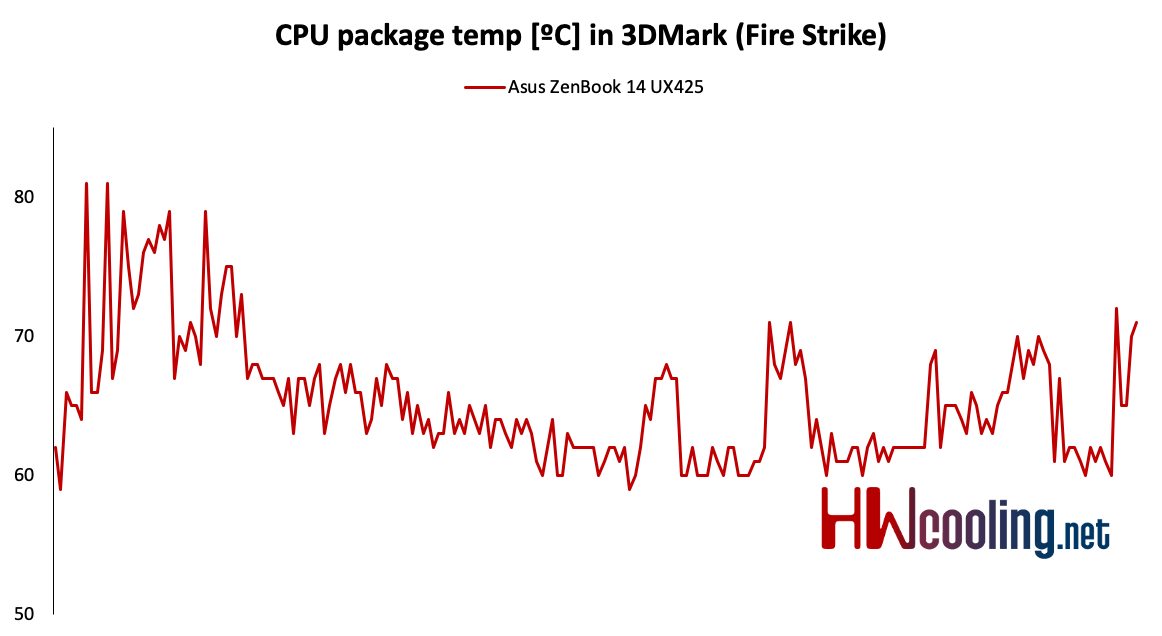
The temperature is more or less dependent on the clock speed. The higher it is, the more the temperature rises.
Summary
After analyzing the graphs, simple conclusions can be drawn. The ZenBook 14 has a processor configured for 15 W, while other Ice Lakes have even 25 W. During long tests, the clock therefore drops and the processor has lower power, although temperatures are normal. It is not completely suitable for gaming and rendering, but in normal use it benefits with high instantaneous performance, which we have also seen in previous tests. It is therefore more suitable for ordinary office and multimedia use than for gaming and production workload.
- Contents
- Parameters and details
- Testing methodology
- Display tests
- Rendering and Geekbench
- 3D/PCMark and Unigine Heaven/Superposition
- Gaming tests – integrated graphics
- Encryption, encoding
- Memory and disk tests
- Heating and battery life
- Analysis of clock speed, power draw and temperatures
- Utility app
- Rating