It’s not just Apple’s new A20 Pro mobile chip. Arm, the company designing the instruction set used by mobile SoCs as well as full core designs licensed by companies such as MediaTek, Nvidia, and others, is now introducing a new generation of CPU architectures as well. Arm replaced the Cortex cores with the Lumex C1 series last year, and now follows up with a new C2 generation that pushes the single-threaded performance further. Read more “Arm’s C2-Ultra Core raises 1T Performance by up to 15% [Analysis]”
Category: Analysis
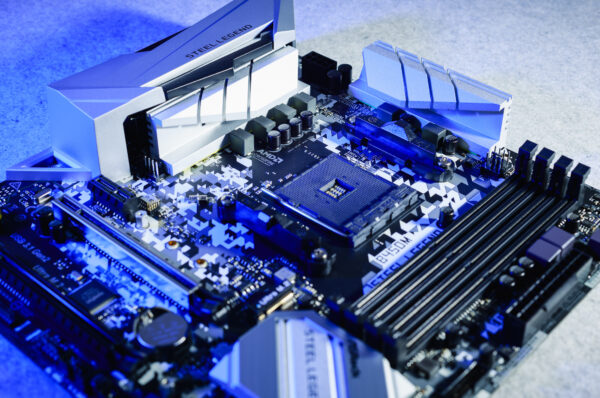
How a Motherboard Works. Intended for Secondary Schools
The motherboard is a component that’s commonly not even listed in the hardware specifications provided by PC vendors or sellers, ironically. Yet it is one of the most important components, because it interconnects almost all the other parts and has to handle a lot of work. In this article, we’ll look at what you should know about desktop computer motherboards and how to handle them when building a PC or performing maintenance. Read more “How a Motherboard Works. Intended for Secondary Schools”
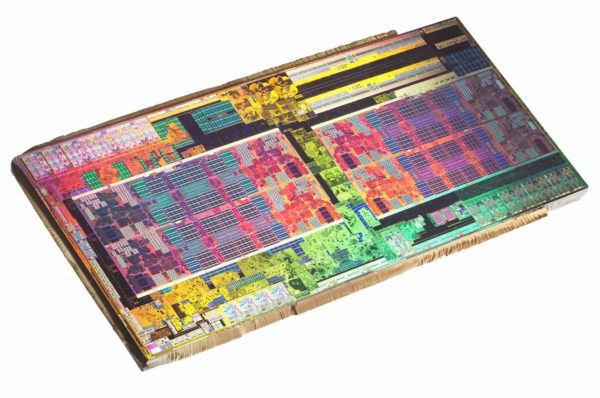
How Does a Processor Work? Intended for Secondary Schools
The processor, also referred to as the central processing unit (CPU), is the most fundamental and the most important part of a computer. It is the part that executes all tasks (instructions) that are fed to the computer through program code. At the same time, peripheral devices, RAM and storage (hard drives, SSDs, oreven tape in the past) are connected to it in various ways. It is therefore truly the central element of a computer. Read more “How Does a Processor Work? Intended for Secondary Schools”
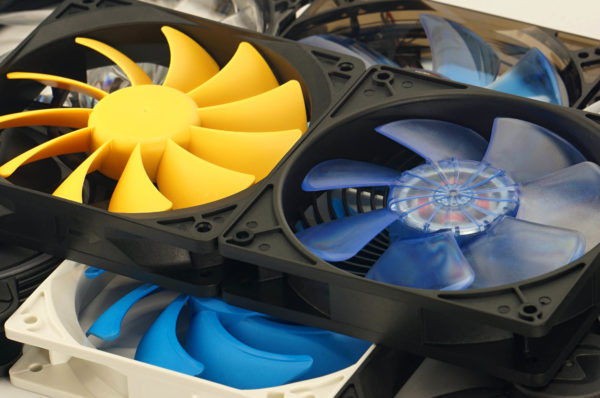
How a CPU Cooler Works. Intended for Secondary Schools
The purpose of a CPU cooler is to transfer enough heat away from the processor so that it can operate within its optimal parameters, for example clock speeds. These are only achieved within the expected range if the processor, in combination with the cooler being used, does not heat up more than is desirable for achieving attractive performance. Yes, everything usually revolves around speed, but that is also associated with factors such as power consumption. Read more “How a CPU Cooler Works. Intended for Secondary Schools”
MSI MEG X870E Ace Max: An Elite Board for AMD Ryzens
The most feature-rich—and also the most expensive—AMD AM5 motherboard we’ve had in the lab. That defines the MEG X870E Ace Max. It is intended for the most demanding users who are willing to pay a premium while expecting a great deal in return. And it certainly delivers, wouldn’t you say? We focused on the details that underscore the motherboard’s high-end capabilities. It even features two southbridge chips. Read more “MSI MEG X870E Ace Max: An Elite Board for AMD Ryzens”
DeepCool AK700 Digital NYX: Single Thicker Tower (with a Display)
A relatively thick tower and as many as seven heatpipes. The fin surface area of the DeepCool AK700 Digital NYX is quite large, even though it is cooled by a single fan. This may be attractive for those who prefer tower coolers (typically over liquid coolers) but still want the best possible memory compatibility, which many dual‑tower designs obstruct. Read more “DeepCool AK700 Digital NYX: Single Thicker Tower (with a Display)”
Need a lot of light? CPS PCCooler DC360 Pro ARGB Display
CPS PCCooler DC360 Pro ARGB Display can probably be described as visually attractive. This claim is based on the fans with extensive lighting. Under normal circumstances (that is, when you get a flawless unit), one can likely also state that cooling performance is high. And then, of course, we move on to something that could be described as combining “looks” with “useful” (high cooling efficiency). Read more “Need a lot of light? CPS PCCooler DC360 Pro ARGB Display”
Valkyrie Surge SL125: An affordable „ARGB tower“
Cheap coolers are always worth attention. In this short analysis, we focused on one such cooler. Valkyrie designates it as the Surge SL125. To avoid any misunderstanding, the word “cheap” refers only to the purchase price—build quality on the Valkyrie Surge SL125 is very respectable. Especially considering that the MSRP of this CPU cooler sits just above thirty euros (incl. VAT). Read more “Valkyrie Surge SL125: An affordable „ARGB tower“”
Plans straight from the brain: We visited Cooler Master HQ
Although Computex takes place elsewhere, the occasion led our “editorial footsteps” to Cooler Master’s main building, where the larger, non-portable things are also located. We documented a lot—besides nearly two hundred photographs, you also have access to a long audio recording that you can listen to, for example, during a longer trip from somewhere to somewhere. The goal is to make sure you don’t miss any of the information we managed to obtain. Read more “Plans straight from the brain: We visited Cooler Master HQ”
Which fan to choose—and when? From premium to budget models
Too inaccessible for “ordinary” readers? That is how our fan testing is sometimes described, and we understand why. That is exactly why the following initiative exists—we will try to ensure everyone can quickly orient themselves around which of the many available fans makes the most sense under specific circumstances. More expensive, cheaper—there is room for everything. And of course, you can also ask questions. Read more “Which fan to choose—and when? From premium to budget models”
x86 ACE Instructions: AMD Zen 7 core’s AI acceleration detailed
Longtime rivals AMD and Intel have established a joint consortium seeking to make their x86 processors and their future extensions more compatible instead of using the differences and exclusive features as (anti)competitive advantages. In autumn they settled on several extensions to be made standard: AVX10/AVX-512, APX, ChkTag, FRED, and also the ACE matrix extension for AI compute, about which very little had been known until now. Read more “x86 ACE Instructions: AMD Zen 7 core’s AI acceleration detailed”
Our visit at Nvidia: AI game assistants and G-Sync Pulsar LCDs
Yesterday, Nvidia hosted a Central European media briefing where they showcased its latest technological developments live. Unsurprisingly, the spotlight was on innovations unveiled or launched last month at CES 2026—namely the G-Sync Pulsar technology for monitors and DLSS 4.5, both of which we have already covered in separate articles—as well as a demo of the ACE technology, which aims to bring AI-driven assistants into games. Read more “Our visit at Nvidia: AI game assistants and G-Sync Pulsar LCDs”
Results are in: a Prusa (MK4) 3D printer with Noctua colors
We have it. 3D prints made from Prusament filament in Noctua colors. What was announced last year has now become reality, and we’re glad that, thanks to access to a school-based printer, we managed to produce items such as a broom holder used for maintaining the hardware classroom. What it looks like can be seen in the article’s documentation. On behalf of the HWCooling team, we thank everyone for the cooperation. Read more “Results are in: a Prusa (MK4) 3D printer with Noctua colors”
FSR “Redstone” Frame Generation: How’s It Running for You?
Last week, AMD released a major update to AMD Software: Adrenalin Edition, codenamed “Redstone”, the driver package for Radeon graphics cards. Compared to earlier versions, it now uses AI to improve performance and image quality—not only for FSR 4 upscaling, but it also adds other AI-driven technologies: FSR Frame Generation, FSR Ray Regeneration, and FSR Radiance Caching. Let’s take a look at how to get frame generation up and running. Read more “FSR “Redstone” Frame Generation: How’s It Running for You?”
Fractal Design Adjust Pro: Modern hub with USB-C
Fractal Design offers a USB-C hub that can be used to connect fans featuring this not-so-typical connector. Yes, the fans support this interface. The hub otherwise provides everything you would expect—fan speed control as well as selection of lighting colors (or lighting effects). Communication with the motherboard works in several ways. In this article, we’ll take a look at the details of the Adjust Pro. Read more “Fractal Design Adjust Pro: Modern hub with USB-C”


Latest comments