


The top model of the 14th generation of Intel Core (Raptor Lake Refresh-S) processors has outperformed everything that has come out for desktop computers so far. In speed, but also in power draw. On the one hand, the 6 GHz metric for single-threaded applications has been reached and the clock speeds are very high even under all-core boost, the side effect is that the Core i9-14900K’s power draw can sometimes spike up to 400 W.
Affinity Photo (benchmark)
Test environment: built-in benchmark.
Topaz Labs AI apps
Topaz DeNoise AI, Gigapixel AI and Sharpen AI. These single-purpose applications are used for restoration of low-quality photos. Whether it is high noise (caused by higher ISO), raster level (typically after cropping) or when something needs extra focus. The AI performance is always used.
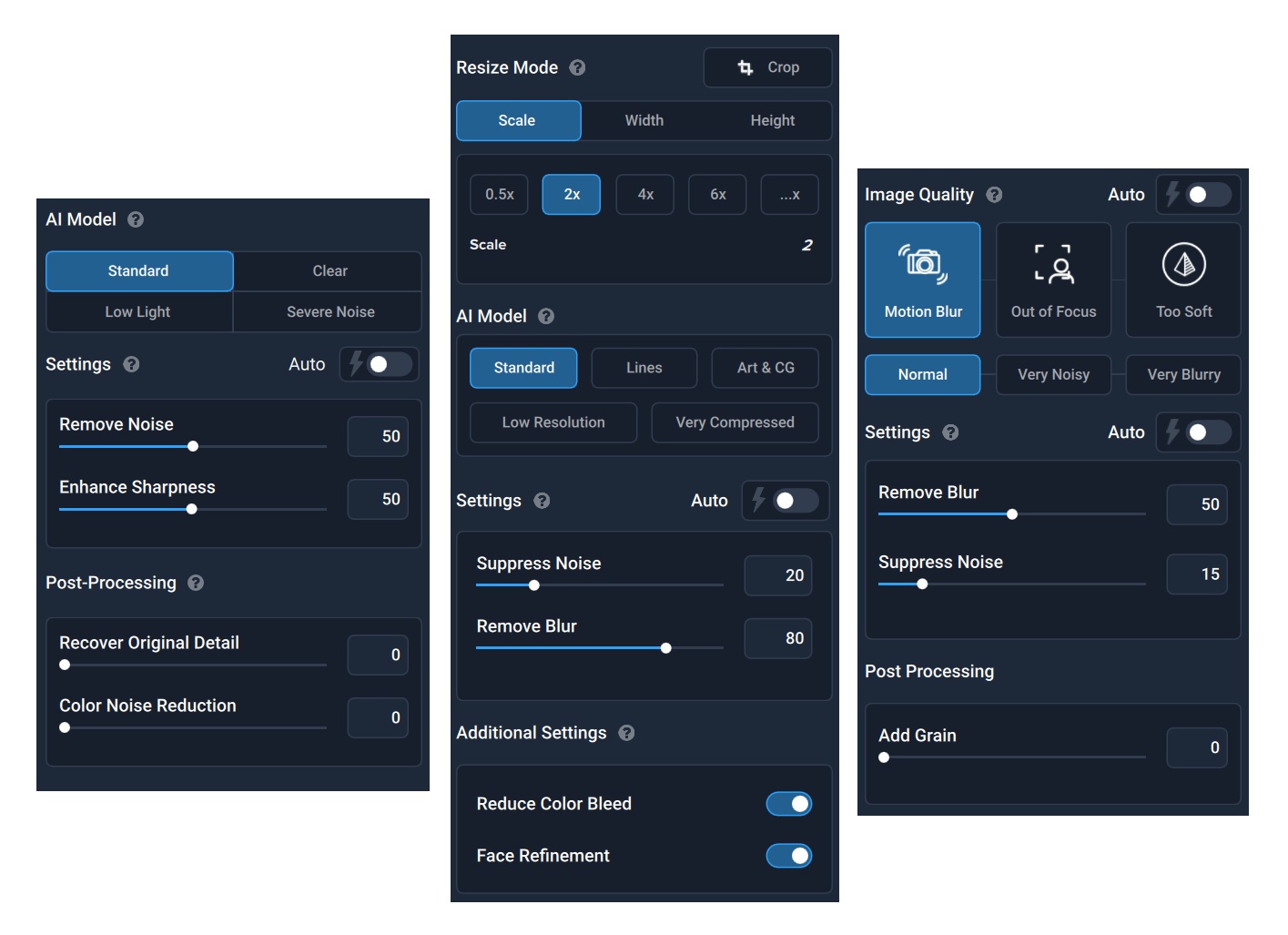
Test environment: As part of batch editing, 42 photos with a lower resolution of 1920 × 1280 px are processed, with the settings from the images above. DeNoise AI is in version 3.1.2, Gigapixel in 5.5.2 and Sharpen AI in 3.1.2.

XnViewMP

Test environment: XnViewMP is finally a photo-editor for which you don’t have to pay. At the same time, it uses hardware very efficiently. In order to achieve more reasonable comparison times, we had to create an archive of up to 1024 photos, where we reduce the original resolution of 5472 × 3648 px to 1980 × 1280 px and filters with automatic contrast enhancement and noise reduction are also being applied during this process. We use 64-bit portable version 0.98.4.
Zoner Photo Studio X
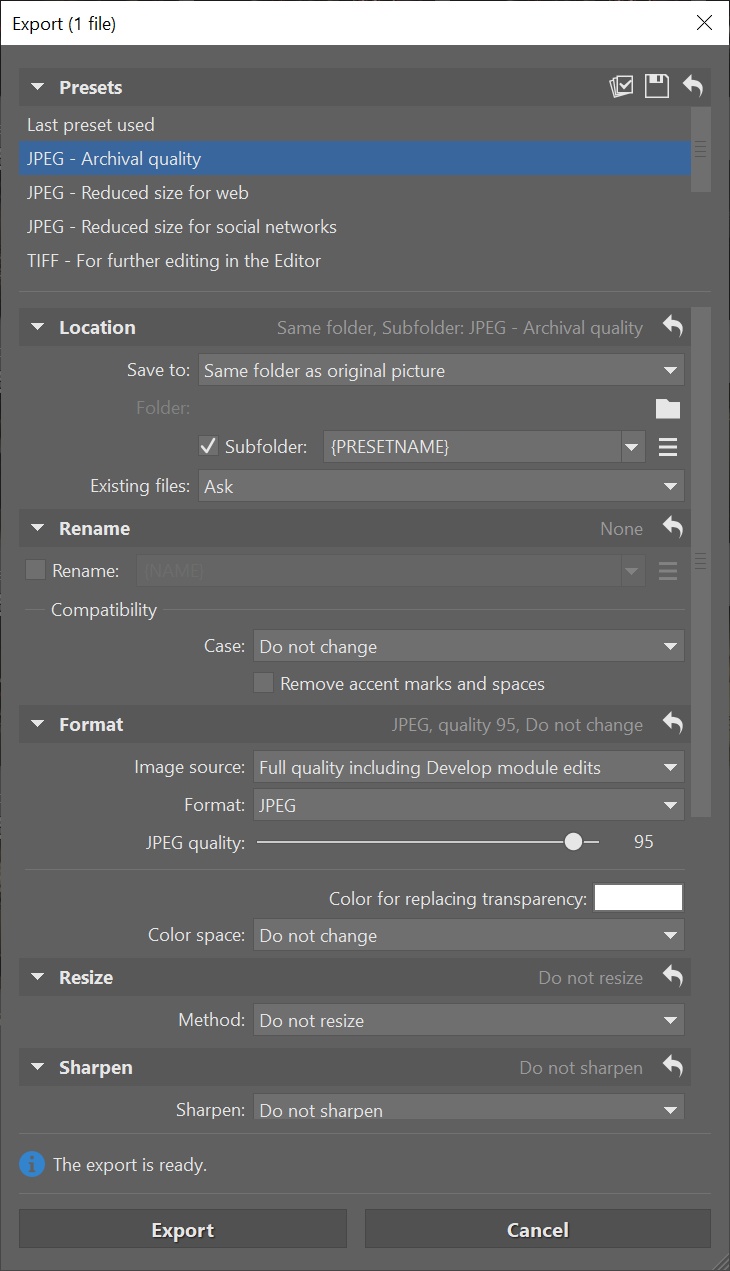
Test environment: In Zoner Photo Studio X we convert 42 .CR2 (RAW Canon) photos to JPEG while keeping the original resolution (5472 × 3648 px) at the lowest possible compression, with the ZPS X profile ”high quality for archival”.

