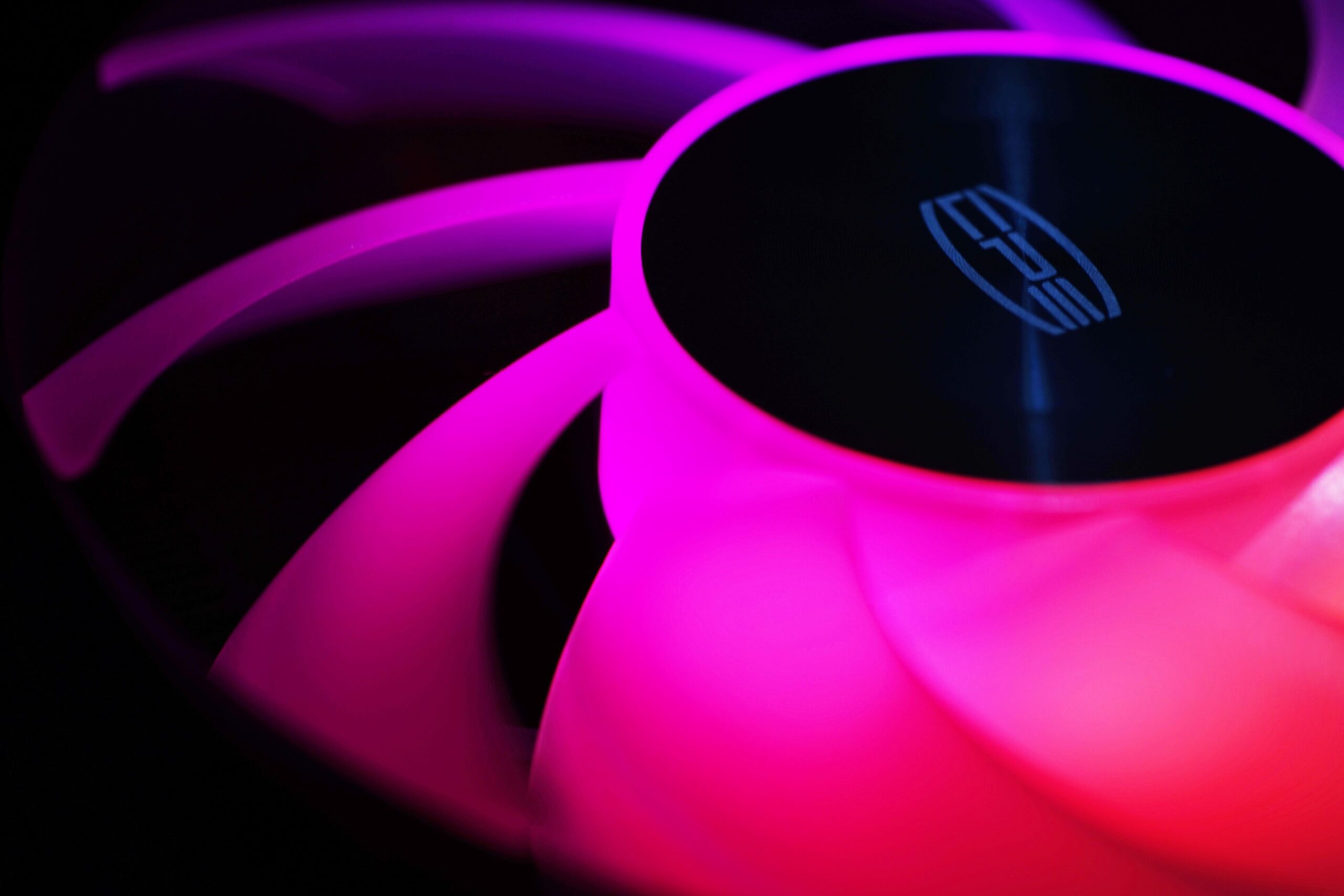
CPS PCCooler DC360 Pro ARGB Display can probably be described as visually attractive. This claim is based on the fans with extensive lighting. Under normal circumstances (that is, when you get a flawless unit), one can likely also state that cooling performance is high. And then, of course, we move on to something that could be described as combining “looks” with “useful” (high cooling efficiency).
If the PCCooler CPS DT360 ARGB Display seemed too expensive to you, we will now focus on its cheaper alternative. In many respects, it is actually a significantly different cooler, even though the “Pro” designation (in the model now under review, the DC360 Pro ARGB Display) may suggest otherwise. It misled us as well, and we initially thought this was a cooler from a higher tier. But it is the opposite—DC360 Pro ARGB Display is cheaper, and note also the different series designation (DC instead of DT). The complete table of basic parameters, including dimensions, is available traditionally below, under this text.
| Basic parameters | CPS PCCooler DC360 Pro ARGB Display | |
| Supported sockets | Intel LGA 1851, 1700, 1200, 115x; AMD AM5, AM4 | |
| Build type | liquid (AIO) | |
| Height (w/ fans) in mm | 53.7 | |
| Length (w/ fans) in mm | 394 | |
| Width (w/ fans) in mm | 120 | |
| Height of the liquid block in mm | 65.1 | |
| Length of the liquid block in mm | 68.0 | |
| Width of the liquid block in mm | 82.7 | |
| Tube length in mm | 400 | |
| Daisy chaining of fans | yes | |
| (A)RGB elements | yes | |
| Number of fans and their format | 3× 120 | |
| Weight (with fans) in g | 1635 | |
| Approximate retail price in EUR | 120 |
Details of the CPS PCCooler DC360 Pro ARGB Display
Conceptually, this is a liquid cooler in the 360 mm format. This typically means the use of three 120 mm fans. They have full‑size thickness, and the shape of their blades is modern. The efficiency of the fans used will be decent.

The leading edges of the impeller blades are significantly curved, and it can be stated that we are dealing with an efficient aerodynamic design. These claims are based on detailed fan tests we conduct and on the fact that we have already analyzed fans with similarly shaped blades.
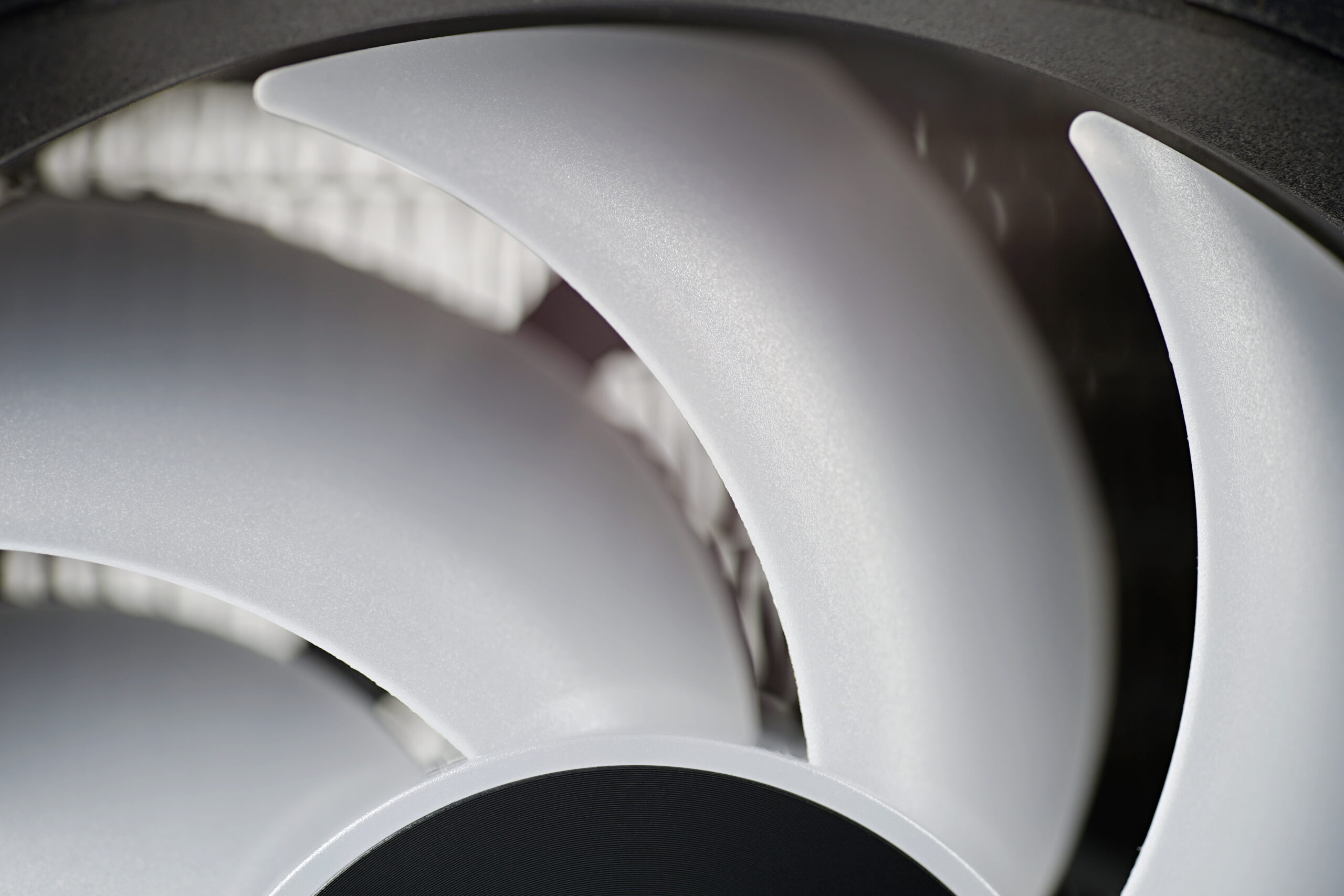
The radiator does not deviate from what is commonly used for budget‑friendly liquid coolers—25 mm profile and made of aluminum. The FPI (fins per inch) is 30, meaning we can describe the fin density as relatively high. But again, nothing unusual—this is a typical construction.

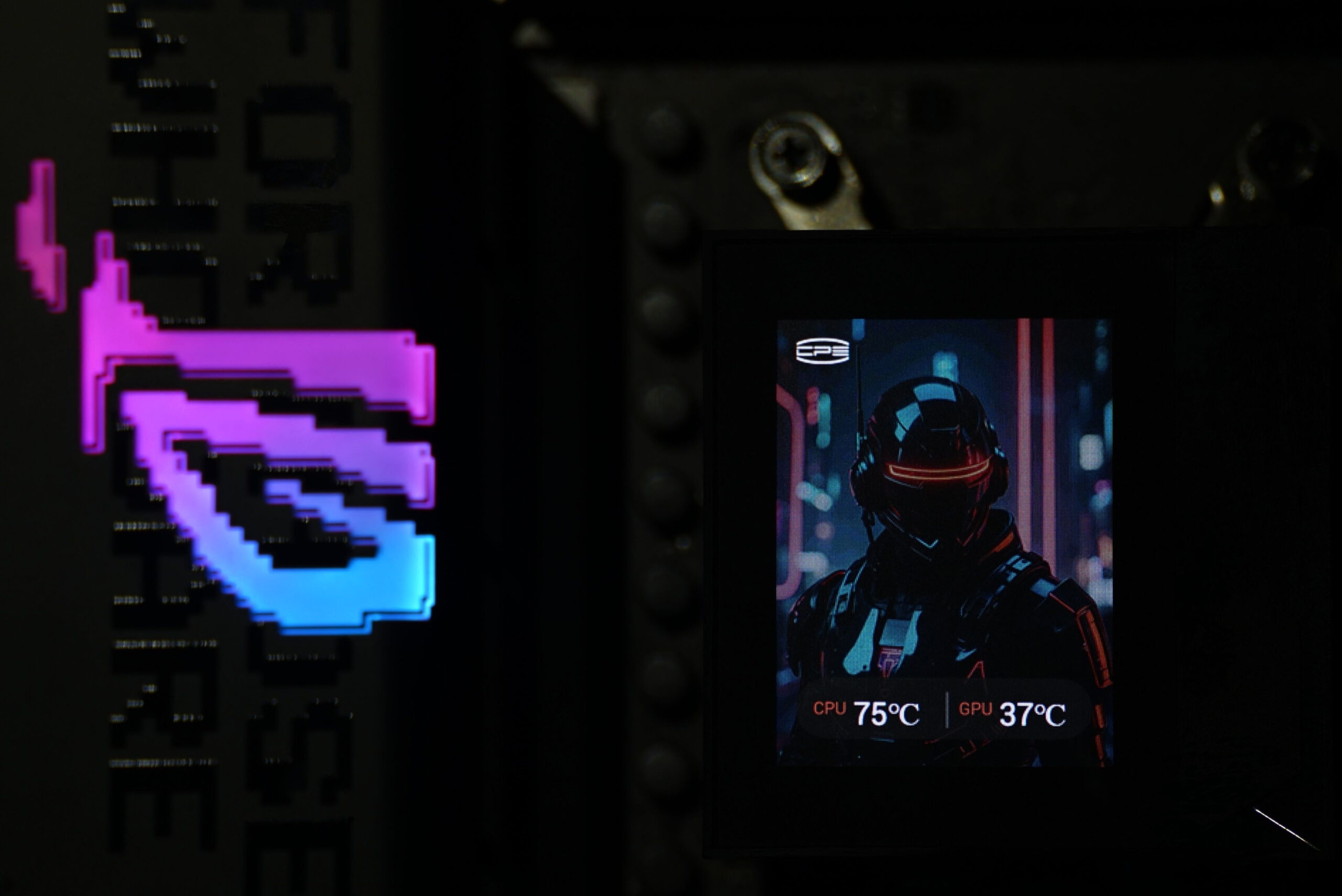
The liquid block cover features a vertically oriented 2.4″ IPS display on top (so viewing angles are very good) with a resolution of 240 × 320 px. Power and data transfer (information from the motherboard) are handled via a 9‑pin USB 2.0 connector. This header often remains unused because cases tend to have faster USB ports on the front panel, but these headers have not disappeared from motherboards and are suitable for this purpose.

You can place an image of your choice on the display, and monitoring of basic parameters such as CPU temperatures—and for example GPU temperatures—is also available.
The coldplate, which the liquid cooler uses to contact the CPU’s IHS, is made of copper. Its surface area (60 × 54 mm) is sufficiently large to cover even the relatively larger heatspreaders of Intel processors. And this is without having screws above them (i.e., dead zones) that hold the coldplate to the rest of the block assembly.

A very visually striking element is the fans, which feature ARGB LEDs. The implementation is such that the entire blades illuminate. Light spreads from the center (where the LEDs are placed around the impeller hub, on the PCB under the cover) all the way to the blade tips. The fan impeller is therefore milky and acts as a light guide. The fans thus shine quite intensely, but if needed (for example at night), this light can be reduced, or brightness lowered. The brightness range is fairly wide.

Installation to the motherboard is always via a metal backplate. For Intel platforms, it is included in the accessories; for AMD platforms, the backplate is pre‑installed as part of the motherboard. The plastic brackets, of course, must be removed, dismounted. Installation is always via screws (with springs) in the four corners around the socket. The installation process is simple and everything proceeds comfortably. The cooler comes with a pre‑installed Intel mounting bracket, which AMD CPU owners must replace. However, everything is extremely simple—the unsuitable bracket just needs to be slid out, and the suitable one (AMD) slid into the groove under the coldplate.

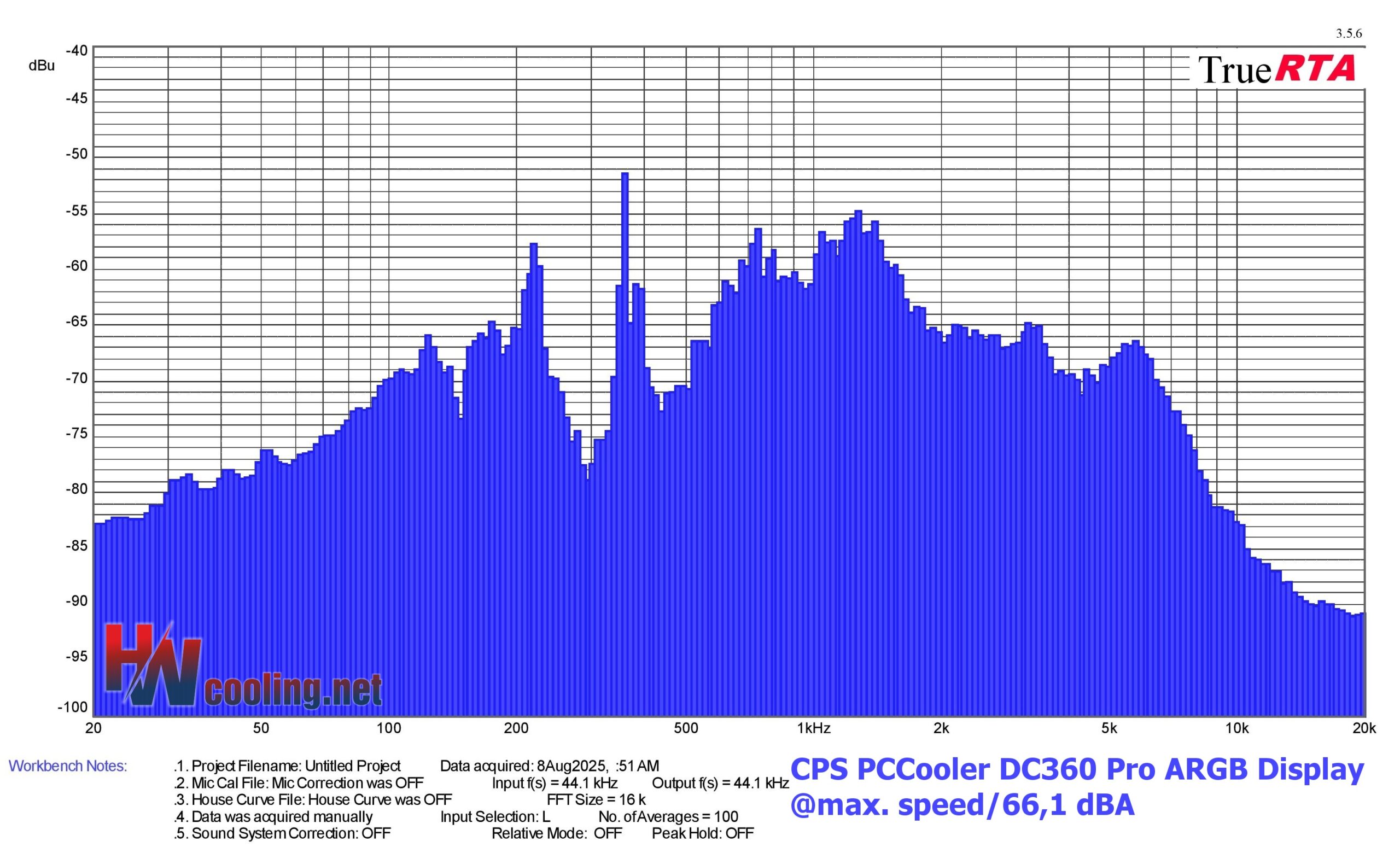
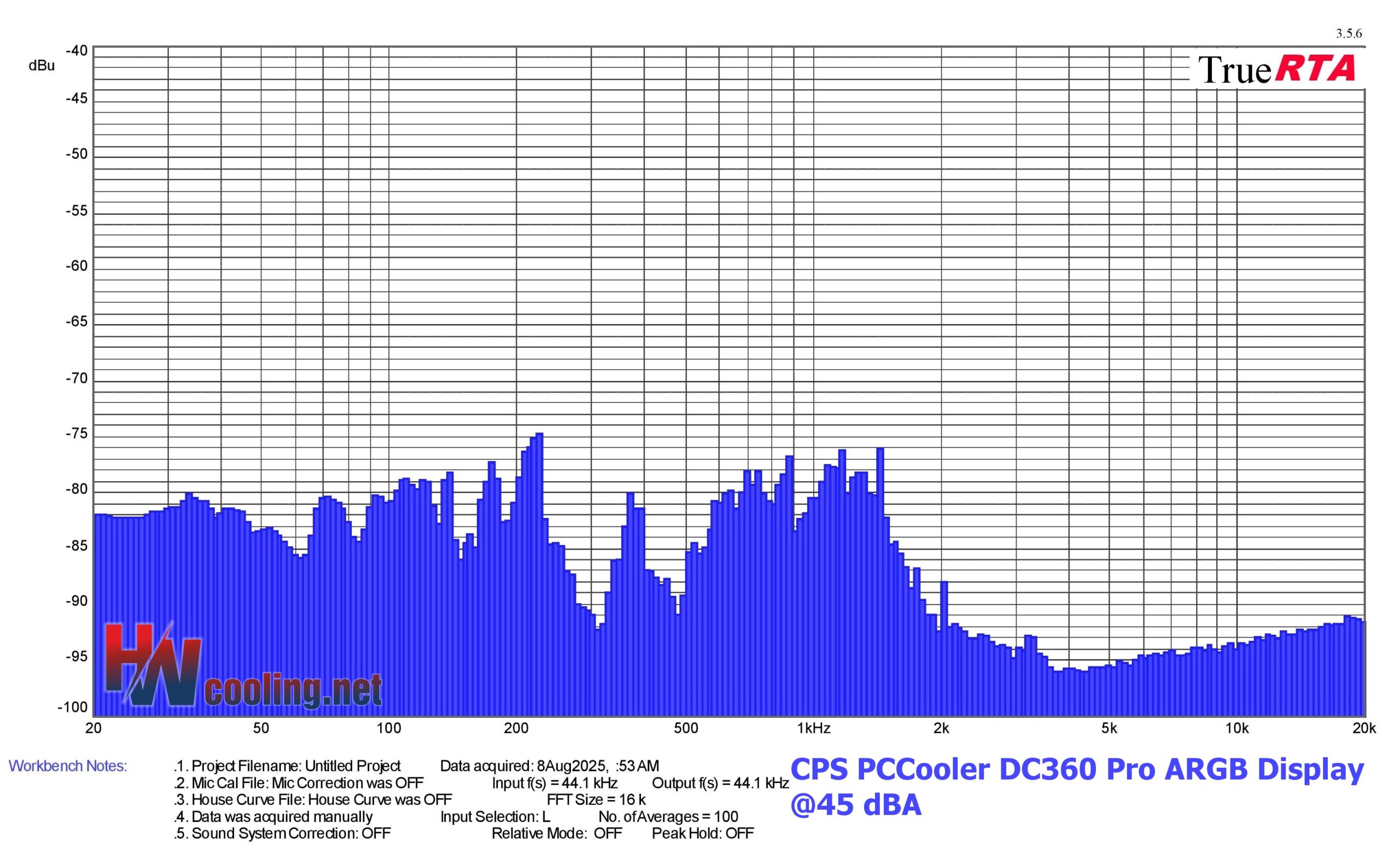
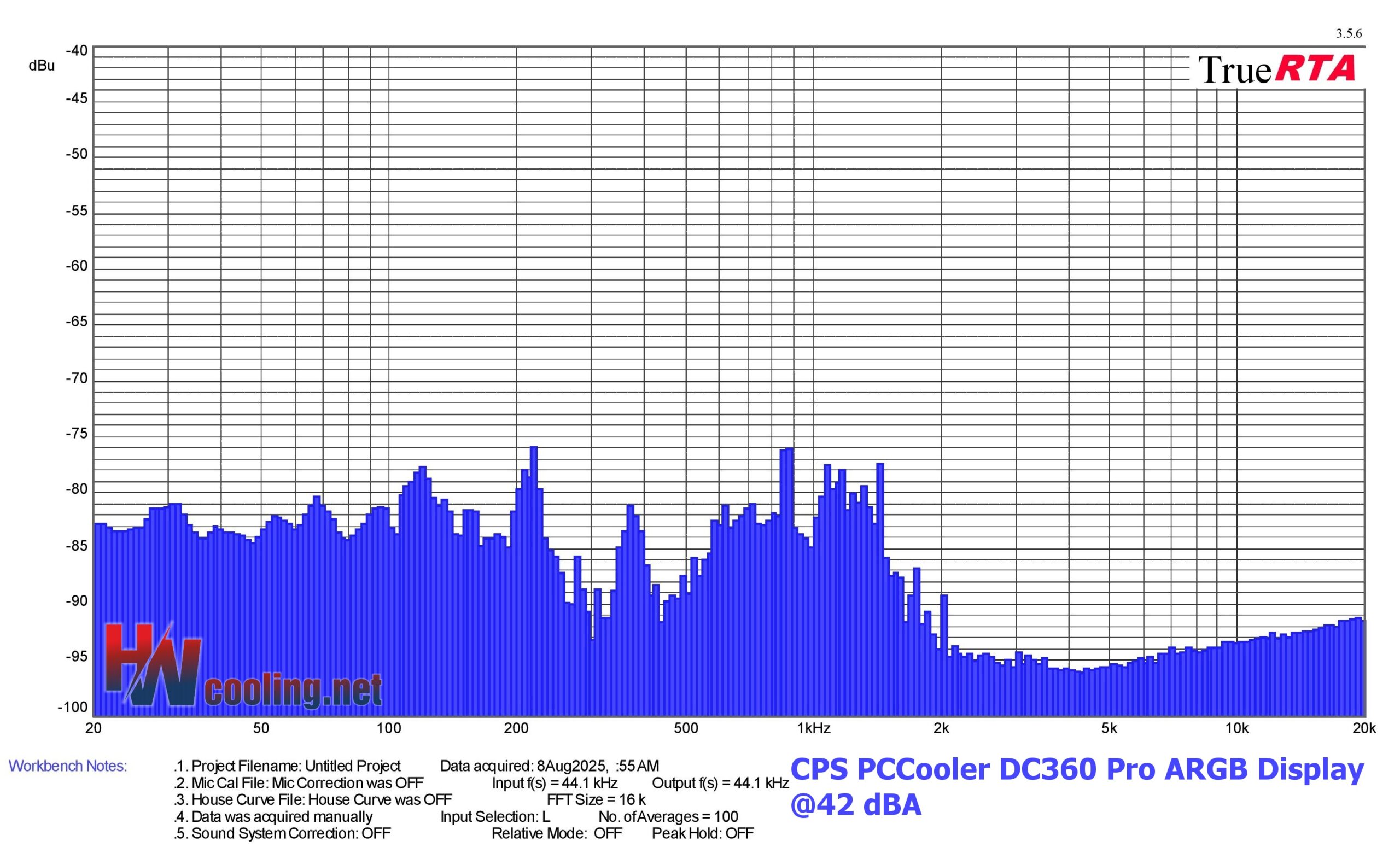
What Do the Spectrograms Show?
For the pump, the largest peaks are between 850–880 Hz. This means that in this sound band it is the loudest—assuming it is running at full speed. After reducing its speed, the acoustic profile changes, but the coolant flow rate also decreases. The sound of the fans is relatively pleasant; one could say balanced. At maximum speed (approx. 2500 rpm), their noise level is naturally quite high, which is illustrated by the large area on the first spectrogram.


English translation and edit by Jozef Dudáš