


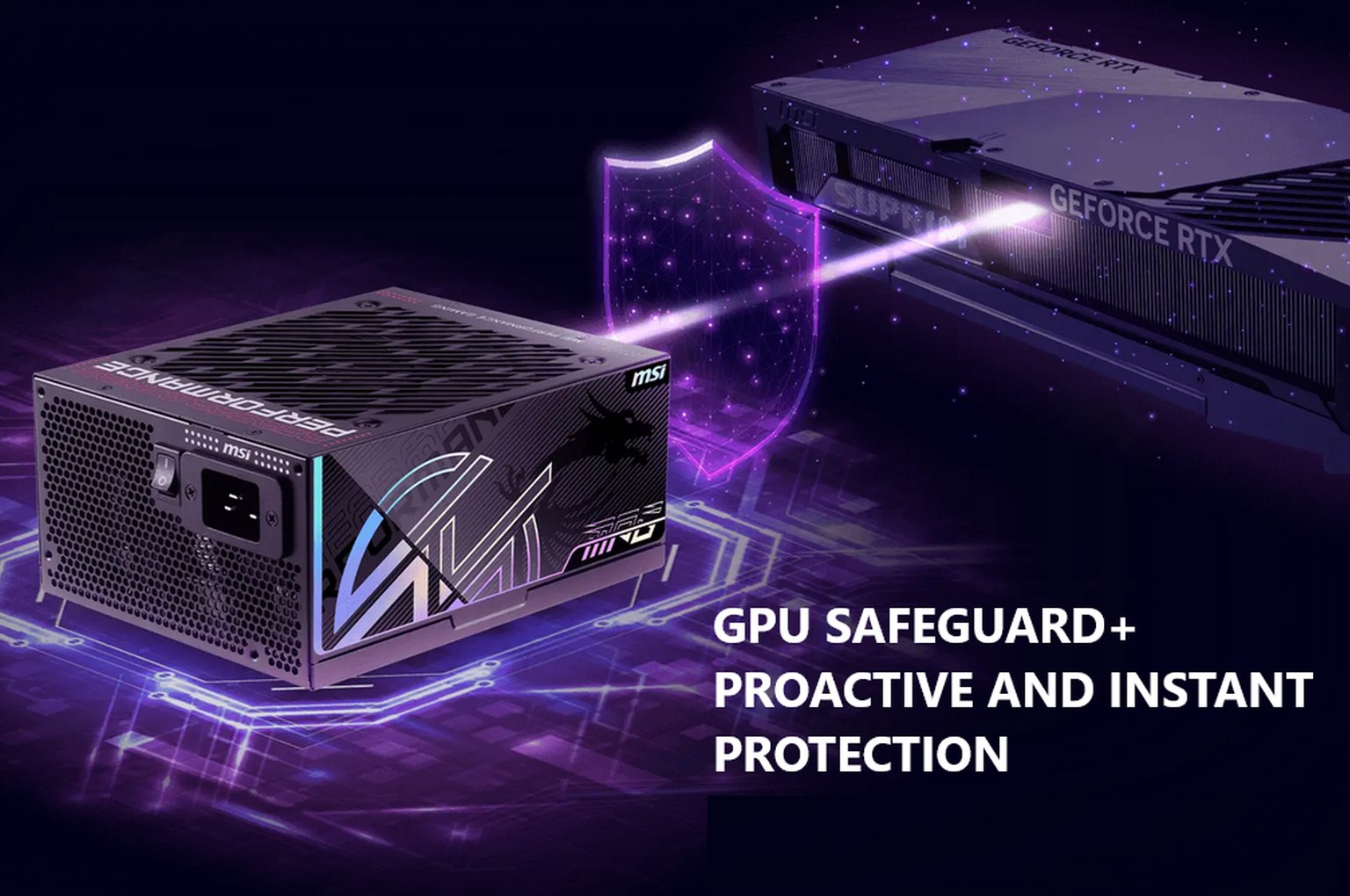
Unreliable 12V‑2×6/12VHPWR GPU power connectors have been causing trouble for years—especially on Nvidia hardware. Unfortunately, the problem remains unresolved because the company insists on pushing the connector, meaning the risk of overheating and melting cables can only be mitigated or worked around. MSI is now introducing its own attempt at such a workaround, adding a protection and early warning feature to its power supplies.
MSI has introduced a feature called GPU Safeguard+, included in its new MPG Ai TS series power supplies. Its purpose is to prevent incidents where the 12+4‑pin connector begins to overheat due to a defect, wear, or simply bad luck—potentially damaging the cable and, in worse cases, the graphics card and/or the PSU itself.
GPU Safeguard+ is designed to detect a problem before damage occurs. It should work by actively measuring current across all pins of the 12V‑2×6 connector. The PSU contains built‑in electronics that monitor and compare currents in real time. If an issue is detected, the electronics trigger an audible alarm using a small speaker (likely similar to the diagnostic buzzers once used in PCs during boot).
The monitoring monitors for situations when current distribution across individual wires/pins becomes unbalanced, as well as for cases where any wire begins carrying an excessive current for longer than a defined limit. The warning should therefore trigger even if you overload the connector’s total capacity across all wires while individual currents on them remain balanced.
Afterburner support
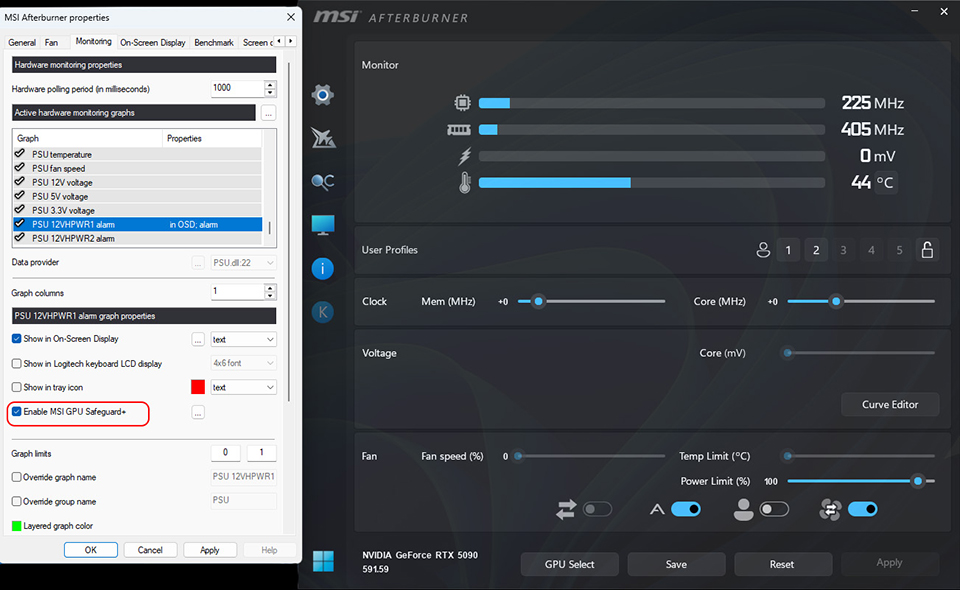
MSI’s Afterburner utility, starting with version 4.6.7, includes support for communicating with the PSU’s electronics and sensors, allowing you to monitor and check currents in software directly from Windows. You can set additional software alerts or display the currents in the OSD.
When combined with MSI Afterburner, you can also configure your GPU to automatically reduce its performance if problems are detected. When you enable “Enabled GPU Safeguard+,” the system will not only trigger the audible alarm but also automatically reduce the power limit of an Nvidia graphics card to 75% of its original power target (this should occur within milliseconds). This should ease the load on the power connector and hopefully prevent issues even if you don’t notice the alarm due to wearing headphones or being away from the PC.
This protection is unfortunately not enabled by default—you must turn it on in Afterburner, and the application must be running. The alarm from the PSU’s built‑in buzzer presumably does not require such activation and should sound whenever the PSU detects a problem (meaning it would work without any software assistance, even under alternative operating systems).
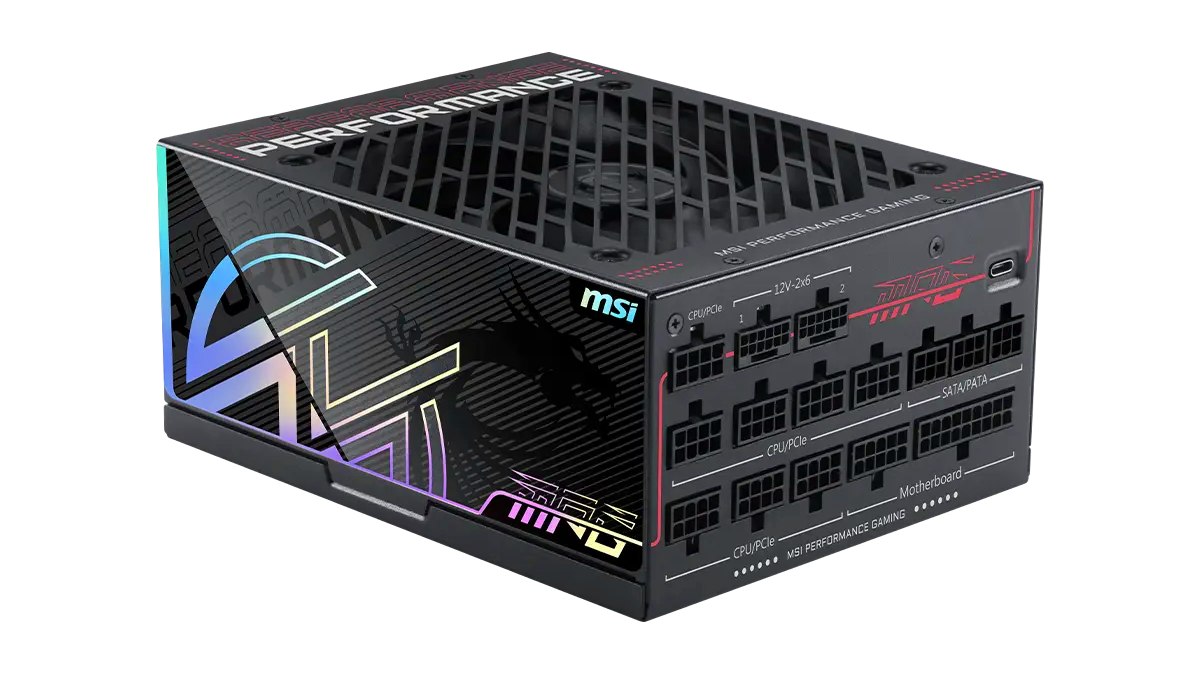
The first power supplies to offer this protection are the MSI MPG Ai1600TS PCIE5 and MSI MPG Ai1300TS PCIE5. More may follow in the future. Current monitoring requires special electronics, so this feature cannot be added to just any PSU. On the other hand, the graphics card does not require any special support, and MSI has confirmed that alerts and monitoring will work with cards from other manufacturers (you only need Afterburner installed).
By the way—you may be wondering whether measuring on the PSU side is as effective as measuring currents on the GPU side (a feature found on the most expensive Asus cards). It should be fully equivalent, because the currents are the same at both ends—assuming the cables do not have individual wires bridged by crossbars inside the connectors. Some adapters from 8‑pin connectors do this, but it should not occur with the native cables supplied by MSI with these PSUs. And monitoring current on the PSU side may actually be more useful—since the PSU can, in theory, automatically cut power in case of a problem and prevent burning further down. However, GPU Safeguard+ does not appear to do this, at least for now. Perhaps because such power cut-offs could result in relatively frequent GPU shutdowns, something gamers would not tolerate.
A useful feature that shouldn’t be necessary
This approach, on its own, seems like a good idea. In principle, it would be nice if all cables with parallel wires (including PCIe and EPS cables for CPUs) were automatically monitored for balanced current distribution. But the electronics required to implement this will always increase PSU costs. Special “Nvidia‑proof” power supplies like this will certainly be more expensive than a standard PSU of the same wattage.
The fact that you have to address this problem by buying more premium PSUs or special accessories—instead of the graphics cards themselves being fixed—essentially means the GPU manufacturer is shifting extra costs onto you, indirectly making your GPU purchase and operation more expensive. If the issue were addressed directly on the GPU side, the cost (of equipping a different connector at the factory) would likely be negligible.
So while MSI’s idea is interesting and integrating protection into the PSU is a plus, we must again emphasize that the situation with 12+4‑pin connectors remains a problem in itself. It is deeply unsatisfactory that an unreliable standard forces manufacturers to invent various workarounds for its failures—and forces users to pay for them.
Source: MSI
English translation and edit by Jozef Dudáš
⠀


