


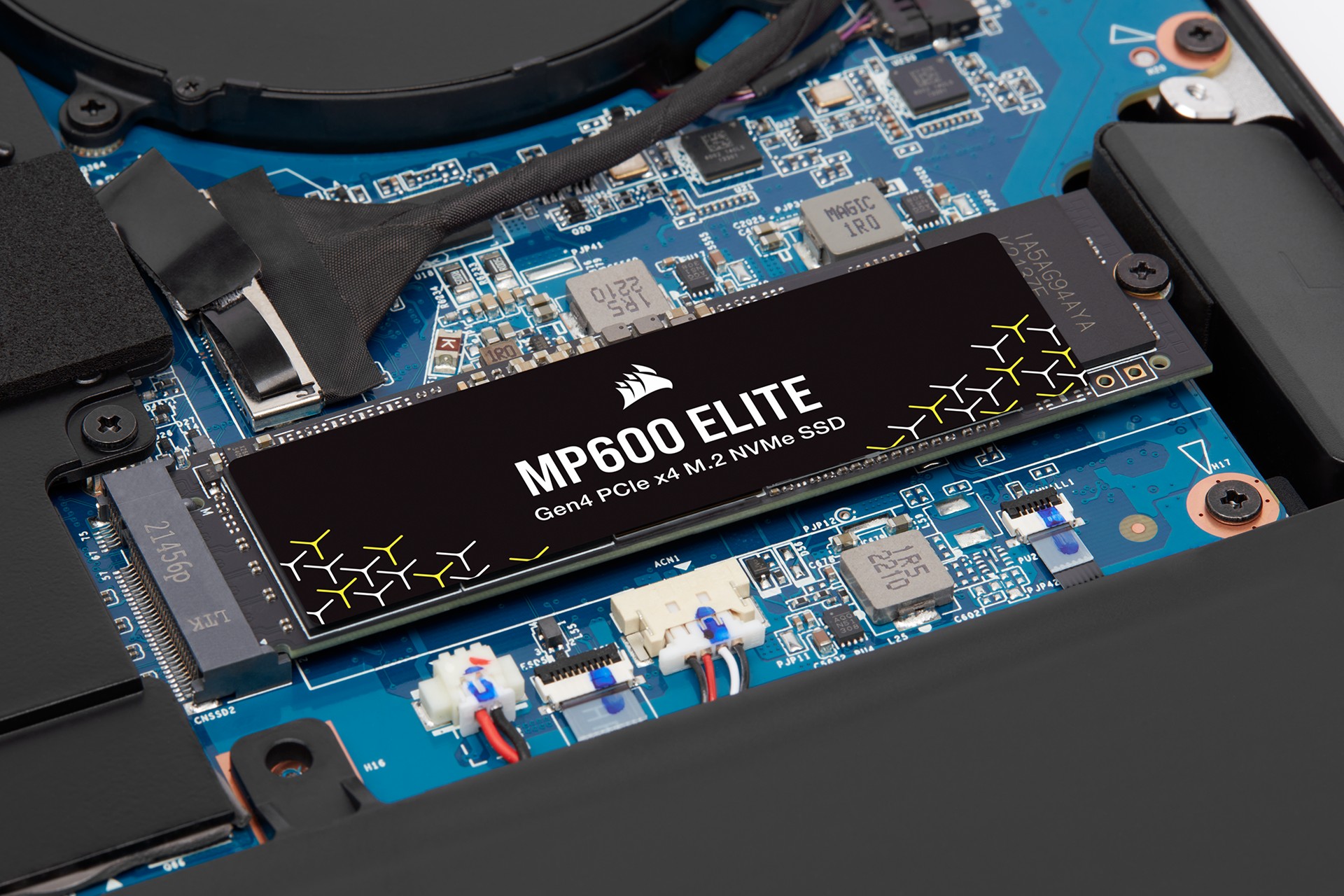
In December, Microsoft promised that Windows 11 would focus on performance, including in games, during 2026. One of the coming optimizations concerns disk encryption. Microsoft currently uses software algorithms for BitLocker disk encryption, which have certain performance limitations and can increase laptop power consumption. This year, Windows will gain more efficient hardware accelerated encryption—but there is a complication.
The software encryption currently used by Windows for the BitLocker feature is not particularly slow thanks to acceleration using AES instructions on modern processors, but today’s NVMe SSDs with PCI Express 4.0 ×4 interfaces (reaching transfer rates up to 7400 MB/s) or even PCI Express 5.0 ×4 (up to 15.0 GB/s) place quite high demands on the system, and CPU load during data reads or writes can be relatively high. At the same time, BitLocker encryption should now be enabled by default on new installations of Windows 11 Pro, so an increasing number of users are exposed to this impact.
In November, Microsoft announced that Windows would gain the ability to use encryption handled directly by hardware, which should no longer be associated with the performance drops seen with software encryption. The feature is now already present in the system and should soon be enabled on newly released computers, the first of which are likely to appear this month.
Support for this hardware accelerated encryption mode is somewhat complicated. You may recall that SSDs typically support encryption directly within the drive’s controller. However, Windows does not make use of these capabilities, and when hardware-accelerated encryption is now being discussed, it does not mean using the built-in encryption features of the SSDs themselves.
The reason may be that there is relatively little trust in the correctness and security of encryption implementations at the level of SSD controllers and firmware. The large variability among different SSDs available on the market makes it impossible to thoroughly test and audit their implementations, and it can be expected that many SSDs may have various security issues in their firmware that could open paths to weakening or breaking encryption of stored data.

Offloading encryption to a dedicated unit in the processor
Instead, the newly introduced hardware storage encryption will rely on a dedicated encryption unit that will be introduced by new processors and should be an integrated part of the platform itself. The SSD itself will therefore always receive data that is already encrypted and will never handle the encryption key at all. From the user’s perspective, this encryption implementatio should work the same way BitLocker has worked up to now. The algorithm is XTS-AES-256.
The downside is that this performance-improving innovation will not reach any older and current computers, since apparently no existing processors currently support it. It will arrive with new chip generations—the first to offer the feature are the 1.8nm Core Ultra 300 “Panther Lake” SoCs, which Intel is now releasing, and during CES 2026 the first laptops based on them should debut. Microsoft has confirmed that enterprise laptops based on Panther Lake with vPro technology will already support this hardware acceleration.
Hardware-protected keys
As part of this change, in addition to offloading encryption and decryption to a unit within the processor, security is also increased by storing the keys in a special, protected storage area inside the processor. These protected keys will not be accessible anywhere in the system’s main memory and will not even be “visible” to the CPU cores themselves. This limits attackers’ ability to access the keys through security vulnerabilities (for example, speculative attacks or other methods of finding and leaking sensitive data from memory). With software encryption, the keys must necessarily remain in RAM and can also leak from CPU core caches, because the CPU needs them when executing the cryptography routines.
This key protection is a separate feature and does not have to be available on all processors. It is not strictly required for support of hardware encryption itself, which can function even without hardware key protection. This is also not the same as using a TPM—the TPM will continue to exist in PCs with a somewhat different role.

Encryption without impact on performance
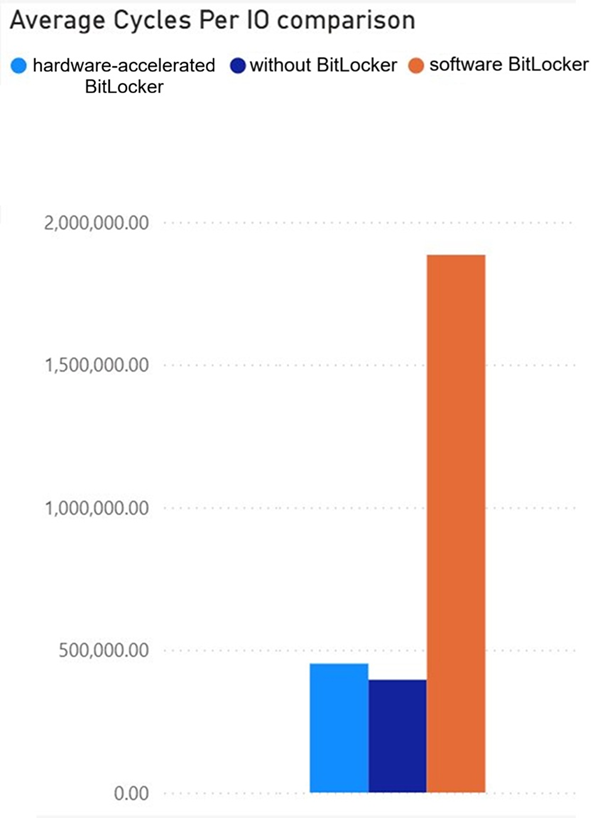
According to example tests shown by Microsoft, CPU cycle savings at high transfer rates with a fast SSD can reach up to 70%. Acceleration (offload) using the dedicated unit in the processor ensures that the impact of encryption is practically negligible—according to the test, CPU load can be virtually at the same level as with an unencrypted SSD. Actual results will likely vary depending on the hardware. These results were probably obtained on a sample of an Intel Panther Lake processor; other processors may behave slightly differently.
Longer battery life, lower heat and less noise
In situations where software encryption reduced the effective performance of the SSD—which can often happen, as reading and writing larger volumes of data may be slower than without encryption—hardware BitLocker can increase performance by removing this “bottleneck.” Performance should again be restored more or less to the level of an unencrypted system.
In laptops, this simultaneously means reduced power consumption. If you use an encrypted SSD, you should hear the fan spinning up less often and notice lower temperatures when opening larger programs and datasets or copying files. Thanks to lower power draw and CPU load, the laptop should also last longer on battery power.
Integration of the encryption engine and hardware for key protection into the processor will primarily be a matter of laptop CPUs—this creates a more tightly integrated SSD data security model somewhat similar to the approach used by Apple (but without the major drawback that Mac users cannot upgrade or replace the SSD in case of failure, nor remove it to recover data from a broken laptop). It is not yet known whether this encryption hardware will also arrive in desktop processors, where encryption is not as strongly emphasized. However, many home users also use encrypted drives in desktop PCs, so it might not be a bad idea.
Microsoft has not yet mentioned other processors or platforms that will support this technology—we therefore do not know whether, for example, the next generation of mobile Ryzens based on the Zen 6 architecture or Qualcomm Snapdragon Elite X2 processors will support it. The company does confirm, however, that support will expand in the future, so it will not remain exclusive to Panther Lake.
Source: Microsoft
English translation and edit by Jozef Dudáš
⠀


