





A spectacle – but in the best sense of the word. The FD Momentum 14 RGB are illuminated fans made from LCP, which is a rarity in itself. And when you factor in the white finish, you’re looking at something truly unique. But also practical—light reflects better off a white impeller (compared to “dark” competitors), and we haven’t even mentioned the main highlight yet: an efficient geometry that contributes to what are essentially unparalleled results.
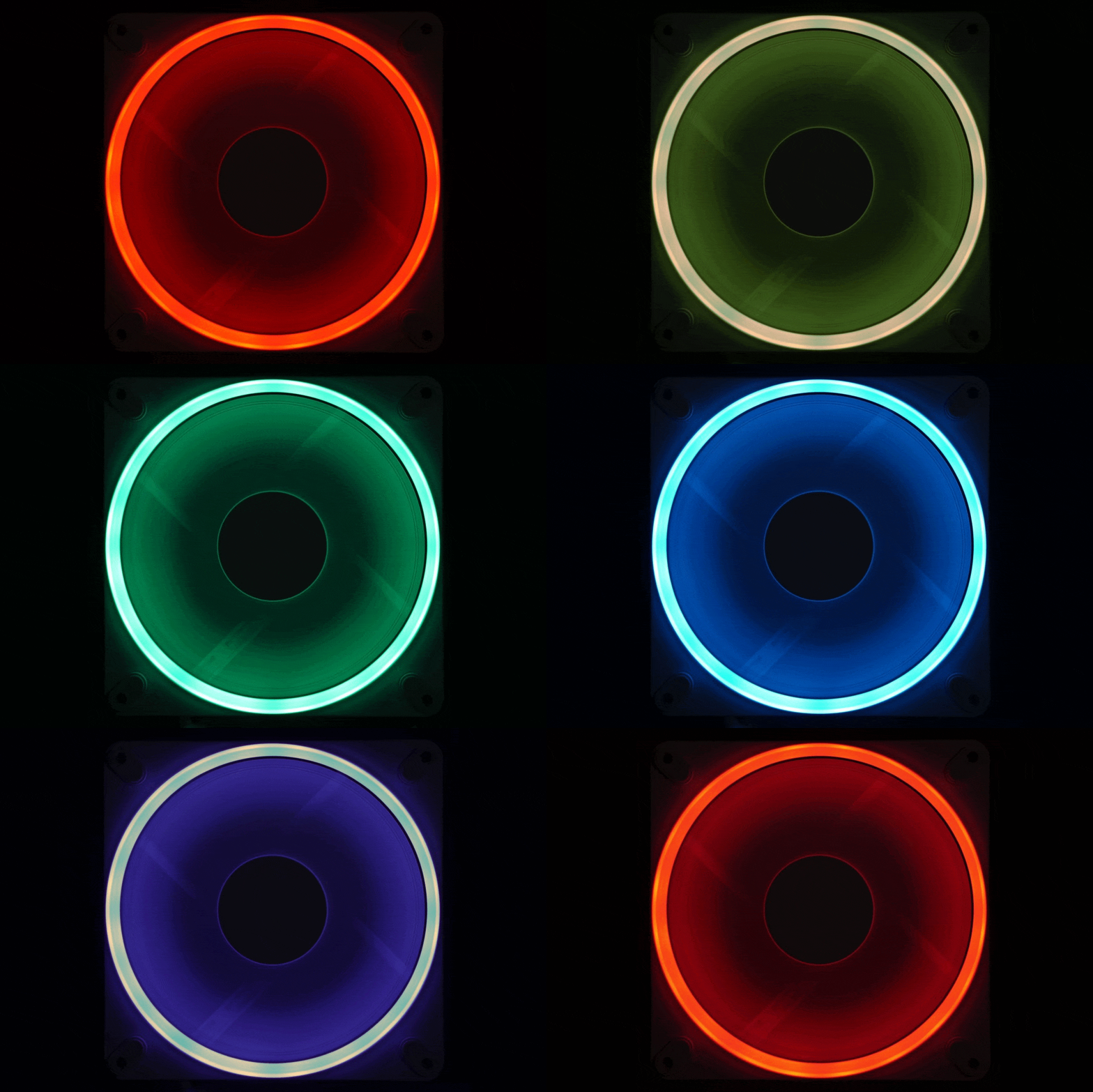
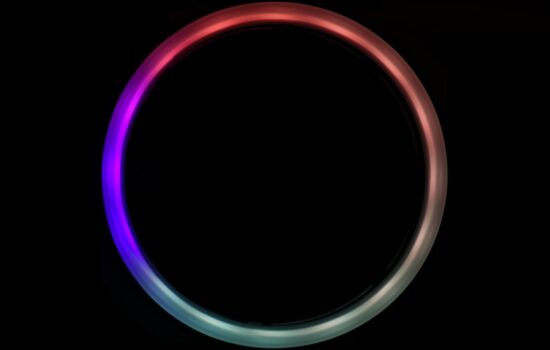
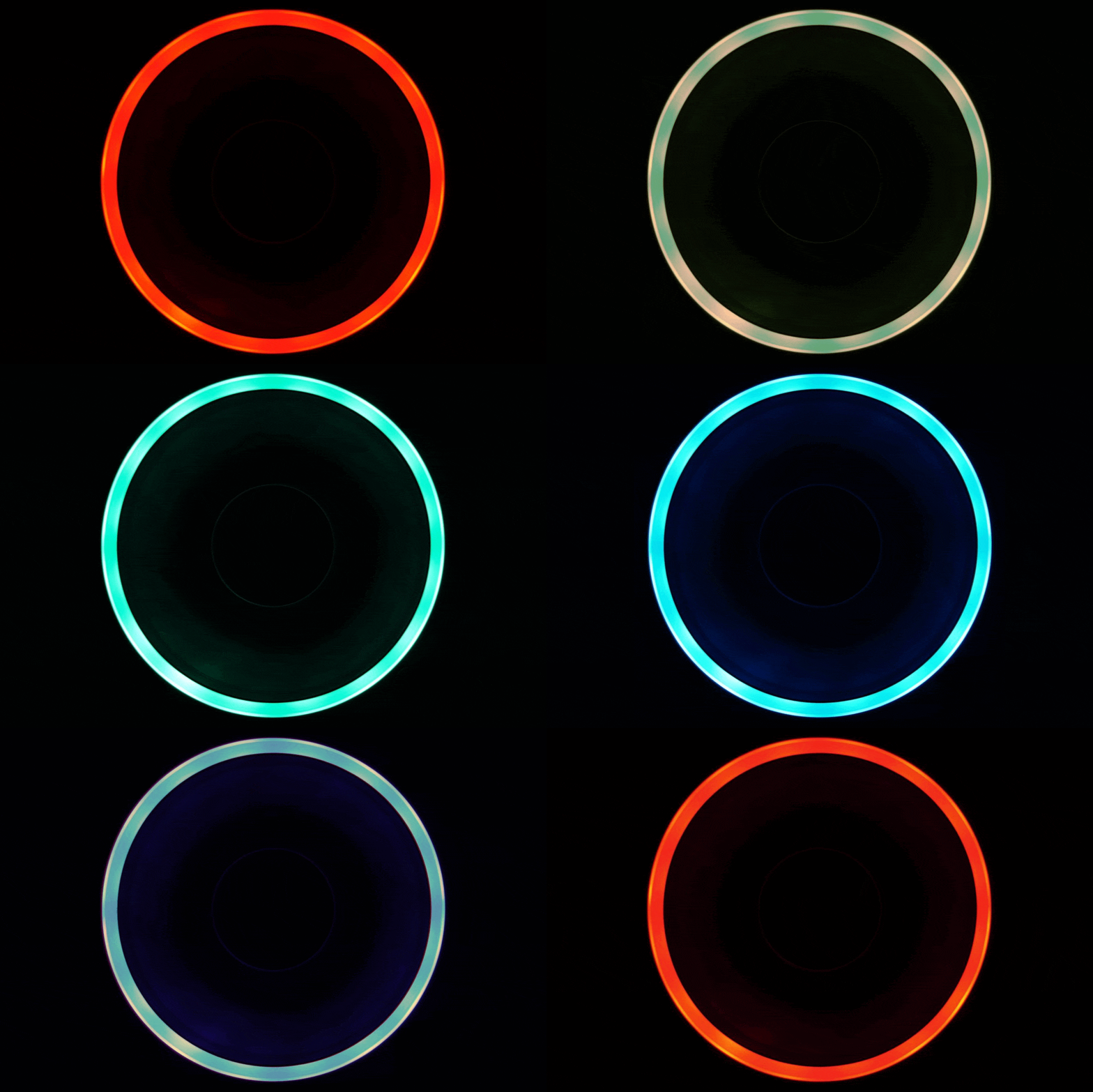
First, let’s talk about the lighting. It’s ring-shaped, with a light guide encircling the impeller, embedded in the frame. Combined with the white impeller, this setup achieves higher brightness, as the light-colored material reflects light quite well. Certainly better than black, as the photo below clearly demonstrates.
Compared to the “black” variant of the Momentum 12 RGB fan, the “white” Momentum 14 RGB reveals much more of the impeller even in darkness. This is rare for illuminated fans in general, and within the context of the Momentum 14 RGB, we’re also dealing with liquid crystal polymers—a true rarity. Illuminated fans with LCP impellers are virtually unheard of, but the Momentum 14 RGB (White) does have them, and we can already say that this was a smart move by Fractal Design. Building the new fans (replacing the Aspect line) not just on efficient aerodynamic design but also on LCP results in truly impressive outcomes, as you already know from tests of the smaller variants (Momentum 12/RGB). This analysis, however, focuses on the 140 mm Momentum 14 RGB models in white – impeller and frame alike.
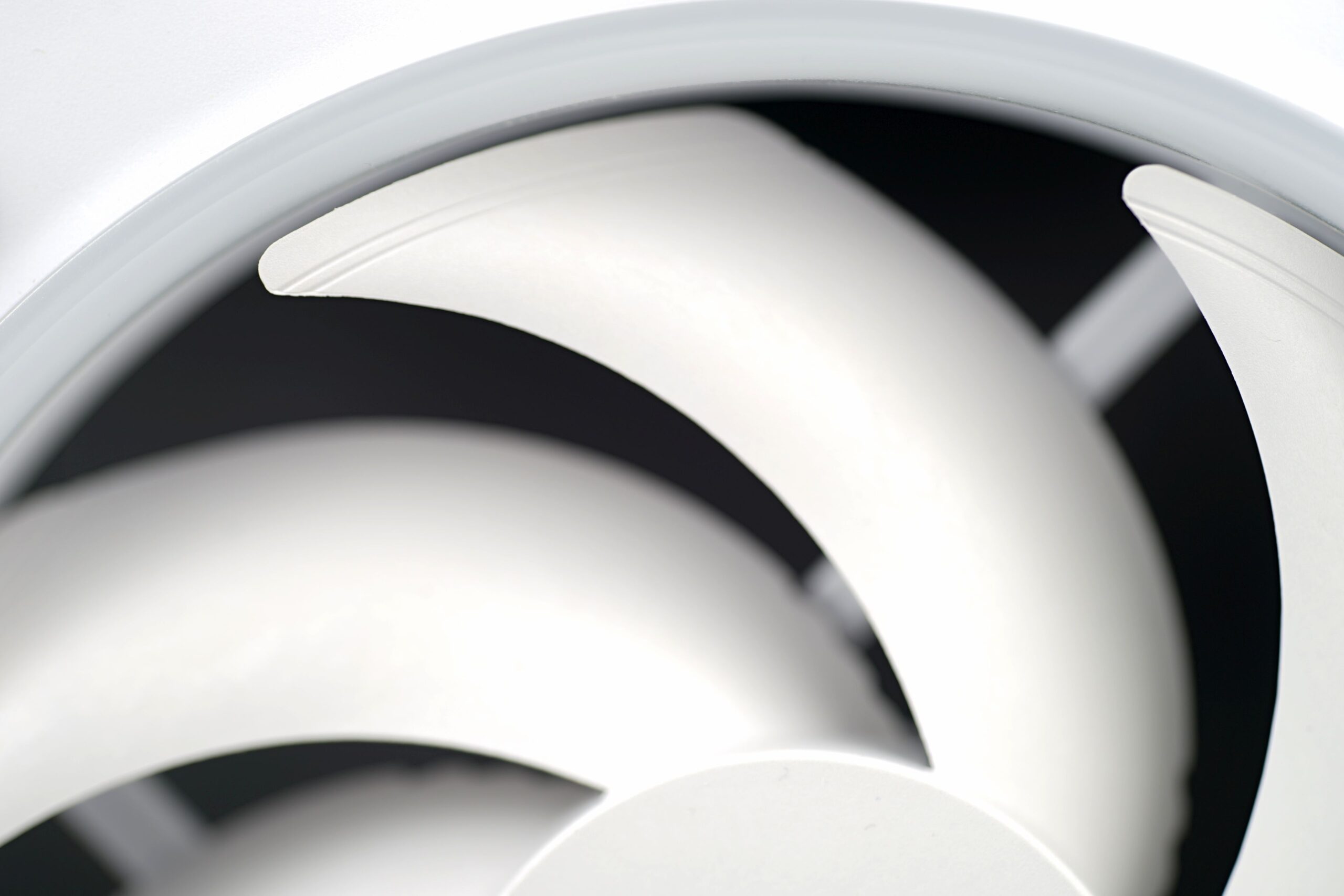
The strongly curved blades are designed for efficient airflow and a solid performance-to-noise ratio. At the tips, the blades are slightly elevated, which can increase pressure in critical zones and enhance overall aerodynamic efficiency.
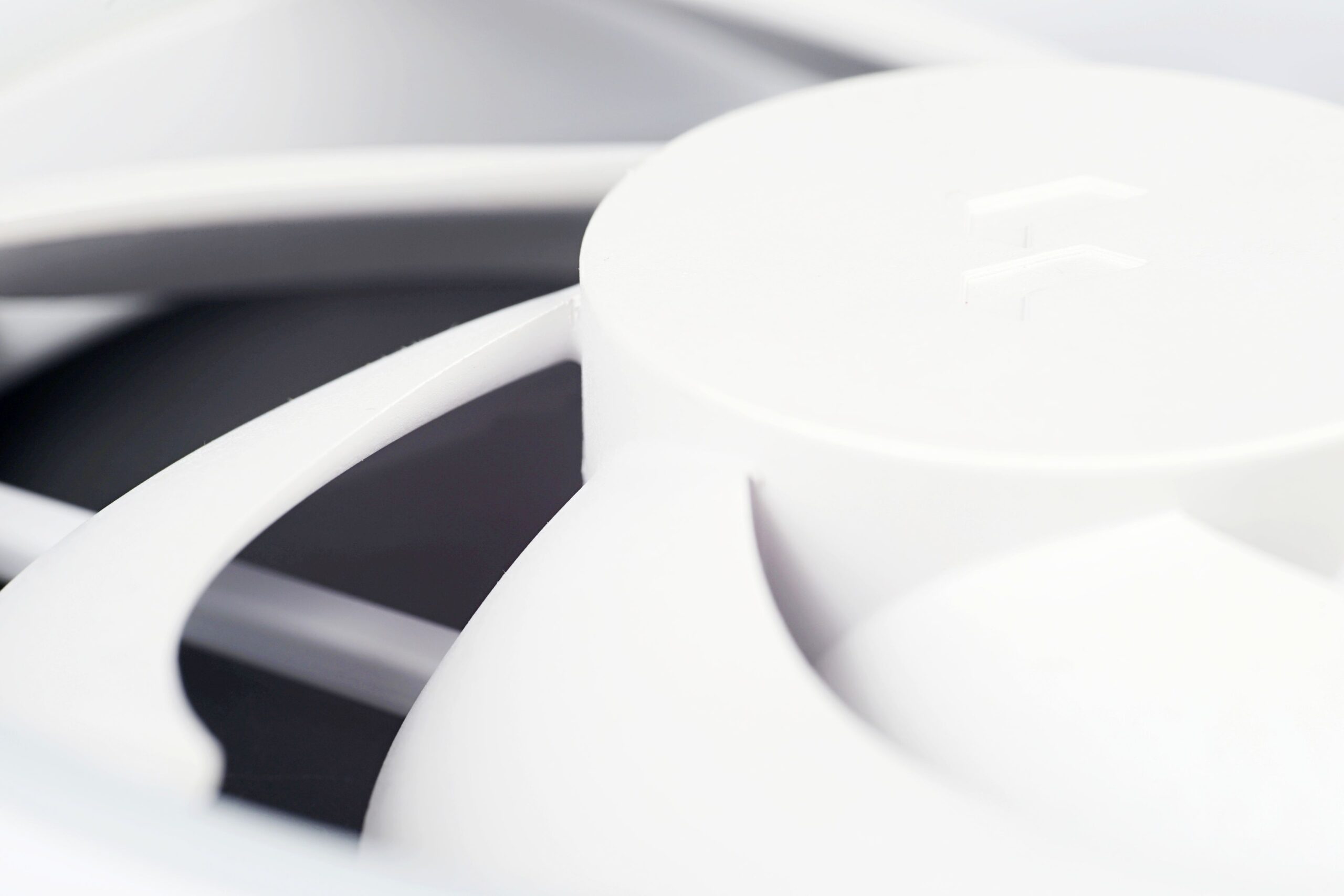
The curvature radius of the leading edges is quite aggressive. The impeller hub has a diameter of 46 mm, which can be considered average for 140 mm fans. The robustness of this component (the impeller hub) is important for stabilizing the impeller, and it also impacts factors such as fan lifespan. Speaking of lifespan or MTBF, we don’t have any official data. Unless we missed something, Fractal Design doesn’t specify this in its materials. However, we do know that the fans use fluid dynamic bearings (FDB). But even here, it’s hard to draw quality conclusions—not all fluid bearings are created equal, and their longevity depends greatly on design variations. All we can do is hope Fractal Design has put effort into this aspect as well.
Back to the aerodynamic characteristics. The static pressure of the Momentum 14 RGB fans is average to slightly above average. That’s not inherently good or bad – what truly matters is the final airflow within a specific system, i.e., the drop in flow caused by a particular obstacle. Still, the “average” static pressure designation is appropriate. That’s supported by the official specs, our own measurements, and a look at the frontal cross-section of the fan.
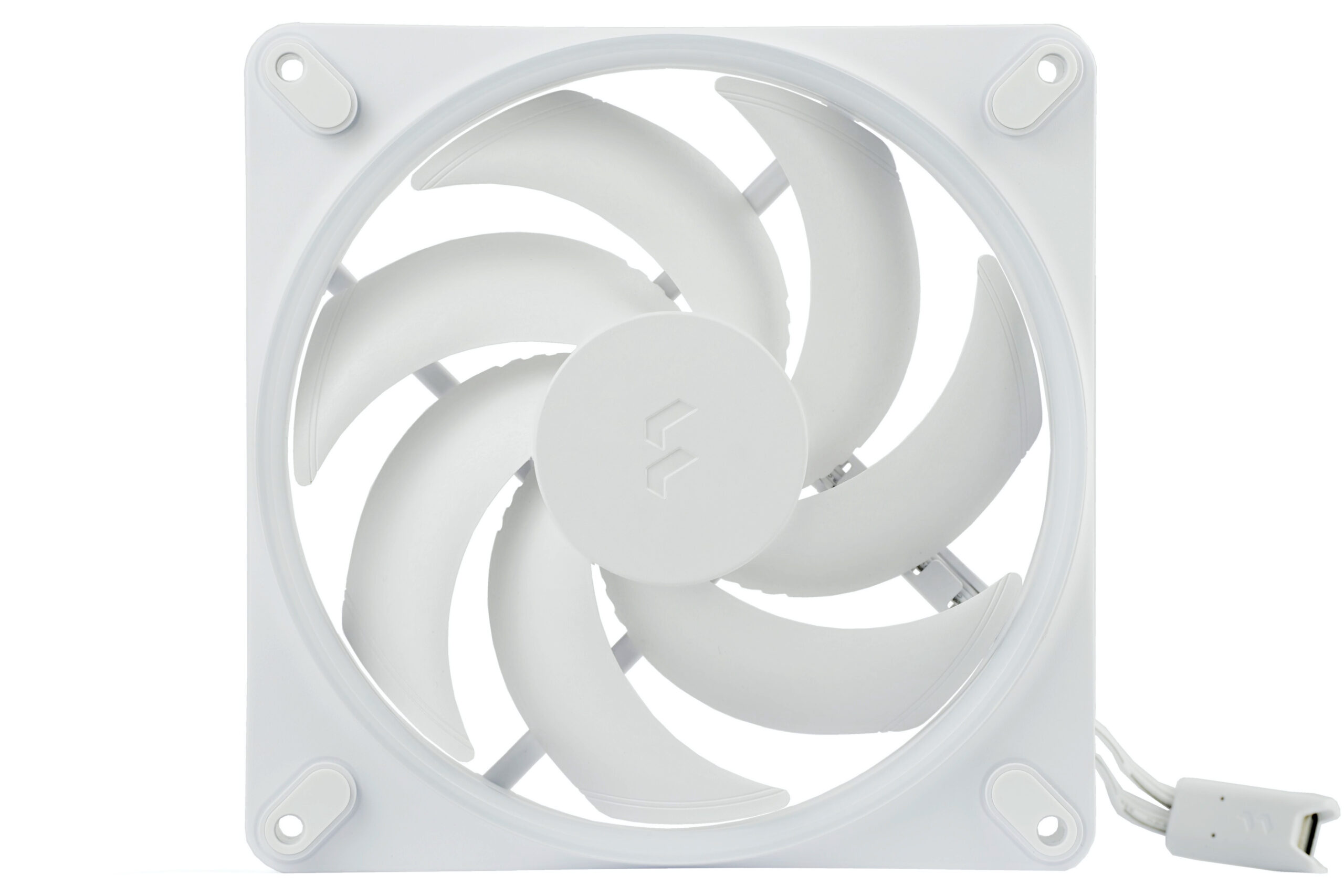
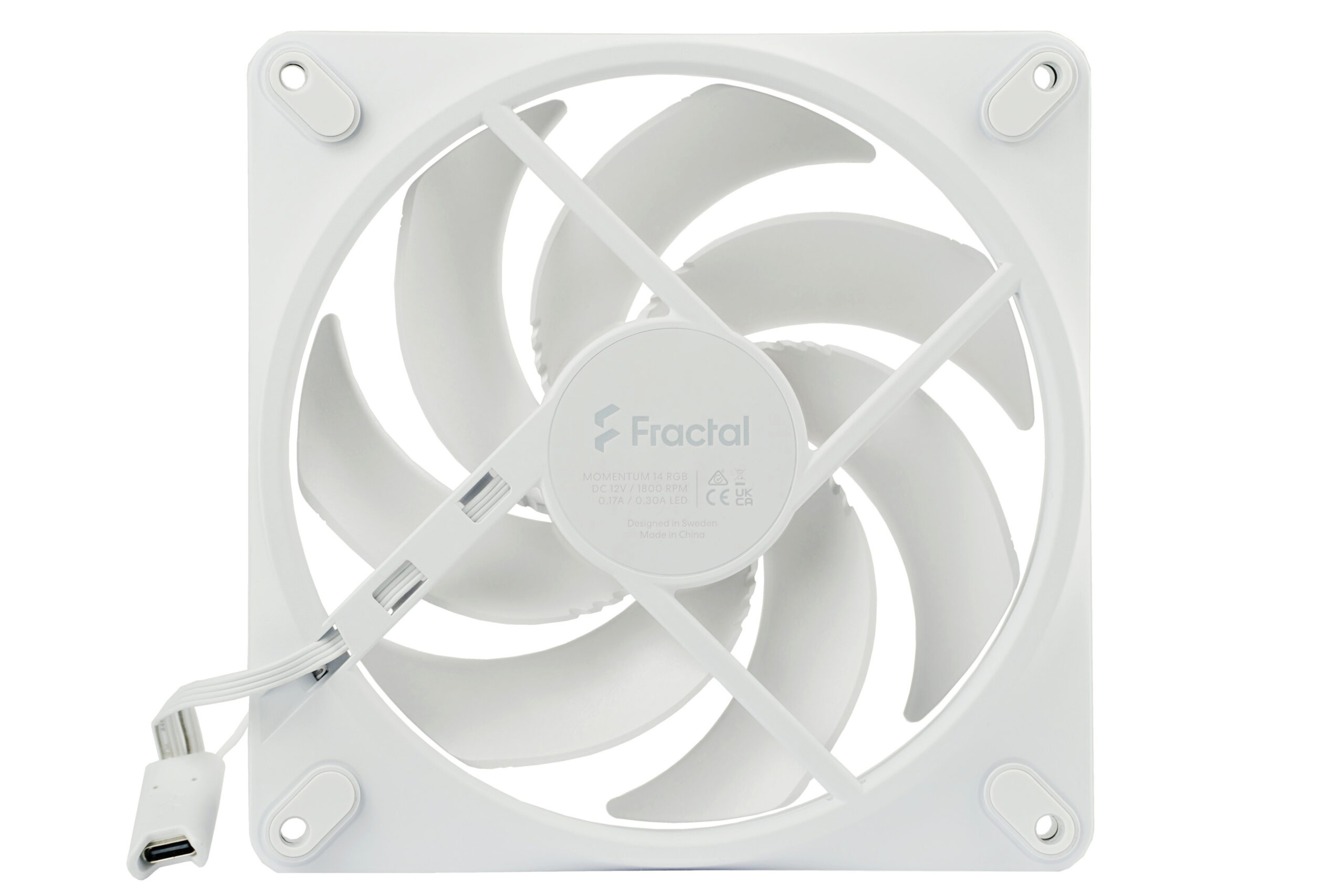
The spacing between individual blades could be described as “moderate.” The gap from the blade tips to the inner wall of the stator frame is very tight – certainly less than one millimeter. Such a narrow clearance is made possible by the exceptionally rigid material used in the blades. Proof of this can be found in the very low vibrations. These remain minimal even at maximum speed.
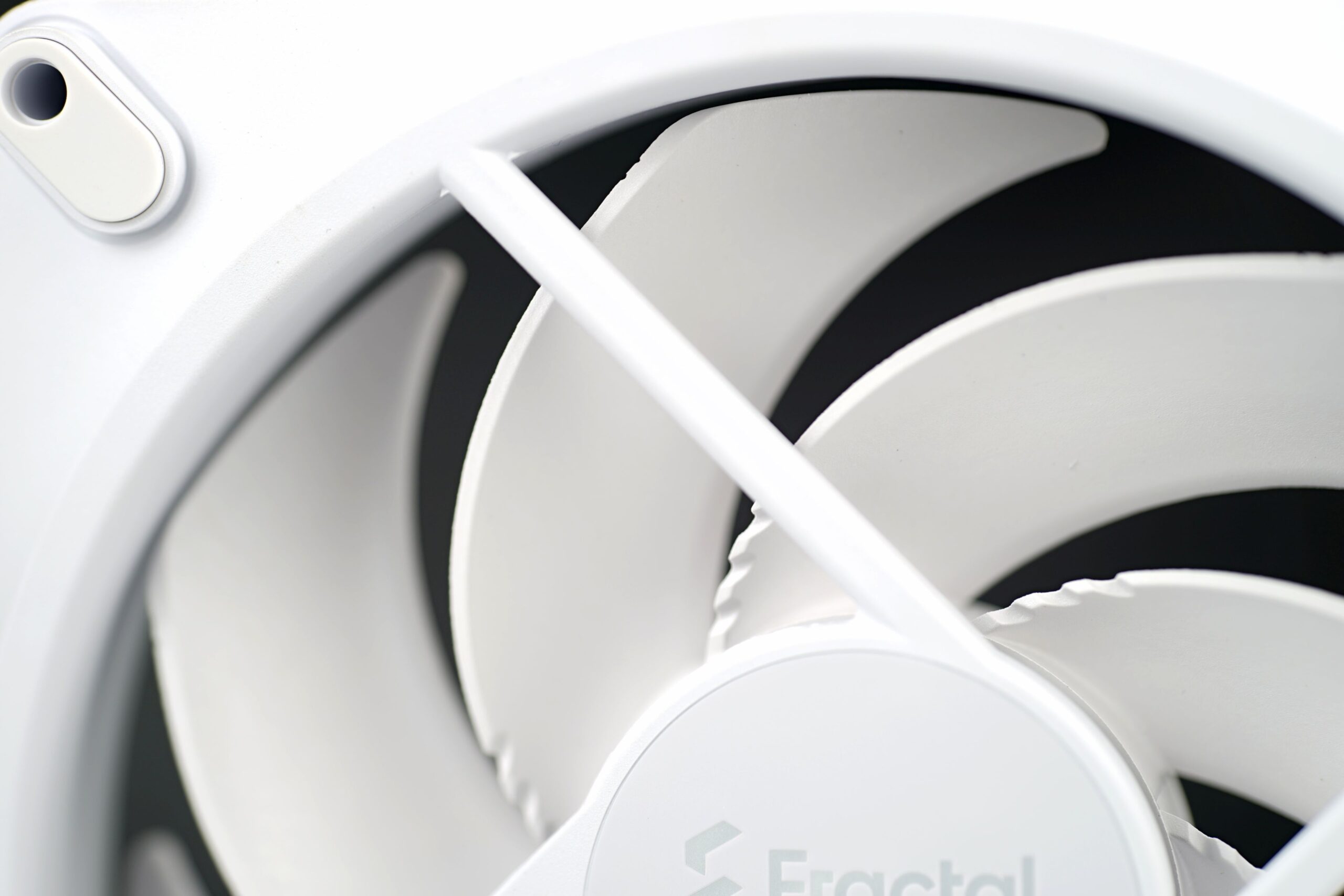
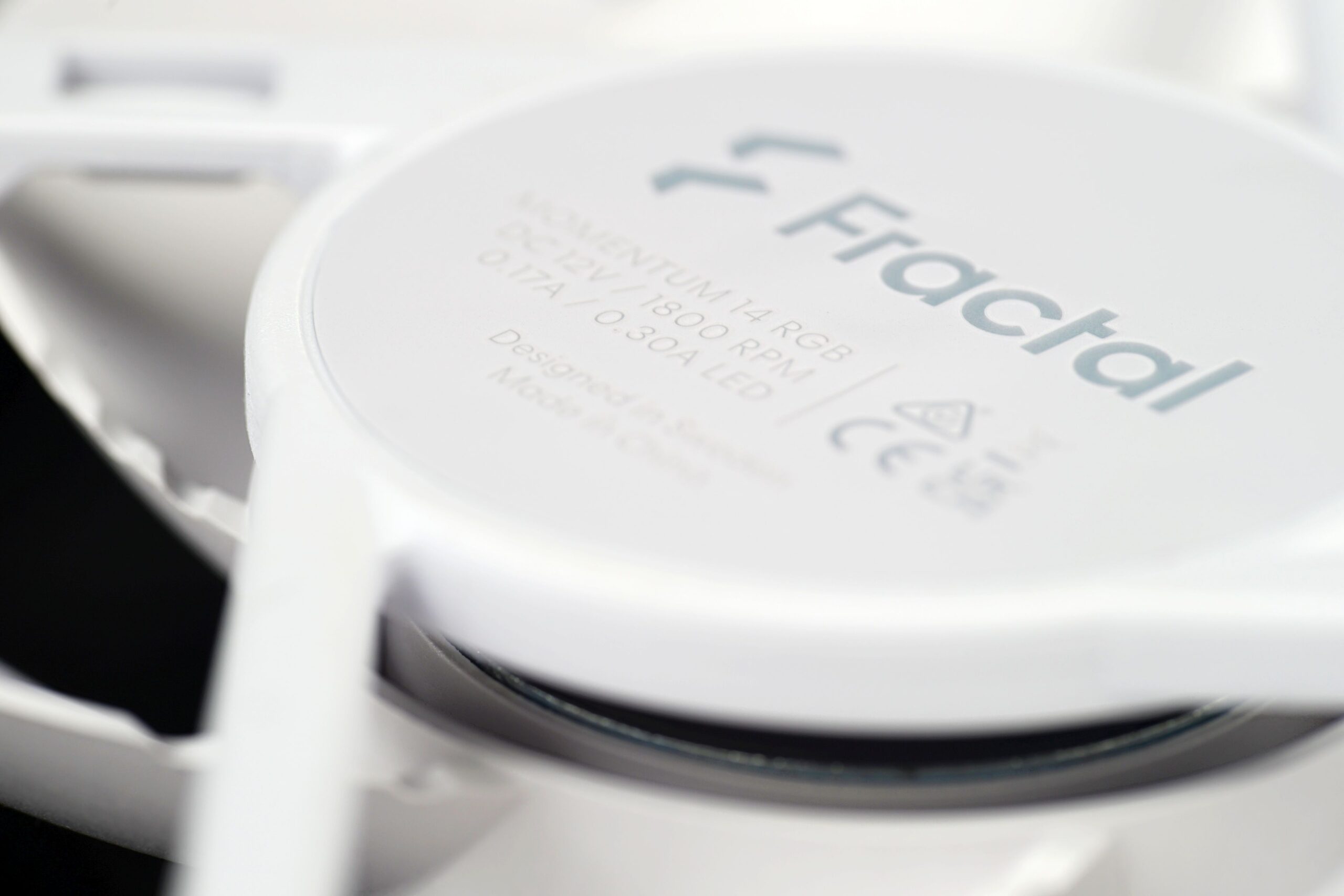
The fan’s maximum speed is approximately 1800 RPM, a figure printed on the motor housing, as is tradition.
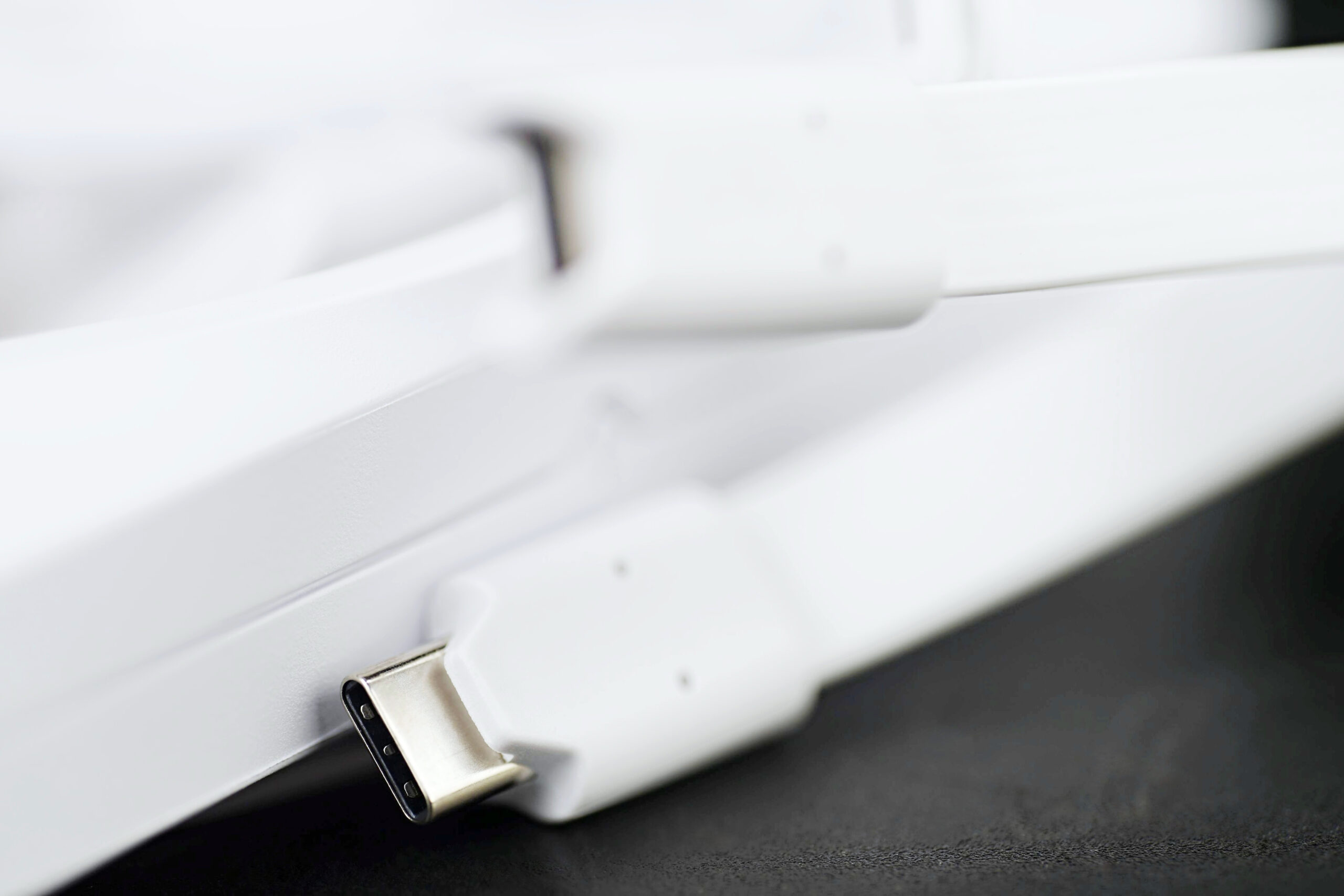
Less traditional is the USB-C connector for fan power—found even on single-unit packages (not just 3-packs). Both the motor and lighting are powered via this USB-C connection. Fractal Design likely chose this solution for better compatibility with their new Adjust Pro hub, which also features USB-C ports, making it easier to connect and daisy-chain multiple fans. Instead of two separate cables (4-pin PWM and 3-pin ARGB), only one is needed. For users requiring two cables, an adapter is included in the accessories. This adapter enables standard motherboard or hub connections via the more traditional 4-pin (motor) and 3-pin (ARGB lighting) headers. The choice is left to the user. The native option is USB-C, but Fractal Design considered those who may not be able to use the fan via that interface.
Please note: The article continues in the following chapters.



Looks like things are about to get interesting again—we can’t wait for the P14 Pro (A-RGB) to be released. Maybe we’ll manage to squeeze in tests of the Noctua NF-A12x15 PWM in the meantime… could help make the wait for the Arctic fans a bit easier. 🙂
Great job from Fractal, it far exceeded my expectations. Now, would the non-RGB version be better or worse on the 14 cm variant? I hope you’ll eventually find the time to test it.
On comparison of it vs A14x25 G2, I still wonder how much the G2 is penalized for not having enough mounting pressure to fully compress the load relief ring. Maybe you can do a mini retest with standard vibration pads without load relief…
This, P14 Pro and later T30-140, 14 cm fans are finally getting interesting.
I am looking forward to more slim fan tests too!
–“…I am looking forward to more slim fan tests too!”
Aaa, so you are the mentioned SFF builder, …aren’t your?… 😉
I don’t remember sending an email asking for a review, so that’s not me.
Though I do am an SFF builder with three slim fans in my case… an Arctic P14 Slim, a Noctua A12x15 mounted on L12S, and a Noctua A9x14 mounted on the GPU.
aaa, bad guess… never mind. 😀
I also have the Arctic P12 slim in the Sugo 14 as the top exhaust above the graphics card…but at those RPMs (as I have set it) its benefit is almost immeasurable 😀
— “Now, would the non-RGB version be better or worse on the 14 cm variant?”
Without testing, we can’t really make any claims… We’ve submitted a request for non-RGB samples of the Fractal Design Momentum 14, so we’ll see how that goes. That said, any potential testing would likely happen later rather than sooner—realistically, I don’t expect to get to it before next year due to other commitments. 🙂
Thanks for testing.
https://www.fractal-design.com/products/fans/momentum/momentum-14/
https://www.fractal-design.com/products/fans/momentum/momentum-14-rgb/
I think you made a mistake; please correct also your test/news of the non-RGB 12 version.
According to Fractal the whole momentum series offers fan blades from LCP.
https://www.fractal-design.com/app/uploads/2025/05/Momentum_Product-Sheet_EN.pdf
The non-RGB version has longer blades and the gap on the left side of the blade looks even slighty tighter.
Slightly higher static pressure and air flow is stated for both sizes.
Rotational speed are the same across all, but noise level is 3.4 – 3.9 dBA higher.
Can’t be fully sure without testing, but I wager to say the non-RGB version might be slightly better (or at least the same) performance-/noise wise.
But saving of 7 bucks (currently) is a plus.
¯\_(ツ)_/¯
— „I think you made a mistake…“
Thank you for your comment. Yes, all Momentum fans use LCP (liquid-crystal polymer) blades. If you’ve seen any materials where we claim otherwise, could you please point them out? Mistakes can certainly happen—but we’d appreciate it if you could quote the exact passage and suggest a correction. That way we can verify and fix it if needed. 🙂
What was meant with “mistake” is that in the news written here, and the other non-RGB test, the term “LCP” wasn’t even mentioned once.
This gives the impression that those non-RGB fans are not made out of LCP; at least it does that for me.
Even more, LCP was mentioned in this test of the RGB version.
So that’s clearly a mistake for me, especially because LCP is still a costly thing for fans nowadays and kinda special.
Have a nice day.
…yes, that was already mentioned in the SK version
https://www.hwcooling.net/cas-na-zmenu-testy-fractal-design-momentum-12-black/#comment-10593
…but I wouldn’t call it a mistake…more like kind of an omission 😛
As I believe I already mentioned in the comments under the initial Momentum review—it honestly didn’t occur to me at the time of writing that these were LCP-based fans. We’ve decided not to go back and revise the article now, as it seems more appropriate to simply move forward and highlight this fact clearly in upcoming reviews. 🙂
yes, 🙂
…well, my comment was just to underline that you already know about it 😉
…and besides, I stated that it was just an omission and not a mistake (in your defense, right) 😛
You’re absolutely right. That said, we won’t be making retroactive edits, even though your observation is certainly valid. What’s important is that you’re aware the rotors are made from LCP—and you’ve rightly pointed it out. We’ll make sure to clearly emphasize this in all future articles involving Momentum fans. This includes not only the upcoming review of the Momentum 14 models, but also other content where these fans are used—for example, in the upcoming coverage of the Epoch cases. 🙂
Here are some direct comparisons of frequency characteristics for the NF‑A14 G2 (filter, grille, radiator). This time, I felt it necessary to append especially the results at 39 dBA with radiators.
As always… thanks! 🙂
In terms of sound characteristics, the sound on the radiator at 39 dBA looks very similar to me (similar peaks at similar frequencies). I’m curious if I could tell them apart, …but I’m guessing not. 😀
…although Noctua is aiming for a slightly deeper sound (higher peak around 150 Hz)
The acoustic profile will be very similar. At the 39 dBA level, I noticed a bit more low-frequency noise from the Noctua fan, especially when mounted on a radiator. It actually starts appearing even at lower speeds and at 33 dBA. I’ll need to look into this more closely when I get a moment — it’s starting to look like a slightly elevated noise floor on the NF-A14x25 G2 PWM, which shouldn’t happen. But… retesting is definitely necessary. Otherwise, I probably wouldn’t sleep well at night. 🙂
Thus, there is no way to find out the sound floor in your case (with the equipment), but it is possible that it was slightly higher, …there could also have been a negligibly higher atmospheric pressure (even at high frequencies it is a bit higher)…
Anyway, it probably doesn’t matter, because the higher values at the beginning of the axis do not have a significant impact on the A-weighted average, and at the 39 dBA, even if the noise floor was equal to 30 dBA (which I guess was not), it would have made less than 0.5 dB difference (if one noise level were 15 dBA and the other 30 dBA, that would equal 0.5… so this is a purely hypothetical concern)
… so you can sleep well. 😉
Two really different (pure hypothetically) noise floor lvls
1) 15 dB = 10*log10(31.66)
2) 30 dB = 10*log10(1000)
Result) 39 dB = 10*log10(7944)
39 dBA lvl would be equal to 38.98 dBA (when 1) and to 38.42 dBA (when 2)
However, at level 31 dBA, different noise floor can make a bigger difference. 😉
Maybe one day you’ll buy a sound meter with a larger range that starts lower (lets say at 20dBA) 😛
The Reed R8080 is genuinely a great sound level meter, even if its measuring range is somewhat higher. We’ve adjusted the entire methodology to match that higher range—using a shorter distance and a parabolic collar to maximize sensitivity. I don’t believe a more expensive meter with a broader range would necessarily lead to more accurate conclusions. 🙂
Well, you are missing the point a bit. Your sound level meter is good (as I mentioned earlier).
https://www.hwcooling.net/en/arctic-p12-pro-key-to-noiselessness-is-in-7-blades-review/#comment-11014
😉
The point is that you do not know what the sound floor of your chamber is. If you could borrow some a class 1 meter with the range starting from 20 dBA, you would be able to measure your chamber sound floor. If you could measure it in different days and climatic conditions (sunny, rainy, etc. ~ different atmospheric pressure, etc.) during the part of the day when you usually conduct the measurements, you would find out how stable the sound floor is and what its value is. 😛
Because, as I show in the comment, there is a risk of inaccuracy at the lower noise levels (31 & 33) when you don’t know what your noise floor value is and how it varies.
When you measure 31 dBA and the noise floor is 29 dBA for A-fan and in the case of B-fan you measure 31 dBA, and the noise floor is 27 dBA, the actual sound level of A-fan is 26.7 dBA and B-fan is 28.8 dBA. 😉
The sound level meter is calibrated using a certified calibrator before measuring each fan.
But of course — I totally understand. 🙂
— “The point is that you do not know what the sound floor of your chamber is. If you could borrow a class 1 meter with a range starting from 20 dBA, you would be able to measure your chamber’s sound floor.”
Sure — everything can always be done even better. The question is: where’s the threshold beyond which higher technical precision no longer has any meaningful impact on evaluation — or where the pursuit of it actually becomes counterproductive (e.g. by making it impossible to keep up with real-time fan testing, time-wise)? 🙂
Sure… no offense ;-)… I was just responding to the fact that you didn’t like something on those spectrographs and wanted to measure something again… so I was just trying to explain to you that you don’t have to worry about anything at a noise level of 36 dBA and more. …and the problem can only occur at 31 and 33 dBA lvls.
By the way, I thought of something that won’t take up as much time as re-measuring a fan. I’ll email you tomorrow. 😛
Just to clarify: I have no doubts at all about the accuracy of fan settings adjusted using the Reed R8080 when it comes to normalized noise levels. With the spectrograms recorded via microphone (UMIK-1), there is certainly a larger margin of error. That said, I consider spectrograms to be supplementary material—and the key elements (tonal peaks) are always captured with enough precision to draw reliable conclusions. 🙂
Thanks for the details. The noise levels are normalized using a sound level meter (Reed R8080). It’s significantly more reliable in these kinds of measurements, largely because it’s battery-powered—so it doesn’t introduce electromagnetic noise into the measurement chain. That’s something that can happen with the UMIK-1 microphone, and we do see some spectrum noise coming from the USB power. That said, this (noise) should be consistently present and shouldn’t affect relative comparisons. 🙂
Since I assume that the noise floor does not jump significantly and will be relatively stable (+- 1 to 2 dBA), only the lowest normalized level, i.e. 31 – 33 dBA, is at risk of inaccuracy. at different noise floors.
Here I attach the inter-level differences at different sound floors and measured levels,
https://imgur.com/ISOVhpX
…as well as a table of actual noise values of the
https://imgur.com/uB70WrC
😉
It will probably sound subtle, and the difference will likely be similar to that between the A12 G1 and the G2 — which I think is huge.
I’ve been looking at these tests for a few years and this seems like the winner for my 1 month new Fractal Torrent Compact build which has a bottom nylon dust filter with room for 2x 140/120mm but no included bottom fans.
It has been kind of hard to get a good image what fans perform well on nylon filters when half of them are missing though, but it seems like you can’t go wrong with these chart toppers, which happen to be by the same company as the case I chose funnily enough.
They’re a bit pricey though (and I want the non-RGB ones), so I’ll still wait at least until I upgrade my GPU or when I see them at a good price.
Thanks for your feedback! You really can’t go wrong with the Momentum fans—they perform very well. We do plan to test the non-RGB Momentum 14 variants too. I’m not sure exactly when, but we’ve already reached out to FD for review samples, so it’s just a matter of timing. It’s unlikely we’ll get to those this year, but that doesn’t mean we’re not doing fan tests—on the contrary, we’re focusing on those intensely. For July, August, and September, our roadmap includes a wide range of models, including 140 mm ones like the Arctic P14 Pro, P14 Pro A-RGB, Thermalright TL-B14—and very likely also the Phanteks T30-140. 🙂
@Ľubomír Samák
Btw.: How come you testers from here and hwbusters come to the same results after testing, that arctic’s p12 pro is better than p12 pwm/max regarding static pressure, but hwbusters’s testers measure the p12 pro somewhat lower in airflow (so worse case airflow; unobstructed, since hwbusters testers only measure unobstructed)?
Hwbusters testing resulted in the P12 max having ~ 8 % higher airflow at 20 dbA, 7% at 25 dBA and 2 % at 30 dBA.
(I exclude the huge 26 % difference for the P12 Max at 31 dBA here, as the max craps out as such low rotational speeds).
Yours here shows a 4 % difference for the P12 PWM PST at 31 dBA, 8 – 12 % at 33 dBA, 6 % at 36 dBA etc. pp.
So adding those numbers together, the differences become quite BIG (much larger than anything e.g. comparing Noctua’s G1 and G2 fans).
Small testing variations is out of the question here.
I can’t believe that hwbusters testers didn’t test properly, however I can’t also believe that here at hwcooling testing wasn’t done properly.
¯\_(ツ)_/¯
If that situation repeats, than it might lead to the the same difference again for the P14 Pro with both of your testing, and that would be confusing for the potential buyer.
I assume you testers answer will likely be to assuage and say “Both are likely correct due to different testing, methodology, equipment etc.”, however that answer is not satisfying for me, and there is still an absolute truth.
And absolute truth here is that If I buy both and put them in my case, either p12 pro will measure higher regarding air flow, or lower (or same?).
There is no “well it depens on this and that in your case”. I put them in the case in the exact same way, and that’s it.
So what is your answer and conclusion?
Any method for me as an outstander to know which testing resulted the more accurate result and which fans is now in fact higher regarding air flow?
Simply wait for a 3rd, 4th etc. testing done from other people, to conclude?
Issue is, I see only hwbuster and hwcooling left to be the only testers to do proper testing at an amateur/professional level; all others are, let’s say kindly, “less usefull”.
Ahh, and arctics specification states that both Max and Pro version have almost the same rotational speed (3000/3300) and thus even nearly the same airflow (138 vs 131 m³/h).
So if at all, I guess both of your tests are not the absolute truth? 😀
That’s an important situation, as not only there are other few fans which differ in measurement comparing hwcooling/hwbusters results, but because arctic’s fans are (guessing) world’s number 1 most selling PC fans, and arguably best regarding price-performance.
If the P12/P14 Pro is in fact (absolute truth) better regarding air flow too, than it’s basically the No. 1 fan again and will be sold most on the market again.
Have a nice day.
Unfortunately, we can’t really comment on why the results from some other reviewers may differ from ours. That would require a deep understanding of their testing processes — and that’s not something we focus on. What we can say is that we have full control over our own methodology. I do occasionally keep an eye on HWBusters and I know they use reputable Longwin equipment for testing. That said, I personally disagree with quite a few of their conclusions I’ve come across. Maybe that’s where some of the differences come from? Honestly, it’s hard to say…
As for the differences with the P14 Pro variants—we’d kindly ask you to hold on just a bit longer. These fans haven’t yet been released for individual sale. Once that happens, we’ll be able to talk specifics. We already have review samples of the Arctic P14 Pro, and our test results will go live the day they’re officially launched. 🙂
I can’t find the 20 dBA and 30 dBA data for P12 Pro on HWbusters/Cybenetics. P12 Pro does have a report page and is shown on the database table, but it only shows the performance at 25 dBA, as far as I am concerned. May you provide the links from where you got the data?
Although Aris doesn’t have a separate review for the P12 Pro, he already has them in the charts
https://hwbusters.com/cooling/phanteks-m25-gen2-120mm-fan-review/8/
Thank you. Here’s my analysis on this situation:
As mentioned before, HWCoolings’ 42 dBA noise level usually very closely matches HWbusters’ 20 dBA noise level, so they are typically directly comparable.
For P12 Max/Pro, the RPM at this noise level is 1484/1474 based on HWCooling’s data.
From the Phanteks M25 Gen2 review on HWbusters, P12 Pro’s RPM @ 20 dBA is 1495, a close match to HWCooling’s 1474. Now it’s where it starts to get confusing – on their P12 Max review (https://hwbusters.com/cooling/arctic-p12-max-fan-review/8/), the P12 Max’s RPM at this noise level is 1639. The P12 Max is normalized to a much higher RPM! What’s even more confusing is that on the Cybenetics report page (https://www.cybenetics.com/evaluations/fans/83/), the RPM @ 20 dBA for P12 Max is not 1639, but rather 1513, which matches HWCooling’s data much better. I don’t know what’s happening with the inconsistency… anyway, onto airflow.
So we have the following data now:
HWCooling – P12 Max: 1484 RPM, 69.79 m3h; P12 Pro: 1474 RPM, 75.44 m3h; Pro = 1.08x Max
HWBusters – P12 Max: 1639 RPM, 62.96 m3h; P12 Pro: 1495 RPM, 59.91 m3h; Pro = 0.95x Max
But assuming the reason of inconsistency is that HWBusters retested and updated their data, and the new figure of 1513 RPM @ 20 dBA for P12 Max is true, we’ll get this:
HWBusters – P12 Max: 1513 RPM, 58.12 m3h; P12 Pro: 1495 RPM, 59.91 m3h; Pro = 1.03x Max
While this inconsistency is also seen for the P12 Pro, the difference is much smaller – something like 1495 vs 1505.
Although there’s notable differences in the absolute values of measured airflow between the two reviewers, the relative values of the airflow between the two fan models actually seem to agree with each other – the difference mainly coming from P12 Max being normalized to vastly different RPMs!
Thanks for your analysis. 😉
1) … probably, it would be better to answer right to ¯\_(ツ)_/¯
2) … sadly, the inconsistency on HWB is even bigger 😛
20 dBA:
In Cybenetics report to P12 Max white (FDB) = 1555 RPM
In Cybenetics report to P12 Max black (DBB) = 1513 RPM
In P12 Max review = 1635 RPM
In Endorfy Fluctus 120 review = 1748 RPM
😉
Here is the link
https://hwbusters.com/cooling/endorfy-fluctus-120-pwm-fan-review/8/
@https://www.newegg.com/p/1YF-01RF-00004
Offtopic: Any chance you might get these to test, ask for testing or purchase one yourself?
Caseking.de in Europe got one for 27 bucks.
https://www.newegg.com/p/1YF-01RF-00004
The specifications at 32 dBA are 100 CFM/170 m³/h which put even the 14 momentum and Noctua A14x25G2 to shame.
Could be marketing bollocks, but the design basically screams “high airflow” and fans blades are made from LCP.
Cheers
There’s definitely a chance we’ll test the Tryx Rota Pro 140 fans. At the moment, I’m not sure how we’d get review samples — or when exactly we’d have the time — but yes, they do look like technically interesting fans that would certainly deserve proper analysis. 🙂
Note that the quoted dBA figures are not comparable between manufacturer’s specs and HWCoolings’ – they are measured differently (the major difference being distance). They also usually aren’t comparable between different manufacturers.
I understand it’s due to the measuring room used (anechoic chamber differences) and measuring distance?
And what about RPM-to-dBA? It’s 1650 RPM maximum.
I guess it’s not the same either; at same RPM, fan 1 could be double as loud compared to fan 2, at 38 dBA (versus 32 dBA).
What piqued my interest is the manufacturer stating a freaking high 170 m³/h at only 1650 RPM.
Arctic P14 max at 2800 RPM achieves only 161 m³/h, Noctua a14x25 g2 only 155 m³/h at 1500 RPM.
How the could they achieve such magic? I assume it’s a marketing lie.
–“…What piqued my interest is the manufacturer stating a freaking high 170 m³/h at only 1650 RPM…”
…who knows, in the case of the smaller brother they were quite right (with the airflow) 😛
https://hwbusters.com/cooling/tryx-rota-pro-120mm-fan-review/9/
Which fan is specified as delivering 170 m³/h at 1650 RPM? That might be achievable with larger formats. In fact, it would almost apply to the Noctua NF-A14x25—if the fan were just a bit faster. In our tests, the measured airflow for the NF-A14x25 was slightly lower, as also reflected in the derived coefficient. That said, it’s nothing dramatic, and airflow is always influenced by the restrictiveness of the testing environment.
As for the Arctic P14 Pro—we haven’t finalized the results yet, so I can’t comment on that just yet. 🙂
is this fan quieter than the Noctua NF-A14x25 G2 PWM?
Noise normalized, when the obstacle is in front of the fan, the FD Momentum is almost always better, if the obstacle is behind the fan (radiator) then they are equal or Noctua is a little ahead.
…even though Noctua is Noctua… equipment, service, quality control 😉
…tough choice 😀
It really depends on the angle you look at it from. At maximum speed, the Momentum 14 RGB fan is quieter than the NF-A14x25, but it also moves less air. The other side of the story comes when you compare them at similar noise levels. That’s where you need to look at a spectral noise analysis—which one feels quieter or louder then depends on which sound frequencies you’re more or less sensitive to. Each of these fans behaves a bit differently in that regard. A simple answer would be great, but unfortunately it doesn’t exist. 🙂
The Momentum 14 RGB is an excellent fan for radiators. Tests of airflow through both thinner radiators (with higher FPI) and thicker ones (with lower FPI) confirm that. You definitely won’t go wrong using these fans on an AIO cooler. 🙂
… I think you missed the right thread… the answer should have been for Anonymous Commentor 😉
Yes, right. 🙂
After reading through this, I was wondering (Though this may be a bit of a dumb question), would these fans work well mounted on an AIO radiator or not?
Although the FD Momentum 14 are also excellent on radiators, the TF 14 PRO, Arctic 14 Pro and NF 14×25 G2 are probably a better choice for use solely on radiators, as they have better noise-normalized flow and static pressure on radiators. 😉
…but the practical difference will probably be negligible to minimal 😛
The Momentum 14 RGB is an excellent fan for radiators. Tests show great airflow both through thinner radiators (with higher FPI) and thicker ones (with lower FPI). You definitely won’t go wrong using these fans on your AIO cooler radiators. 🙂