


AOC design monitors, in collaboration with Studio F.A.Porsche, have grown by a new piece. Last tested Q27T1 attracted attention with its unconventional stand and the new U32U1 plans to continue this trend. However, it adds larger dimensions as well as resolution and wider positioning options. It also wants to show great color reproduction for graphic work and very solid port selection. But will its design be the only reason for purchase?
Image properties
We tested the properties of the display using Datacolor Spyder5Elite. The display has an IPS panel with a diagonal of 31.5″ and an aspect ratio of 16:9 with the resolution of 3840 × 2160 px, anti-reflective surface and minimalist frames from all four sides. If my memory serves me right, this is the first piece I have encountered, where the lower bezel is no bigger than the other frames. 4K resolution is already my sweet spot, I’ve been using it since about 2016, and 32″ is a dimension where it really makes sense. Smaller 27″ 4K monitors need to be scaled to see something on a miniature desktop, and you lose the benefit of higher resolution. At 32″ you no longer need such large scaling and thanks to that you get more usable space, for example for multitasking. As this is not a gaming monitor, no form of frame synchronization is presented, but I can confirm compatibility with G-Sync, which I verified on Pendulum Demo. The refresh rate is classic 60 Hz. HDR is often a topic I criticize about monitors. This is the first piece to test that has VESA Display HDR 600, and thus a higher form of certification. The experience of HDR content is also better on this monitor than other tested pieces with, say, the HDR 400 sticker. Even so, it can’t be compared to OLED, which I’m unfortunately used to, and at least until the arrival of miniLED, I don’t expect any monitor in this area to amaze me.

We compared the display quality in the default mode, i.e. the one in which the monitor will be immediately after unpacking. On the manufacturer’s website you will find information on 135% sRGB coverage, 100% AdobeRGB and 98% DCI-P3, 1300:1 contrast and 600 nit brightness. Thanks to the IPS panel, you can look forward to better color reproduction and especially viewing angles than in the case of units with VA panels and especially TN. What values did we measure?
The colorimeter confirmed more than 100% sRGB coverage and added information about 90% AdobeRGB, 100% DCI-P3. These are the best values we have measured so far. So there are already two first places for this novelty from AOC. The monitor offers three Gamma modes – 1, 2 and 3. The measured values are 2.3, 2.1 and 2.5. The maximum measured brightness is 390 nits, which is less than the specified 600 nits. Probably the 600 is only available for HDR content. The maximum contrast was 710:1, which is also less than the stated 1300:1, but this is not unusual. The uniformity shows some difference, but not large at all, and especially in the black level test, the panel was within standards. So I wouldn’t be very thrilled about this.
But I was surprised that the monitor does not offer any dedicated sRGB/AdobeRGB/DCI-P3 modes, you can just select sRGB when choosing the color temperature…

The package also includes a calibration report on a much more expensive color analyzer than we use.
Input Lag and Response Time
We also measured input lag on the monitor in several Overdrive modes.
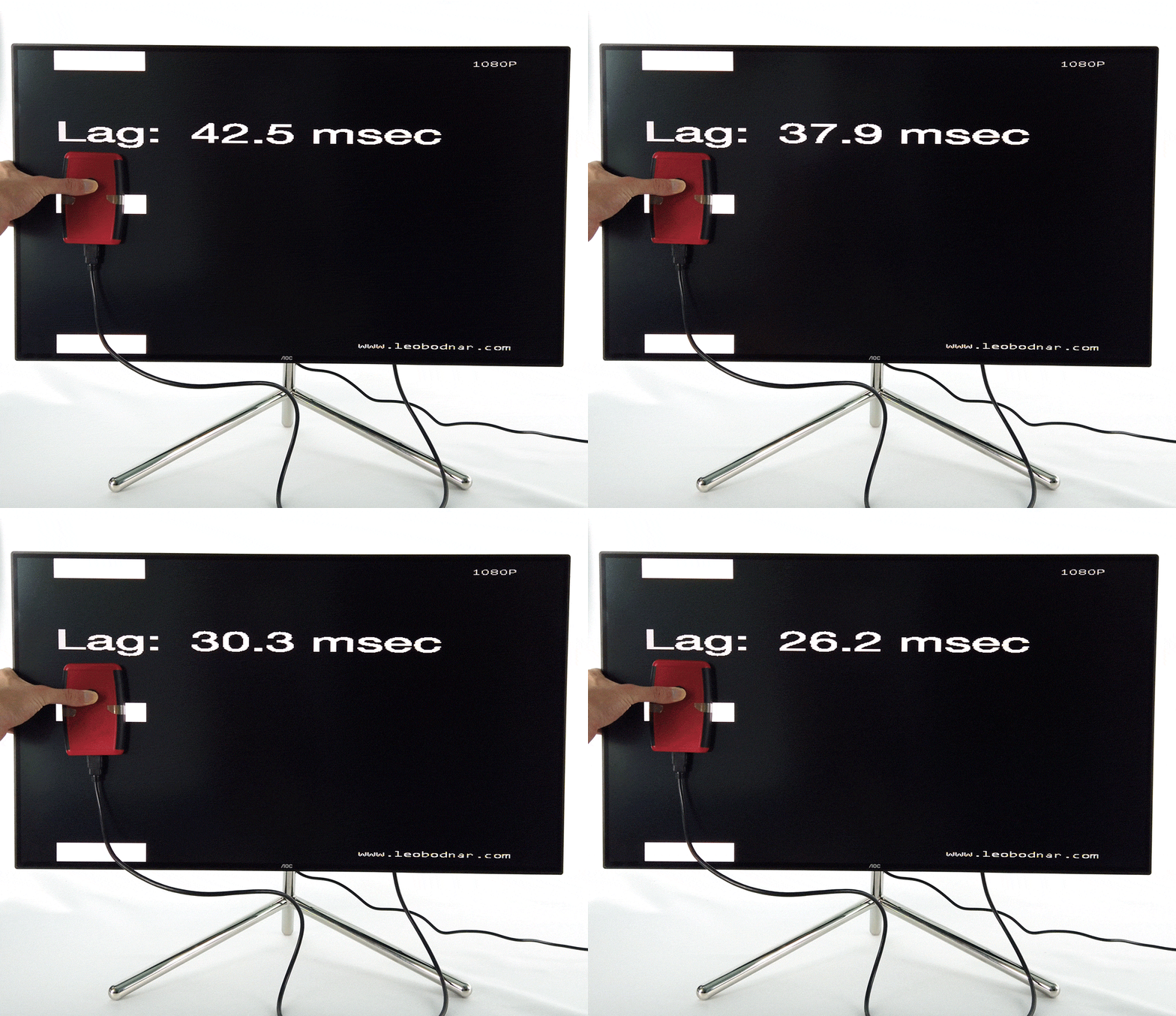
I also measured the input lag, the course of which was very unconventional. It moved from about 42 to 26 ms regardless of which Overdrive/Acceleration mode was used. I have never seen anything like it.

On the manufacturer’s website you will find information about 5 ms response time, i.e. the speed of pixel refresh rate. Due to the fact that it is a 60 Hz IPS panel, it can be expected that the ghosting will be larger than with VA and TN gaming panels. This was also confirmed in the UFO test, where Acceleration in Off mode and Weak mode have visible ghosting. The medium setting starts to show a slight inverse ghosting for the change, and in the Strong mode the inverse ghosting is already very visible. I would therefore recommend choosing the Weak mode, so that ghosting is at least slightly reduced, but you will avoid an even more undesirable inverse ghosting.

