





NVIDIA GeForce RTX GPUs are the most popular solution for PC gaming, but they are also designed for use across a wide range of semi‑ and fully‑professional workflows and creative tasks. NVIDIA Studio drivers open give GeForce RTX 50‑series GPUs in desktops and laptops capabilities that were previously limited to much more expensive professional GPUs. That means you can confidently tackle demanding 3D work with them.
GeForce RTX 50 series in Blender: A powerful yet accessible solution for 3D content creation
One of the most popular tools for 3D content creation is Blender, available to anyone as a free and open‑source software. Its capabilities are extensive—you can create static visualizations and art, animated sequences and full films, including features such as motion tracking.
Blender supports creative work from modeling and object creation for a scene, through arranging complex scenes, all the way to final rendering into the desired output. It’s a complete solution.
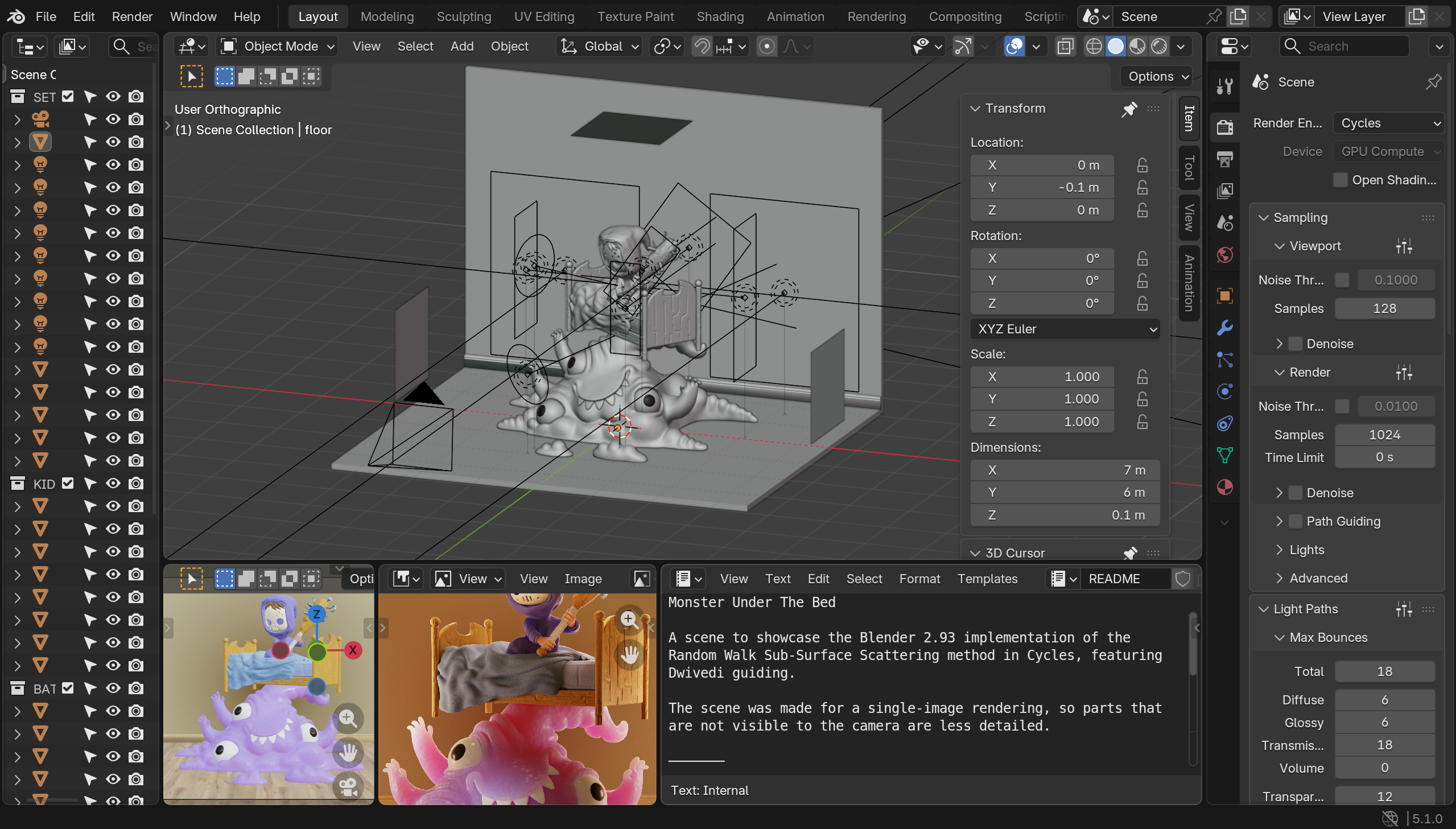
For GeForce RTX owners, Blender offers not only powerful but above all highly performant tools. NVIDIA GPUs provide robust hardware acceleration for the program’s features, which is integrated by default—no complex installation process is required. Rendering in Blender can therefore leverage the power of NVIDIA’s RT cores, which accelerate high‑quality ray‑traced 3D rendering by orders of magnitude.
Rendering in Blender was originally a demanding task for multithreaded high‑end CPUs. However, the advanced capabilities of GPUs such as the GeForce RTX 50 series and their ray‑tracing acceleration allow GPUs to take over this heavy workload and deliver much higher performance to the user. The GeForce RTX 50 series provides crucial viewport acceleration in Blender—used while working on models and scenes for previews—and at the same time directly accelerates final production renders in Blender’s main renderer, Blender Cycles.
This opens the door to higher‑quality output and much greater productivity. You can create instead of waiting.
Rendering powered by RT cores
Blender renders 3D graphics using ray tracing via its Cycles engine. Cycles is flexible and supports execution on devices such as GPUs in addition to CPU execution. As a compute backend for rendering, Blender can use NVIDIA OptiX. OptiX is a full‑featured, high‑quality ray‑tracing engine developed by NVIDIA, and Cycles has long supported offloading heavy ray‑tracing compute loads to the GPU via OptiX.
OptiX can directly utilize RT cores in NVIDIA GeForce RTX GPUs, unlocking the same high performance in Blender as seen in the latest games. OptiX also provides powerful AI denoising that leverages Tensor cores in NVIDIA GPUs, and it benefits from Shader Execution Reordering—an area where the Blackwell architecture in the GeForce RTX 50 series has significant improvements.
By using the GPU’s hardware capabilities through OptiX, GeForce RTX cards achieve leading rendering performance in Blender—while also offering better energy efficiency than CPU rendering, which is especially important on laptops.
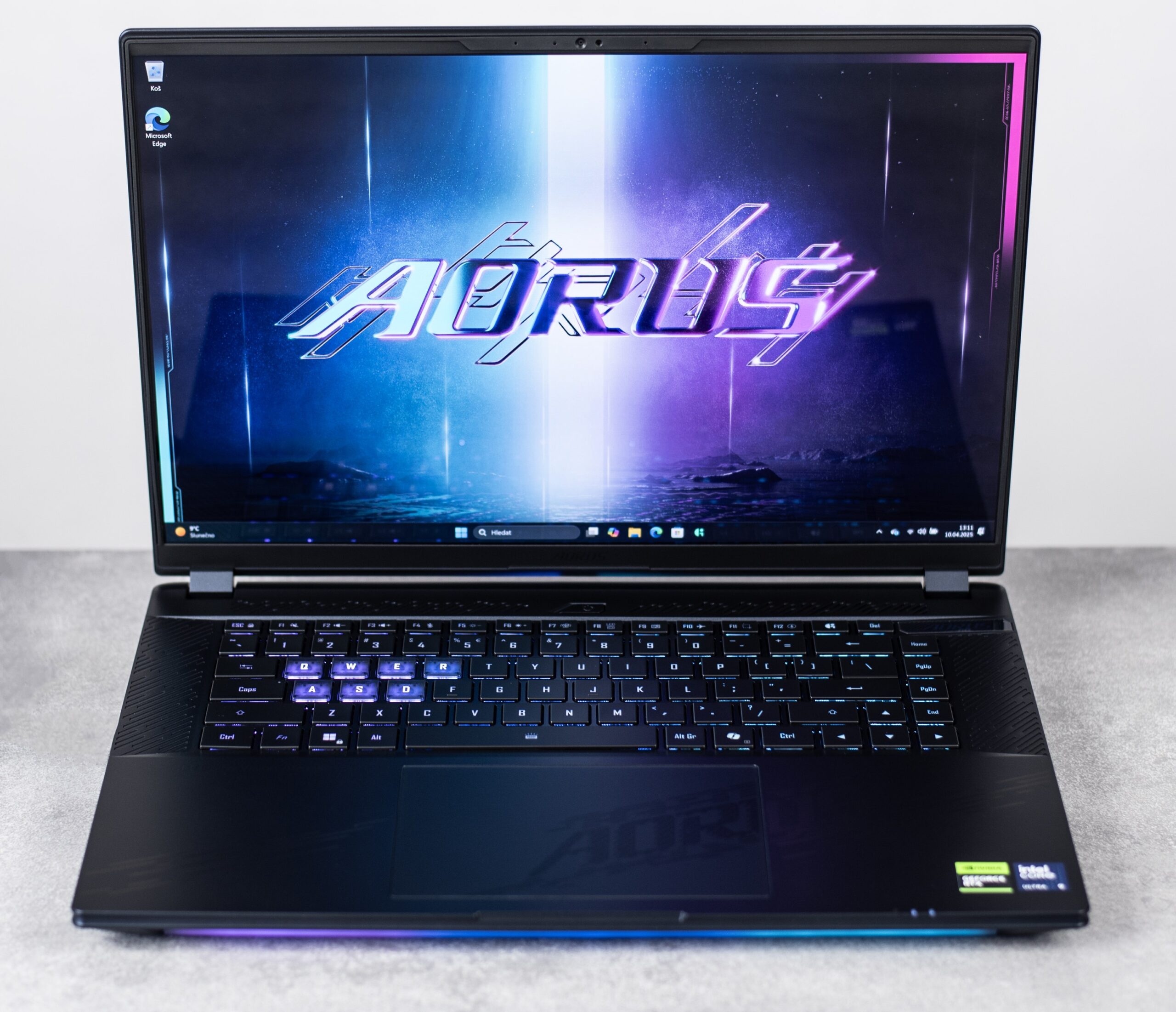
Below you can see the performance gains that GPU acceleration in Blender delivers on GeForce RTX 50‑series hardware, as measured on a mobile GeForce RTX 5080 with 16 GB of memory in a Gigabyte Aorus Master 16 BYH laptop. That laptop is equipped with one of the most powerful mobile CPUs, the Intel Core Ultra 9 275HX, and 32 GB of RAM. Measurements used the publicly available Blender OpenData Benchmark version 5.1.0 and NVIDIA Studio drivers 595.79.
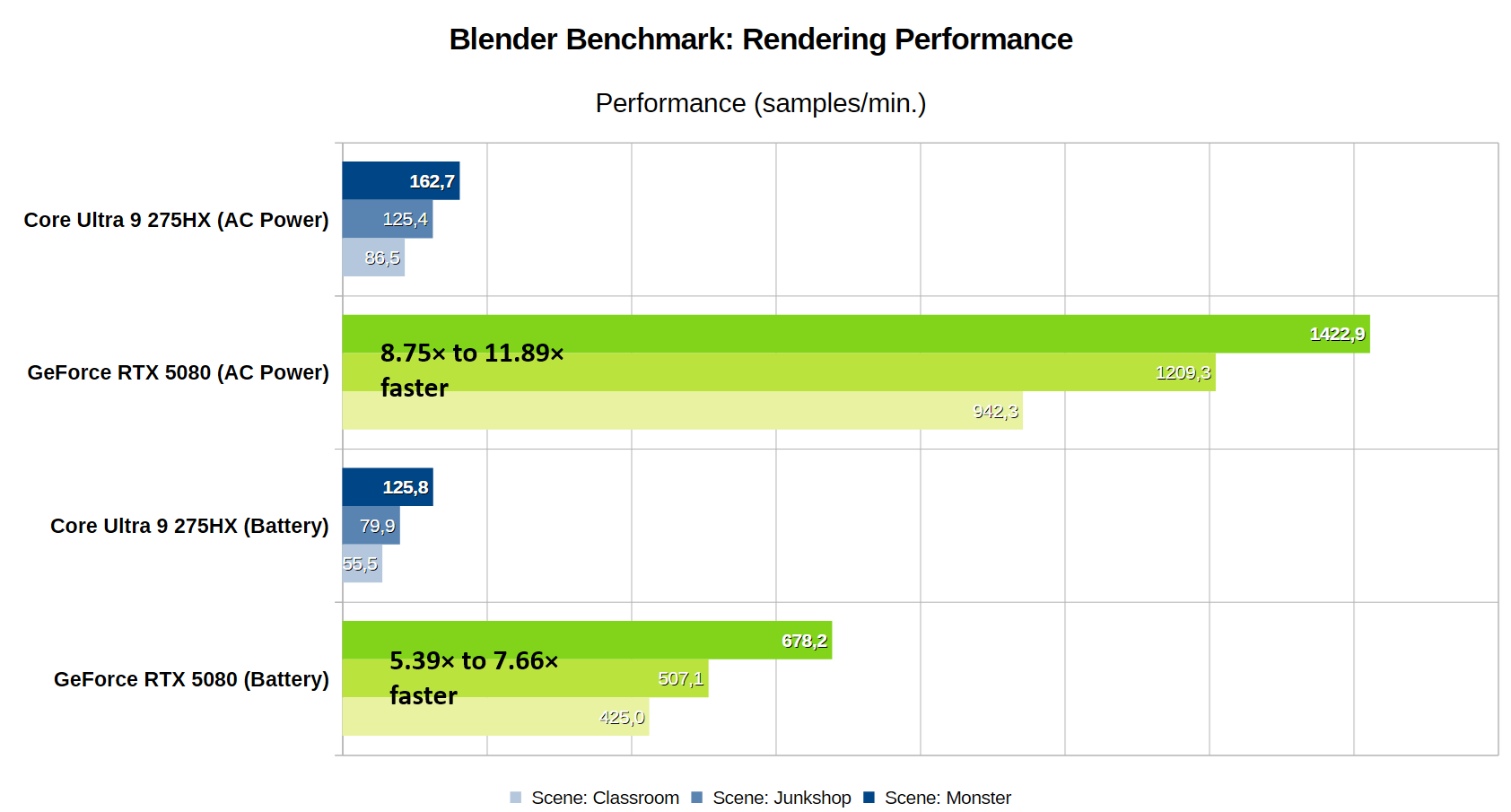
As shown, using a powerful NVIDIA GeForce RTX 5080 GPU can significantly shorten render times even compared with high‑end multithreaded processors such as the Intel Core Ultra 9 275HX (24 cores) installed in the Aorus Master 16 BYH. In our tests, GPU rendering was up to 11× faster than the CPU.
Tests were run on Windows 11 with the power plan set to “Best performance” (when plugged in) and “Balanced” (on battery). The laptop’s GiMATE utility was set to “Creator Mode”.
High‑quality motion blur without performance penalties
The benefits of the GeForce RTX 50 series for creative work in Blender go beyond raw speed. NVIDIA GPUs provide special acceleration for motion blur—the effect that blurs moving objects—which can be used directly in Blender. Motion blur adds realism to moving objects, approximating the look of real film capture, and it can also convey motion in a single static frame. It’s therefore an important tool for compositing 3D scenes.
GPU‑accelerated motion blur on NVIDIA hardware enables rendering this effect at full quality and with realistic simulation as part of the scene render. This is a higher‑quality alternative to faking motion blur with a post‑processing vector effect applied within the scene’s setup, which creators sometimes use because full motion‑blur simulation during rendering is computationally expensive and lengthens render times.
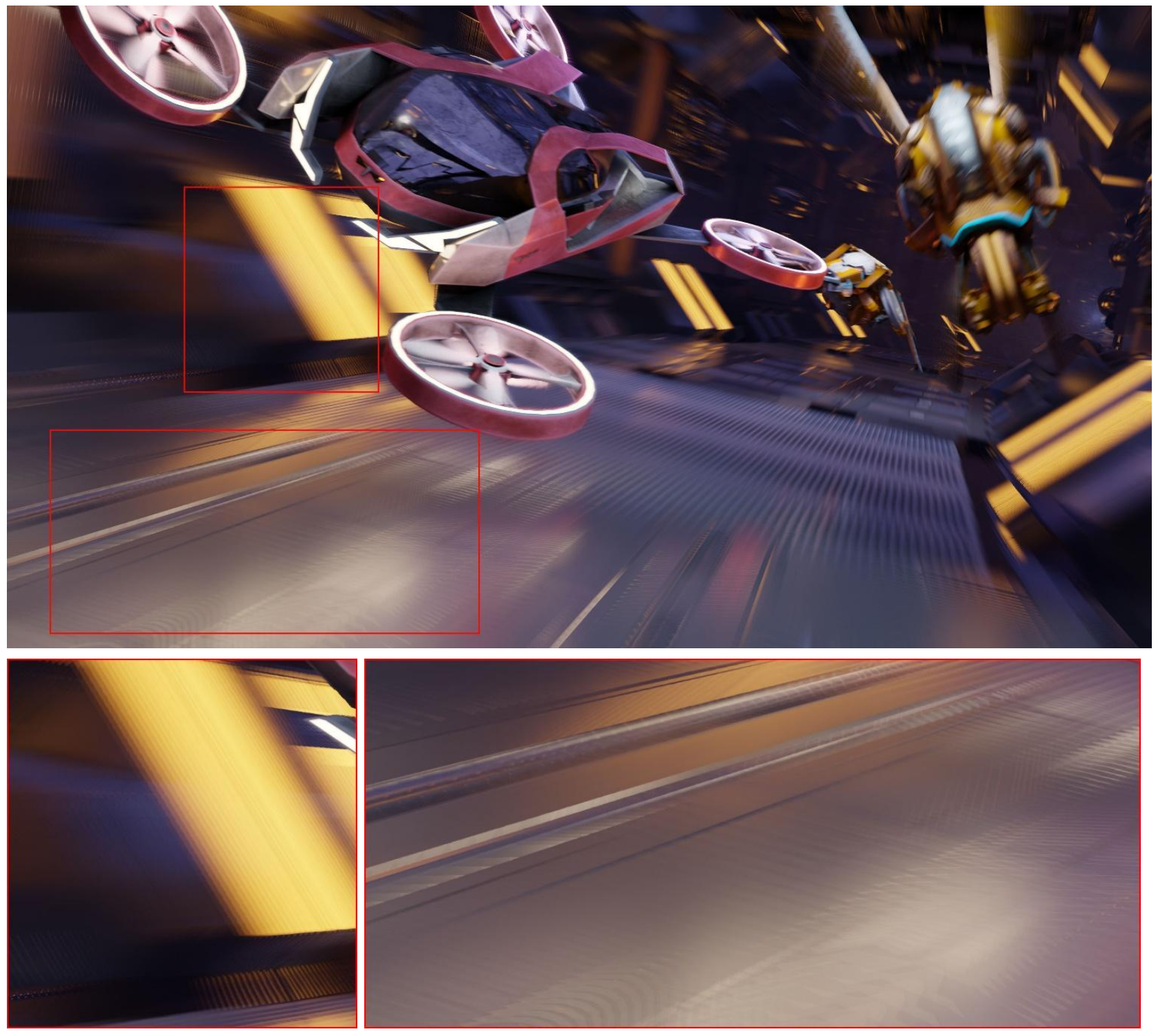
Such substitute approaches lack realism and can introduce visual artifacts and errors, as highlighted in the image above. Although the effect is inferior, it’s sometimes used because full simulation of motion blur during frame rendering consumes a lot of compute and increases render time.
GPU acceleration enabled by GeForce RTX 50‑series cards solves this problem—thanks to high performance it allows full‑quality motion blur to be rendered as part of the rendering process. That delivers full image quality without forcing you to wait and sacrifice productivity.

NanoVDB unlocks advanced volumetrics on the GPU
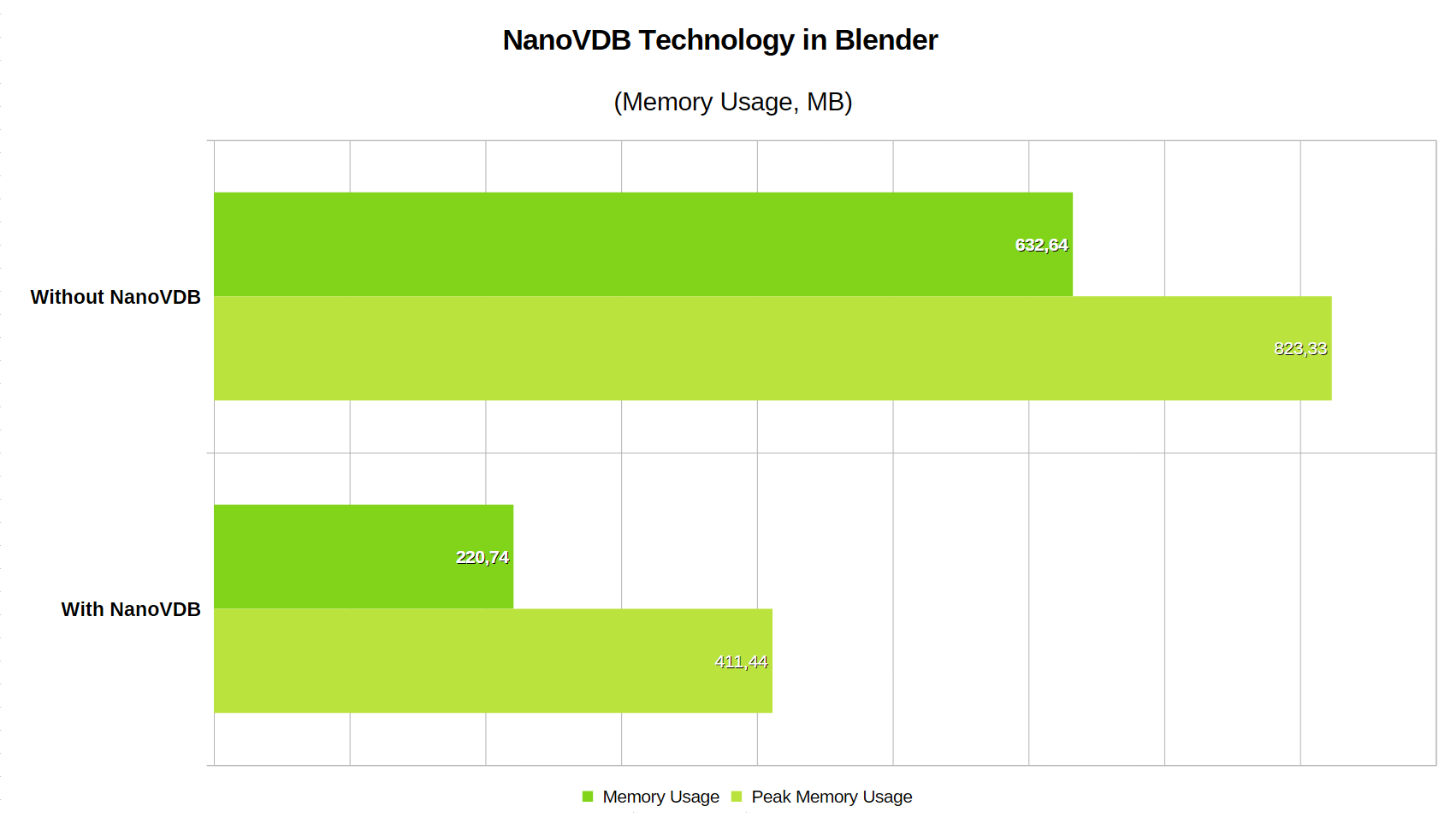
Another extremely compute‑intensive challenge in rendering 3D scenes is volumetric effects—simulating flowing liquids, moving smoke clouds, flames and similar phenomena. Achieving convincing, visually realistic results requires computing millions of physical simulations. Beyond compute intensity, volumetric rendering is also extremely memory‑hungry because volumetrics require decomposing an object into many voxels that must all be analyzed to simulate light interaction within these complex volumes.
GeForce RTX 50‑series GPUs enable the use of NanoVDB for volumetric rendering, which optimizes these techniques for GPU execution. Crucially, NanoVDB allows volumetric computations to be performed with orders‑of‑magnitude lower graphics memory usage—a scarce resource. With NanoVDB, much larger scenes can be processed on the GPU, whereas without it you’d be forced to sacrifice scene detail and realism. The benefits of NanoVDB grow with the complexity and intricacy of the volumetric objects and effects in a scene.
GeForce RTX 50 series specialty: More realistic hair thanks to LSS
A final special advantage of GeForce RTX 50‑series GPUs we’ll discuss here is support for a new primitive for modeling—linear swept spheres (LSS). The GeForce RTX 50 series added LSS as a new graphics primitive that GPUs can process, and with OptiX support you can now use them in Blender.
LSS are conical or cylindrical shapes capped on one or both ends by spherical surfaces. They can connect at their tips, making them well suited for realistic hair or animal fur simulation. LSS simulate not just approximate volume but individual hairs.
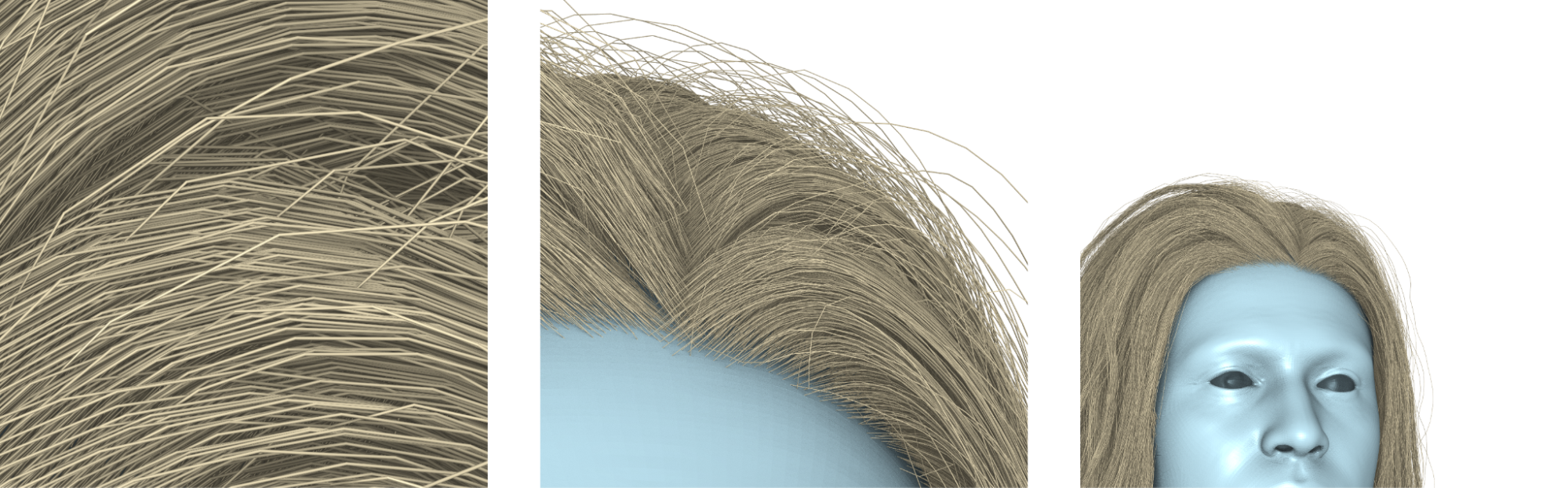
Simulating hair with LSS is far more realistic and flexible than previous approaches, and it’s also an efficient simulation method. LSS typically require only one vertex per hair bend, so they consume far less geometric engine performance on the GPU than alternative, more complex hair simulation methods.
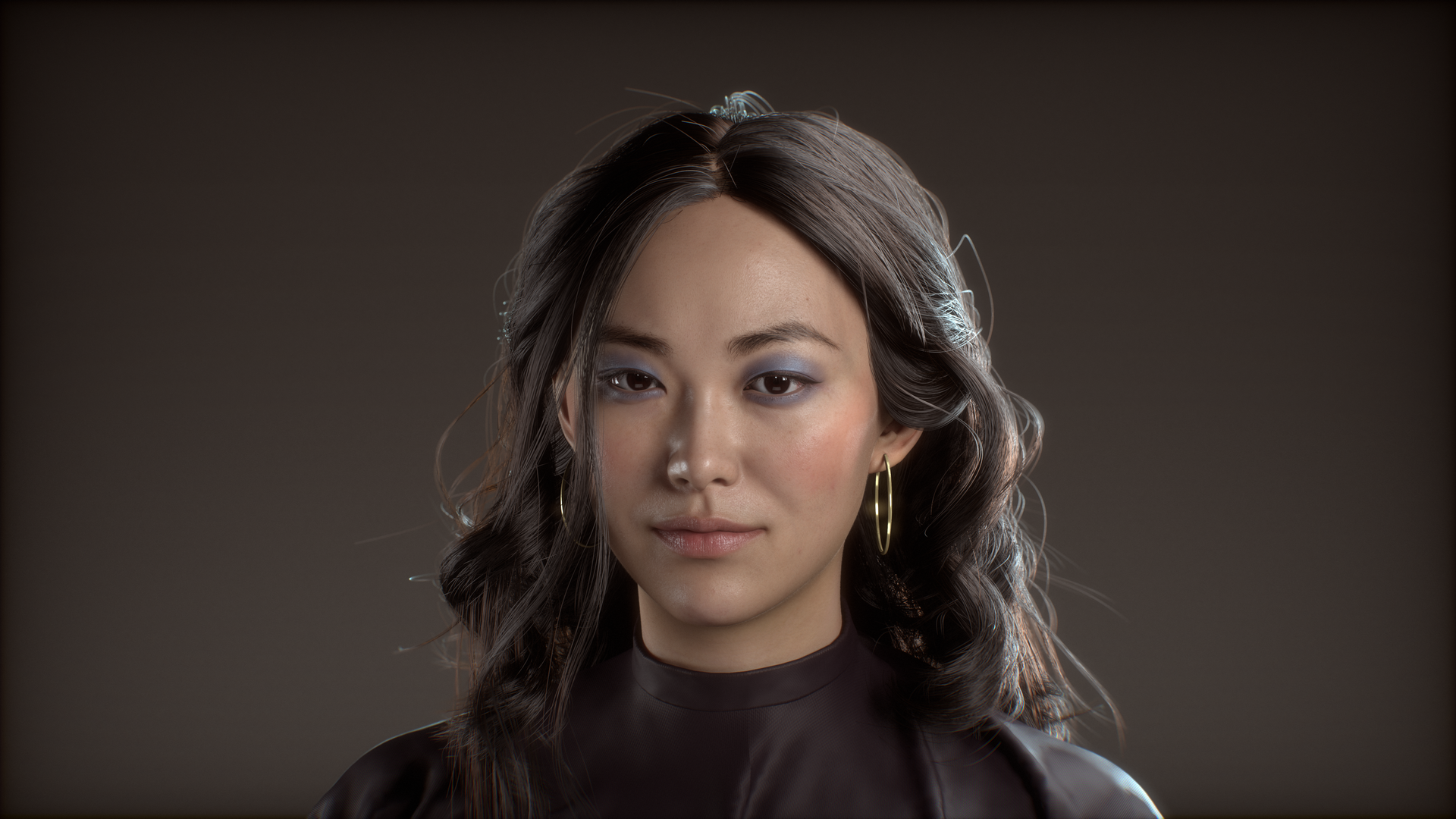
This method requires 2× less compute than rendering hair with DOTS primitives (Disjoint Orthogonal Triangle Strips). Thanks to the simplified 3D model, it also significantly reduces memory usage—the consumed capacity is 5× lower.
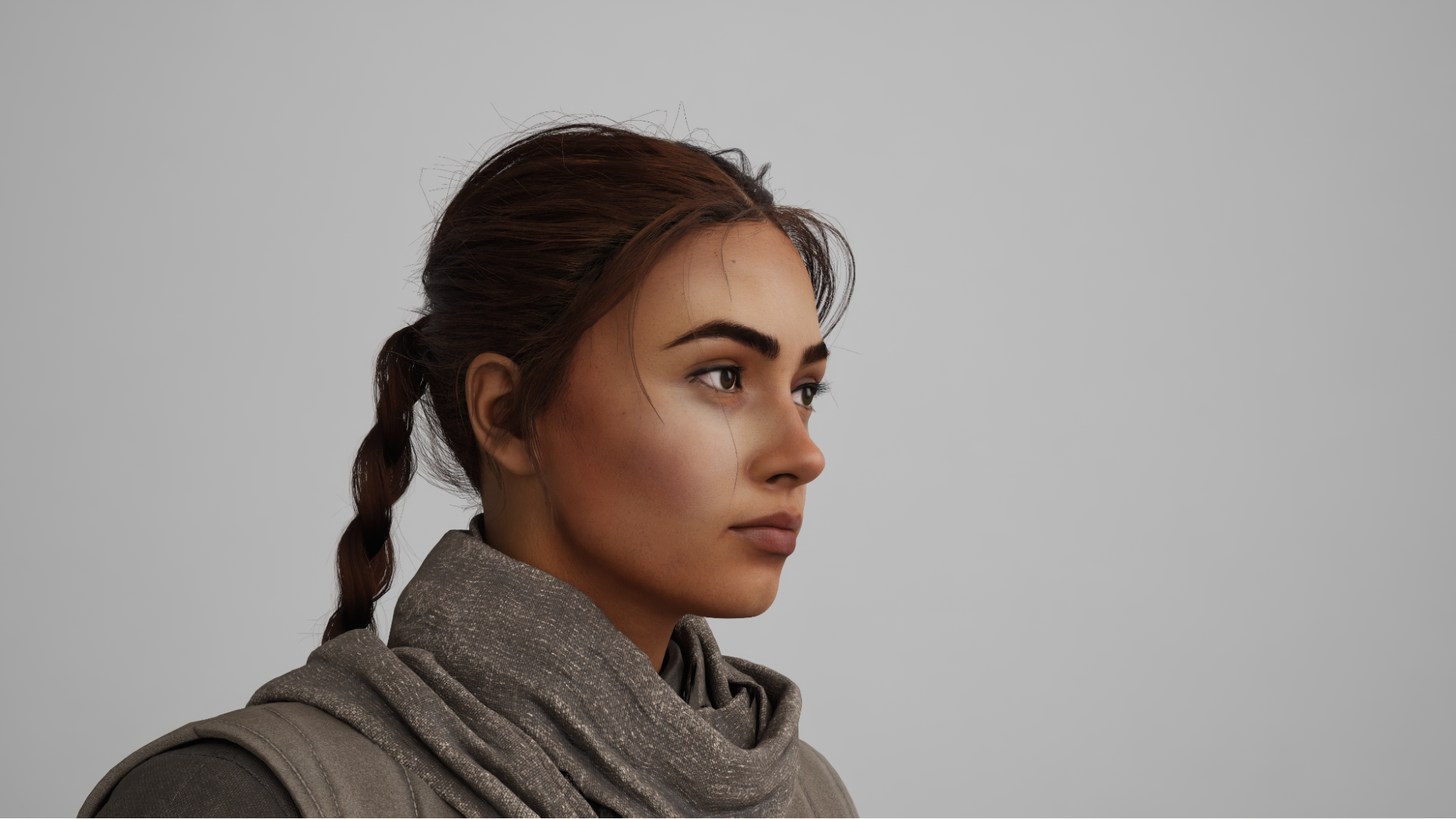
These factors allow rendering much more complex and higher‑quality representations of hair and fur than before, provided you have GeForce RTX 50‑series hardware that supports LSS primitives.
A boost to productivity and creativity with every preview
High performance isn’t needed only for final renders. For high productivity during creation, it’s even more important to have high‑quality previews available in the viewport at all times. That’s not trivial when working on complex objects and scenes.
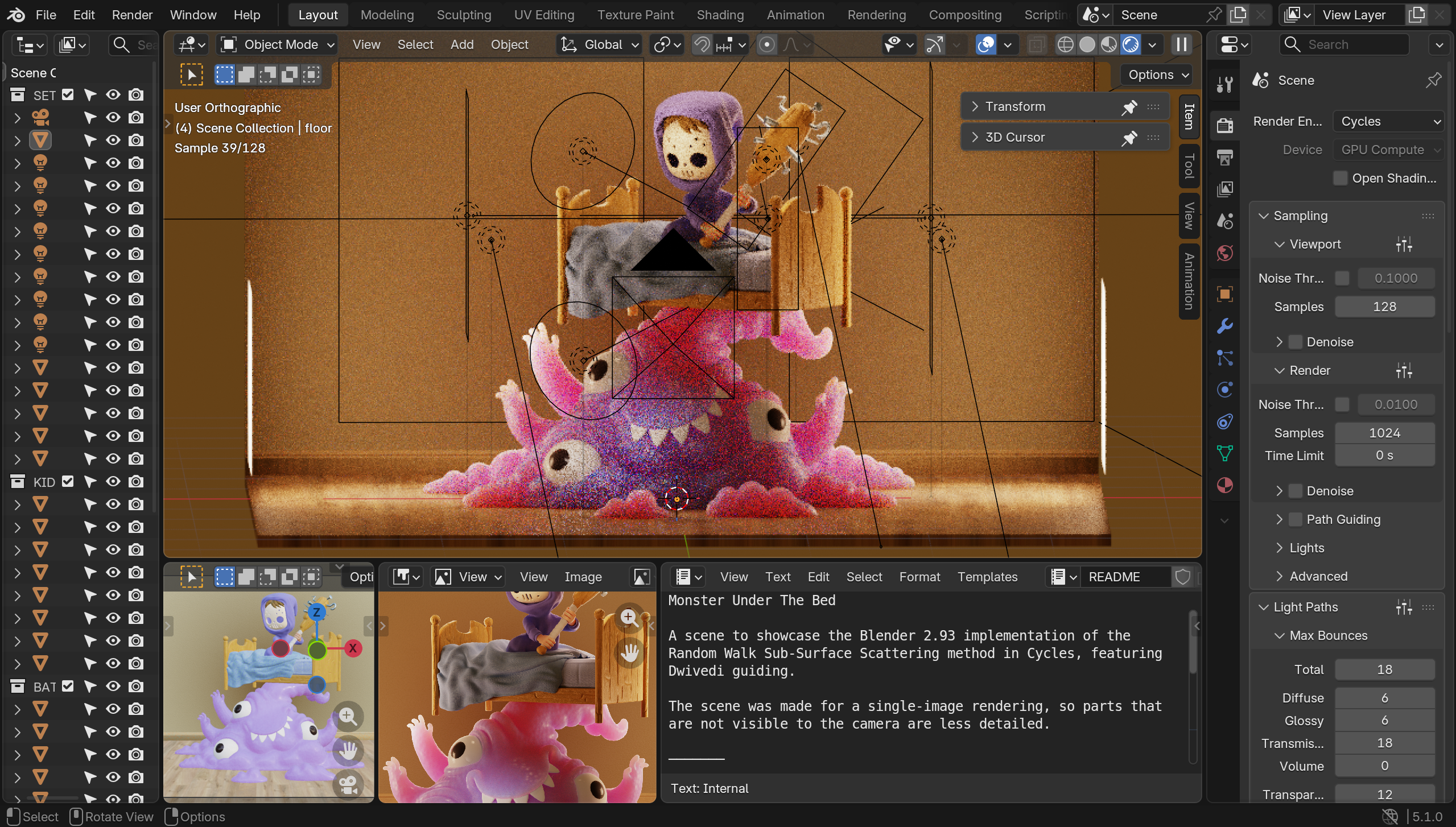
Fortunately, you can rely on the GeForce RTX 50‑series for viewport rendering as well. Blender can accelerate this function via OptiX, so previews also benefit from fast rendering using the GPU’s RT cores.
Here you can see an example of how viewport acceleration increases the performance of the same Gigabyte Aorus Master 16 BYH laptop with an Intel Core Ultra 9 275HX and 32 GB of RAM that we used in the first test—if you select its NVIDIA GeForce RTX 5080 GPU with 16 GB of memory for processing.
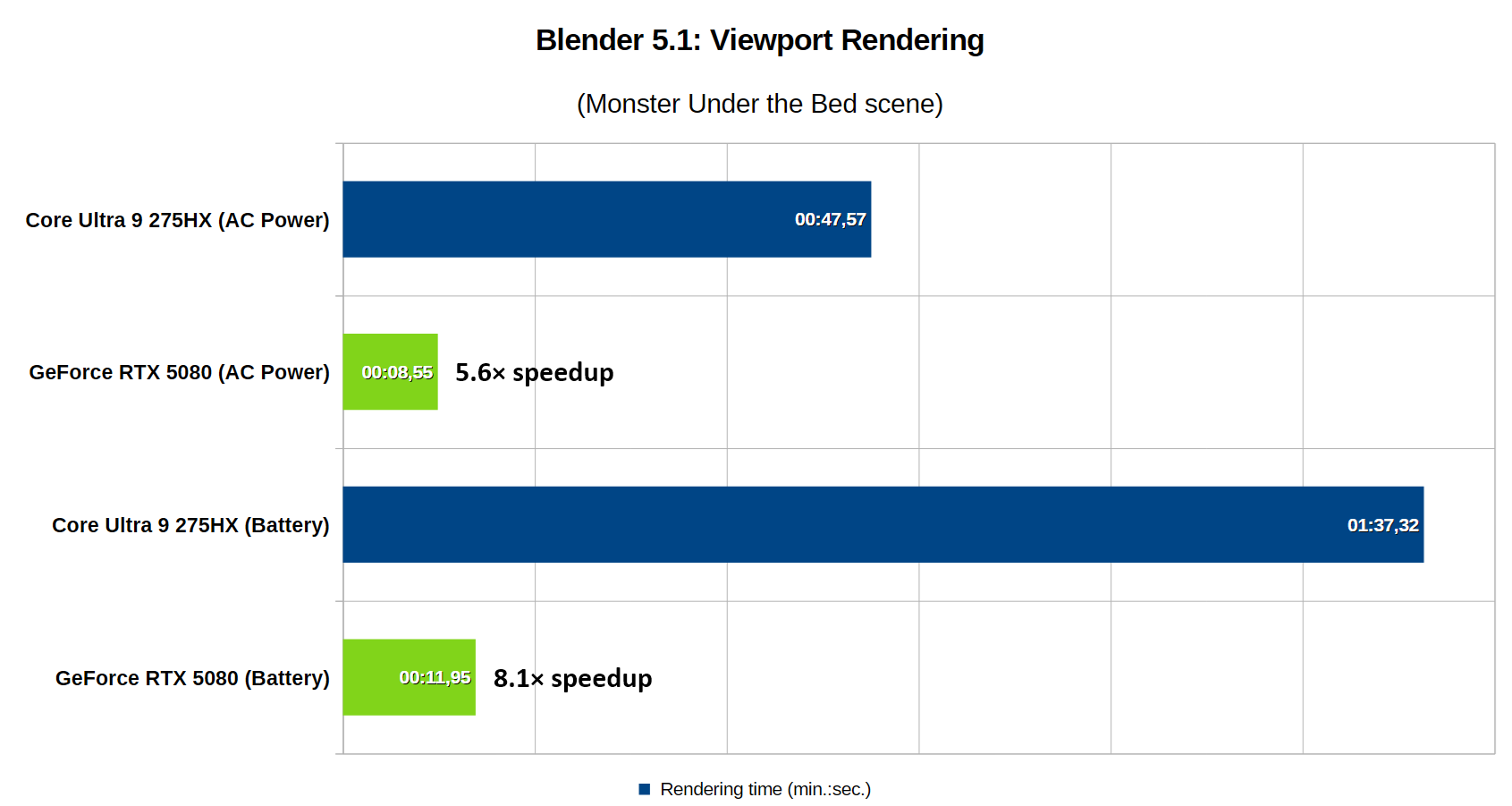
GeForce RTX 50 series is a perfect choice for content creation too
As you’ve seen, GeForce RTX 50‑series graphics cards are the best tool you can choose for creative work in Blender. NVIDIA Studio drivers likewise open the door to smooth workflows in many other professional applications. With a GeForce RTX 50‑series GPU you’ll be maximally productive and able to reach your full creative potential in output quality.
If you’re considering an upgrade or want to take advantage of the benefits described for your creative work, check the selection of PCs on Alza:
PCs featuring Nvidia Studio at Alza
English translation and edit by Jozef Dudáš



