


Today, we’ll focus on what happens inside a case when a CPU is under heavy load. We’ll run a Cinebench 2024 rendering on a Ryzen R9 7950X cooled by a Noctua NH-D15 G2 air cooler and see how it affects the temperatures and how all the values change with different settings of the system fans’ performance across their entire operating speed range.
Temperatures of components on the board, system fans 100% – 0%
The next graph shows the temperatures from the internal sensors on the board, the SPD chip on one of the memory modules, and the SSD controller.

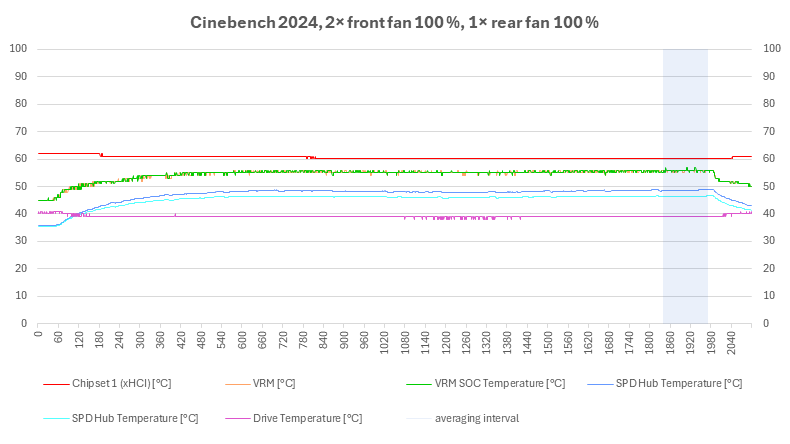

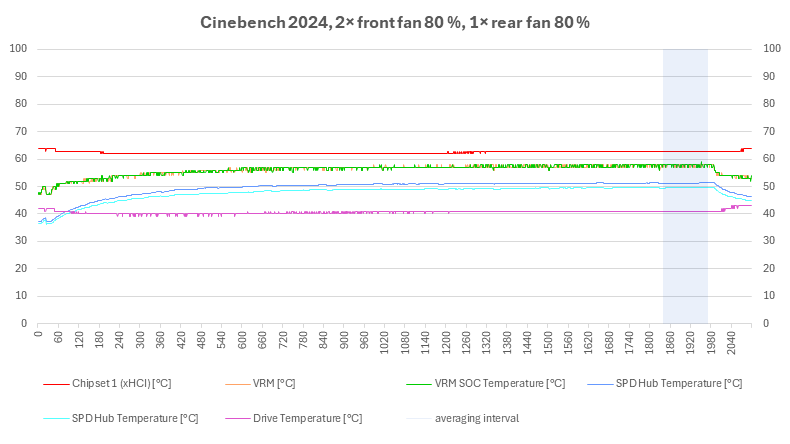

System fan performance at 100 %, 90 %, 80 %, 70 %
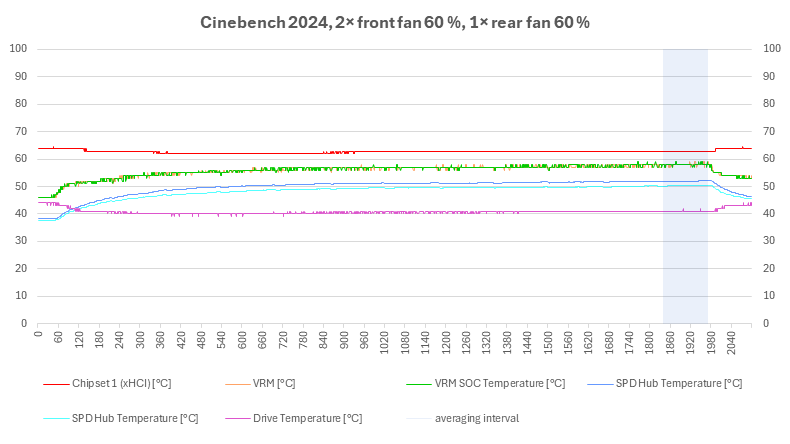

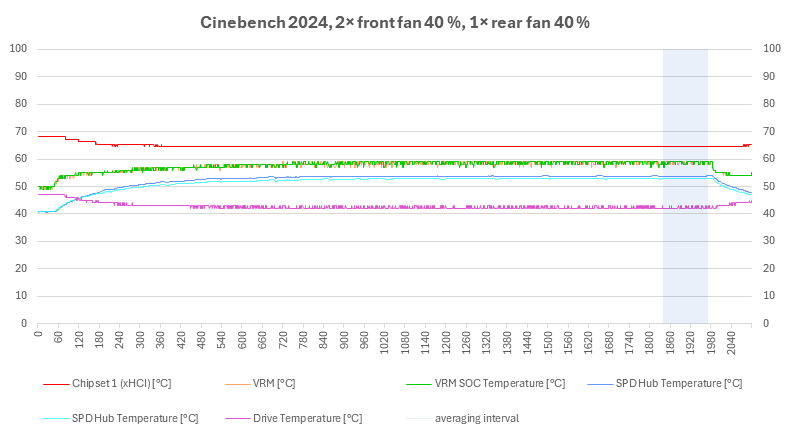
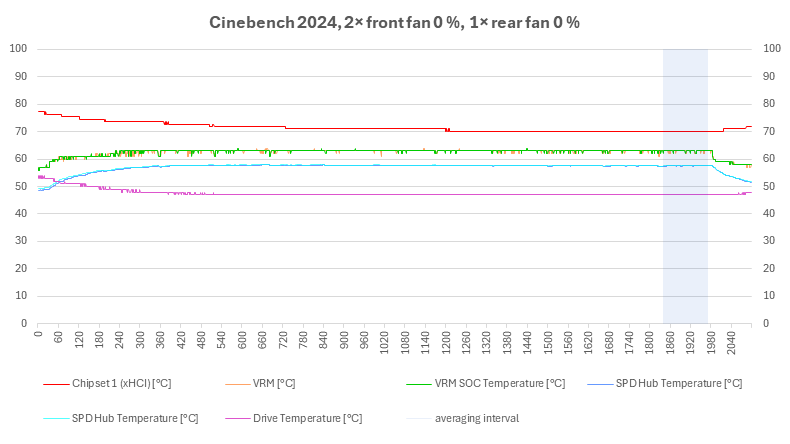
System fan performance at 60 %, 50 %, 40 %, 0 %
Temperatures in the upper part of the case, system fans 100% – 0%
The next two graphs show the values from the thermal sensors of the Corsair Commander Pro. The details of the sensor locations inside the case are in the first chapter, I’ll just remind you that you can see sensor 1 attached to the power cable of the motherboard, sensor 2 is tucked under the memory module heat spreader hidden behind the fan, sensor 3 is in the VRM heatsink on the motherboard in the space between the CPU cooler and the rear fan, and sensor 4 can be seen in the photo behind the cooler, and measures the air temperature at the outlet of the case.

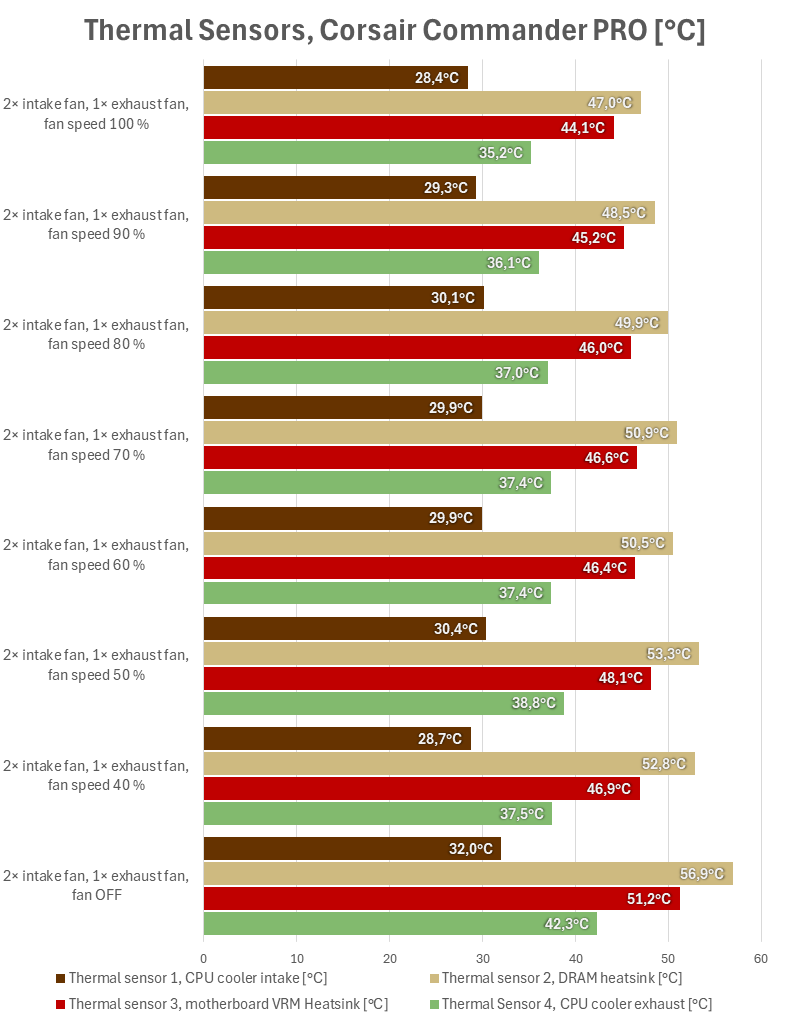
The entire test run


System fan performance at 100 %, 90 %, 80 %, 70 %

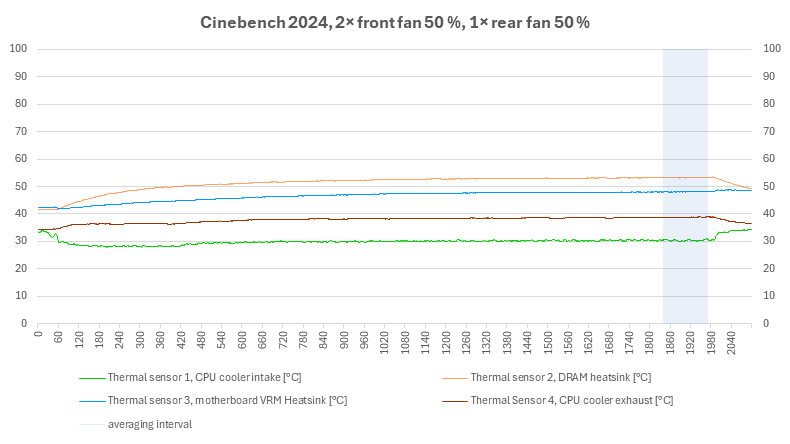
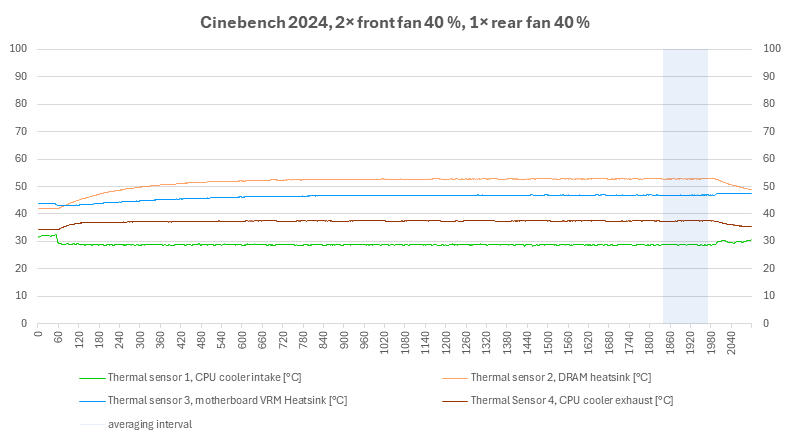

System fan performance at 60 %, 50 %, 40 %, 0 %
Air temperatures at the inlet and bottom of the case, system fans 100 % – 0 %
For the sake of control, we also measure the air temperature at the inlet to the case – these are the first three values. They do not always come out exactly the same, the sensors have both a measurement error (the manufacturer does not specify, but it is usually around 1 °C), and the load on the computer affects the temperatures in its immediate surroundings.

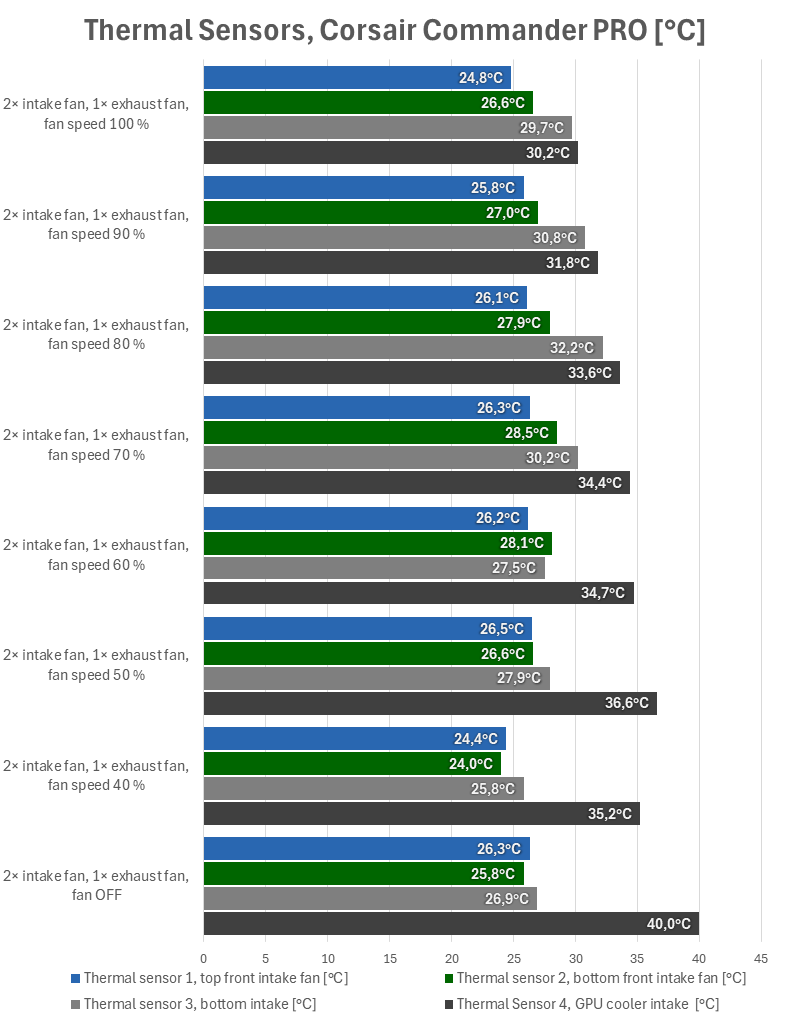
The entire test run
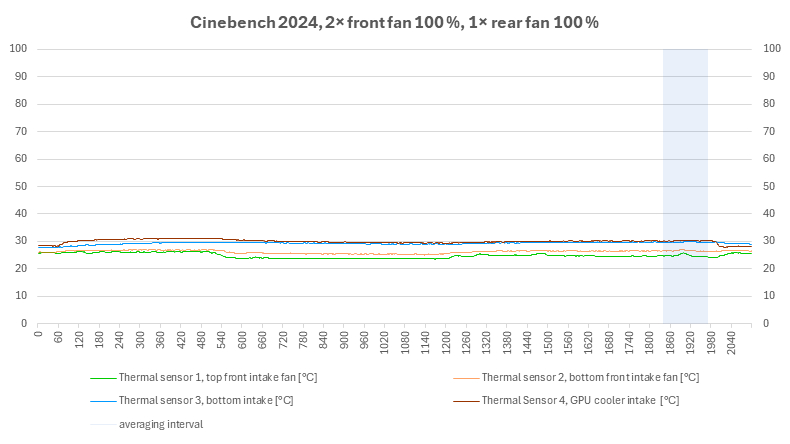


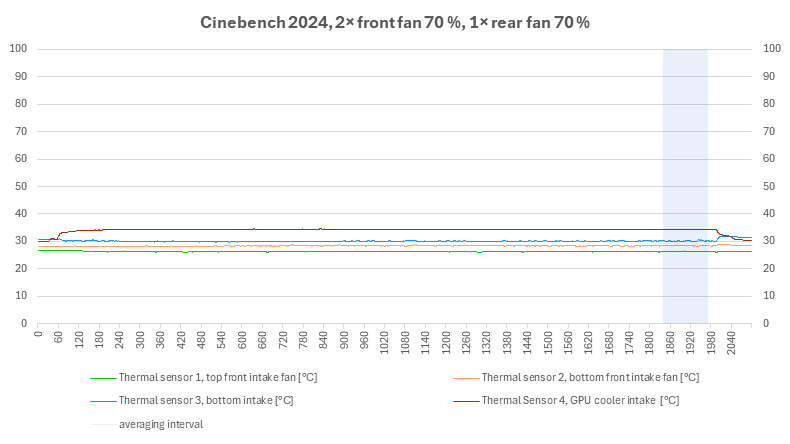
System fan performance at 100 %, 90 %, 80 %, 70 %

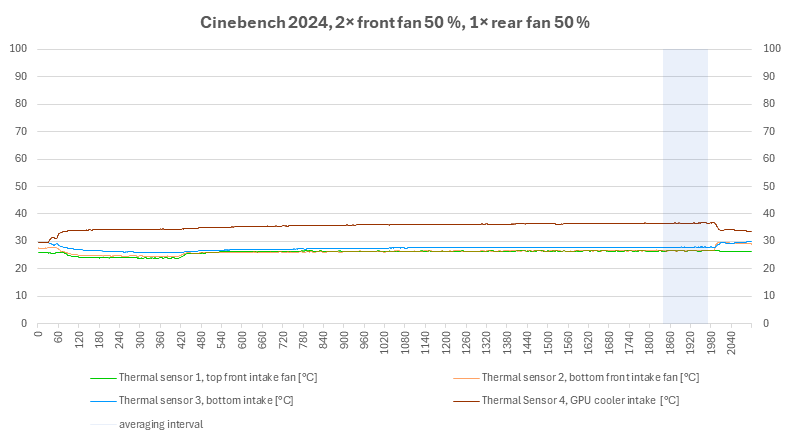


System fan performance at 60 %, 50 %, 40 %, 0 %
Power consumption of the build, CPU and graphics card, system fans 100% – 0%
In the last graphs there is a control measurement of the total power consumption of the build using a wattmeter and the power consumption of the CPU and graphics card from their internal sensors. And here it seems that with the system fans turned off, the regulation is already slightly limiting the CPU power consumption.


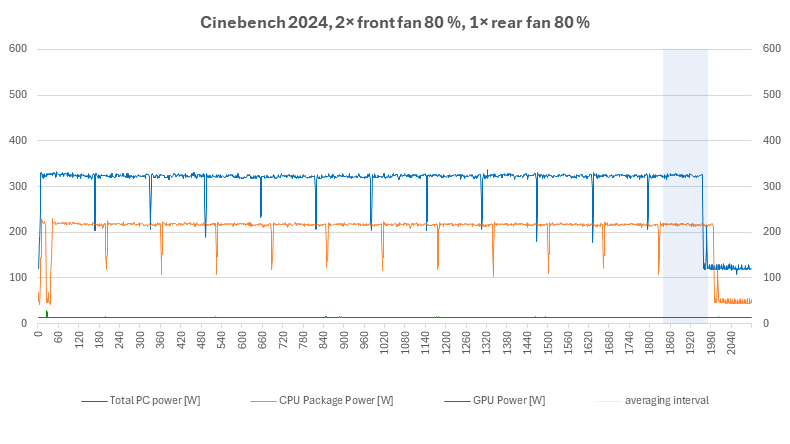
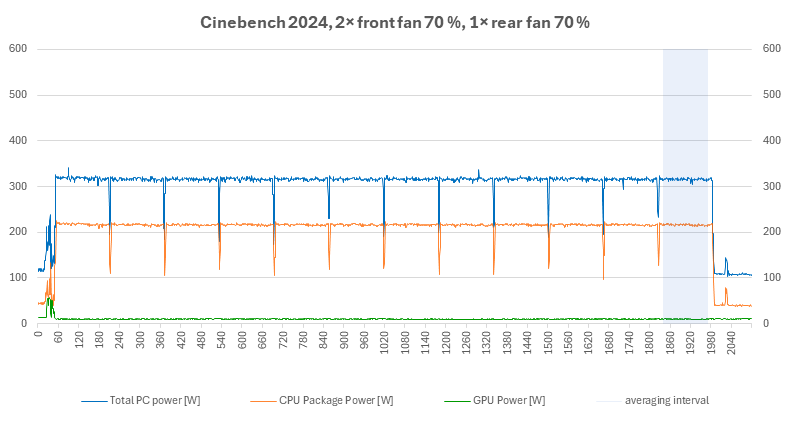
System fan performance at 100 %, 90 %, 80 %, 70 %


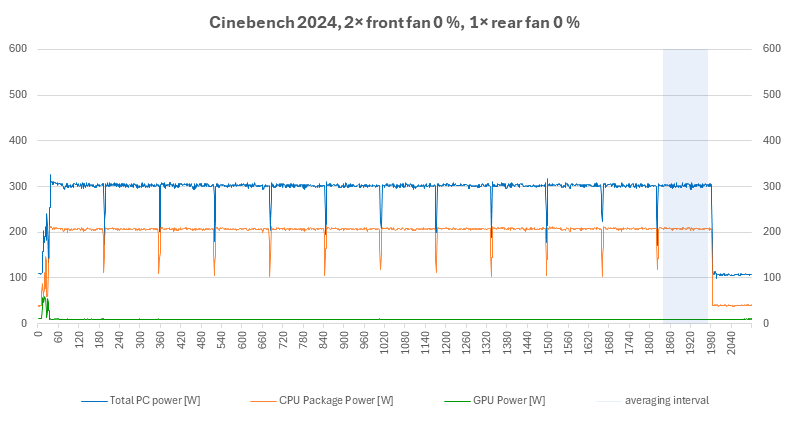
System fan performance at 60 %, 50 %, 40 %, 0 %
⠀


