


Nvidia kept the launch of the GeForce RTX 5060 – successor to the popular GeForce RTX 3060 and RTX 4060 series – for Computex. It wasn’t exactly quiet, but the launch was unusual – drivers enabling reviews weren’t released until Monday evening, after sales began. Likely due to backlash over the RTX 5060 still offering only 8GB of memory, four years after the 12GB RTX 3060. As a result, it’s faced a fairly cold reception.
Fan Speed, Noise
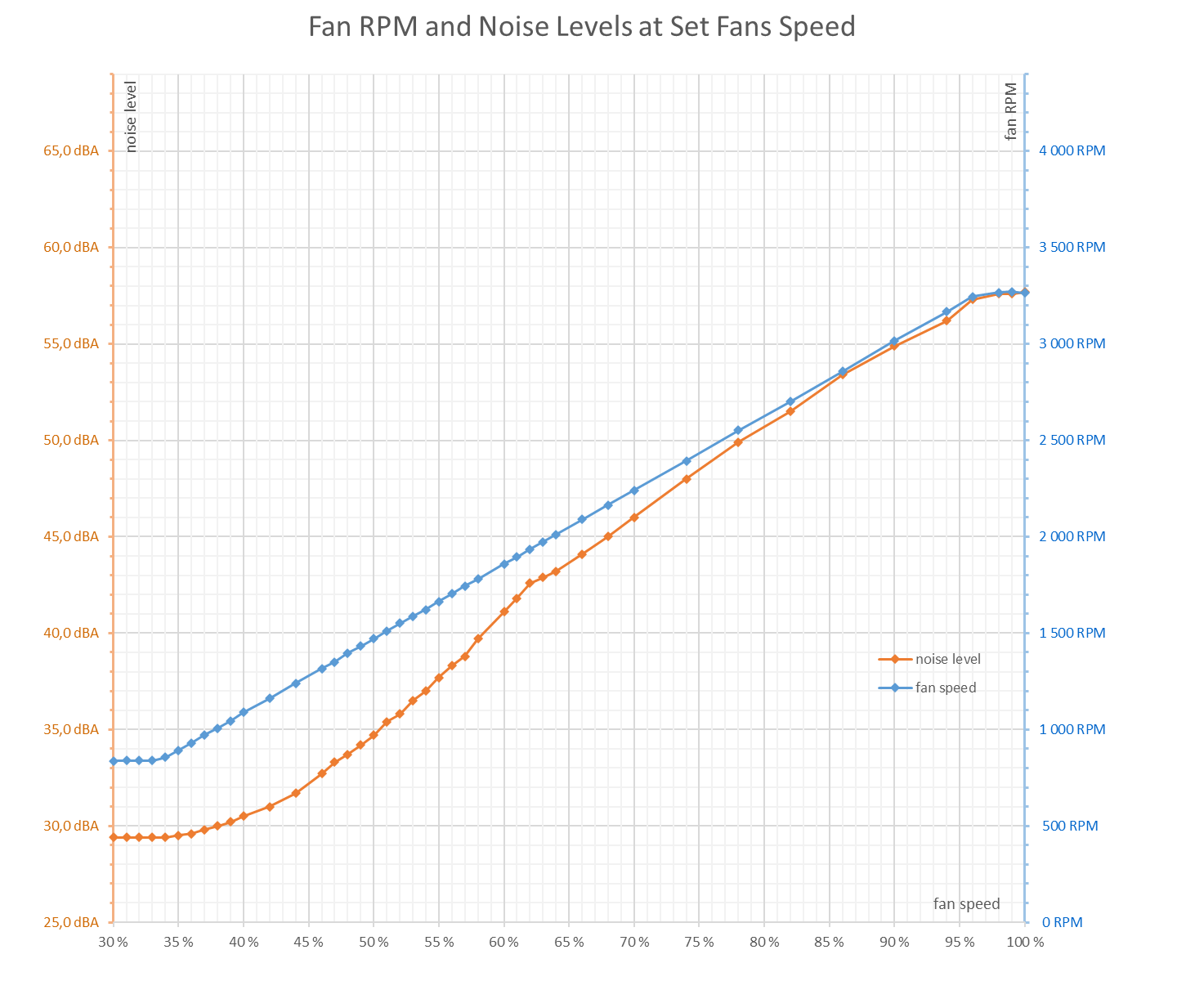
Fan speeds can be adjusted from 30-100%, which corresponds to fan speeds in the range of 830-3400 rpm (29.4-57.7 dBA). Only at the end do they diverge slightly. The external fans, whose speeds are in the chart, max out at about 3270 rpm. Once at this value, they still rise to 3400 rpm for the middle fan.
On the TUF GeForce RTX 5060, the fan speeds on Fan 1 and Fan 2 are synchronized up to 96% power. Only at the very end do they start to diverge slightly. The outer fans, whose speeds are shown in the chart, top out at around 3270 rpm. Above this point, only the center fan continues to increase, reaching up to 3400 rpm at 100% power.
Cyberpunk 2077, RT Medium, 3840 × 2160 (P mode)
The first set of measurements comes from the Cyberpunk 2077 benchmark using the RT Medium preset at 3840×2160 resolution. The test consists of eight consecutive runs with the final one highlighted in the chart—this last run is used to calculate the average value for the warmed-up card.
At this setting, the RTX 5060 runs at too low a frame rate for the GPU to be fully utilized. As a result, the measured values aren’t directly comparable to more powerful cards previously tested with the same settings.

Due in part to its low power draw, the GPU clock in Performance mode ranges between 2797 and 2835 MHz, with an average of 2815 MHz.
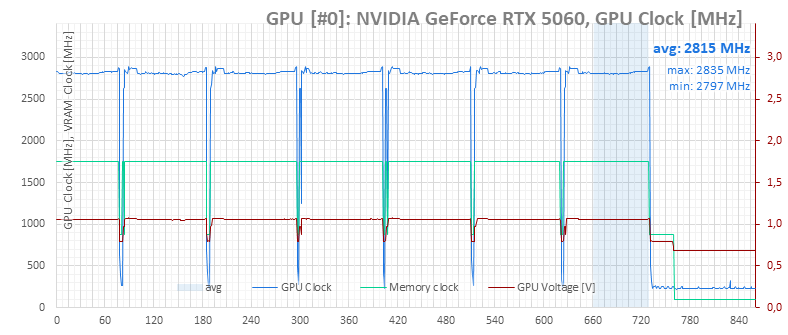
Monitoring data (light green line) shows that the card stayed below the set 155W power limit under load.
The dark line in the chart shows the total system power draw, measured with a UT71E multimeter. The system’s average consumption under load was just 243.4 W, partly due to the low CPU load and the GPU not being fully utilized.

Lower load results in lower GPU and memory temperatures, which stay mostly below 60 °C.
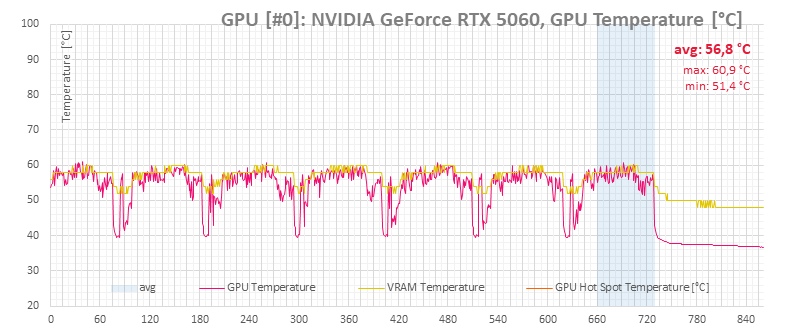
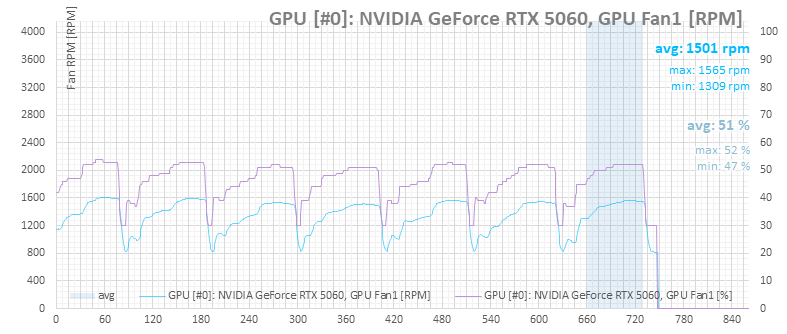
Needless to say, at these temperatures the fans in Performance mode are spinning faster than necessary—the card could have been quieter.

⠀


