


Active cooling – commonly known as fans – is the eternal enemy of silence, but still a necessity if your computer is to perform properly. It looks like fans, and literally cooling, moved from hardware to a furniture area. Companies producing various game accessories have already started to sell gaming chairs (formerly called office chairs), and one of them now even has its “active cooling”.
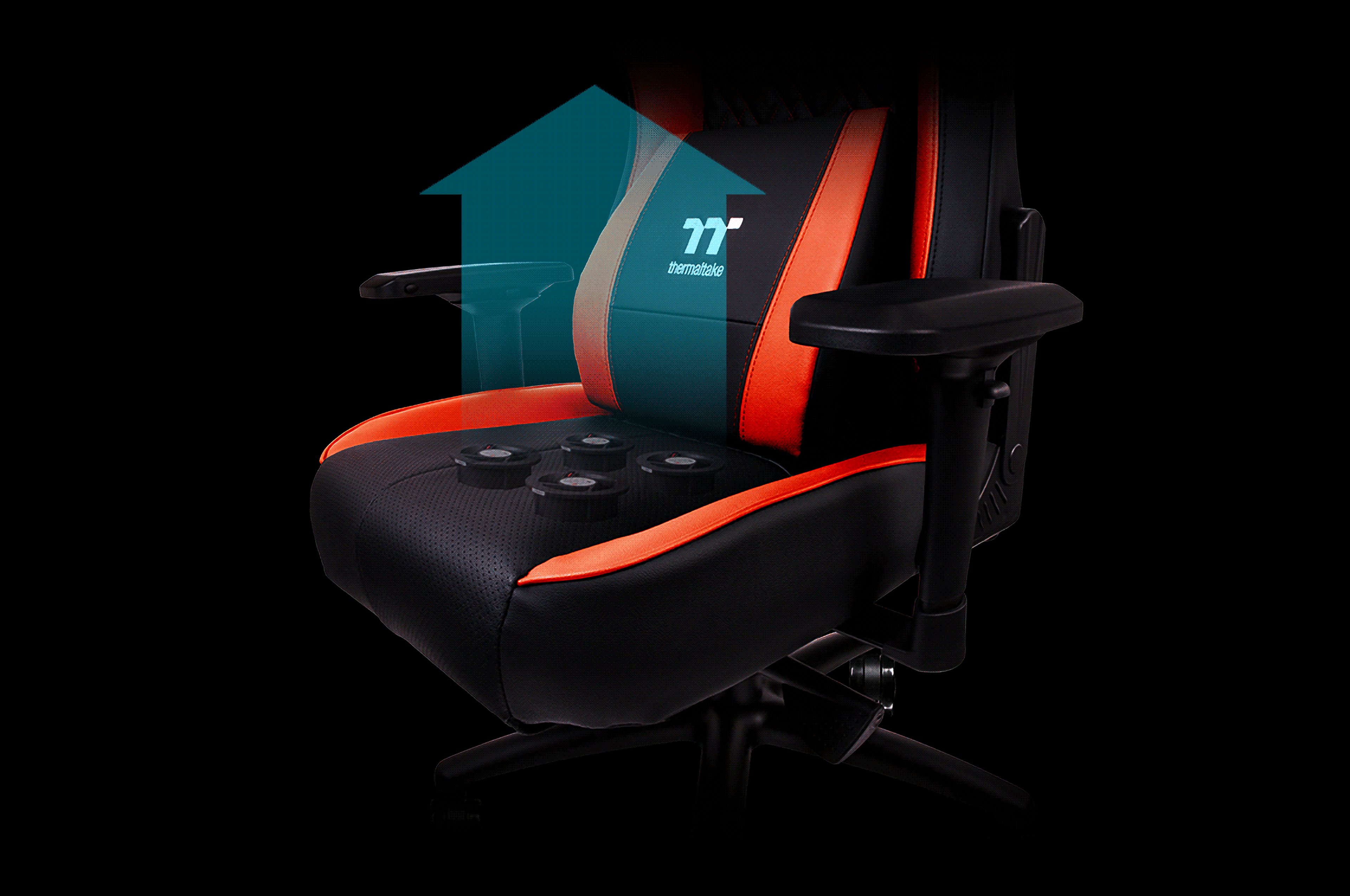
The chair Thermaltake X Comfort Air does not cool computers but their users, obviously. The point is to keep you from sweating during a longer and toilsome session of gameplay. Cooling consists of four 60mm fans inside the cushion, which are capable of 5100 rpm, static pressure of 7.1 mm water column, and have ball bearings. Thermaltake states that the noise level should be around 32 dB, but they do not say at what RPM. The chair has a controller mounted on the back of the backrest, which can be used to choose from three levels (or even to turn it off completely).
The air pushed by the fans is perforated through the seat and a leatherette cover. The company says that the fans can lower the surface temperature by 0.6 –1 .5 °C. This was tested during a 10-minute session in an air-conditioned room (24 °C) with some test subjects. The chair is usually warmed to 26.3 °C in this this time, and then the cooling starts to do its job for one minute. According to the selected RPM, Thermaltake managed to provide reduction to 24.8 °C, 25.3 °C, and 25.7 °C.
In addition to this curiosity, the chair should have quite good ergonomic features – supports for parts of your body can be adjusted separately. The surface is made of PVC leatherette and the frame is relatively firm, it supports load of up to 150 kg. But this kind of fun costs 500 USD. And it needs to be plugged in because of the fans.

Really interesting thing is that Thermaltake describes this chair with the real hardware cooling terminology – they are talking about speed control, lifespan of the bearings, the airflow, temperature differences, and even thermal images. Of course, the goal here is a bit different. The lower the temperature of hardware, the better, while in this case, it will be necessary to maintain a certain level and to not create too much of a draft because…you know. It is easy to catch a cold. We cannot say whether the chair does its job itself or you need to control it to achieve the optimal results.
Similar products are not entirely new. In 2012, there was a gaming mouse that had a small fan to cool your hand (there were also some that actually kept your hand warm). These kind of chairs probably make sense mainly in more tropical areas. Let’s hope that they are already working on a new version of gaming chairs for the rest of us.




