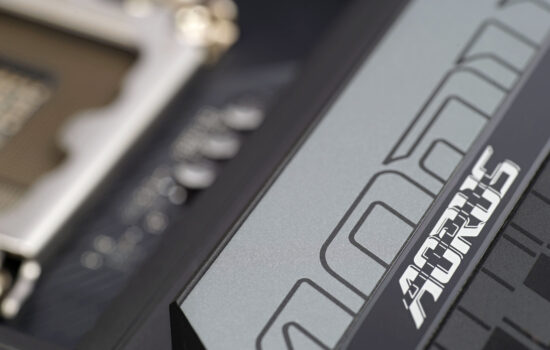
It copies the older B650E Aorus Pro X USB4 in many points, but it is not a “perfect clone”. In some ways the Gigabyte X870 Aorus Elite WiFi7 has the upper hand, in others it lags behind. However, this mid-range motherboard is definitely worth your attention. Those who were frustrated by the in some places relatively poor connectivity of the Asus TUF Gaming X870 Plus WiFi may now be satisfied.
Conclusion
To evaluate the Gigabyte X870 Aorus Elite WiFi7, in theory, you could just copy the text of the final chapter of the Gigabyte B650E Aorus Pro X USB4 tests and its would do the trick, give or take. These motherboards are extremely similar and actually share completely the same internal and external connectivity. This means you have plenty of USB ports (including 40-gigabit ones) on the back panel, but also four M.2 slots, for example, of which as many as three support PCIe 5.0.
Then the Gigabyte X870 Aorus Elite WiFi7 also has the very nifty button to unlock the PCIe ×16 slot. It was already also on the B650E Aorus Pro X USB4 board¸but in between generations it is a novelty – the Aorus X670 Elite (AX), did not yet have the EZ-Latch mechanism. At all, not even when it comes to the latches of the M.2 slots. In this respect, the X870 Aorus Elite WiFi7 motherboard has made a significant leap forward and we can talk about a very comfortable (de)mounting of both the M.2 SSD and the graphics card.
In terms of VRM robustness, the X870 Aorus Elite WiFi7 is a suitable motherboard for the Ryzen 9 9950X as well. Surface temperature of the critical components with a power consumption of around 200 W even without coolers doesn’t exceed 90 °C. Sure, in this respect, the TUF Gaming X870 Plus WiFi is slightly better (VRM temperature is lower), but with this board, you again had reservations in the discussion about the poorer selection of SATA connectors. The Gigabyte X870 Aorus Elite WiFi7 has twice as many of them at a comparable price (four in total), but the internal 19-pin for USB 3.2 gen. 2 is still only one. So for cases with four connectors of this standard, you’re out of luck and either they’ll stay unplugged or you’ll have to reach for adapters and connect them via USB 2.0. This at the expense of significantly lower speed, of course.
The power efficiency is decent, or almost no different from the TUF Gaming X870 Plus WiFi and Gigabyte B650E Aorus Pro X USB4 and the Gigabyte X870 Aorus Elite WiFi7 is between them in this aspect.

Gigabyte has an advantage over the Asus board, for example, in the more efficient SSD coolers. Both the first and second cooler (shared for three SSDs) are high in the cooling efficiency rankings.
We didn’t notice much of a difference in the speed tests affected by the CPU and graphics card. Or at least not to a degree that makes sense to point out. In something the Gigabyte board has an edge, in something it is a hair behind, but usually the differences are at the level of 1%, i.e. completely insignificant. The X870 Aorus Elite WiFi7’s memory write in Aida64 is a bit slower (than the TUF Gaming X870 Plus WiFi), but that’s at the same time with lower latencies (RAM), which is again a good thing.
Slot speeds are not out of line with what you would expect. A similar statement applies to the USB ports or ethernet connections. All speeds are kept within the range defined by each standard.
Overall, the Gigabyte X870 Aorus Elite WiFi7 is a very well-equipped motherboard suitable for even the most powerful processors. If you have a budget set around 330 EUR, this may be the “right” choice. Although the choice of a particular motherboard often depends on various small things in the features, we will leave it up to each of you (what suits or does not suit you), but we did not encounter any major shortcomings in the case of the X870 Aorus Elite WiFi7 motherboard. The Gigabyte X870 Aorus Elite WiFi7 takes home the “Smart buy!” editorial award from HWCooling’s tests for its attractive features in relation to the price.
English translation and edit by Jozef Dudáš
| Gigabyte X870 Aorus Elite WiFi7 |
| + Powerful 20-phase power delivery (VRM)... |
| + ... handles even the Ryzen 9 9950X without power limits |
| + Four fast (four-lane) M.2 SSD slots ... |
| + ... three of which support PCIe 5.0 |
| + As many as twelve USB connectors on the rear I/O panel |
| + USB4 on the AMD platform |
| + Exceptionally detailed fan management options |
| + Handy EZ-Latch Plus system for removing a card in the first PCIe ×16 slot... |
| + ... and overall tool-less EZ-Latch mechanisms also for installing SSDs and their coolers |
| + Attractive price considering the abundant features |
| + Efficient SSD cooler on the first M.2 slot |
| + Support for very fast WiFi (7) |
| - Only one internal connector for two USB 3.2 gen. 1 ports |
| Suggested retail price: 330 EUR |
Some of the tested boards are also available in the Datacomp e-shop

Special thanks to Blackmagic Design (for licenses for DeNoise AI, Gigapixel AI and Sharpen AI) and Topaz Labs (for licenses for DeNoise AI, Gigapixel AI and Sharpen AI)