


A smaller form factor, but still well-prepared for even the most powerful processors. The ROG Strix B860-G Gaming WiFi motherboard has a sufficiently robust power delivery system even for the Core Ultra 9 285K, and its advantage lies in its lower height. This makes the motherboard suitable for use in smaller and more space-efficient cases, of which there are relatively few on the market, just like decent μATX motherboards.
What it looks like in the BIOS
On the EZ Mode screen, you can, for example, enable the RAM memory profile (D.O.C.P.) and get an overview of connected components. However, something like a “quick CPU power management” with various preset limits is missing here.
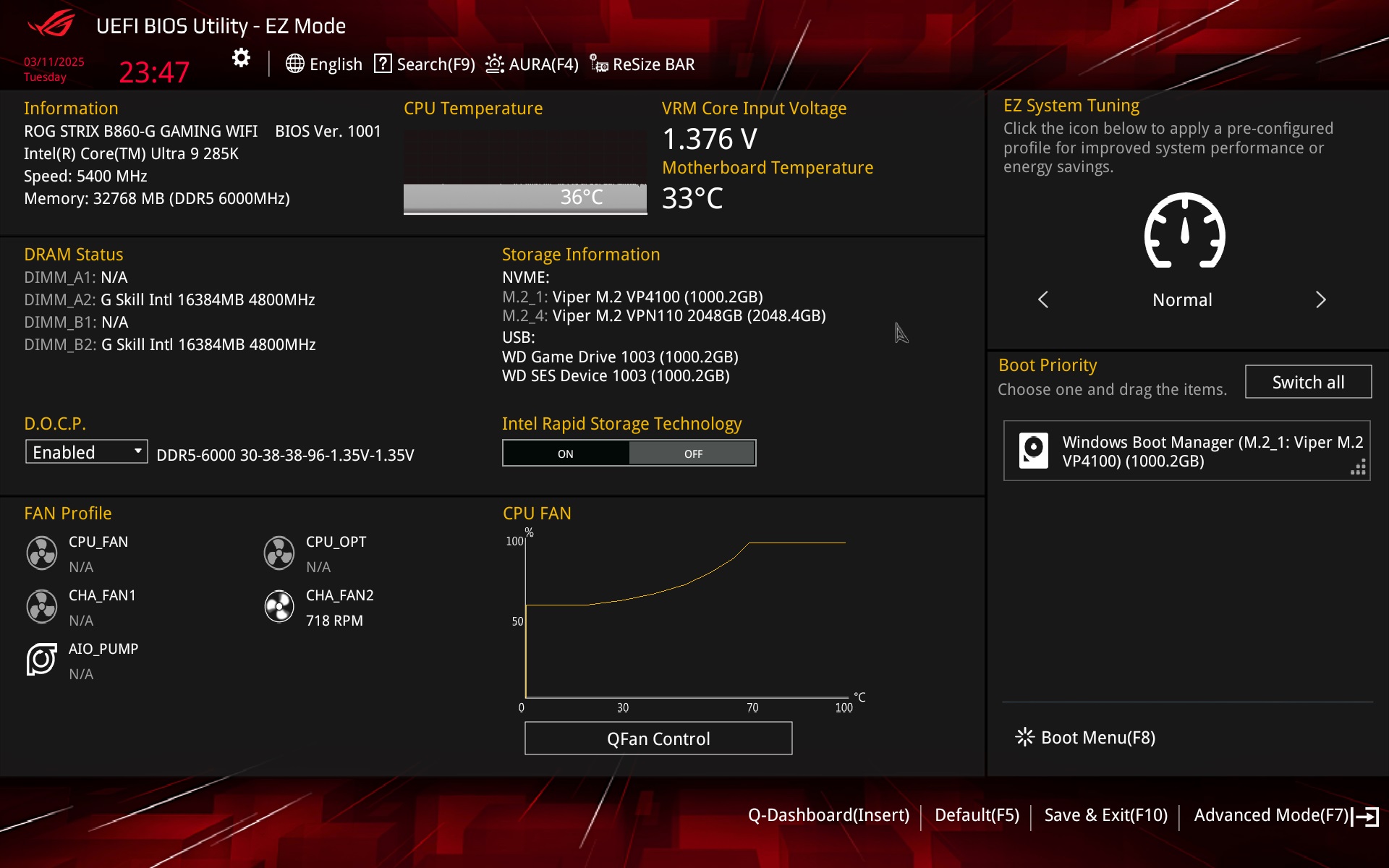
You can access the advanced mode by pressing the F7 key, and on the Main tab, you can find more information about the installed processor, such as its stepping and similar details. In our case, the motherboard BIOS version is 1001 with microcode 0x114.
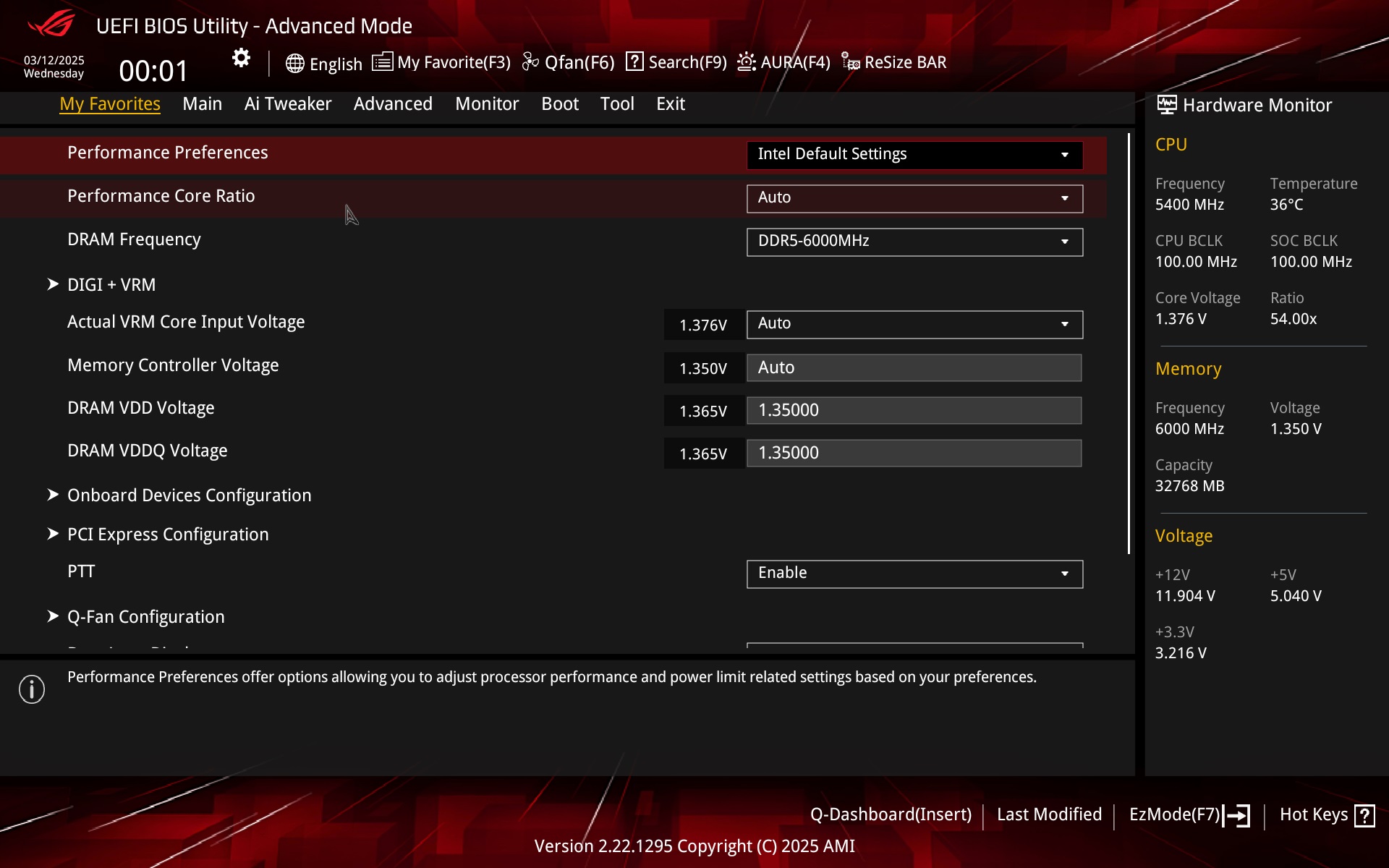

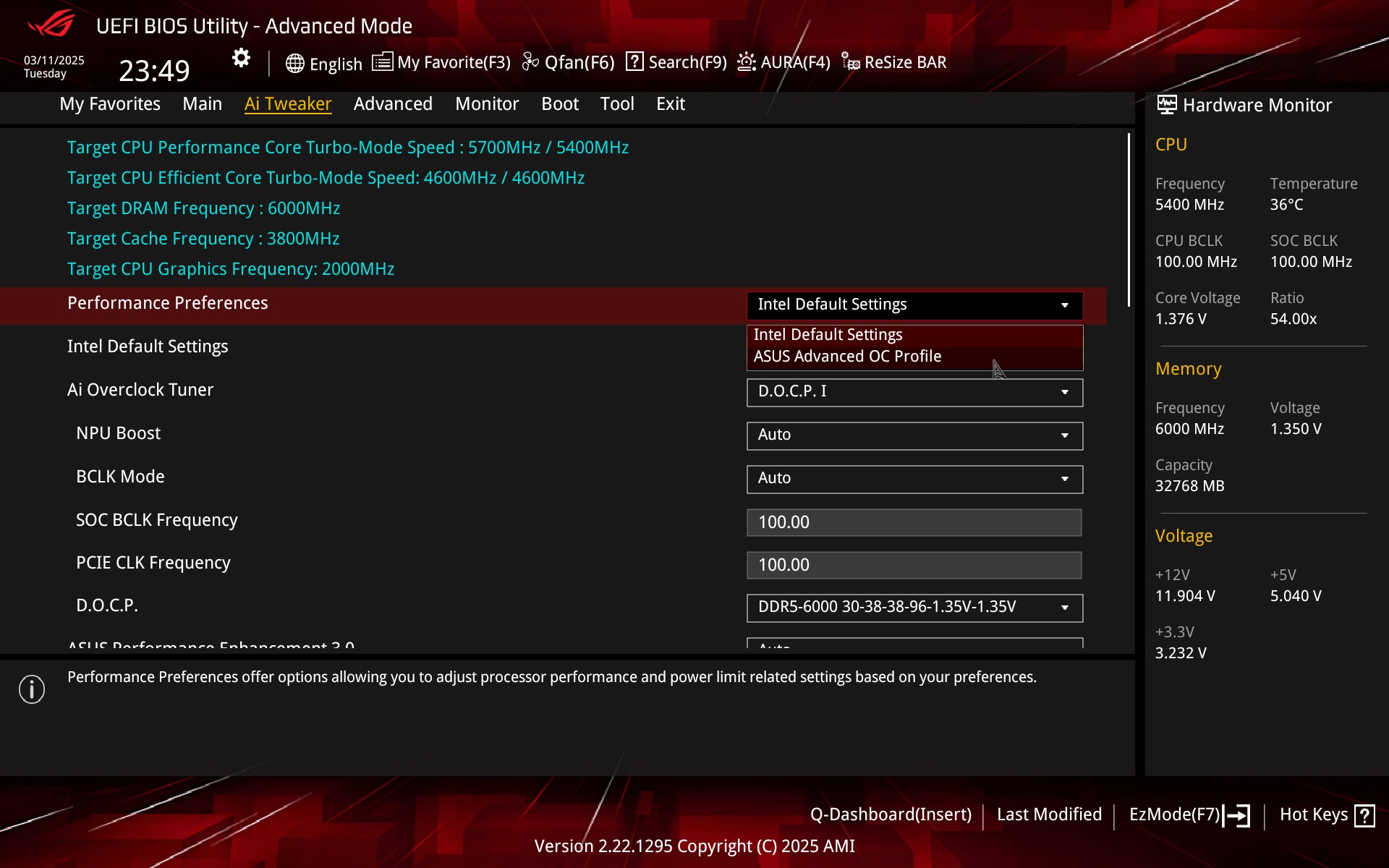
The Ai Tweaker tab includes, among other things, power management profiles, with the default being “Intel Default Settings” with stricter power limits. These limits naturally vary from processor to processor, or model to model.
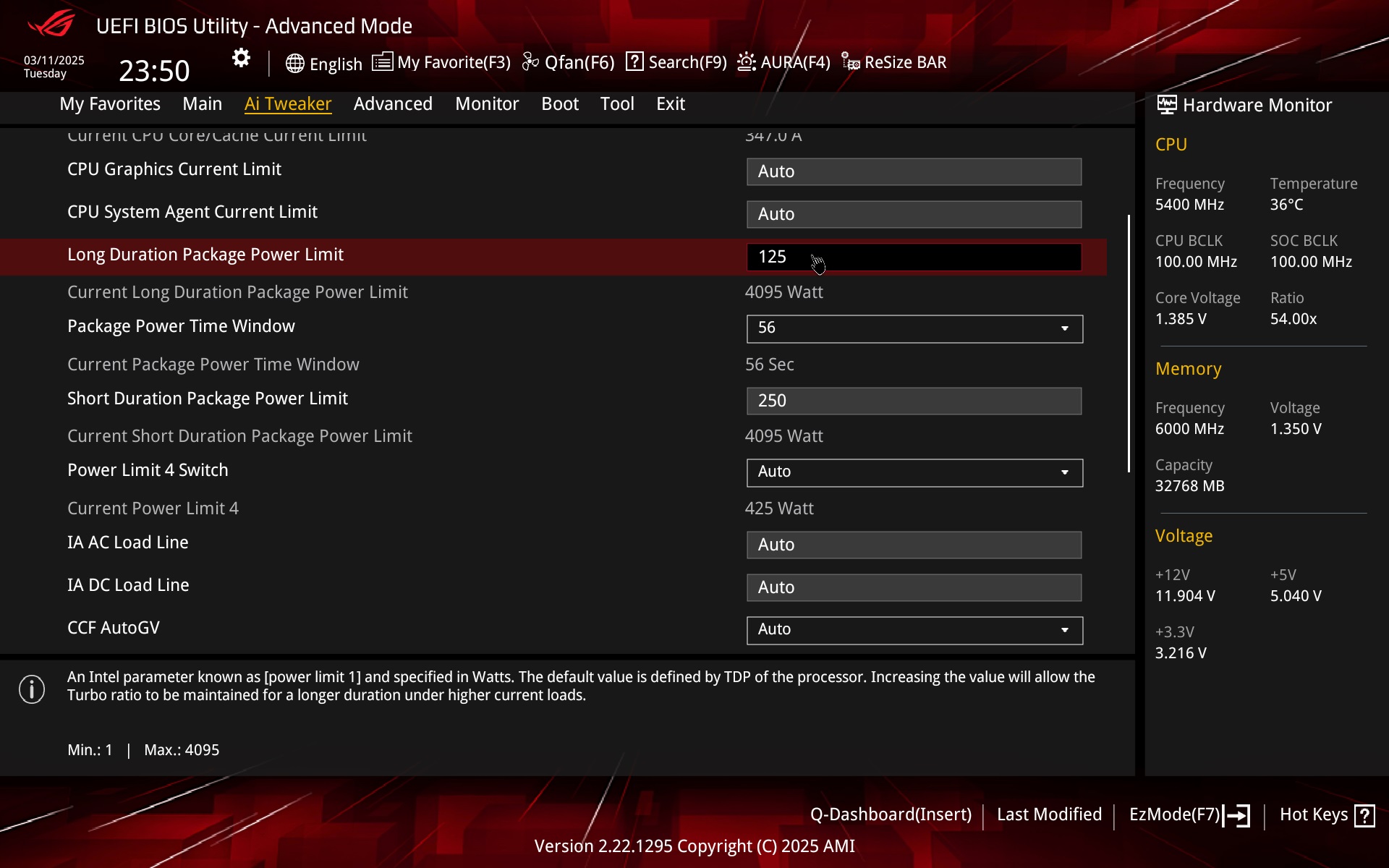
If you want full control and prefer manual PL settings, you can do so by entering precise numerical values (PL) for both short-term and long-term loads. This includes adjusting the Tau time limit, whose duration can also be customized according to your preferences. For testing purposes, we set it to 56 seconds for a more balanced mode with PL1 at 125 W, while PL2 is then 250 W according to Intel’s specifications for the test processor Core Ultra 9 285K. In the higher-performance mode, used for all tests, the power limits are disabled, set to “4095 W” with a current limit of 512 A.
We don’t interfere with the VRM or LLC settings, leaving them on automatic (level 3).
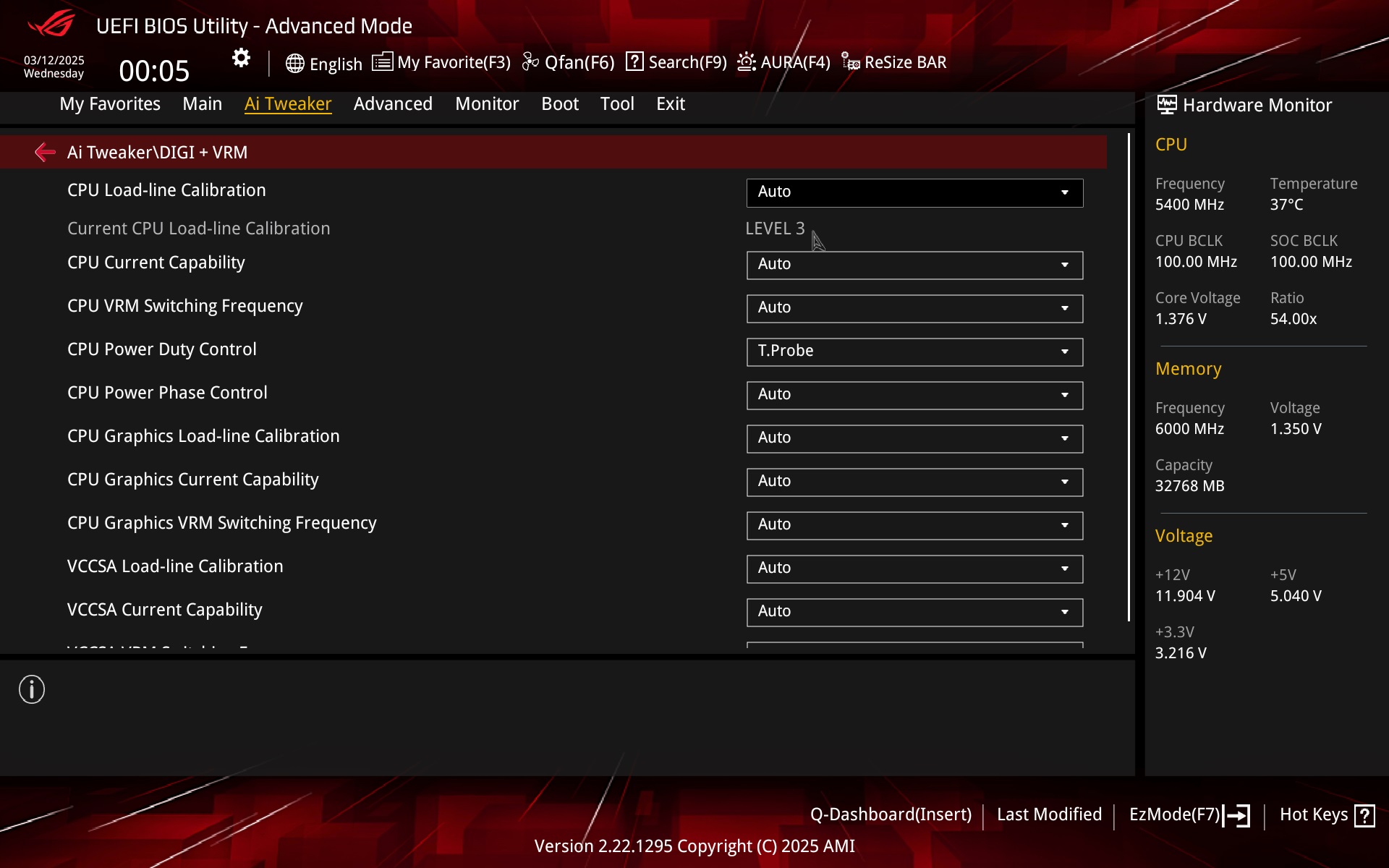
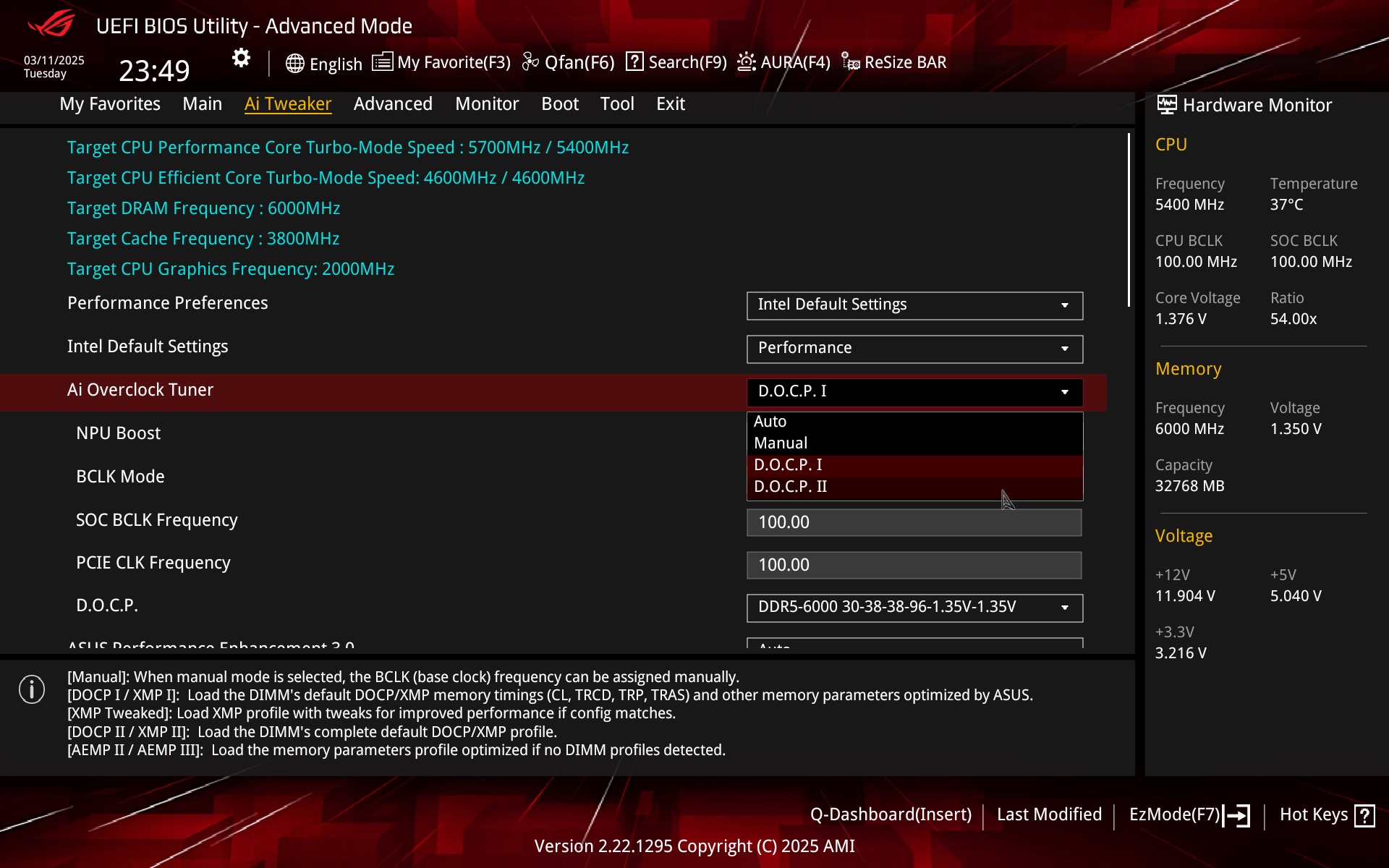
D.O.C.P, as Asus labels the memory profile (XMP), is enabled, with the memory controller bandwidth set to Gear 2.

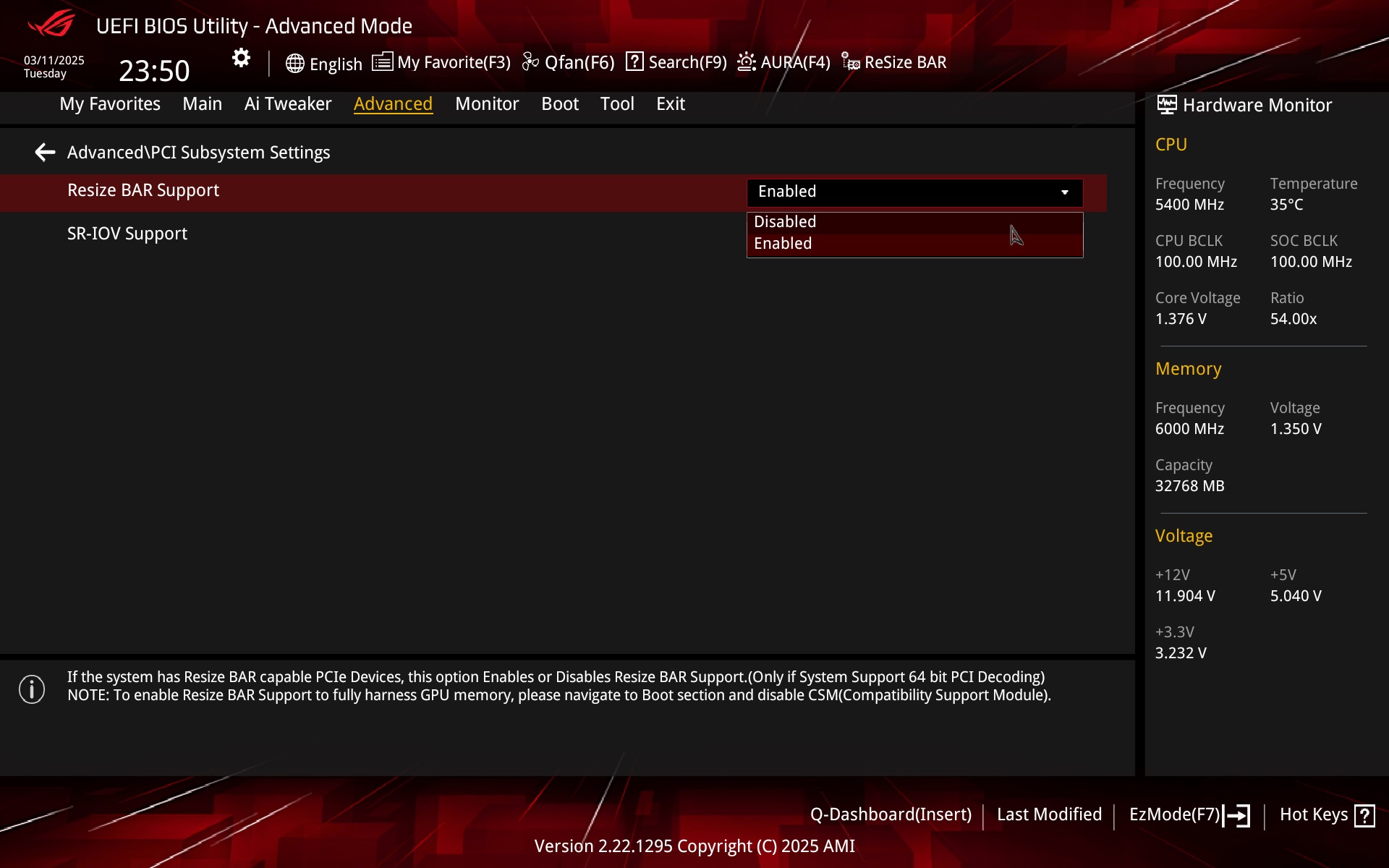
ResizeBAR, for which a button is also available on the EZ Mode screen, can be disabled on the Advanced tab under PCI Subsystem Settings. In factory settings, ReBAR is enabled, and while this technology is usually beneficial (and boosts performance), there are situations where it might not be, and the option to disable it (ReBAR) can come in handy.
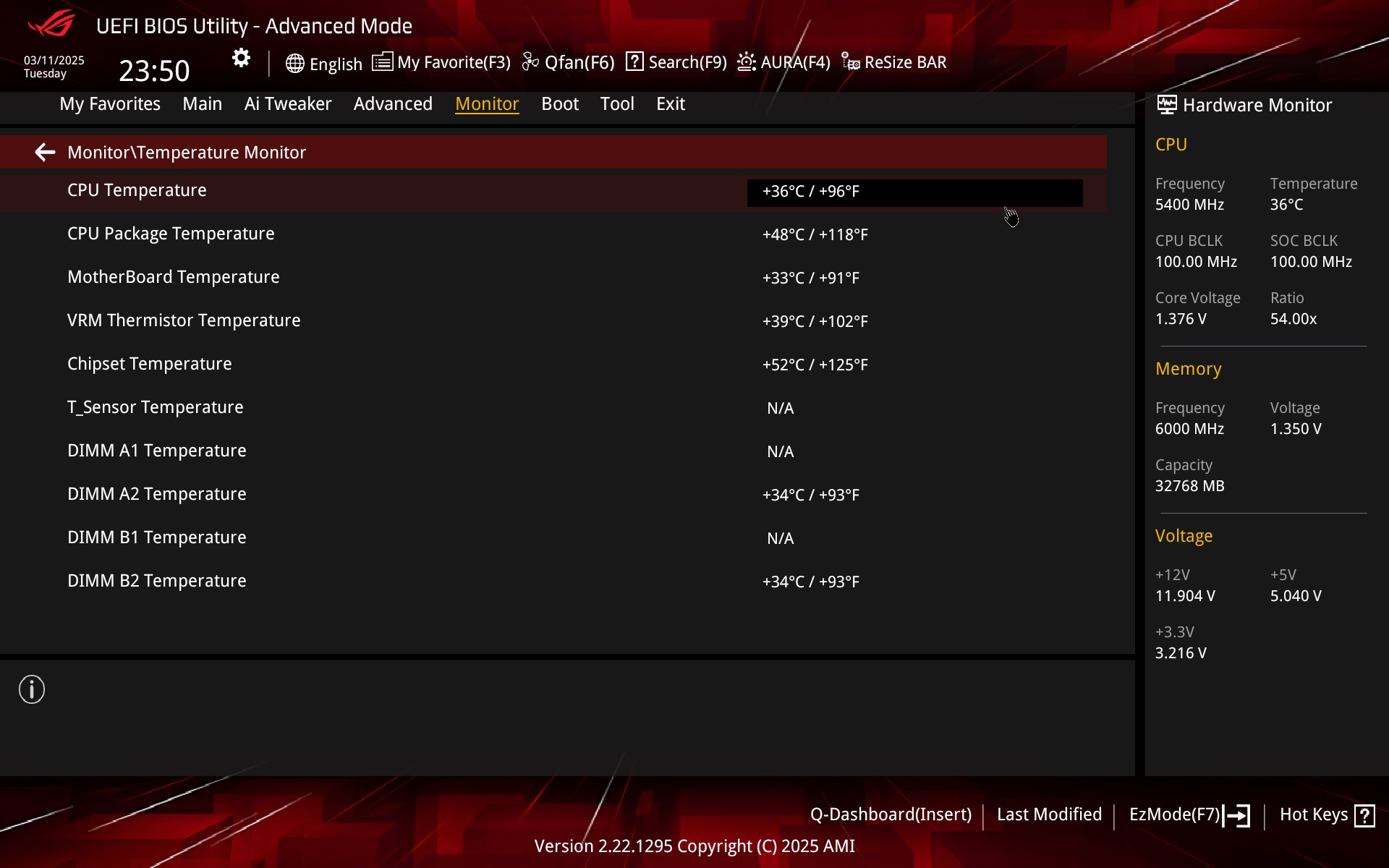
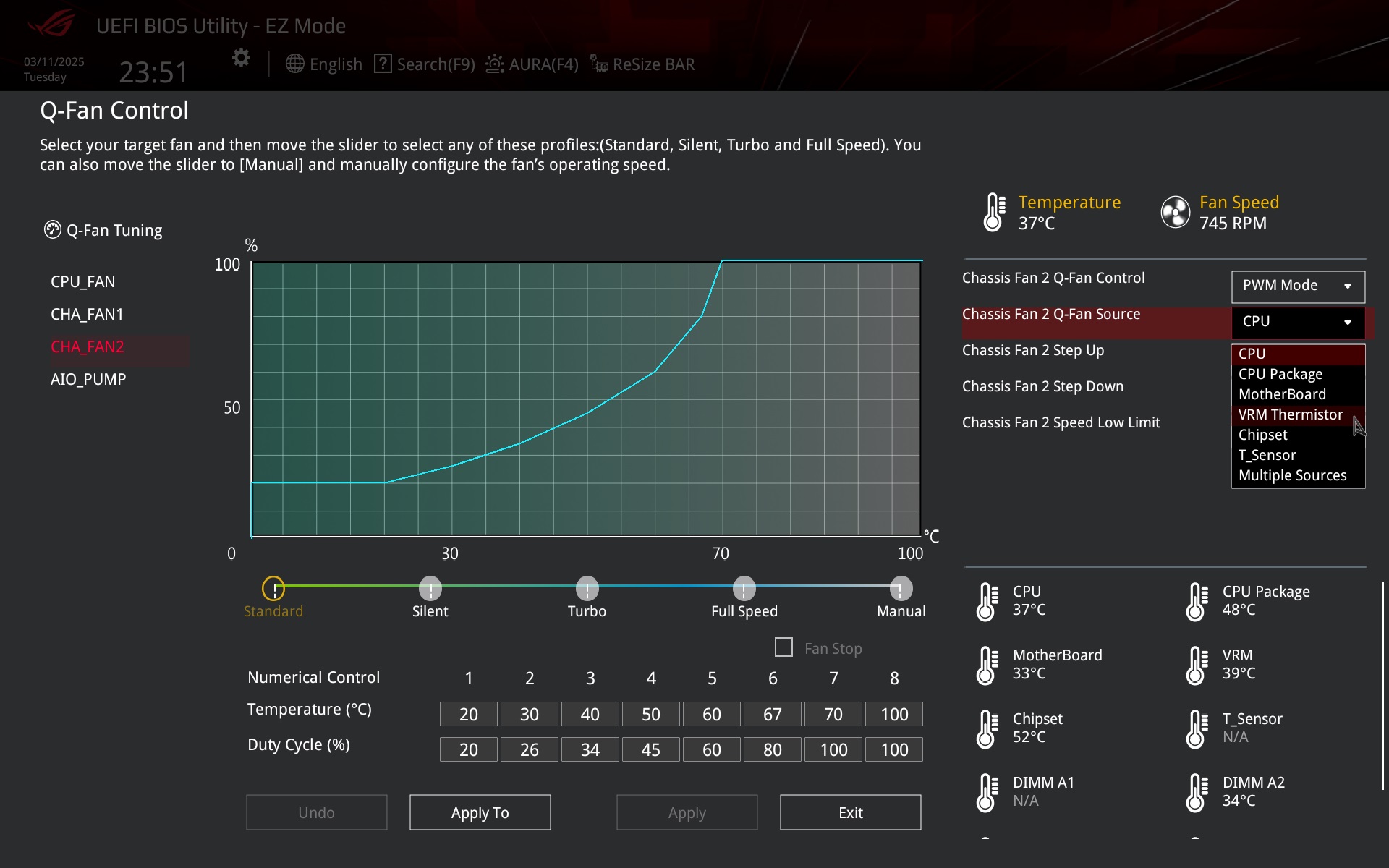
The motherboard has several temperature sensors, from which fan speed curves can be derived.
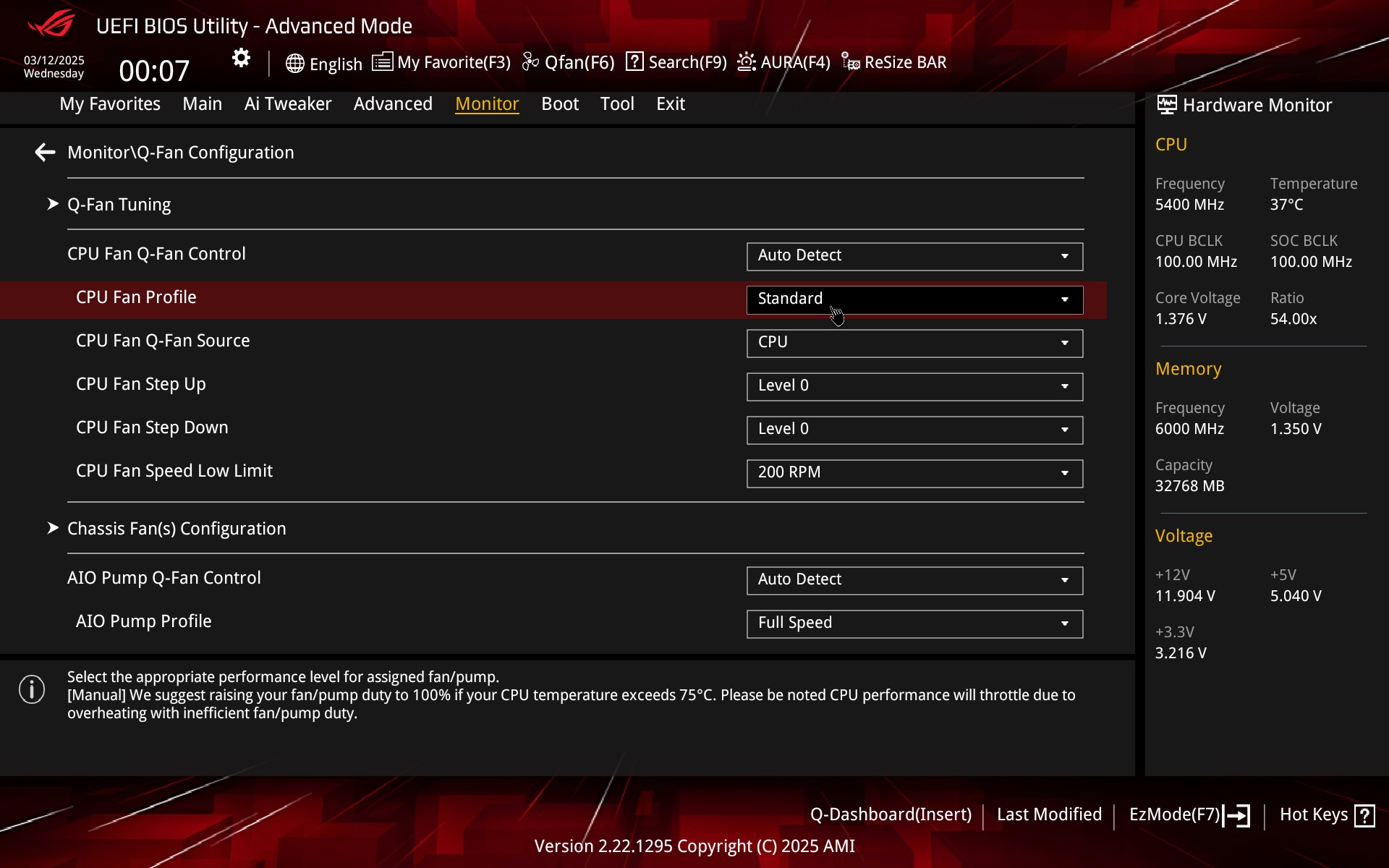
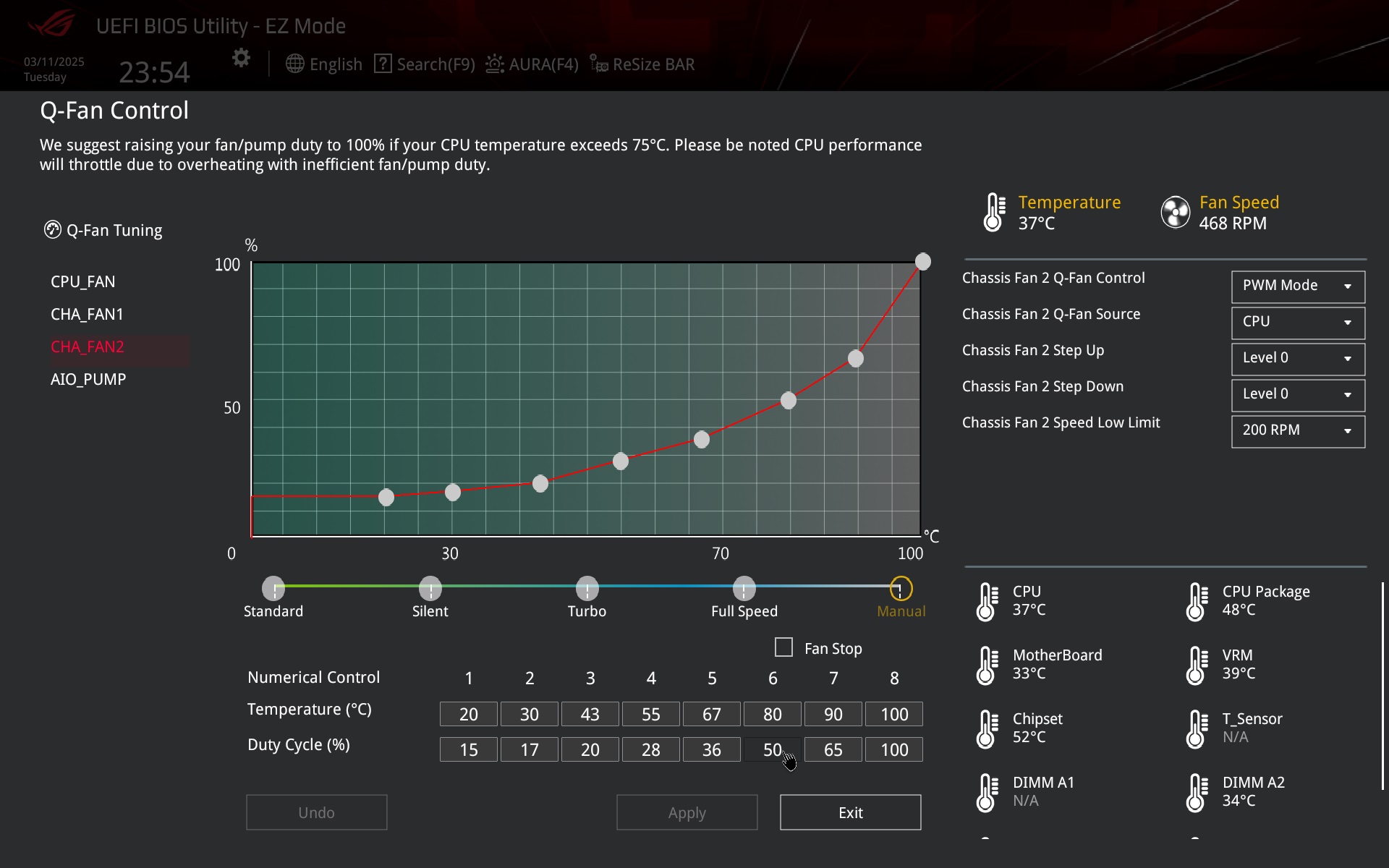
Fans can be configured in detail in the Q-Fan Control interface, where a 2D graph is available for better orientation. One axis represents temperature in degrees Celsius, and the other represents PWM duty cycle or DC regulation voltage, depending on whether you choose this method to adjust fan speeds based on the cooling needs of selected components.
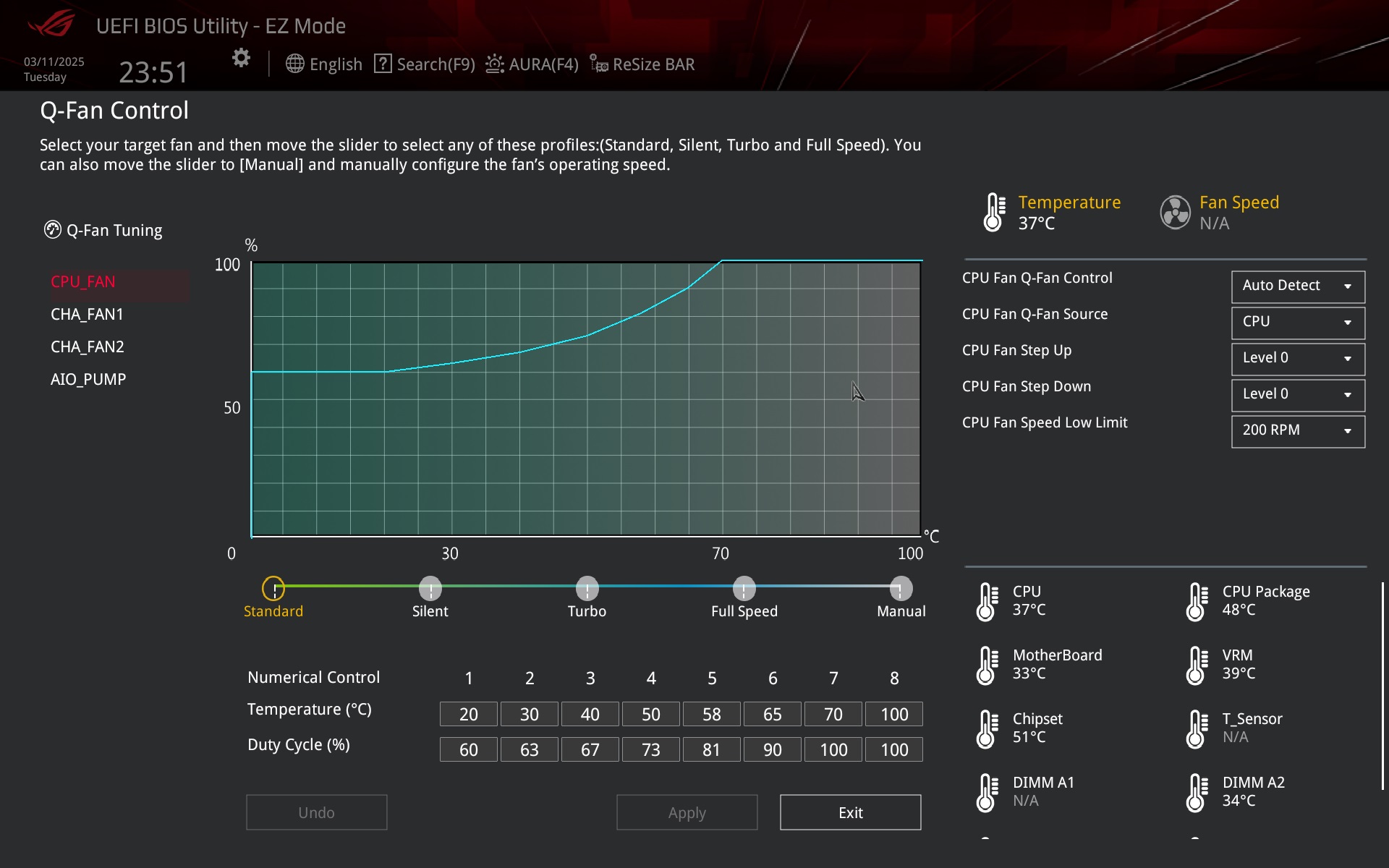
And now, for entering values in °C and % (PWM)/V (DC), a table is also available as an alternative to the “drag and drop” technique (dragging points with the mouse cursor). This might be more convenient for some users.




under half price atm in denmark 147 euros (just under half price)
That’s great information, thanks for sharing! 🙂
It makes sense that prices of B860 motherboards are generally lower a year after the review was published. I’m not sure which Danish store you’re referring to, but if it’s some kind of “discount,” it likely has a time limit. And of course, it also depends on the services provided by that particular e-shop…
Just thinking out loud—sometimes an attractive price for a motherboard might not carry as much value as it seems at first glance. On the other hand, I might be overthinking it, and the price listed in the review could simply be outdated because the market has shifted since then. 🙂