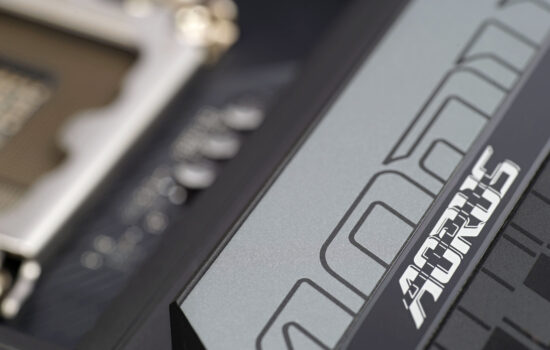
In the tests, we looked at a Mini-ITX motherboard. A warning finger is usually put over this format in connection with powerful CPUs, but often unjustifiably. This would be the case even with one of the cheapest models for the LGA 1700 platform – the B760I Aorus Pro DDR4. The “cut off” is mainly things you may not need, for example because a larger number of slots not only won’t be used, but also doesn’t fit into the vision of a space-saving PC build.
What it looks like in the BIOS
The “Easy mode” user interface is quite extensive. Compared to Asus and MSI boards, it is fuller. I mean, we’re still talking about Easy mode, i.e. what people get on the first screen. With Gigabyte (compared to others), for example, it includes the “PerfDrive” switches to quickly change the CPU profile. For example, with deactivated E cores. Overall, though, there are more switches, also when it comes to (de)activating ReSizable BAR, the setting of which MSI doesn’t address at all from the Easy mode environment. Unlike Asus, Gigabyte also has more indicators here, such as the CPU clock frequency. But also RAM speeds, and here it deserves a little praise for listing MT/s (instead of MHz).
More details, such as about CPUID or Mac address of the LAN adapter, can be found in advanced mode (accessed by pressing F2) on the System info tab.


The tab for more advanced but frequently used options (including LLC or DRAM voltage) is “Favorites” (F11). Thanks to it, you don’t have to worry about the Tweaker tab, where there are, of course, considerably more options.

The Tweaker tab starts with the Gigabyte PerfDrive button, which we’ve already written about – this is used to set up a profile with preferred settings for the processor with respect to different expectations. Maximum performance? Max turbo.


Managing power limits is on the Tweaker tab in the “Advanced CPU settings, Turbo power limits” section. You can set these to exactly how you want to cap the power consumption. This is perhaps also taking into account the limited capabilities of the CPU cooler used. We always unlock the power limits to the maximum within a single, main mode (for all tests) and then we also lower them to 125W for long term performance.

The memory settings don’t have to end with XMP enabled for everyone. In fact, with some modules, the memory controller can be set to half the bandwidth than what is possible and easily achievable. This is the case with our Patriot Blackout (3600 MHz/CL18) memory, with which you have to set the Gear 1 manually. However, we don’t alter this in order to maintain a certain identity, a model situation that most users will encounter.


However, it’s good to know how to increase the platform speed a bit more and also why things are a hair slower on the B760I Aorus Pro DDR4 in our speed tests than on other boards that usually go to Gear 1 automatically with memory this fast, once XMP is activated. There’s practically nothing else going on here, although the lower speed is also usually due to the intervention of the multiplier settings after detecting an application using AVX instructions.
Since this is typically a higher load and the B760I Aorus Pro DDR4 has “only” an average power delivery, at high AVX loads, Gigabyte somewhat limits the more powerful processors in the factory settings by only allowing sub-maximum multipliers. This is also the case with the testing Core i9-13900K. This too can be customized at the user level and the negative offset can be reduced or turned off completely if needed. With lower-power processors, it can already be turned off on “Auto”, it’s individual.

The fan management interface (Smart Fan 6) is, as is usually the case with Gigabyte performance, top notch. By that we mean the most detailed and convenient fan setup options at the same time. In this regard, Gigabyte is a little further along than Asus (where you change the temperature sources outside of the flowchart screen) or MSI.


With Gigabyte, the PWM/DC percentages and the temperatures to which they are linked can also be entered manually. The “drag and drop” system directly on the graph by changing the position of individual points is great, but it may not suit everyone, for example due to the typically poorer resolution and the sensitivity of a computer mouse.