


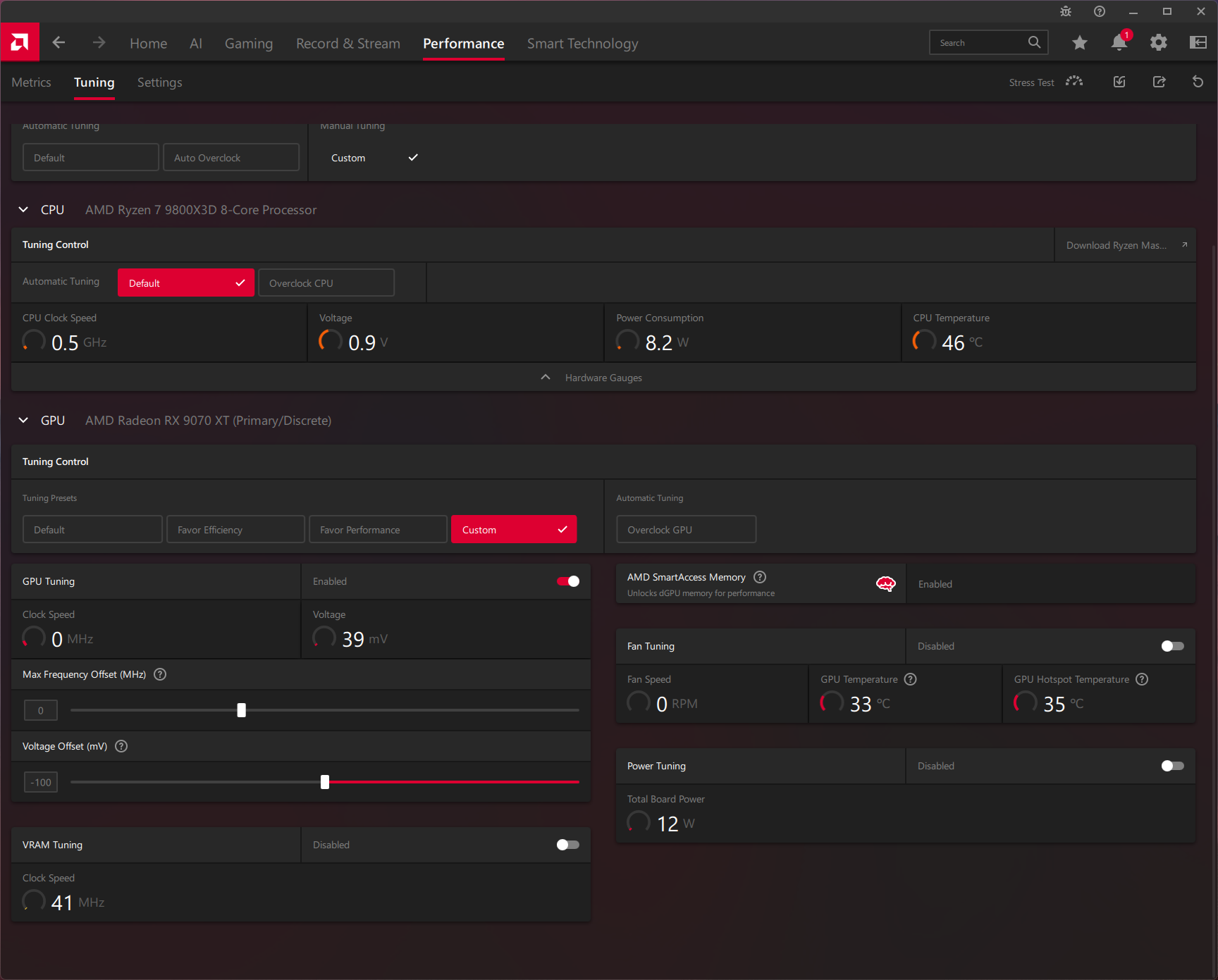
We’ll look at how the performance-tuning profiles in AMD Software: Adrenalin Edition affect the behavior of Gigabyte’s Radeon RX 9070 XT Gaming OC. We’ll show a simple way to overclock the GPU both manually and automatically using the basic presets, how to undervolt it, and how to adjust the power limits for overclocking. We’ll also measure how performance changes when we reduce the card’s power draw by 100 W, and we’ll try VRAM tuning.
Default settings vs. Voltage Offset -100 mV
Power consumption is tied to voltage. But with high-performance cards, the main limiting factor is usually the overall power limit. Lowering the voltage mostly just shifts the clock/voltage curve, while the power limit—and thus overall consumption—remains the same.
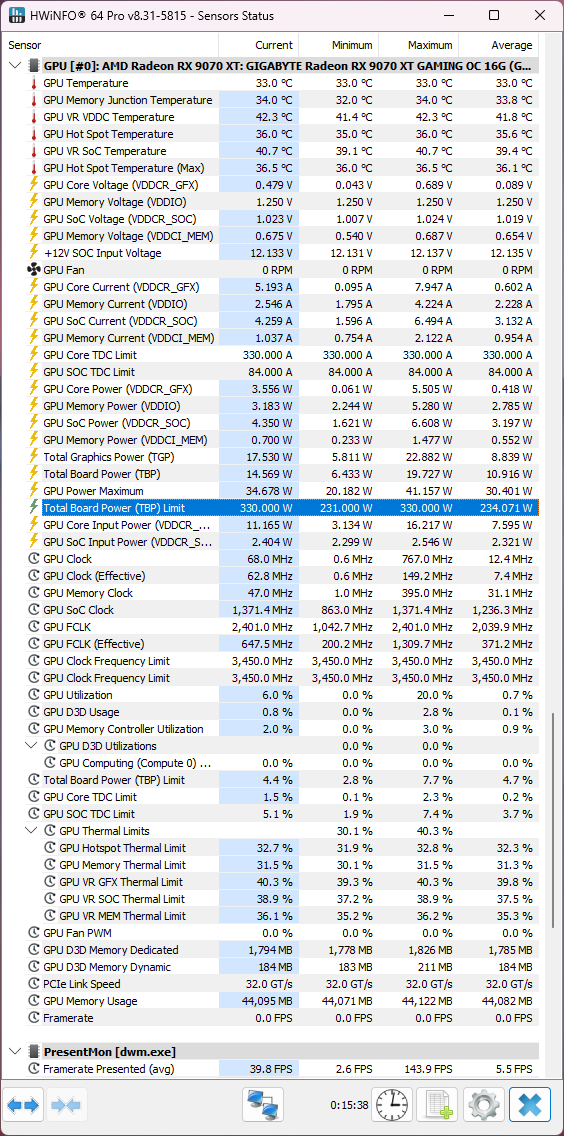
The voltage offset can be adjusted between -200 mV and 0 mV. I quickly tried lowering it by -200 mV, but the card couldn’t handle it. I then measured at -100 mV, which worked. In HWiNFO, the change in voltage isn’t noticeable when the card is idle.
Cyberpunk 2077, BIOS Quiet
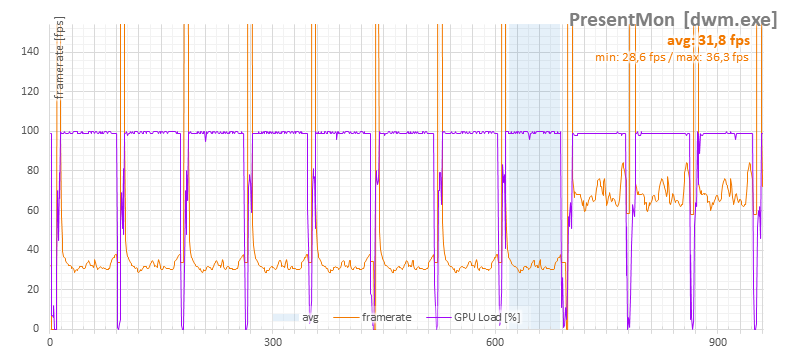
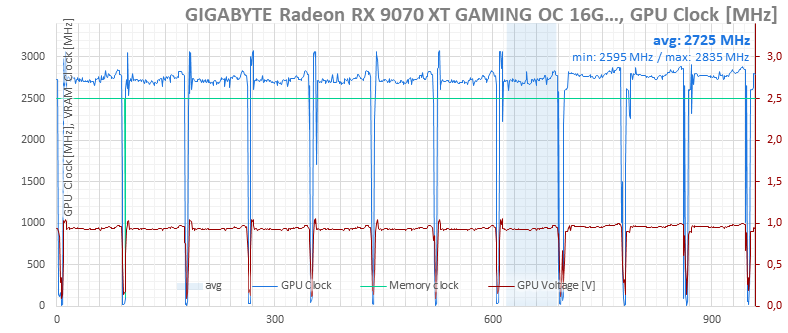
The first operating characteristics test was run in the Cyberpunk 2077 benchmark with RT Medium settings at 3840 × 2160 resolution. It’s made up of eight consecutive benchmark passes, with the averages taken from the last run.
You should see the results in interactive charts that switch when hovering the cursor. If that doesn’t work, the same charts are also available as collapsible images.
In the first chart there’s a slight change in performance, but again it’s hard to say how much is measurement error versus the effect of different memory and slightly altered GPU clocks.

Default | Voltage offset -100 mV
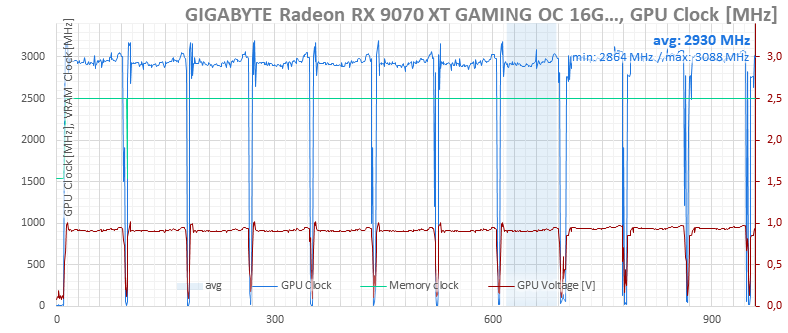
Default | Voltage offset -100 mV
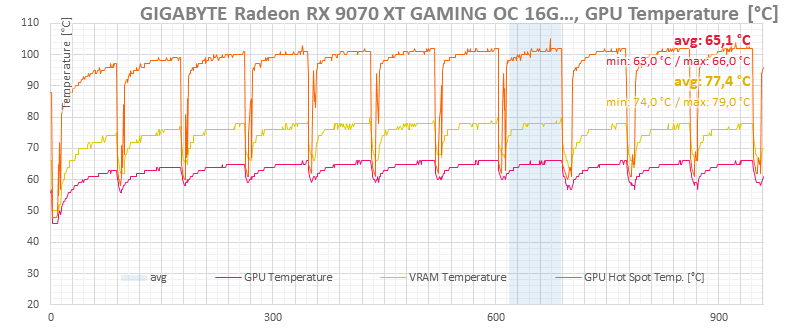
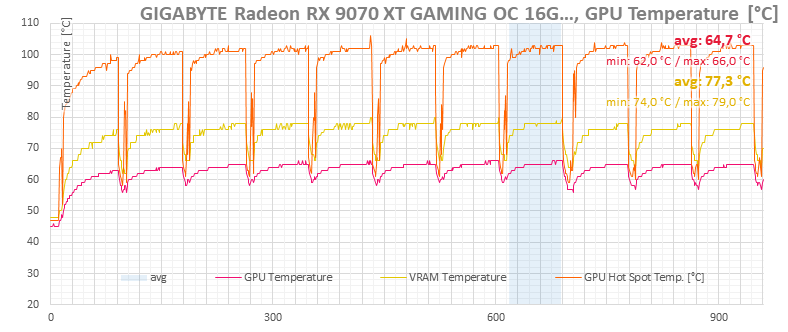
Default | Voltage offset -100 mV
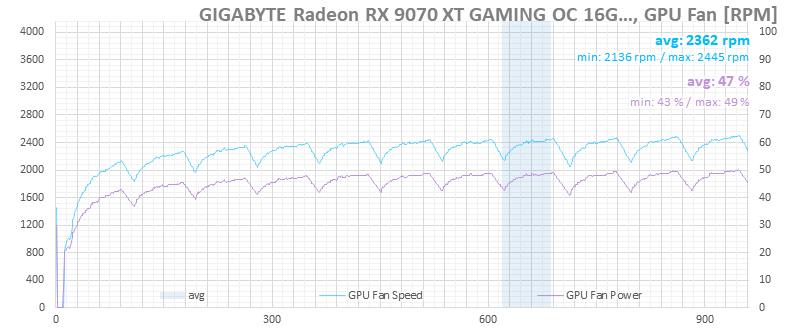

Default | Voltage offset -100 mV
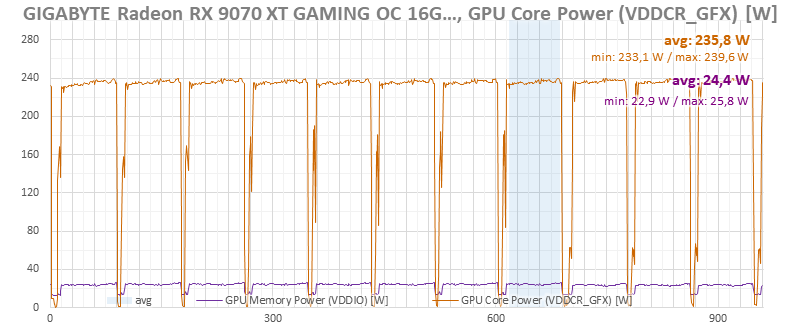

Default | Voltage offset -100 mV
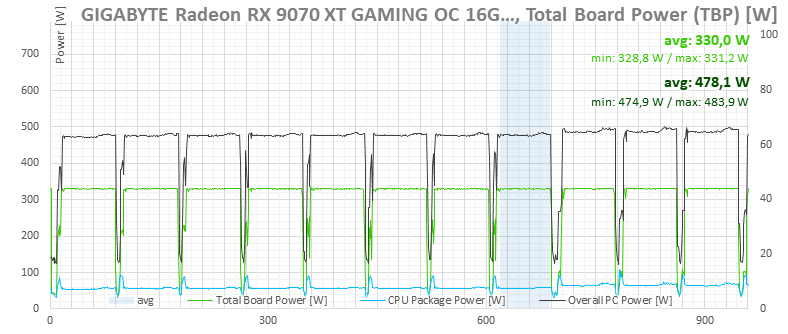

Default | Voltage offset -100 mV
F1 24, BIOS Quiet, default settings vs Voltage offset -100 mV
Additional tests were run in the F1 24 benchmark at 3840 × 2160 resolution with Ultra settings. This benchmark consists of five laps on the Singapore track in wet conditions. Unlike most benchmarks, this is continuous load with no breaks between loops, so the card remains fully heated throughout.
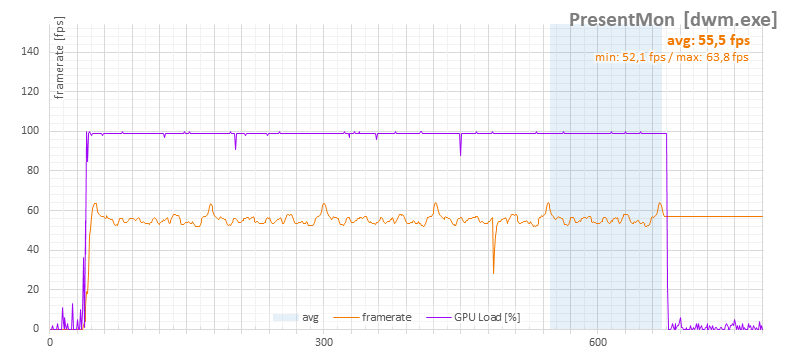
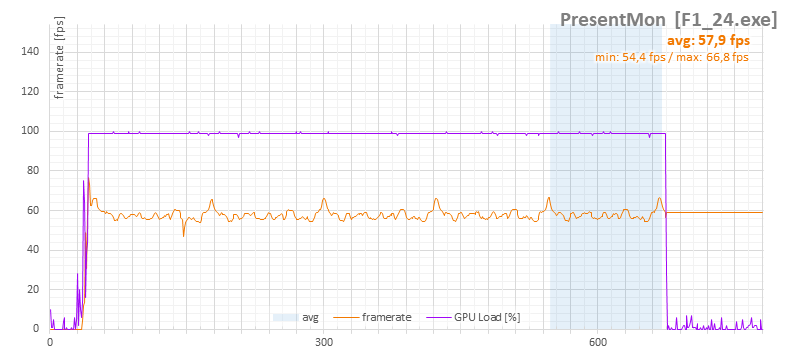
Default | Voltage offset -100 mV
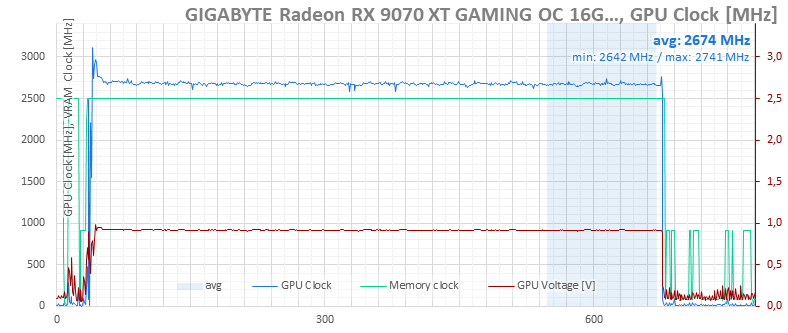

Default | Voltage offset -100 mV


Default | Voltage offset -100 mV
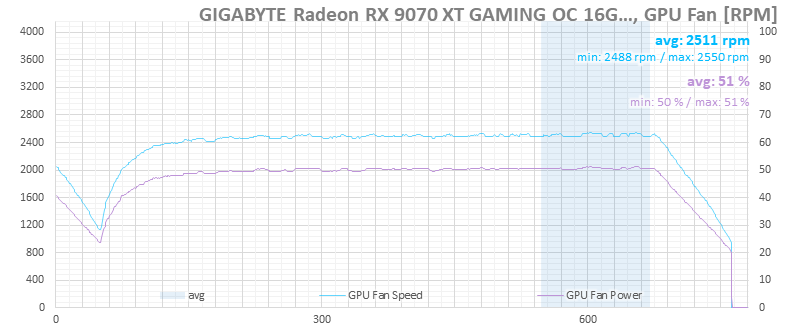

Default | Voltage offset -100 mV


Default | Voltage offset -100 mV


Default | Voltage offset -100 mV
⠀
