


We’ll look at how the performance-tuning profiles in AMD Software: Adrenalin Edition affect the behavior of Gigabyte’s Radeon RX 9070 XT Gaming OC. We’ll show a simple way to overclock the GPU both manually and automatically using the basic presets, how to undervolt it, and how to adjust the power limits for overclocking. We’ll also measure how performance changes when we reduce the card’s power draw by 100 W, and we’ll try VRAM tuning.
Default settings vs. GPU offset +300 MHz, Power limit +10 %
In the final test, I tried GPU overclocking with a 300 MHz offset at the raised power limit. Since GPU clocks are still primarily governed by the power limit, raising the offset by 300 MHz doesn’t increase clocks by a full 300 MHz, it only raises the ceiling.

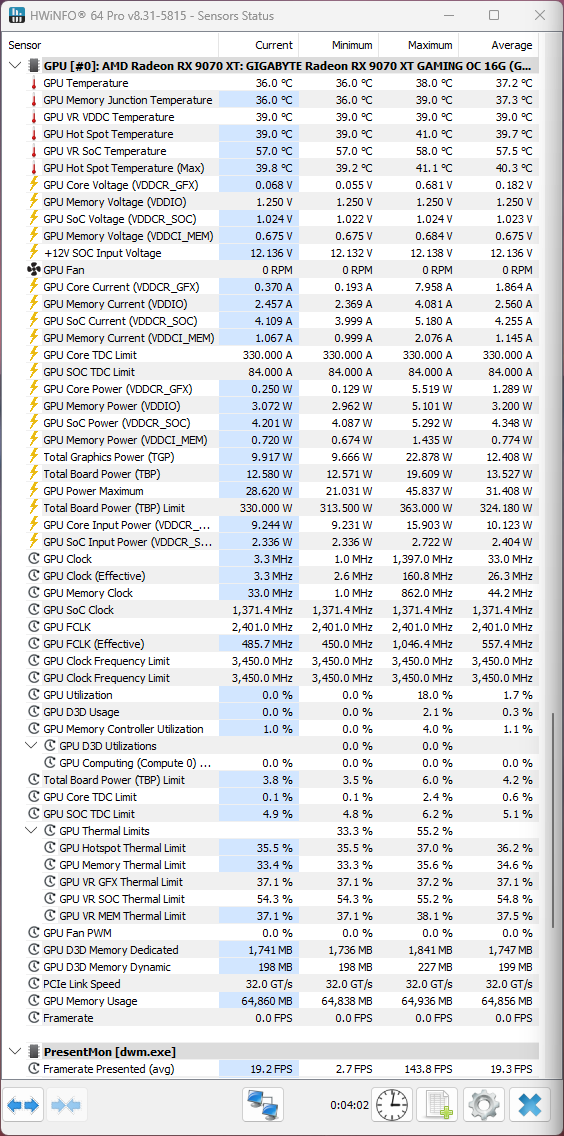
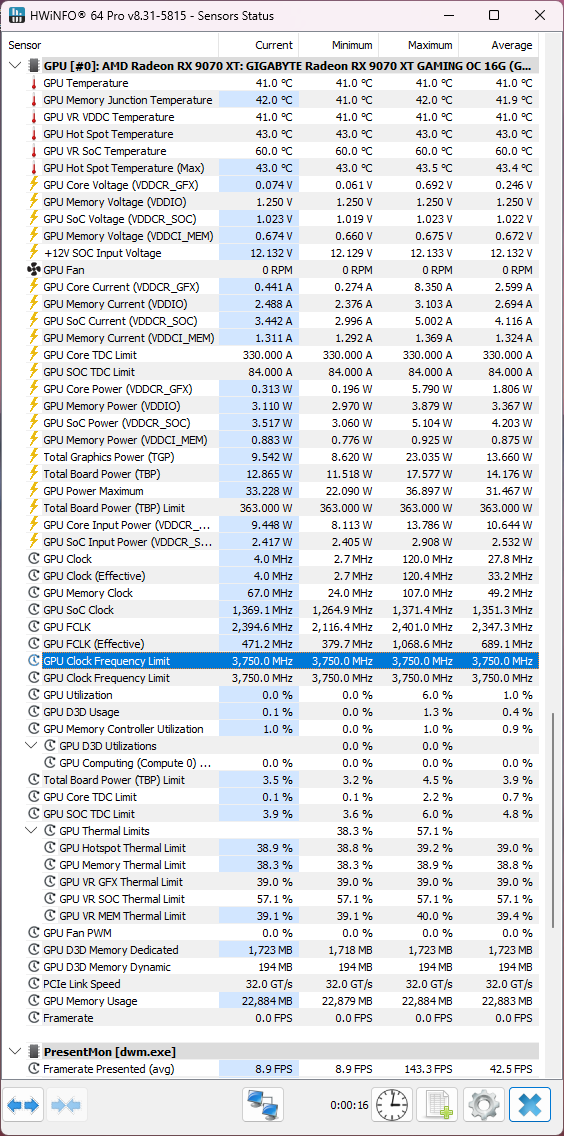
This too is visible in HWiNFO, while the performance results are shown in the charts below.
Cyberpunk 2077, BIOS Quiet
The first operating characteristics test was run in the Cyberpunk 2077 benchmark with RT Medium settings at 3840 × 2160 resolution. It’s made up of eight consecutive benchmark passes, with the averages taken from the last run.
You should see the results in interactive charts that switch when hovering the cursor. If that doesn’t work, the same charts are also available as collapsible images.
In the first chart there’s a slight change in performance, but again it’s hard to say how much is measurement error versus the effect of different memory and slightly altered GPU clocks.
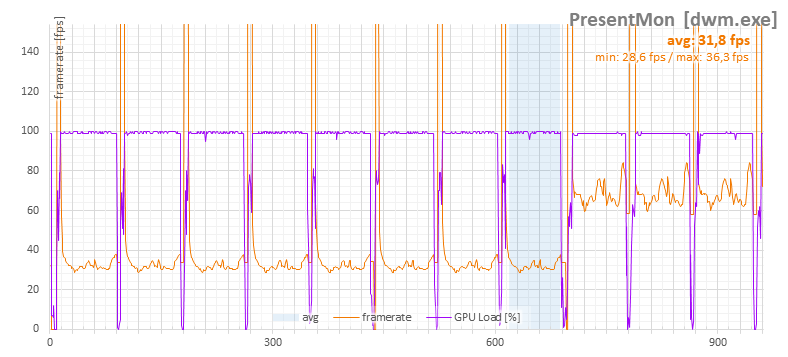
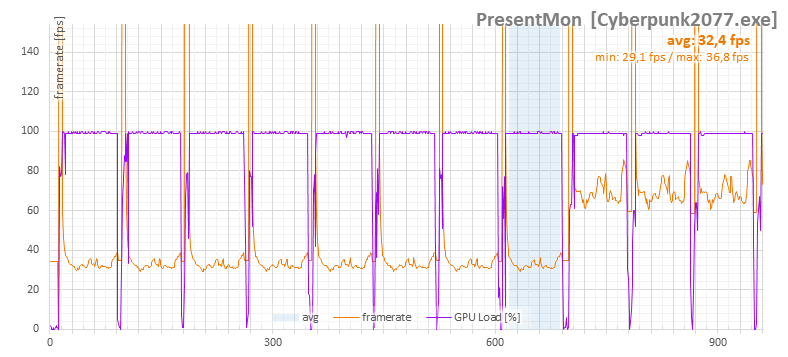
Default | GPU offset +300 MHz, Power limit +10 %
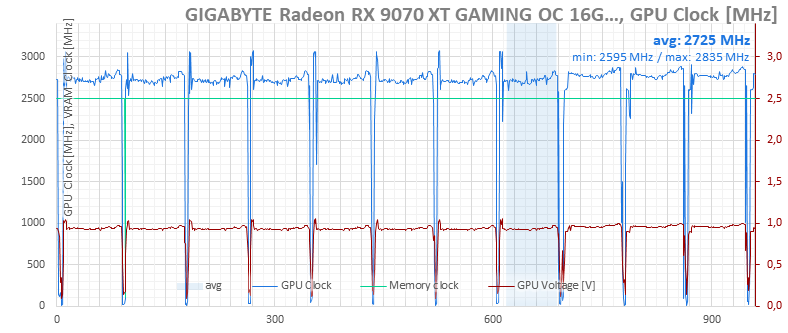
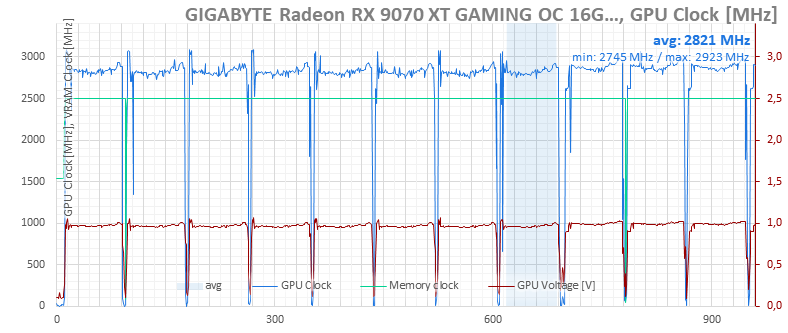
Default | GPU offset +300 MHz, Power limit +10 %
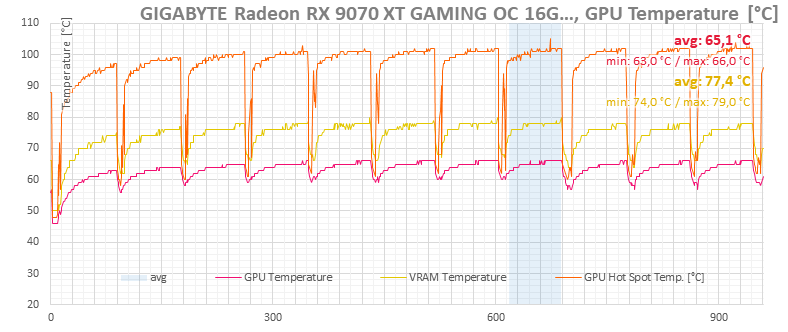
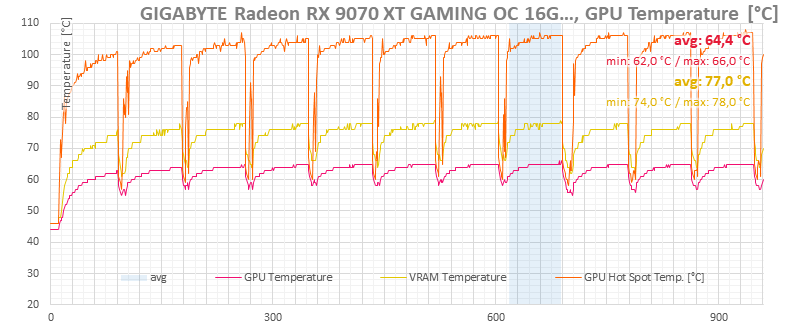
Default | GPU offset +300 MHz, Power limit +10 %
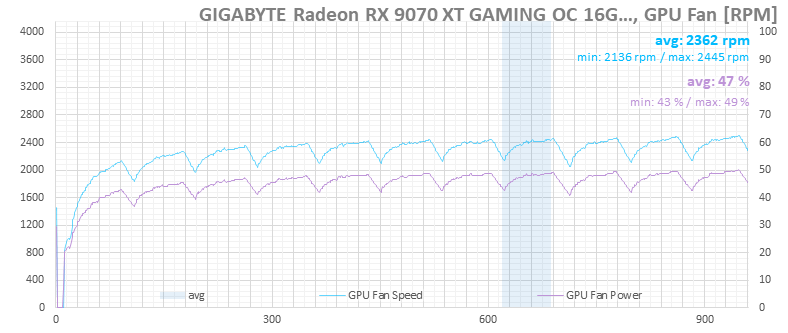

Default | GPU offset +300 MHz, Power limit +10 %
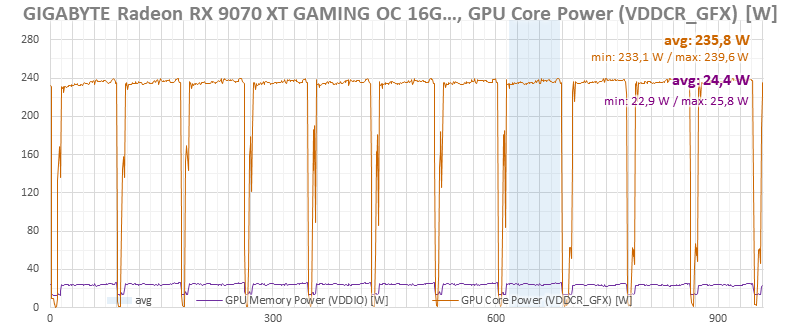

Default | GPU offset +300 MHz, Power limit +10 %
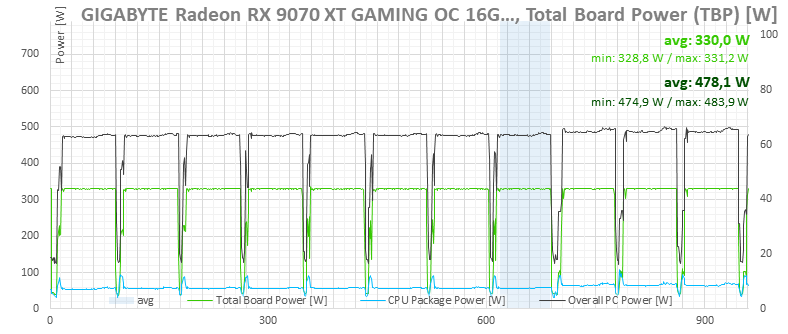

Default | GPU offset +300 MHz, Power limit +10 %
F1 24, BIOS Quiet, default settings vs Offset GPU +300 MHz, Power limit +10 %
Additional tests were run in the F1 24 benchmark at 3840 × 2160 resolution with Ultra settings. This benchmark consists of five laps on the Singapore track in wet conditions. Unlike most benchmarks, this is continuous load with no breaks between loops, so the card remains fully heated throughout.
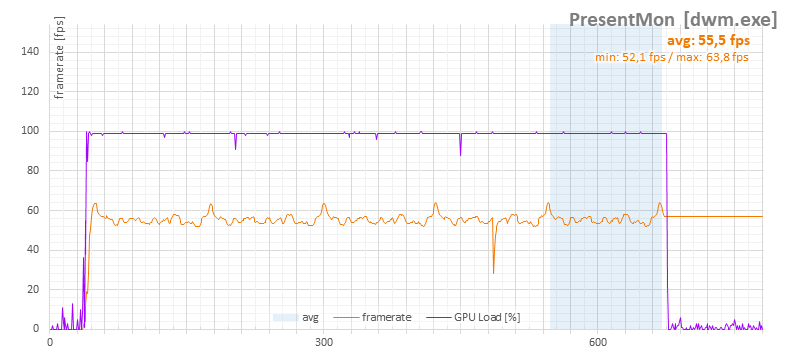
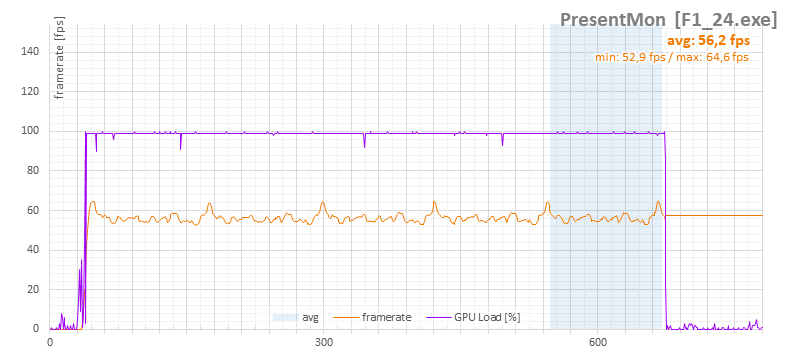
Default | GPU offset +300 MHz, Power limit +10 %
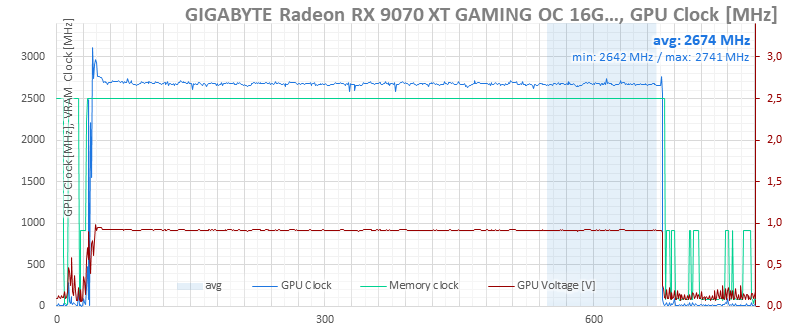
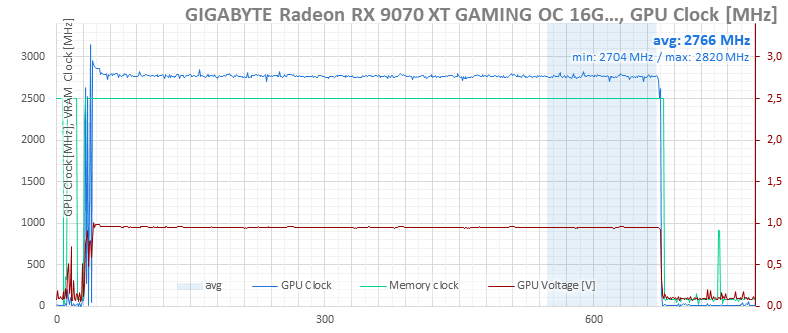
Default | GPU offset +300 MHz, Power limit +10 %

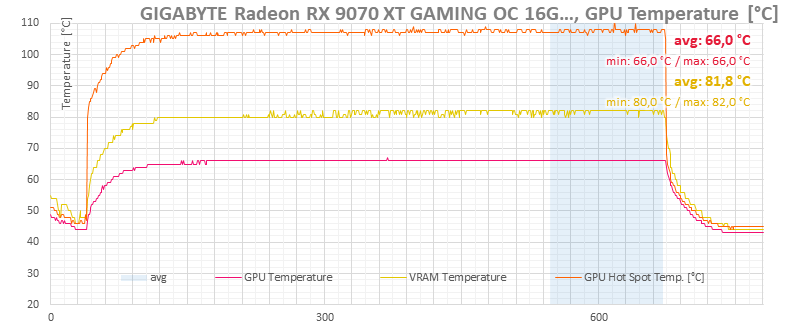
Default | GPU offset +300 MHz, Power limit +10 %
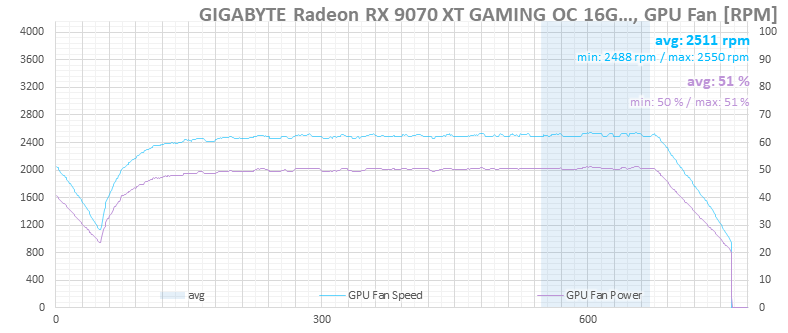
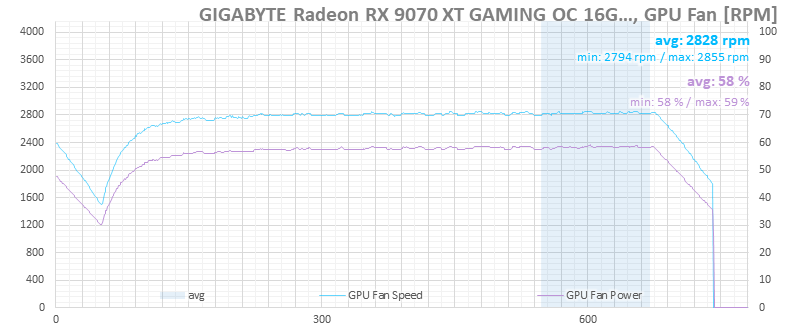
Default | GPU offset +300 MHz, Power limit +10 %

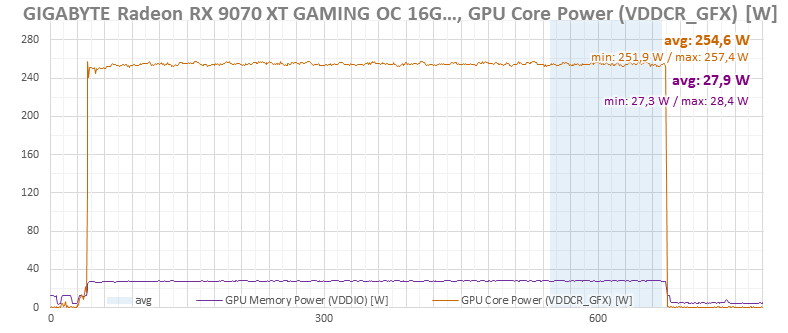
Default | GPU offset +300 MHz, Power limit +10 %


Default | GPU offset +300 MHz, Power limit +10 %
⠀

