


The Asus Prime GeForce RTX 5070 from the new GeForce generation is aimed at the budget segment. If, like me, you come across a card with a noisy fan bearings, there’s a simple fix—replace it with a quieter one. On the Prime you can even do it without breaking the warranty seal. I swapped the original fans for two 120mm Arctic P12 Slim to see how much the noise has been reduced and what happens to the card’s temperatures and behavior.
This time we’ll look at the card’s behavior in more detail than in previous deshrouding articles. I’ll measure temperatures, clock speeds, and load performance across the full range of fan speeds. To save time, I’ll use short loops of the Cyberpunk benchmark with the RT Medium profile at 2560 × 1440 pixels with DLAA. For each setting, I’ll run three loops, with results always taken from the third loop.
Manual Fan Speed from 30 % to 100 %, step 5 %
Through interactive charts, we’ll first go over the full set of measurements from all runs with fan speeds set from 30 to 100%. The individual settings can then be found in more detail in the lower part of this section.
These are data from the most important sensors, as recorded by HWiNFO in one-second intervals.
If the interactive charts don’t work for you, you’ll find classic summary charts with all settings below. In the measured section, the fans were running at 70% speed. In the next chapter, we’ll take a closer look at three runs for each setting.
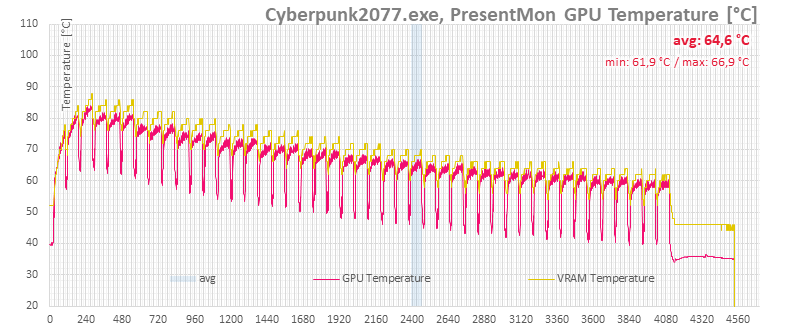
At minimum fan speeds, the chip and memory temperatures exceed 80 °C. On the first run at 30% speed, note that the card hadn’t fully warmed up yet, so the temperatures would have climbed a few degrees higher.
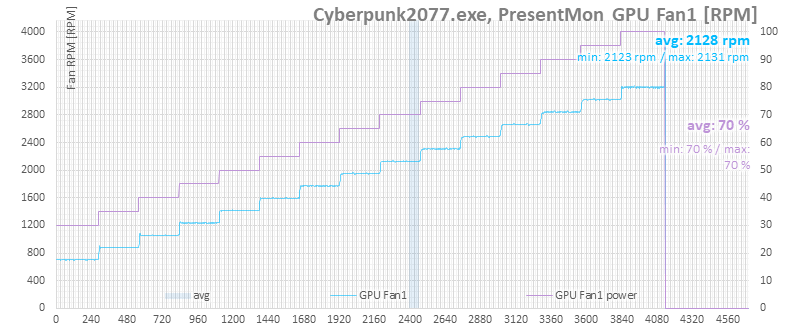
On the fan speed chart, you can see how the chosen speeds match the fans’ actual output.
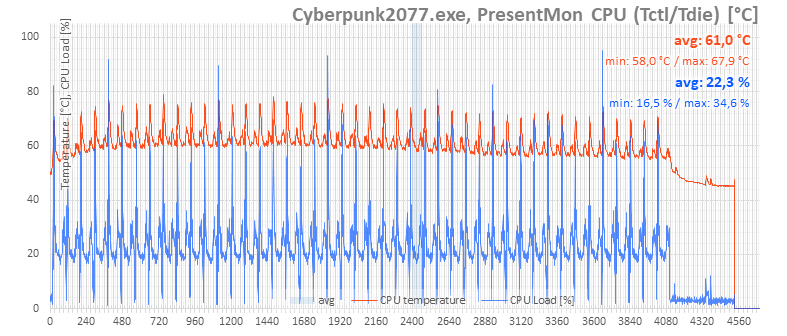
The next chart shows CPU temperatures. Here too you can see that higher fan speeds on the graphics card help lower CPU temperatures.
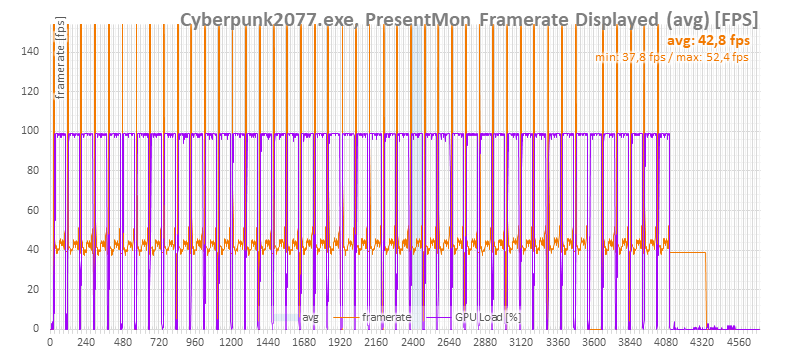
Performance remains almost the same, with only minimal differences.
The GPU clock charts show that stronger cooling results in slightly higher clocks.
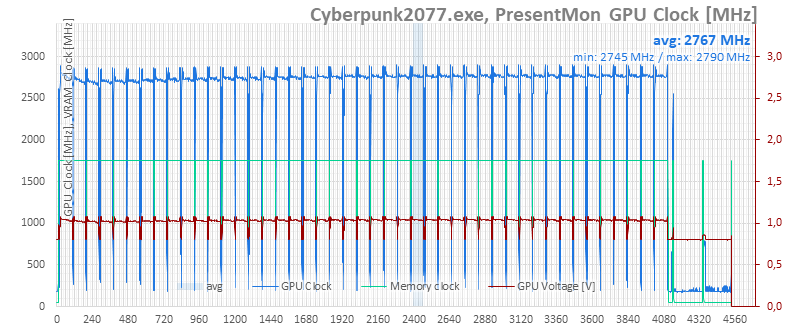
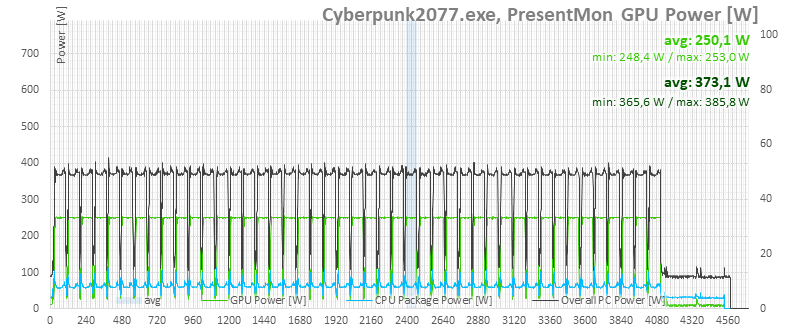
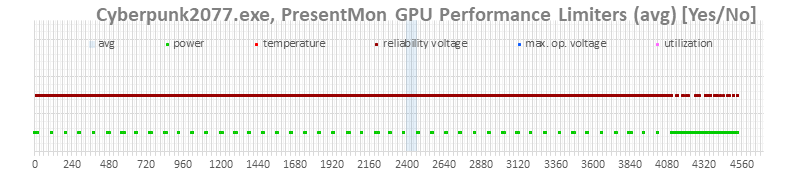
The card’s performance is clearly limited more by power than by voltage, despite the boost indicators pointing to the maximum voltage limit.
⠀



