





The Asus Prime GeForce RTX 5070 from the new GeForce generation is aimed at the budget segment. If, like me, you come across a card with a noisy fan bearings, there’s a simple fix—replace it with a quieter one. On the Prime you can even do it without breaking the warranty seal. I swapped the original fans for two 120mm Arctic P12 Slim to see how much the noise has been reduced and what happens to the card’s temperatures and behavior.
First, we’ll take a look at the stock fans noise levels. With the stock fans, the card’s fan control lets you set their speed between 30–100%. That corresponds to an operating range of 700–3200 RPM. Because one of the fans had a ticking noise, the cooler’s noise level was 32.1 dBA even at the low 700 RPM. This raised the card’s noise level across the entire RPM range.

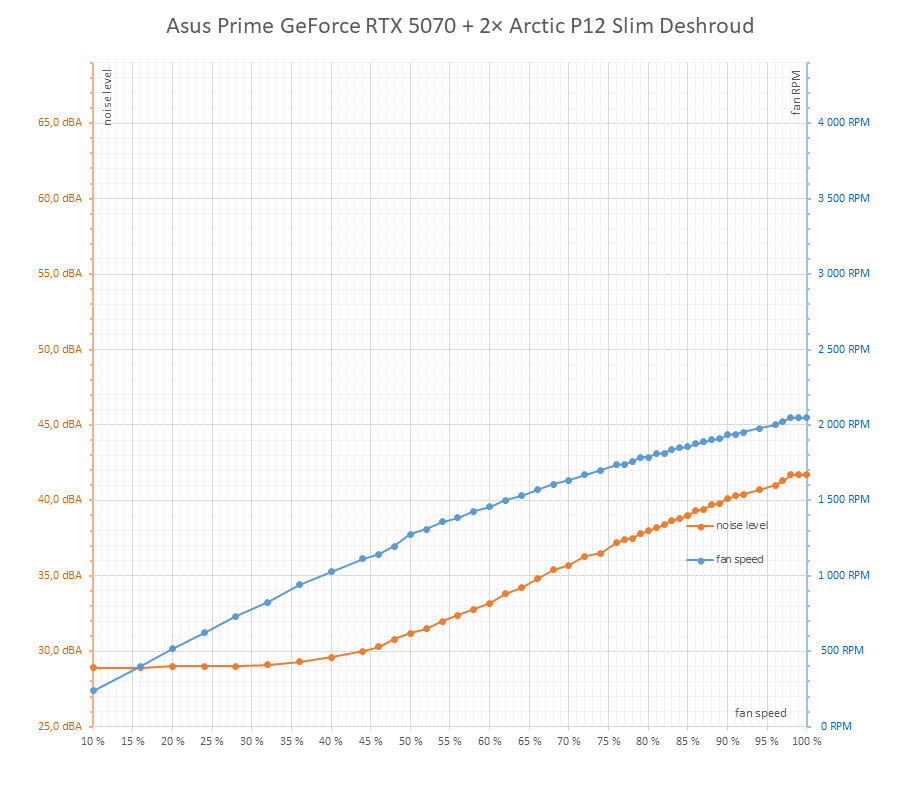
As usual I controlled the pair of Arctic P12 Slims via the Corsair Commander Pro panel. Between 0–10% power the fans are completely off, and at 10% they already spin up to 240 RPM thanks to PWM control. Up to about 1100 RPM, noise was below the sound meter’s detection threshold, and up to 1350 RPM the card was quieter than with the stock fans.
The downside is that their maximum speed is significantly lower at 2050 RPM, and even with larger rotors they don’t provide the same airflow at max RPM as the stock fans. The cooler therefore has less headroom and can’t lower temperatures as much as the stock fans running at 3200 RPM. But you probably wouldn’t want to listen to the stock fans at full blast for long anyway.
Manual Fan Speed from 30 % to 100 %, step 5 %
The results of the individual measurements are similar to those in the previous chapter, with the difference that due to the smaller operating range and maximum airflow of the Arctic P12 Slim, the cooler at full speed cannot cool as intensively as with the stock fans, which reach up to 3200 RPM.

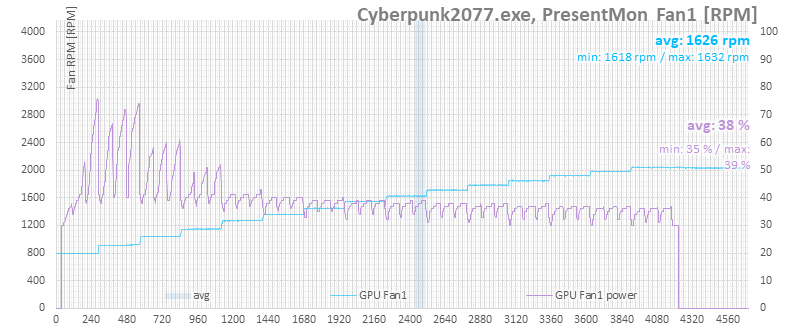
While the previous chapter showed the fan speed curve following the set fan performance, here it’s clear that the automatic control is trying to adjust the fan speed. However, since the fans are connected to an external controller, they maintain constant speed at each step.
It’s also clear that at higher temperatures the controller would like to ramp up fan power significantly, whereas around 75 °C it’s mostly satisfied and only wants to increase the speed a little.
The next chart shows CPU temperatures. Here the temperature drop is no longer as strong as with the bundled fans.

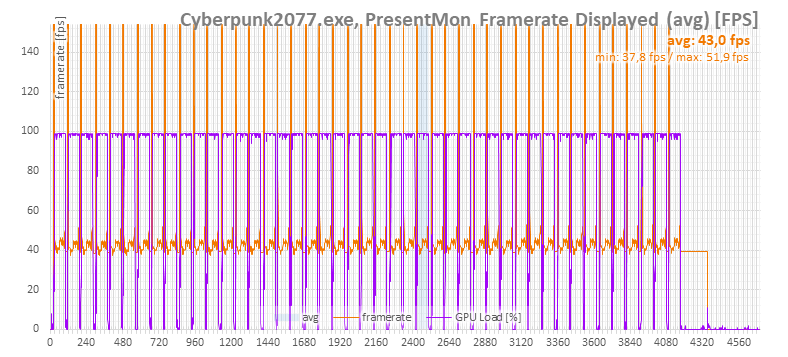
The performance difference is again only negligible.
The clock trend also shows an increase with higher cooler performance, but it’s somewhat smaller than with stock fans.

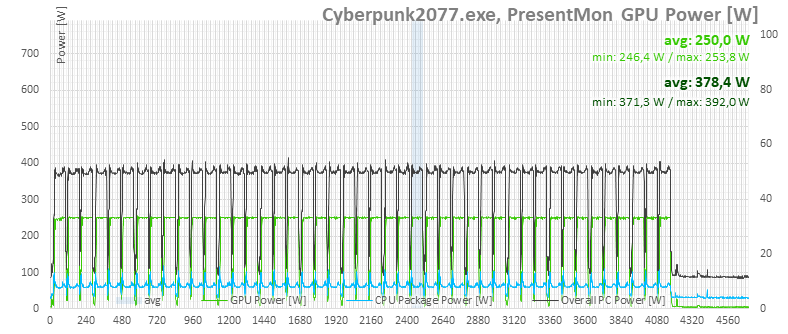
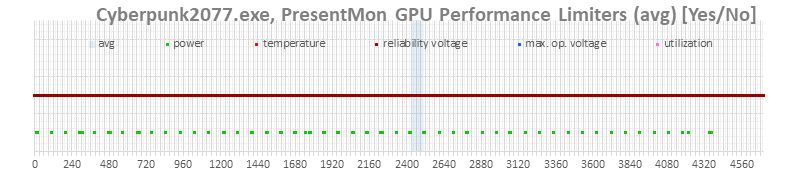
There is no significant change in power consumption or in the limit indicators for GPU Boost.
In the next chapter, you’ll find detailed runs with fan performance from 30 to 100%, stepped in five-percent increments.
⠀



