AORUS GeForce RTX 5080 MASTER 16G sits at the top of Gigabyte’s air-cooled RTX 5080 lineup. The side LCD on the cooler shroud stands out, and the box even includes a fourth fan. Build quality is robust and premium, and the stock overclock is higher than you usually see on OC variants. Not everything is perfect, though—the out-of-the-box fan tuning could be better, and those extras do push up the price.
The card is equipped with a massive four-slot cooler featuring a trio of large Hawk fans which blow air down onto the heatsink with a transverse fin stack. The fans are set into a black plastic shroud.


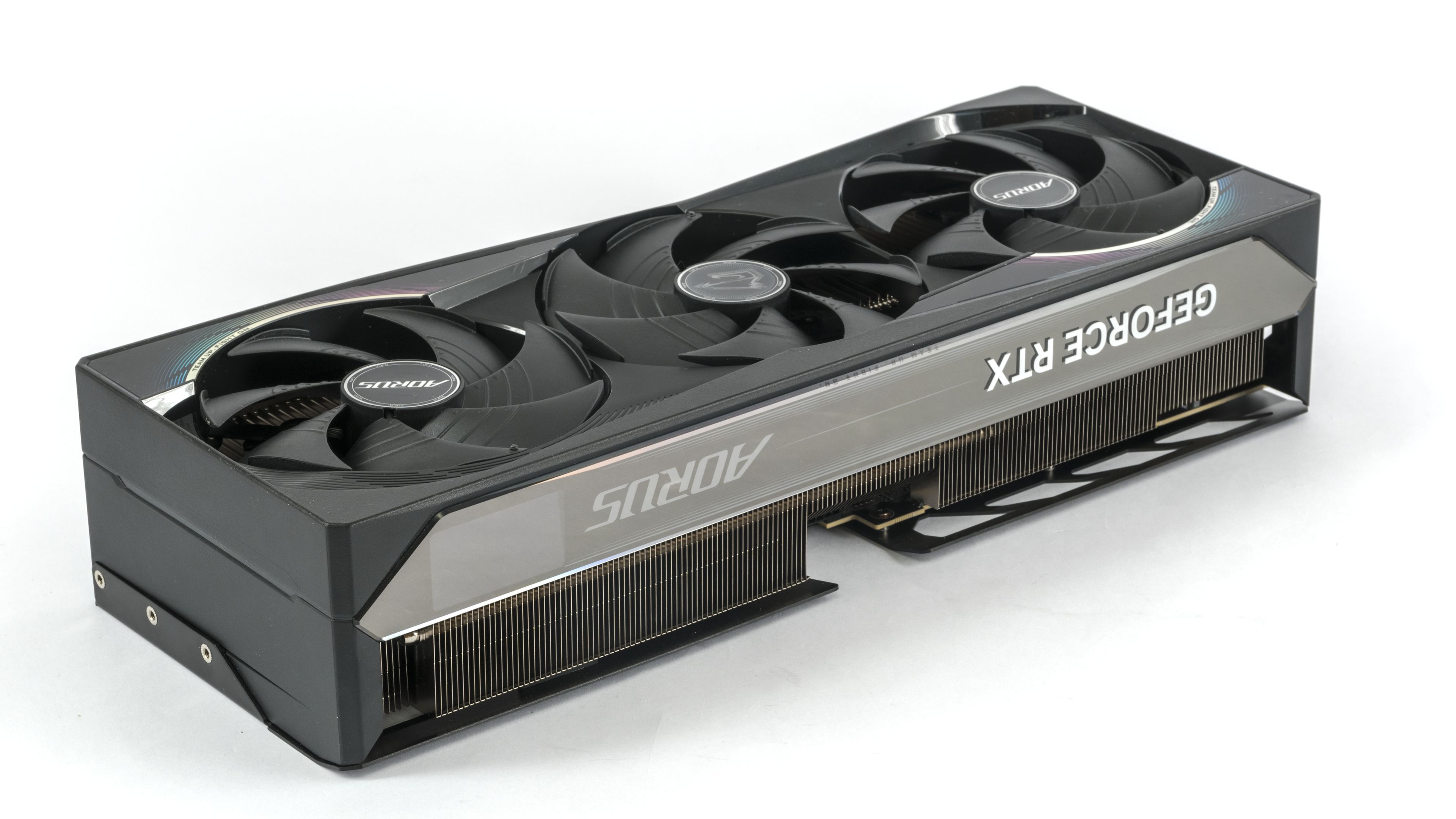
The card features a metal backplate. The back third of the backplate is pass-through thanks to the perforation.

The fan impellers have a diameter of almost 11 cm. The size is thus similar to that of 120mm fans. However, the impellers are slightly shallower, with a height of 14 mm.


Each fan features an RGB LED, which illuminates when the fans are spinning and creates lighting effects.

Each fan includes an RGB LEDs. When the fan spins, its light shines through at the rotor tip, creating a visible glow.
From the top, it’s clearly visible that the fin stack beneath the entire rear fan is pass-through. The transverse fin stack heatsink fills most of the space under the shroud. In the rear part of the heatsink, which is already behind the PCB, the cooler fins are extended closer to the backplate.


A specialty of the premium Aorus Master models from the higher series is the color LCD on the rear of the card. It can display diagnostic data or allow selection from pre-loaded logos or animations using the manufacturer’s software.
The detail below shows the cooling for the MOSFETs and coils on the power delivery stage. Thermal conductive gel, a Gigabyte specialty, is visible on the components. They are cooled by a massive vapour chamber base. A large vapour chamber is used for the GPU and memory.
The card’s length from the bracket is 36 cm. From the edge of the bracket, the cooler extends beyond the card by almost 4.2 cm. With a height of 8 cm, the card occupies four slots, and it will require a fifth for air intake. But in cases with the tunnel at the bottom, there isn’t much room to install anything below the card anyway.


The card’s weight is 2.03 kg without the power adapter.

The standard equipment for GeForce cards is typically three DisplayPort 2.1b connectors with UHBR20 and one HDMI 2.1b. Gigabyte didn’t devise anything special and went with the usual configuration.

A 12V-2×6 connector is used for auxiliary power. It is oriented with the latch facing up. Using the supplied adapter, the card can be powered via three 8-pin connectors. Above it is a diagnostic LED signaling power supply issues, and to its left is the BIOS switch.

We’ve covered the card’s design; now let’s move on to the test setup and the test results.
⠀