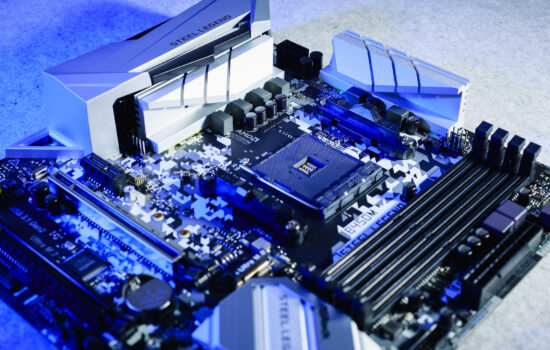
The most feature-rich—and also the most expensive—AMD AM5 motherboard we’ve had in the lab. That defines the MEG X870E Ace Max. It is intended for the most demanding users who are willing to pay a premium while expecting a great deal in return. And it certainly delivers, wouldn’t you say? We focused on the details that underscore the motherboard’s high-end capabilities. It even features two southbridge chips.
| Parameters | MSI MEG X870E Ace Max | |
| Socket | AM5 | |
| Chipset | AMD X870E | |
| Format | ATX (305 × 244 mm) | |
| CPU power delivery | 21-fázová | |
| Supported memory (and max. frequency) | DDR5 (9000 MHz) | |
| Slots PCIe ×16 (+ PCIe ×1) | 2× (+ 0×)* | |
| Centre of socket to first PCIe ×16 slot | 91 mm | |
| Centre of socket to first DIMM slot | 56 mm | |
| Storage connectors | 4× SATA III, 2× M.2 PCIe 5.0 ×4 (60–80 mm) + 1× M.2 PCIe 4.0 ×4 (80–110 mm) + 1× M.2 PCIe 4.0 ×4 (60–80 mm) + 1× M.2 PCIe 4.0 ×4 (80 mm) | |
| PWM connectors for fans or AIO pump | 8× | |
| Internal USB ports | 1× 3.2 gen. 1 typ C, 4× 3.2 gen. 1 typ A, 4× 2.0 typ A | |
| Other internal connectors | 1× TPM, 3× ARGB LED (5 V), 1× jumper Clear CMOS | |
| POST display | yes | |
| Buttons | start, reset, Flash BIOS, Clear CMOS, Smart | |
| External USB ports | 2× 4 typ C, 1× 3.2 gen. 2×2 typ C, 2× 3.2 gen. 2 typ C, 9× 3.1 gen. 2 typ A, 4× 3.1 gen. 1 typ A, 4× 2.0 typ A | |
| Video outputs | 2× DP 1.4 (USB-C), 1× HDMI 2.1 | |
| Network | 2×: 1× RJ-45 (10 GbE) – Marvell AQC113CS + 1× RJ-45 (5 GbE) – Realtek 8126 + bezdrôtový modul WiFi 7 (802.11 a/b/g/n/ac/ax) + Bluetooth 5.4 | |
| Audio | Realtek ALC4082 (7.1) + ESS9219Q Combo DAC/HPA | |
| Other external connectors | – | |
| Manufacturer's suggested retail price | 640 eur/15 525 Kč |
* It has one PCIe ×4 slot. Like all other PCI Express slots, it is connected directly to the processor (that is, the northbridge) and supports the fifth-generation interface (PCIe 5.0).
Details of the MSI MEG X870E Ace Max
It sits near the top of MSI’s motherboard lineup, although the absolute flagship is the Godlike model. Even so, the X870E Ace Max is not far behind and can certainly be described as an elite motherboard. We have never had anything more feature-rich at our disposal. The foundation lies in the X870E chipset, which consists of two Promontory 21 chips, suggesting an exceptionally well-equipped platform in terms of connectivity. We will go through it step by step, with the accompanying photographs illustrating the text below.

Let’s start with the form factor, which is ATX (305 × 244 mm). The motherboard is covered with metal elements on both the front and the back. And when we say the back, yes, there is a backplate present. It also serves as a heatsink, as it makes contact with the motherboard PCB through thermal pads.


The heatsink covering the first M.2 slot features a remote release button that allows its retaining latch to be disengaged, making it possible to remove the heatsink. This is typically done before installing an SSD or during reinstallation (replacing the SSD with another one), of course. There are more M.2 slots, however—five in total. The first two (designated M.2_1 and M.2_2), which are connected to the CPU, support the PCIe 5.0 interface. The remaining three are connected through the X870E chipset, but all of them, without exception, support the fast PCIe 4.0 interface. One additional note: the M.2_1 slot shares bandwidth with the PCIe ×4 slot typically intended for expansion cards. That slot is located at the bottom of the motherboard as the third PCI Express slot. Above it are two slots in the physical x16 form factor, but only the first one (typically used for the graphics card) provides all 16 PCIe lanes. The second is electrically wired for eight lanes.

The VRM is genuinely robust, making the X870E Ace Max motherboard suitable for the most powerful processors available for this platform. In terms of power consumption, that would be the Ryzen 9 9950X, whose power limits can be pushed higher via PBO while VRM temperatures should still remain relatively low. This is due both to the load being distributed across as many as 18 power stages rated for 110 A each and to the use of an efficient VRM heatsink. Besides the heatpipe for more even heat distribution, the heatsink features substantial finning, resulting in a very large heat dissipation surface area.


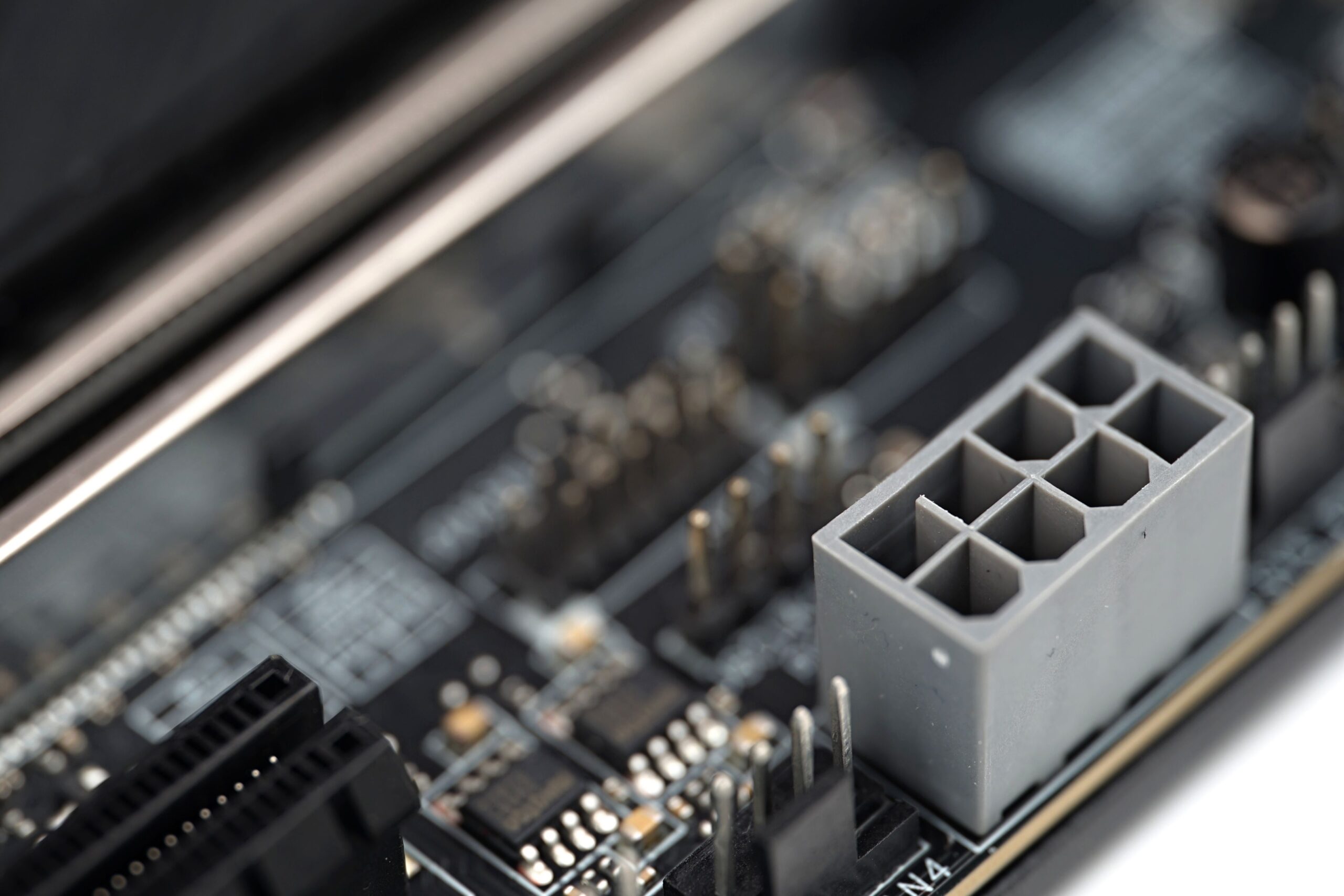
An auxiliary power connector for the PCIe slot is also located at the bottom of the motherboard, and like many flagship motherboards, it also features various onboard buttons in addition to pin headers, such as power and reset buttons.

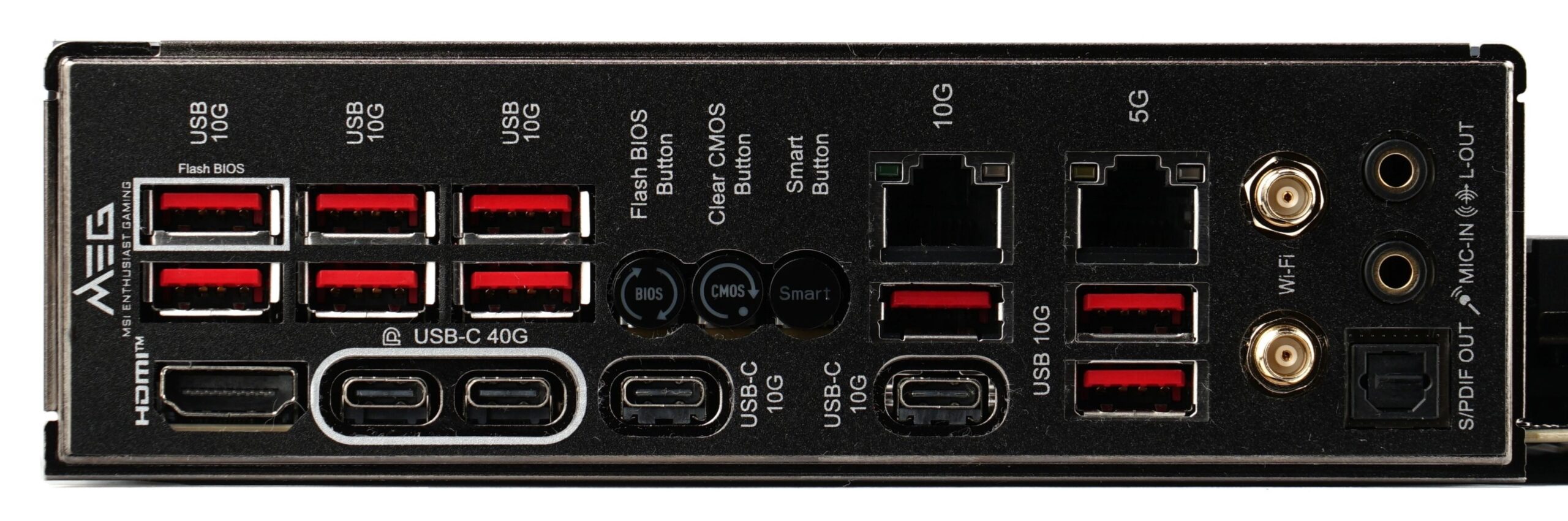
And now to the promised connectivity. External connectivity, that is. The rear I/O panel offers as many as thirteen USB ports, four of which are USB Type-C. Also worth noting are the two RJ-45 connectors, indicating the presence of two network adapters. One is a 10GbE controller (Marvell AQC113CS), while the other supports 5 GbE (Realtek 8126). For those who prefer not to use cables, there is also a wireless module supporting WiFi 7 and Bluetooth 5.4. The two 3.5 mm audio jacks are driven by a Realtek ALC4082 audio codec.
Below you can also see a close-up of the hub (Realtek RTS5420) serving six external USB 3.2 Gen 2 ports. It is connected to the motherboard as a separate module.

The MSI MEG X870E Ace Max motherboard can be purchased, for example, on Amazon.
English translation and edit by Jozef Dudáš