


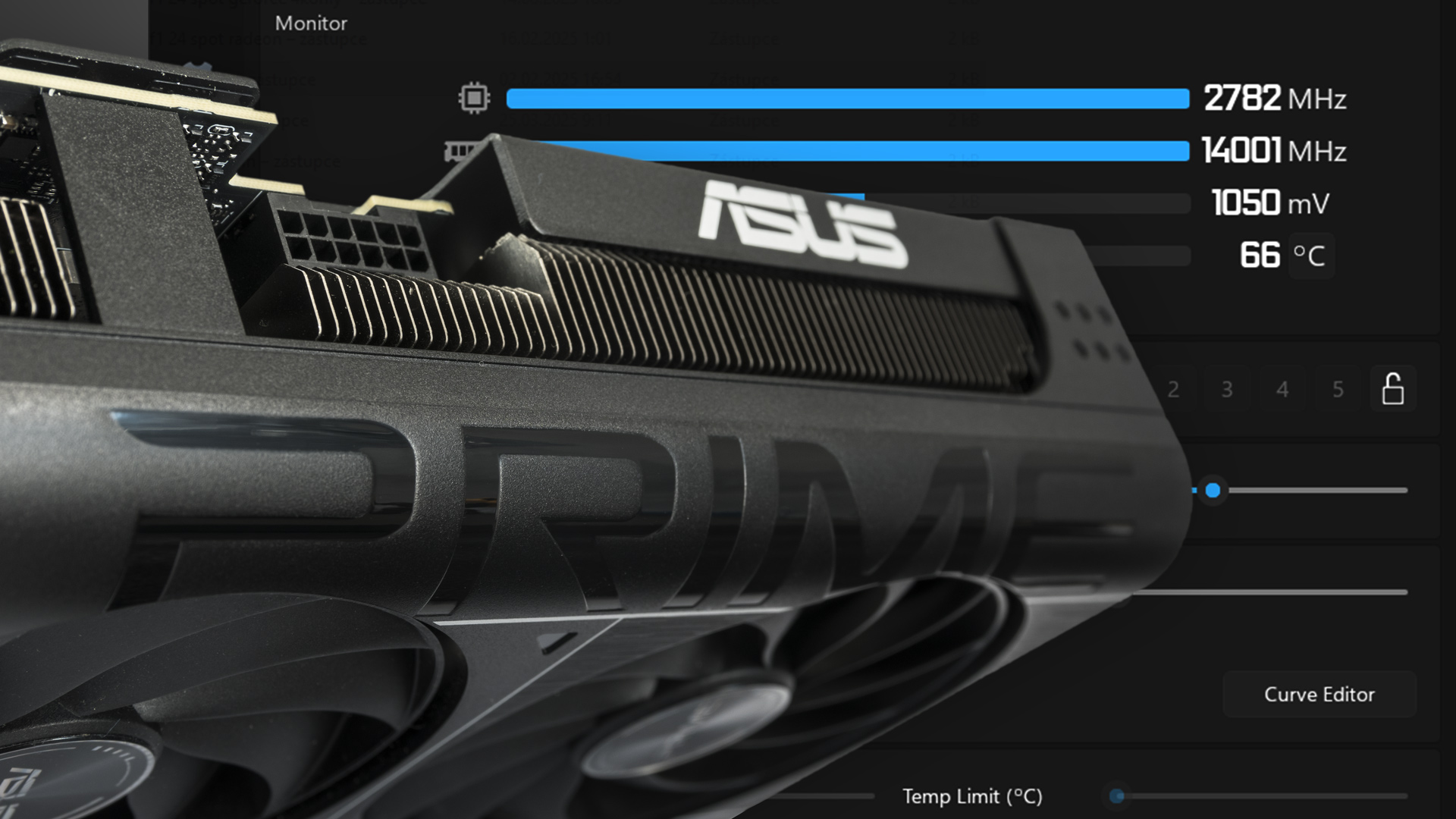
Prime GeForce RTX 5070 from Asus is a solid base for further tuning. We’ll test the options GPU Boost offers. We’ll measure how core and memory frequencies affect performance. We’ll also look at how the power limit influences the card’s behavior and how fan speed affects temperatures and clocks. Finally, we’ll add tips on lowering power draw while keeping performance, or boosting performance at similar power draw.
Finally, let’s see what performance gains you can expect when combining everything we’ve tried. I can’t guarantee the card is 100% stable with this setting. It’s also definitely not the best the card can do. I didn’t test whether it can handle +320 or +360 MHz, but it’s clear that +400 MHz is too much, as the benchmark crashed instantly. You’d likely get better results by tuning the V/F curve.
This isn’t a configuration you’d want to run for daily use, since the fans were running at maximum speed. You probably wouldn’t want the fastest settings because of the unnecessarily high power draw either. It’s best to look for a reasonable balance, where the card is faster, quieter—or at least not loud—and the power draw doesn’t rise too much, or is even lower than at stock settings.
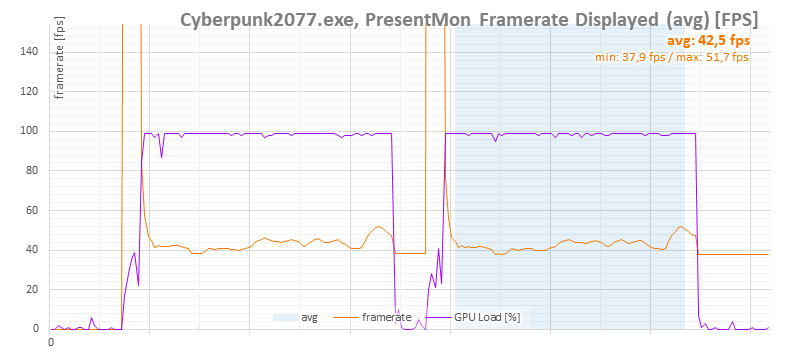
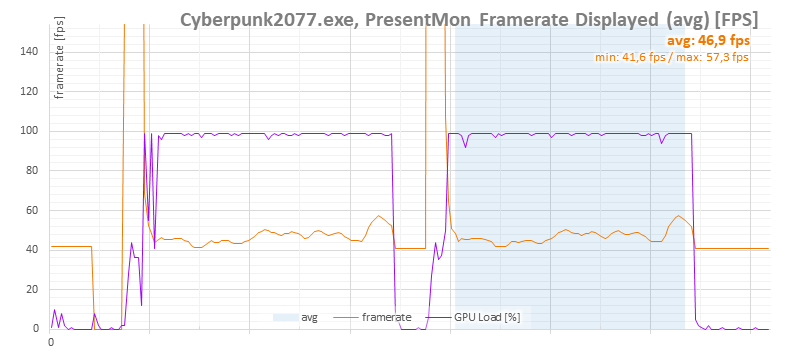
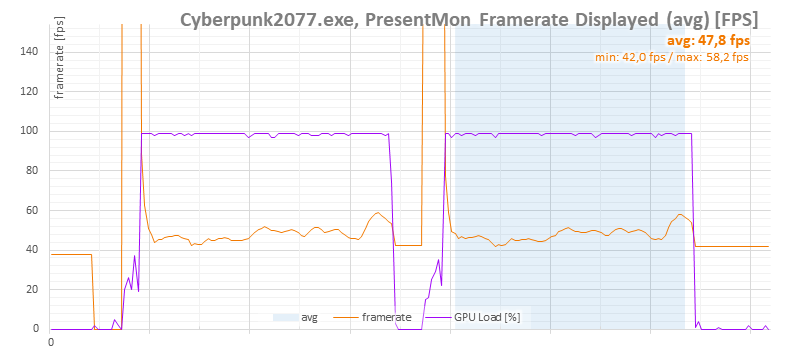
We’ll compare four states: default settings, memory offset +3000 MHz, and core offset +300 MHz with power limits at 80%, 100%, and 120%.
The benchmark is Cyberpunk 2077 with RT Ultra and DLAA at 2560 × 1440 resolution.
On the second run, the performance is only slightly higher. With the reduced power limit, the performance gain from the core and memory offsets is minimal, but it comes with significantly lower power draw and temperature. With the power limit at 100%, performance improves by a solid 10%. And with the power limit raised to 120 %, by as much as 12.4 %—though results in other titles may vary.

The average GPU clock increased from 2751 to 3086 MHz. Also note how the voltage behaves (brown line). With the power limit at 80% and 100%, the card is undervolted compared to the default state.
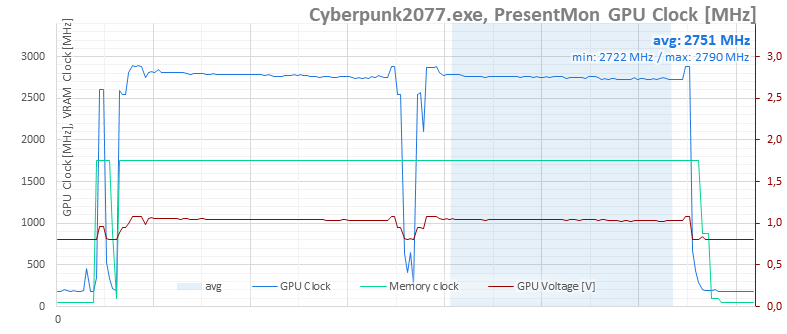
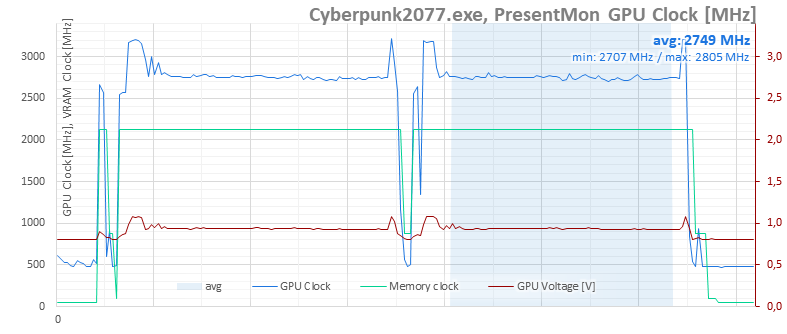
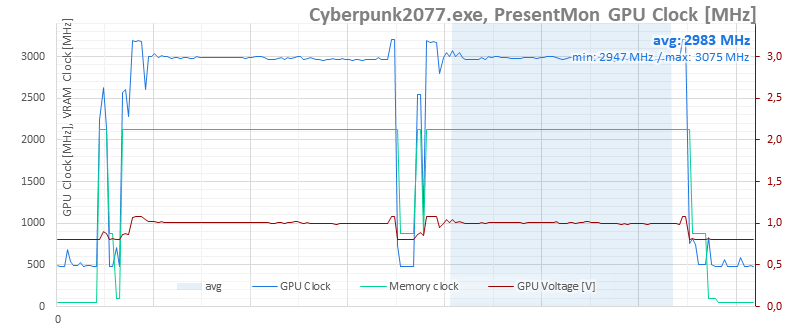
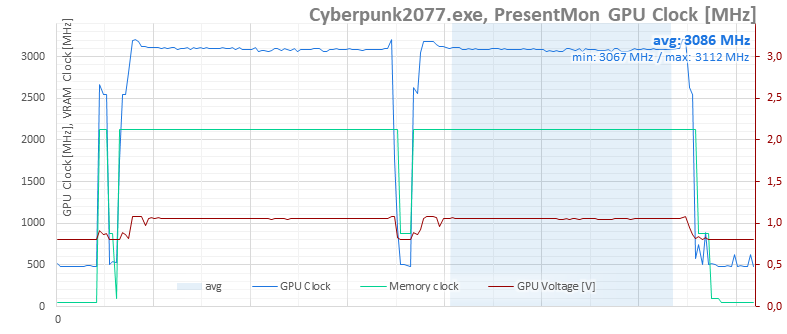
The decrease in temperature is mainly due to the fans running at full speed. Even with automatic fan control, you can expect the temperature to be lower with an overclocked card at a reduced 80% power limit.
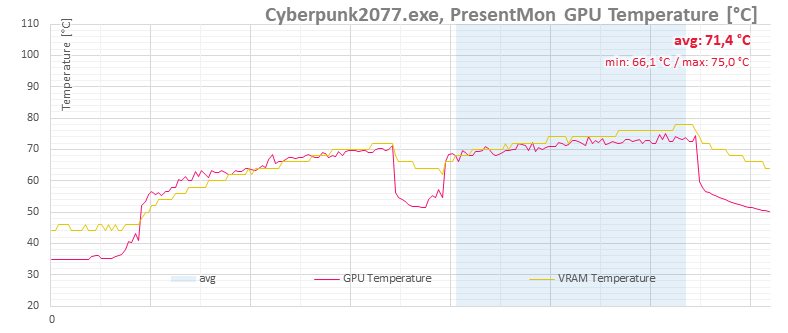
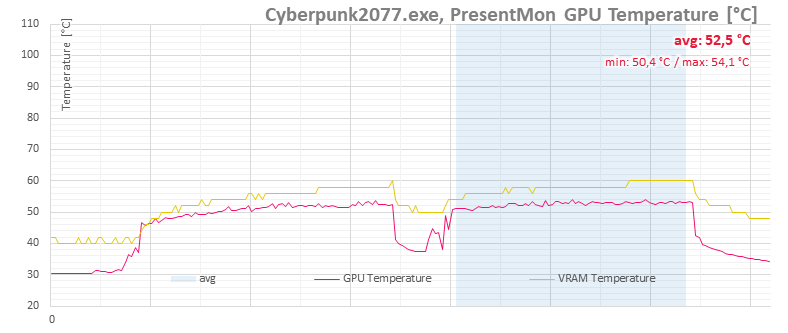
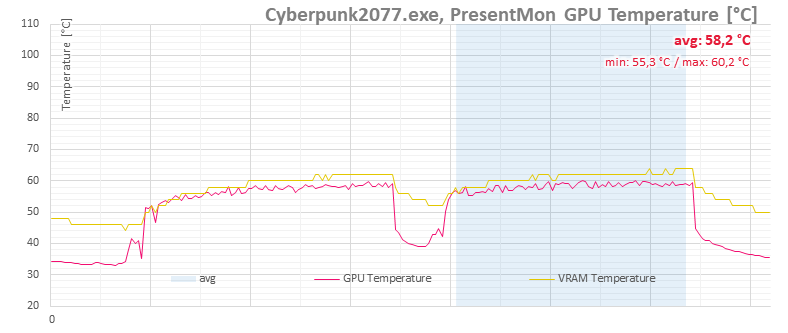
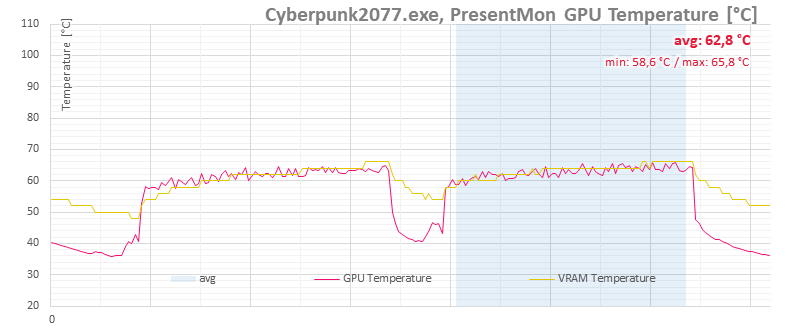
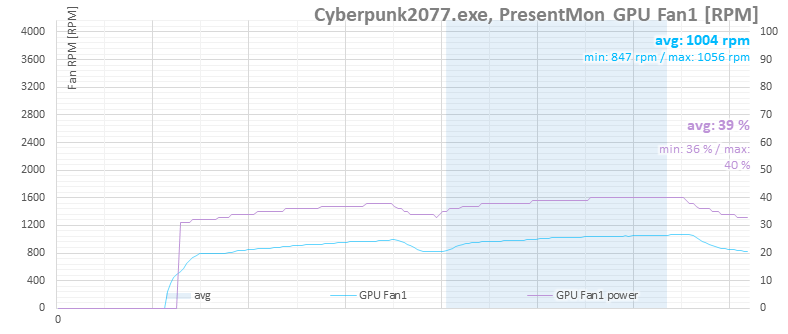
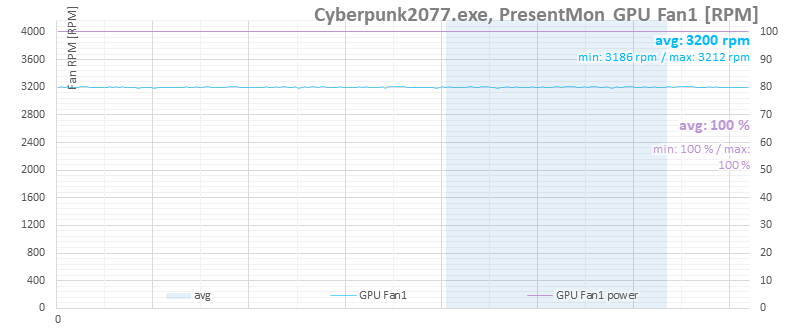
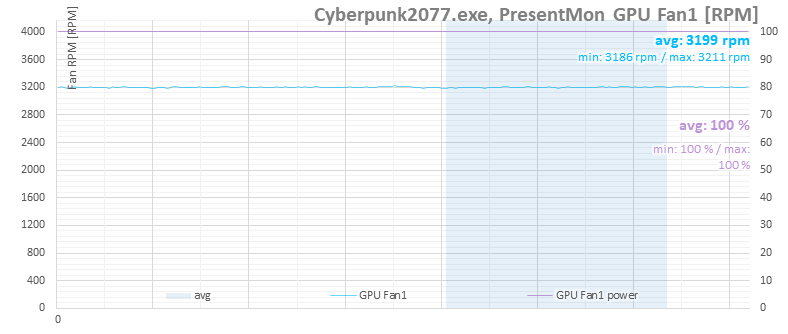
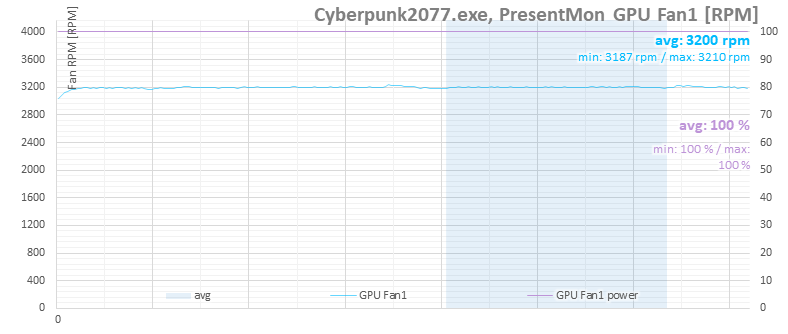
There’s not much to say about the fans— as mentioned at the beginning, they were running at full speed. In practice, they can be reduced significantly without much impact on performance.
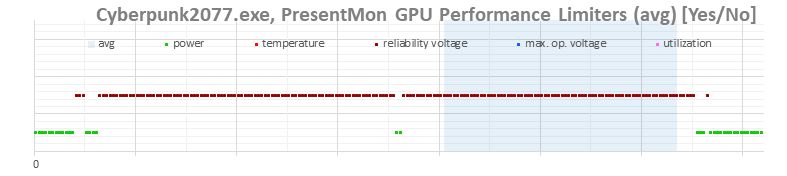
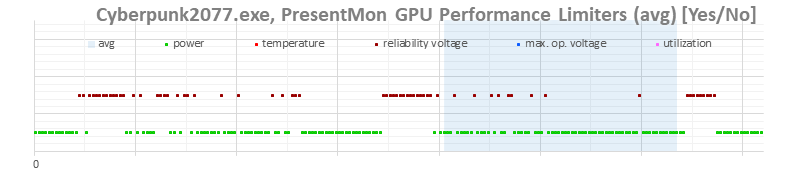
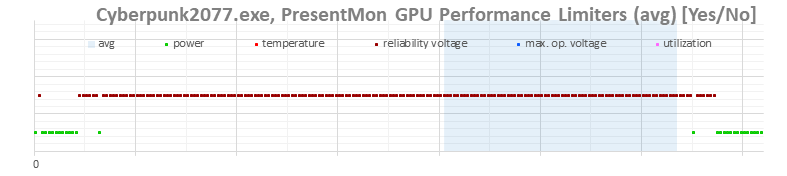
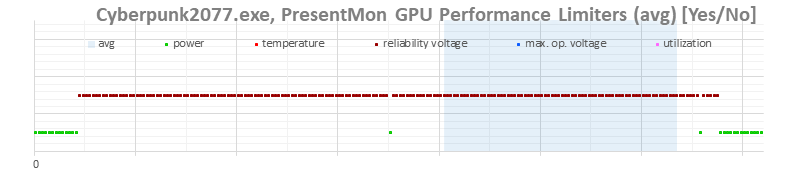
In the tests we’ve seen many times that the card’s power draw reported by monitoring doesn’t exactly match what the GPU Boost log limit entries show. An average of 249.7 W would suggest the card is hitting the 250 W power limit, but the limiter show it’s actually voltage-limited. The power limit only starts showing up after lowering it to 80%. At 120%, it’s clear the power draw curve is no longer neatly capped at the set limit.
The real impact on total system power draw can be seen on the dark green line. This is the power draw measured at the 230 V outlet with a UT71E multimeter.
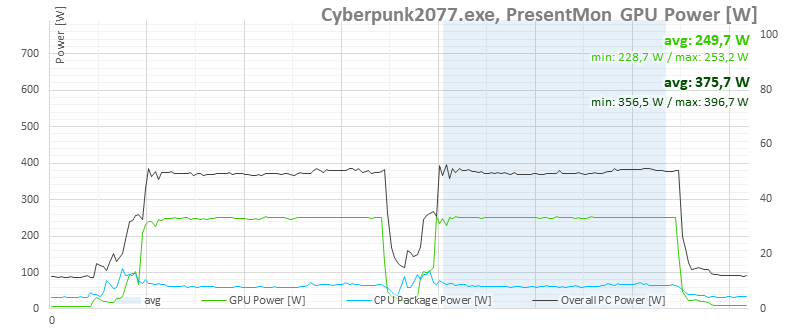
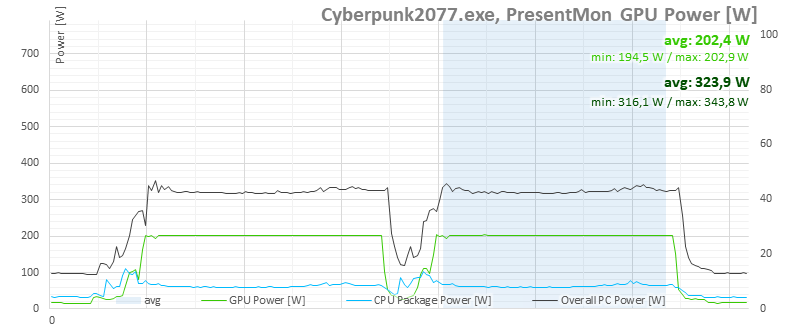
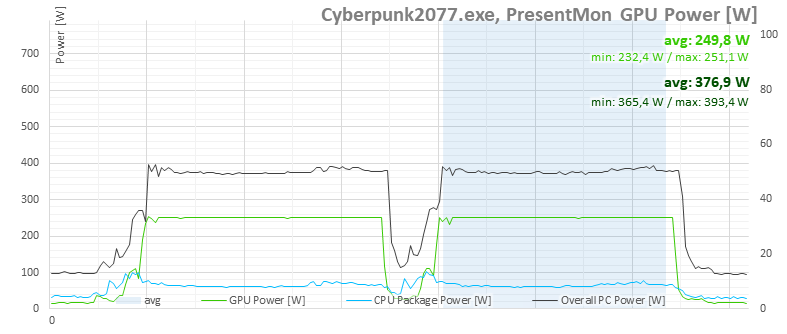
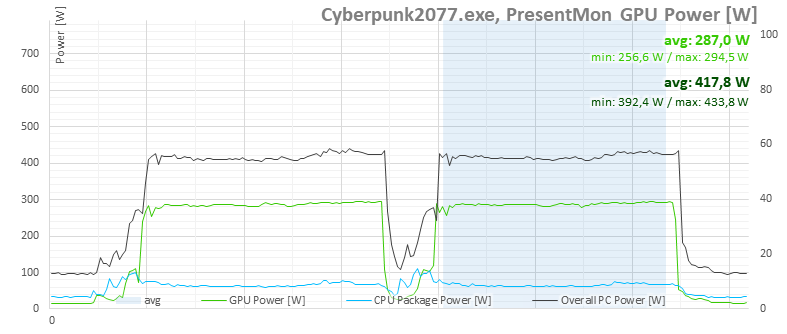
Today, performance, power consumption, and noise levels of graphics cards are primarily determined by automatic regulation. One setting affects another, and purely through software you can change its behavior dramatically. Today we looked at the basic settings of the RTX 5070. I realize that some of the results are unnecessarily detailed, while others are too brief, and it’s clear that a better summary and more games and settings would be useful. Unfortunately, I can’t make everything perfect at once—I’m gradually building a system for testing, processing the results, and figuring out how to present them clearly on the web.
I’d like to gradually cover at least the most popular card models, so you can get a clearer idea of their limits, how they can be tuned, and what changes when you adjust certain settings—without having to spend a lot of time on similarly detailed testing. That way, if you want to start experiment with them yourself, you’ll know what to expect.
English translation and edit by Jozef Dudáš
