


The motherboard is a component that’s commonly not even listed in the hardware specifications provided by PC vendors or sellers, ironically. Yet it is one of the most important components, because it interconnects almost all the other parts and has to handle a lot of work. In this article, we’ll look at what you should know about desktop computer motherboards and how to handle them when building a PC or performing maintenance.
The main type of motherboard for personal computers is known as ATX, from which various modifications are derived.
Full ATX
The basic standardized size of ATX boards (called Full ATX or just ATX) is 305 mm × 244 mm (height × width). This size allows for extensive expansion and historically allowed fitting seven different expansion cards; boards and cases have seven positions with slot covers. Today’s boards, with the exception of some workstation models, almost never have the full number of slots; some are omitted because, for example, graphics cards take up two or more slots anyway, and thus other cards could usually not be installed in those positions. Chipsets also often do not provide a large number of PCIe lanes, so of the seven available positions, slots are actually present in only two or three.
ATX cases may also have more than seven slot covers in the card area, for example, eight to nine. This is usually not preparation for larger boards with extra slots. It is for the case where the board has a PCI Express ×16 slot all the way at the bottom and the user wants to install a graphics card in it, which is typically thicker than a single slot.
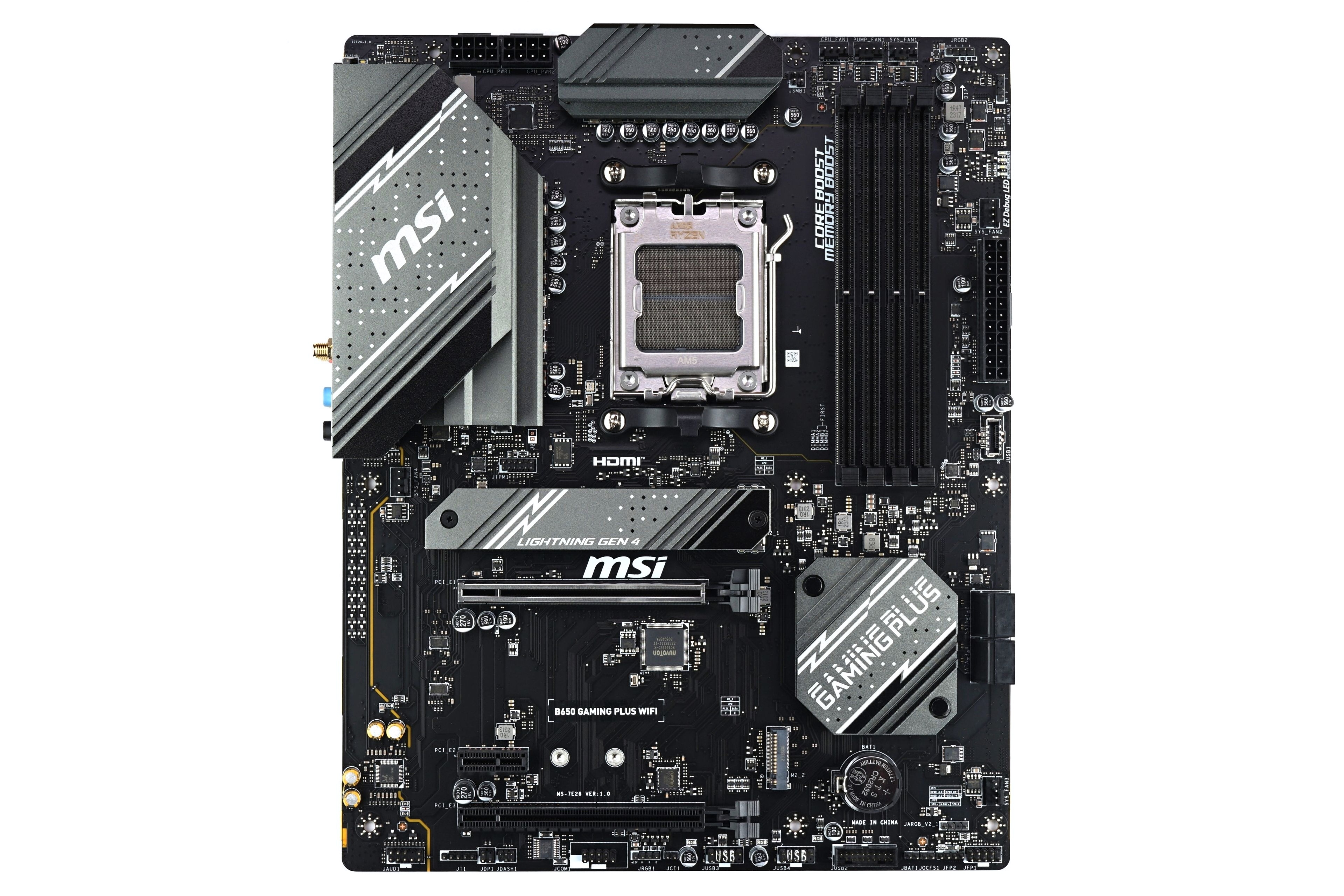
The stated dimensions are the maximum possible, and boards do not have to fully utilize them. For cost savings, the PCB is often narrower, while the height is usually maintained for ATX boards. With these narrower boards, the outermost standardized standoff positions typically cannot be used, but the board usually has holes for installing replacement plastic standoffs that only “rest” on the metal tray and do not require a threaded hole in it.
MicroATX
Alongside the full-size form factor, there is also the microATX or mATX type (there are also various other abbreviations, e.g., μATX), whose maximum dimensions are specified as 244 × 244 mm. The upper part of the board with the processor socket and VRM area can thus be equally well-equipped (including the same number of memory slots), but the lower part of the board only has space for four expansion slots. Again, however, not all will typically be used today. MicroATX boards often have only one PCIe ×4 or ×1 slot in addition to the main PCIe ×16 slot for a discrete graphics card.
With mATX boards, it also holds true that boards are often not full-width for cost savings. In this form factor, however, cheaper models often also have reduced height and offer only two or three PCI Express positions (again, not all of them necessarily have an actual slot routed on the board). The size of such boards is then only around 220 × 170 mm, for example. The Mini-DTX form factor was has been defined in the past with similar dimensions (maximum dimensions 203 × 170 mm, alongside the DTX form factor with dimensions 203 × 244 mm), but it did not catch on much, and today this designation is not widely used. A board with a similarly small size will typically be sold under the mATX label. Another rarely used designation that such undersized mATX boards might fall under is FlexATX (maximum size 229 × 191 mm).

The MicroATX board type is less common in the segment of computers built from individually purchased components, with the full ATX form factor leading in the number of models offered. This is despite the fact that expansion cards are not used as often as in the past, so most users don’t actually need full-size ATX boards. However, ATX dominates desktop builds (typically mostly gaming computers) partly due to historical inertia and the fact that most cases are also full-size ATX. mATX boards and their corresponding smaller cases are, however, more common in pre-built systems from large OEM manufacturers.
Mini-ITX
The Mini-ITX board form factor (originally by VIA) was developed for compact computers. Despite its different name, it remains compatible with ATX board standards—it uses the same size and positions for the expansion I/O panel, but the overall size is reduced to the minimum that can still utilize the four innermost mounting holes.
The size of these boards is 170 × 170 mm (usually exactly that, as going smaller is practically impossible due to the mentioned mounting hole positions). Space constraints allow only one expansion slot, whose position is at the very bottom edge. This is usually a PCIe ×16 slot for a graphics card.

It is almost never possible to fit four DIMM slots on these boards; it is almost a rule that Mini-ITX boards have only two slots. There are boards with greater width to allow space for four slots, but these are non-standard and compatibility with cases is not guaranteed (if you verify that there is enough room in this direction without obstructions, it is not a problem). There are also Mini-ITX boards that use SO-DIMM laptop-style memory slots.
Some Mini-ITX boards have DC power input instead of ATX power supply connections and are designed to be used with an external laptop-style power adapter. They can then be installed in particularly small cases where an ATX or SFX power supply would take up too much space.
Thin Mini-ITX
A special subgroup of this type are Thin Mini-ITX boards. These have a reduced profile, including the rear I/O panel and its shield (which is therefore not entirely standard); they typically do not allow for installing a discrete graphics card. The primary goal for these boards was often installation in all-in-one chassis integrated with an LCD panel.
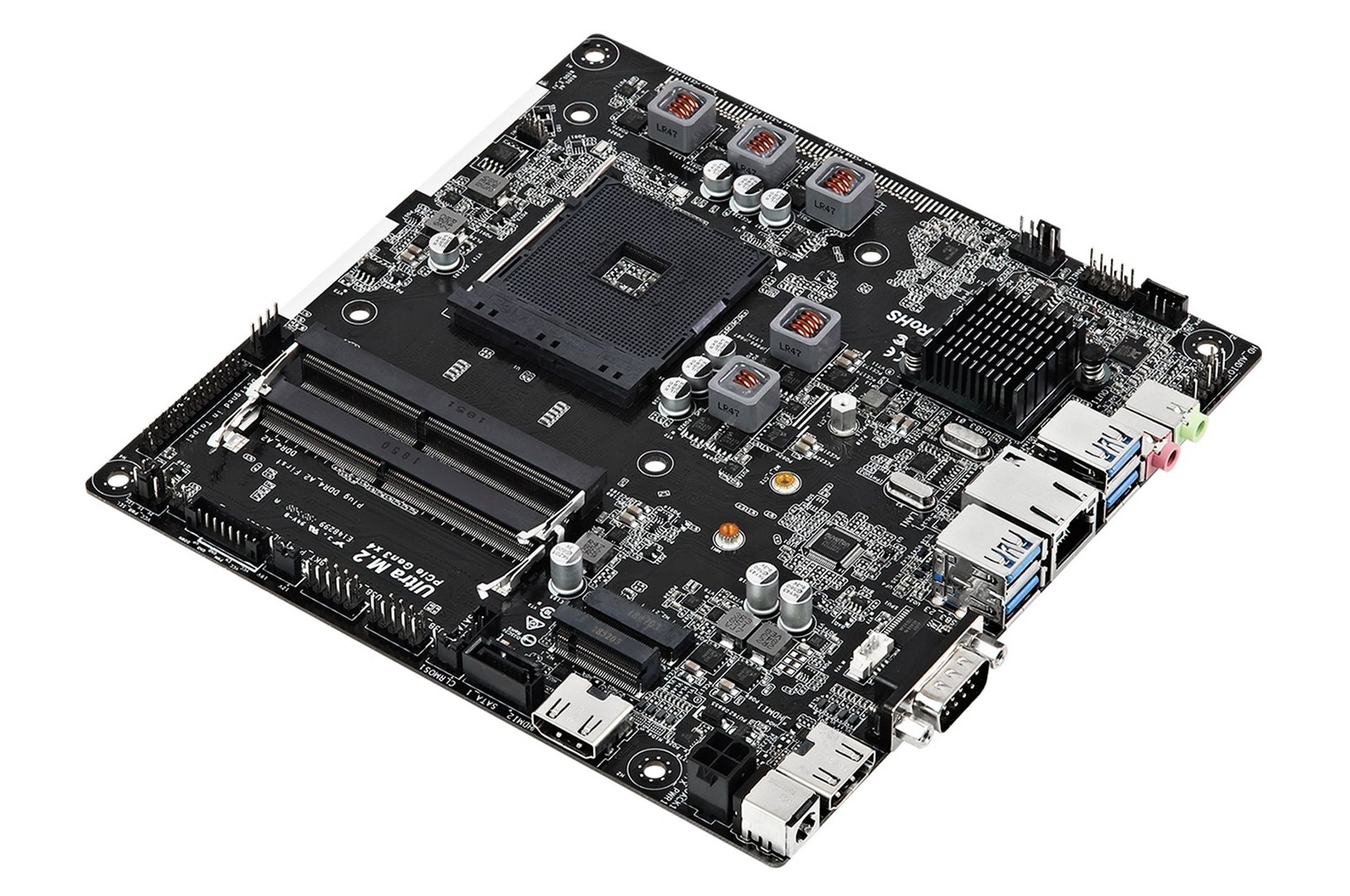
For the purposes of compact computers and embedded devices, VIA also introduced even smaller board form factors: Nano-ITX (120 × 120 mm), Pico-ITX (72 × 100 mm), and Mobile-ITX (45 × 75 mm). These form factors are no longer compatible with ATX cases of any type and are not very commonly used.
EATX
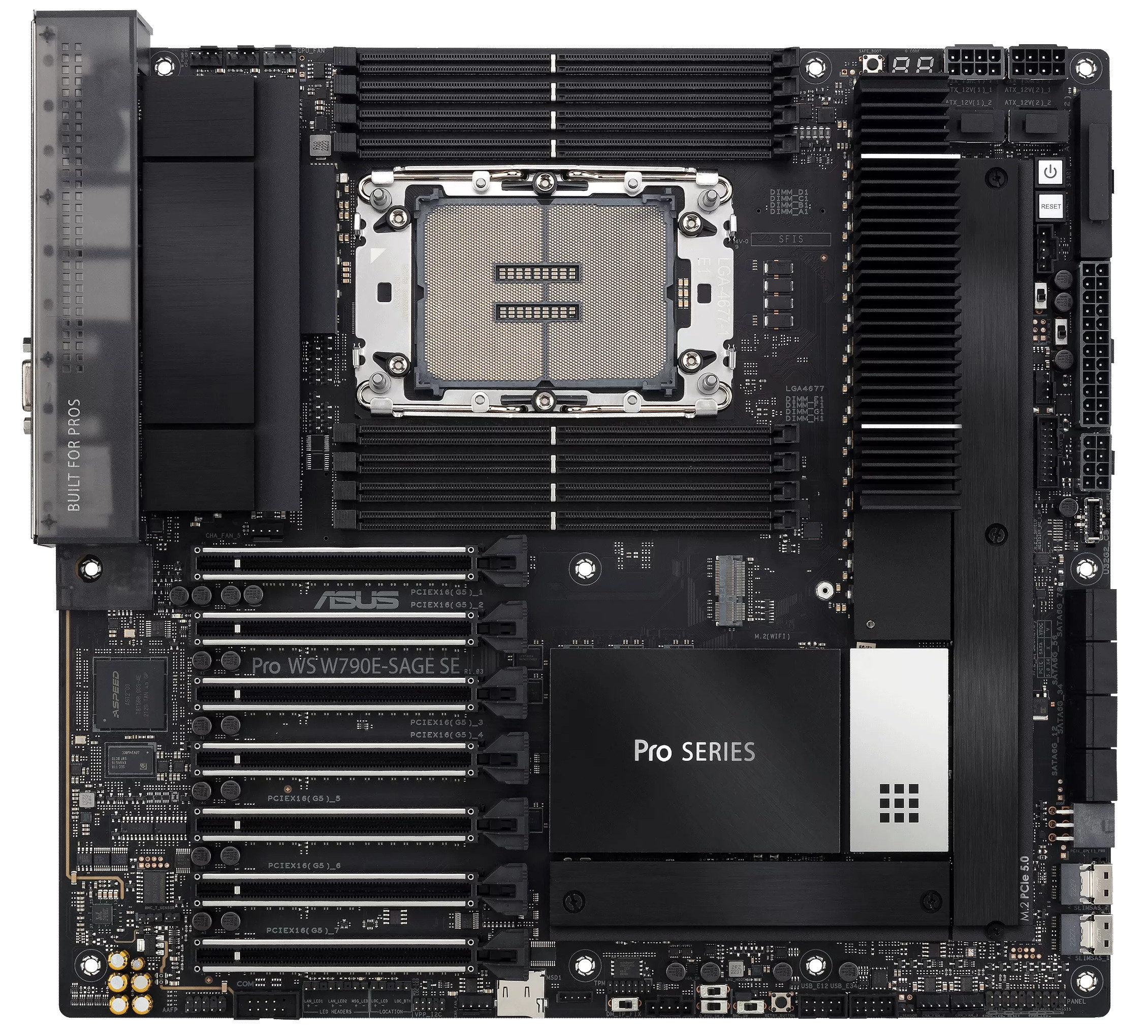
For workstation and server boards, a form factor known as Extended ATX or EATX or E-ATX emerged. These boards have the same number of slots (or rather positions for expansion slots) as ATX, i.e., seven, and the same maximum height of 305 mm. However, they have a wider PCB, for example, to accommodate dual processors. The maximum size of these boards is 305 × 330 mm. EATX boards for personal computers (these tend to be expensive high-end models with luxury features) usually exceed the ATX width (244 mm) less significantly, often having a width of only around 250–270 mm.
Mini-STX
There is one more relatively recent board form factor that was essentially standardized and allows for interchangeability of boards and cases similar to ATX, but it is not compatible with ATX in any way. Its name is Mini-STX, and it was designed to create a board form factor for desktop processors installed in sockets (and thus replaceable and upgradeable), but unlike Mini-ITX, it does not accommodate a slot for a graphics card or an internal ATX/SFX power supply. The resulting computers can thus be very small.
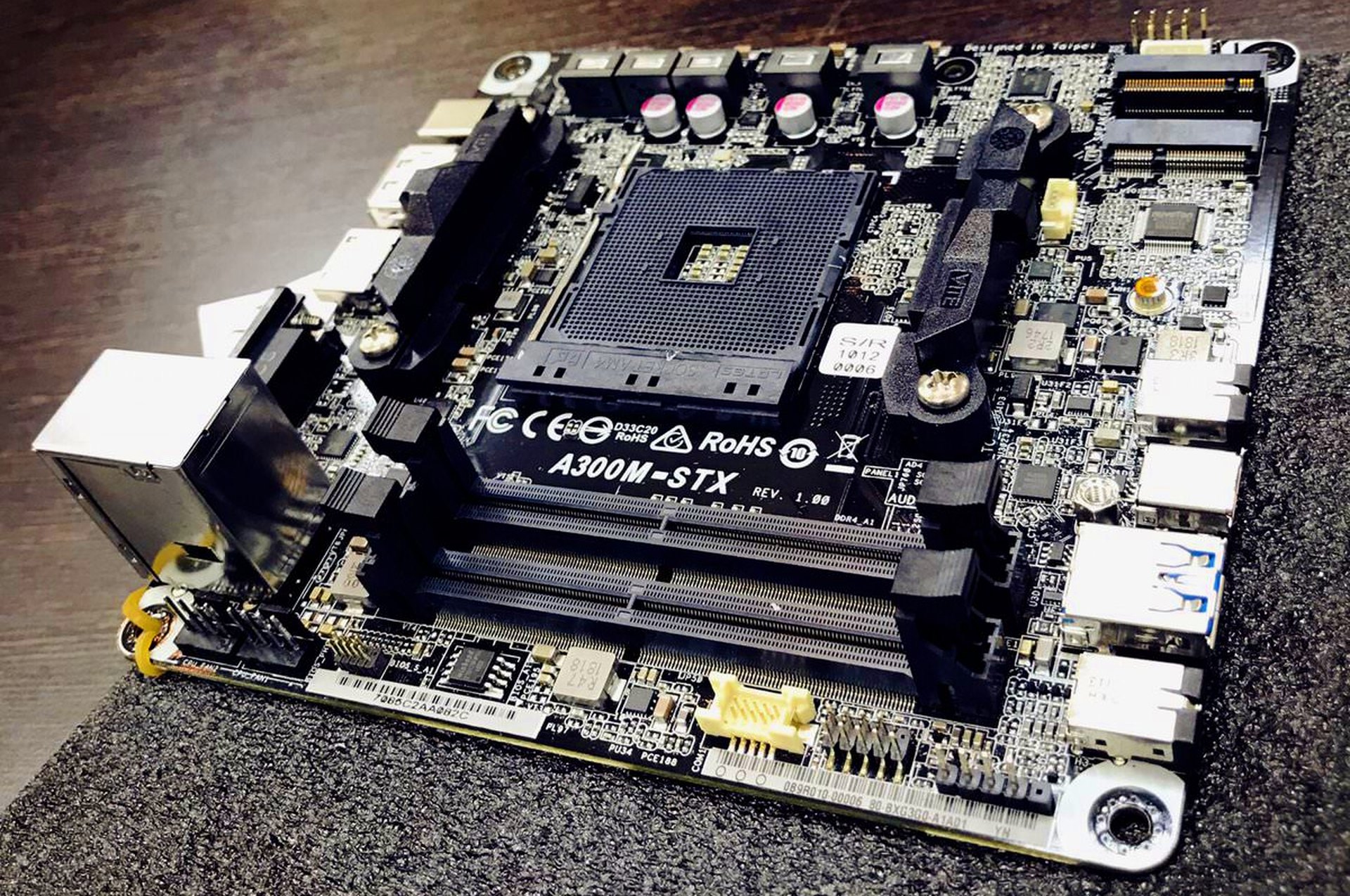
The size of Mini-STX boards is 140 × 147 mm, and they mount into special Mini-STX cases (Mini-ITX is not compatible) that are designed with connectors not only on the rear but also on the front edge that is expected to directly face the case’s front panel (without the need for cable connections).
Mini-STX does not allow the use of DIMM memory slots, but the memory is replaceable—it uses SO-DIMM slots and modules intended for laptops. The GPU is integrated into the processor, and the only additional expansion options are usually in the form of M.2 slots and SATA ports for storage (an M.2 slot for a Wi-Fi/Bluetooth wireless module is also typically present).
Which Cases Can Be Used? Compatibility Exists in One Direction, but Not the Other
There is partial compatibility between the different board types. Different size variants can typically be fitted with the same components (processors, PCI Express cards), though there may be exceptions—some smaller boards, for example, may use smaller SO-DIMM memory slots.
Case compatibility is determined by board dimensions. A smaller mATX or Mini-ITX board can be installed in a larger case, because the mounting threads are prepared for it, but not vice versa. Standard PC cases are usually built for the ATX (full ATX) size, and it is always possible to install an mATX or Mini-ITX board in them—the only (aesthetic) issue is that part of the space remains unused. The reverse is not true; compact (also known as “SFF,” meaning Small Form Factor) cases made specifically for Mini-ITX boards will not accommodate larger form factor boards. mATX cases will then only fit mATX and Mini-ITX boards.
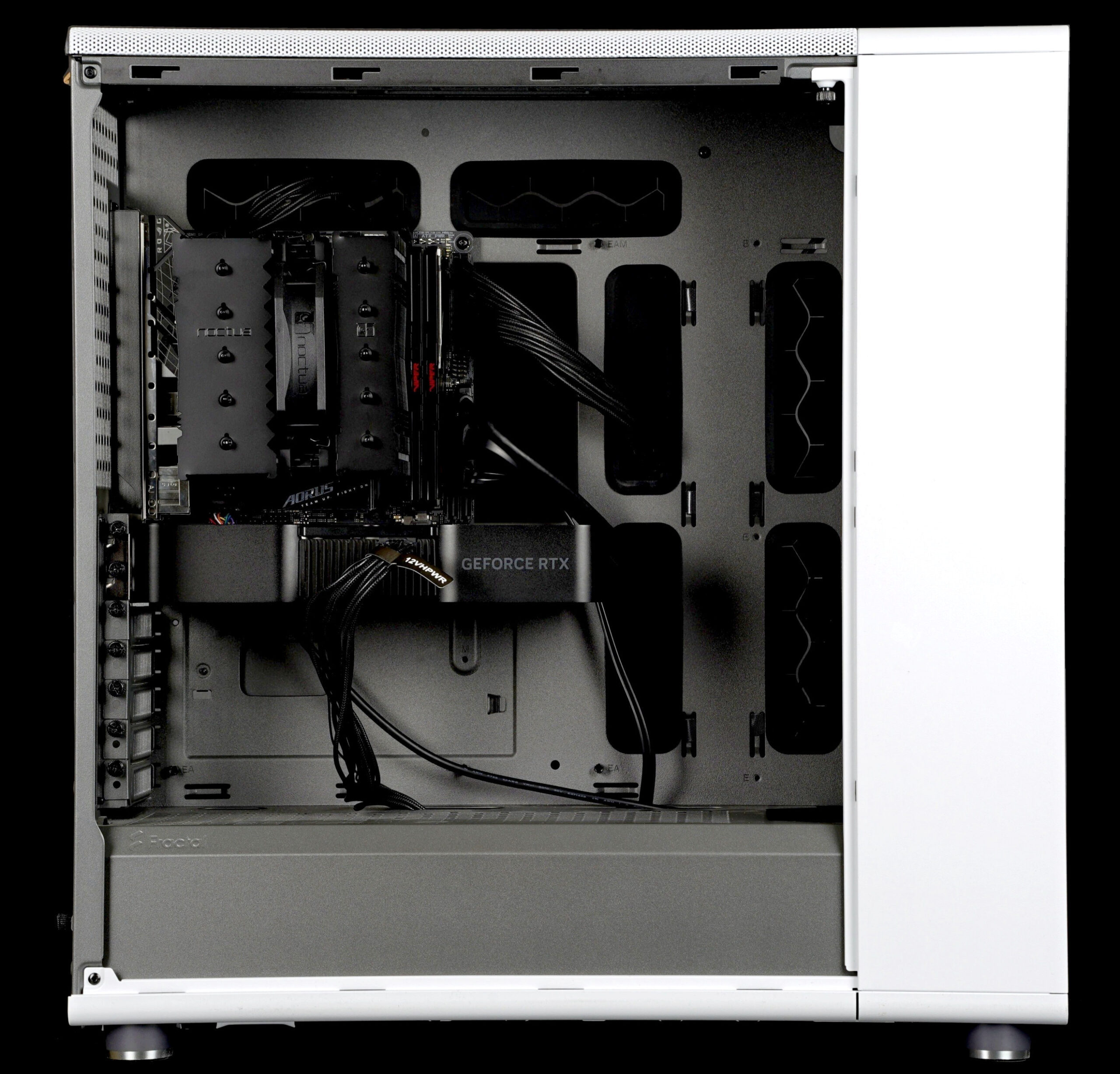
EATX boards have the same height as ATX boards and thus fit the height of ATX cases, but whether they fit in width depends on their width and the case design. If the motherboard tray is flat without any protrusions or raised parts extending beyond the maximum standard ATX width (244 mm), a wider EATX board can be installed.
Many modern cases have cable management cutouts and other obstacles beyond this level, so they cannot fit EATX boards. Others may fit an EATX board only up to a certain width, but not the maximum. When building a PC with an EATX board, it is necessary to check the specifications of both the case and the board; if the maximum EATX board width supported cannot be determined from the data, it is necessary to analyze photos or directly measure a sample of the case.
Note that PC case specifications sometimes state they are compatible with EATX boards, but this may only mean they support some boards that are just a few centimeters wider than the ATX size, not up to the maximum 330 mm.
Mini-STX boards are specific and are not designed for compatibility with any other case standard. They will not fit into Mini-ITX or any other cases, only into models specifically designed for Mini-STX.
A Glimpse Into the Past: AT-Style Boards
The original AT standard for boards (most commonly in the smaller “Baby AT” form factor) is no longer found in modern computers; you will only see it in historical computers used by “retro” enthusiasts or collectors. The last generations of these boards were built around Intel Pentium II (Slot 1 or Socket 370) and AMD K6/K6-2 (Socket 7 / Super Socket 7) processors at the end of the 1990s. If you happen to work with such a historical computer, be careful to connect the AT power connectors in the correct order—they plug into a single port on the board side-by-side, and it is possible to swap them around and destroy the board. The correct procedure is to install both connectors with the black ground wires facing each other.
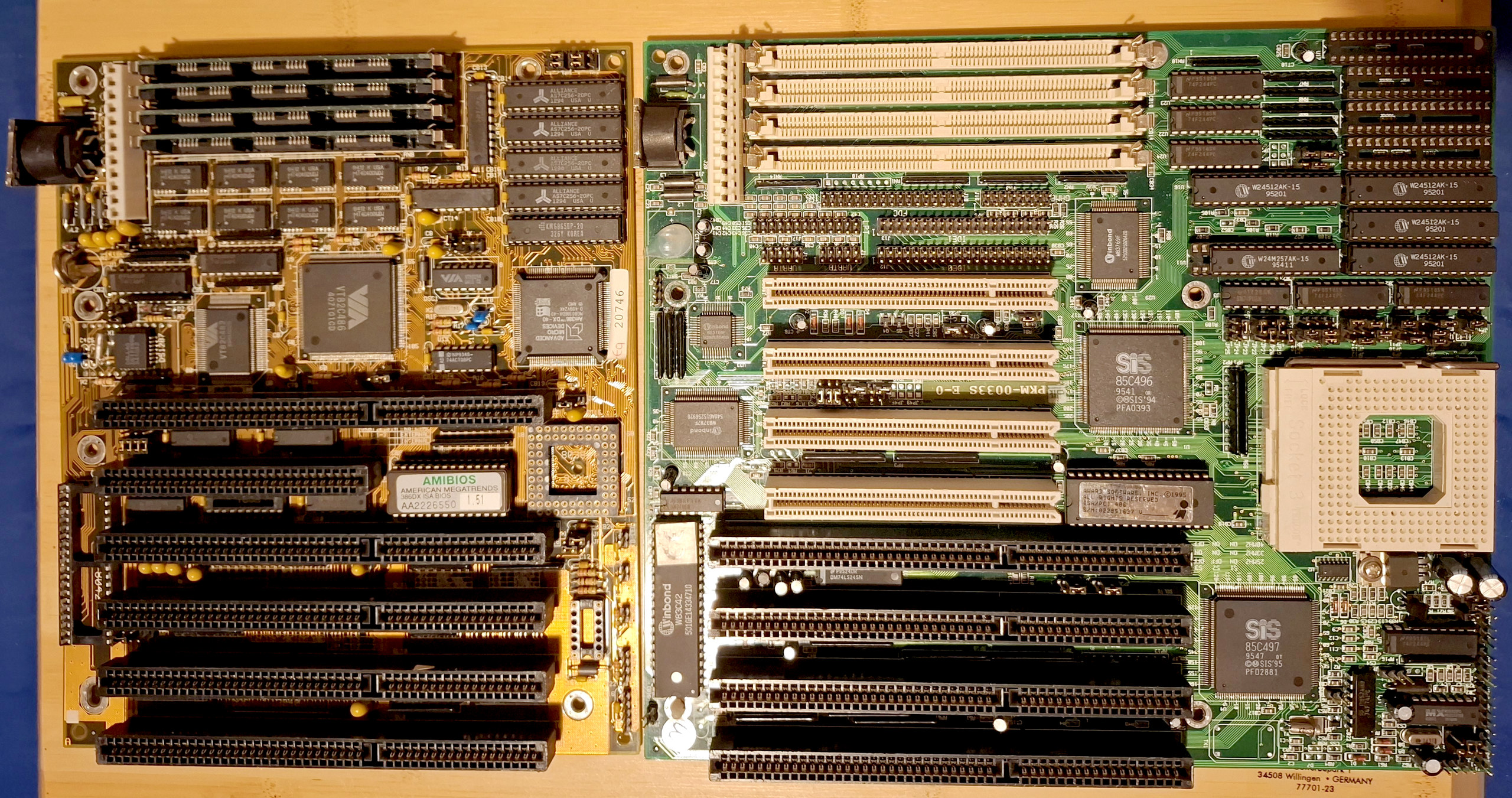
It is important to know that AT boards are not compatible with modern ATX power supplies or ATX cases, due to different power delivery (including how the PC power-on by button is handled) and different positioning of expansion card slots and rear I/O ports. However, transitional board types existed in the physical AT form factor that had connectors for both power supply types and could be installed in ATX cases.
New Trend: Boards with Connectors on the Reverse Side
Conversely, a new trend in recent years, which also isn’t fully compatible with most cases, is boards with connectors for cabling on the reverse side of the PCB. Their goal is to avoid keep cables from the power supply, SATA cables, or cables for USB ports, integrated audio, or case controls and LEDs from being visible under the glass side panel.

Connectors and headers (including the 24-pin ATX connector) are routed to the back of the PCB on these boards, meaning you cannot install such a board in a standard case. You need a case with cutouts in the appropriate locations.

Each board board vendor produces these boards under different names (Asus, for example, as the BTF series, Gigabyte under the Stealth designation). The disadvantage is that the positions of the connectors are not consistent between models, so no universal case standard for these boards has yet emerged; you must manually check which cases are compatible with the board.

It is possible that standardization will occur in the future; until then, using this non-standard design remains problematic.
Article continues on the next page…
⠀


