


The motherboard is a component that’s commonly not even listed in the hardware specifications provided by PC vendors or sellers, ironically. Yet it is one of the most important components, because it interconnects almost all the other parts and has to handle a lot of work. In this article, we’ll look at what you should know about desktop computer motherboards and how to handle them when building a PC or performing maintenance.
The motherboard (also “mainboard,” you may also encounter the slang abbreviation “mobo”) is essentially a printed circuit board that has formed the foundation of a computer since the time when computers shrank to the point where a single board, distinguishable from expansion cards, became their unifying element. In personal computers, these boards developed specific and standardized features, so it makes sense to understand them as a special type of component.
Motherboards for desktop personal computers (so-called “desktops”) are, like the entire PC platform, historically derived from the original IBM PC personal computers and their successors, which famously became the de facto standard after they began to be “cloned” by other manufacturers. This gave rise to a modular ecosystem of interchangeable compatible components.
While motherboards were originally something that was always just a part of a specific computer’s whole (as is still the case with laptops today), the standardization of PC components and the interfaces between them enabled a shift to a state where motherboards began to be manufactured and sold separately as a standalone product, from which practically anyone (including the home user) could build a computer by adding any suitable case and power supply. Initially, a large number of motherboard manufacturers emerged, especially in Taiwan. This revolution took place roughly between the late 1980s and early 1990s, although certain similar precursors existed even before PCs: The hardware compatible with the Altair 8800 computers and their S-100 expansion card format also developed into a standardized modular platform, one that was gradually displaced on the market by the PC component ecosystem.

With desktop PCs, it has largely become the case that they are more defined by the motherboard they are built on, rather than the other way around. Motherboard manufacturers (the main ones today being Asus, Gigabyte, ASRock, MSI) thus largely define the development and concept of desktop personal computers themselves. However, in the systems of large companies (HP, Dell, Acer, Asus, Lenovo, etc.), relatively specialized proprietary boards continue to be used. Often, however, they are also designed or manufactured for the PC makers by a supplier who normally also sells their own separate boards.
The current style of motherboards gradually evolved from the physical form and dimensions of the IBM PC XT and especially PC/AT motherboards. Initially, it was a standard known as AT (along with associated types of cases and power supplies), which during the second half of the 1990s was replaced by today’s style of cases, power supplies, and motherboards, known as ATX. Intel played a significant role in defining the ATX standards, but they were adopted across the industry—unlike the incompatible BTX form factor, which Intel unsuccessfully tried to promote a few years later. The standardization of motherboards, power supplies, and cases enabled personal computer components to be combined with great freedom.
An important feature of PC motherboards is that they are designed so that other components can be connected and installed without soldering. This applies to processors, which are installed in sockets, heatsinks, which are mounted using standardized attachment systems to the board and CPU, as well as storage, memory, and other components (fans, external ports). Not all of these parts necessarily have to be replaceable in all cases. For example, the processor, and even memory, can be permanently integrated on some specific boards, which is ultimately another example of the flexibility of motherboards in PCs.
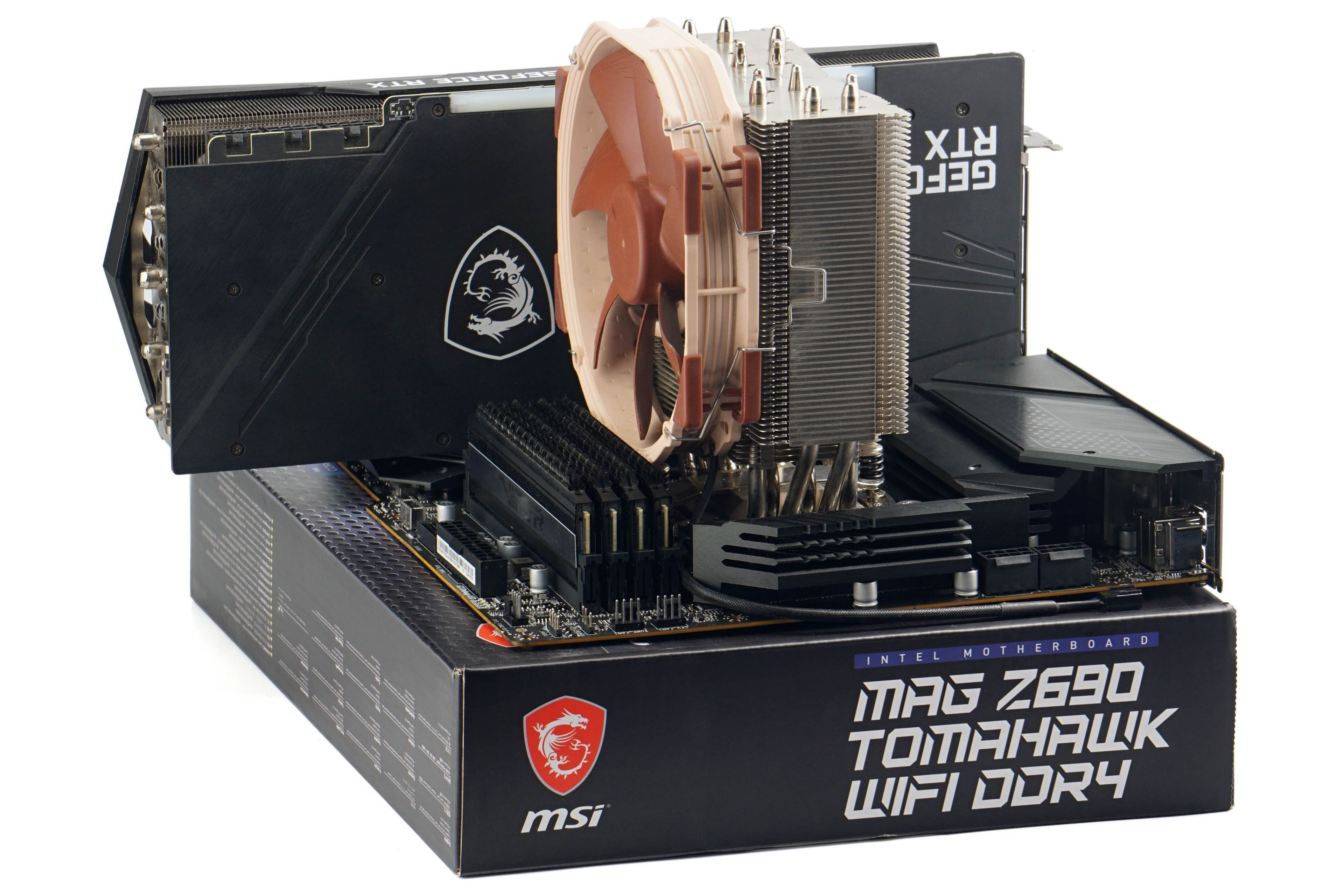
The modular, building-block concept of desktop PCs is a powerful advantage of this computing platform, offering considerable freedom when building computers (and making building them accessible to anyone, as mentioned). Importantly, this modularity also helped make computers cheaper thanks to competition among component manufacturers, which simultaneously pushed development and improvements in performance and features forward.
The modular concept of motherboards and other complementary components and the open ecosystem is actually quite likely one of the chief reasons why PC-type personal computers prevailed over the more rigid, single-company-defined competing platforms, such as Apple, Atari, Commodore Amiga computers, and other less widespread platforms, but also over significantly more expensive workstations (Sun, SGI, and the like), which were also gradually replaced by PC-based hardware. As PC components evolved with greater dynamism, proprietary workstations lost their performance advantages over much cheaper PC hardware, ceased to be competitive, and disappeared. PC-style motherboards and components also spread to servers and embedded hardware.
Article continues on the next page…
⠀



