


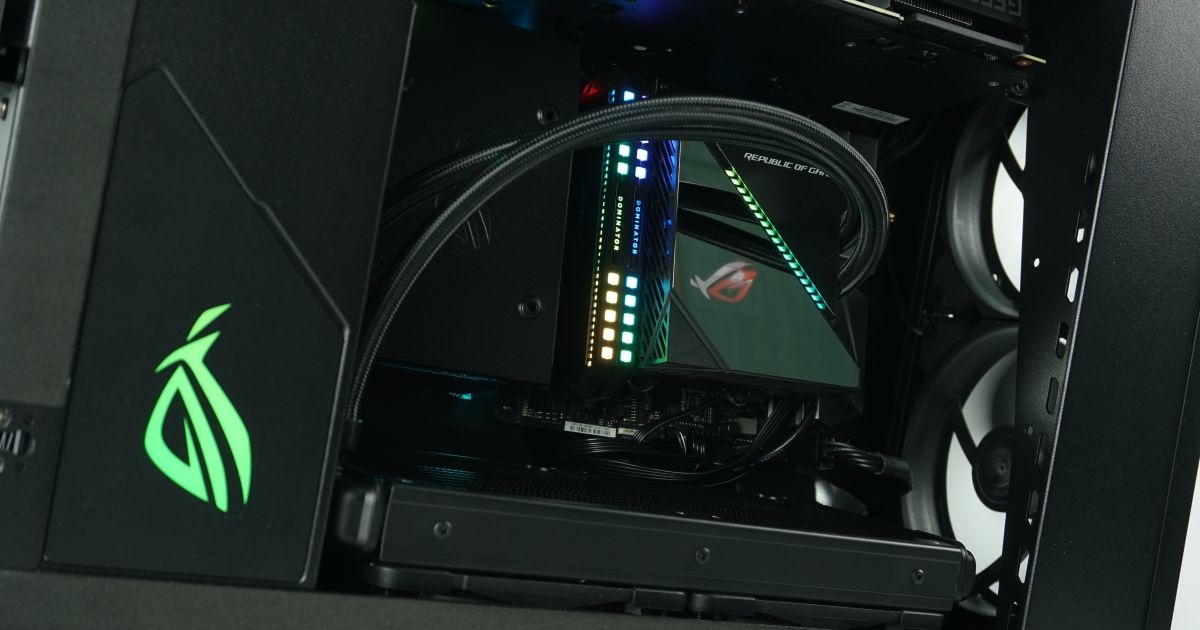
A very untraditional and relatively unique case has come to our editorial office. It is the ROG Z11, which the manufacturer introduced at the beginning of the year at CES 2020. The case hides several specialties, such as the possibility of vertical and horizontal positioning or a slightly curved motherboard tray. To make matters better, we fitted the case more or less exclusively with ROG components, thus creating a kind of full-on Asus build.
Blender –a look at the CPU
First glance at the course of performance, we use our traditional BMW Blender (v2.9) test. We monitor the clock speed, power draw and temperature of the processor when using air and water cooling in both vertical and horizontal positions of the case.

In the first graph, you’re looking at the progress of processor clock speed during the render. Air cooling has lower clock than water cooling. Although the results are tight, it looks like the lowest clock speed is with air in horizontal position and the best with water vertically.
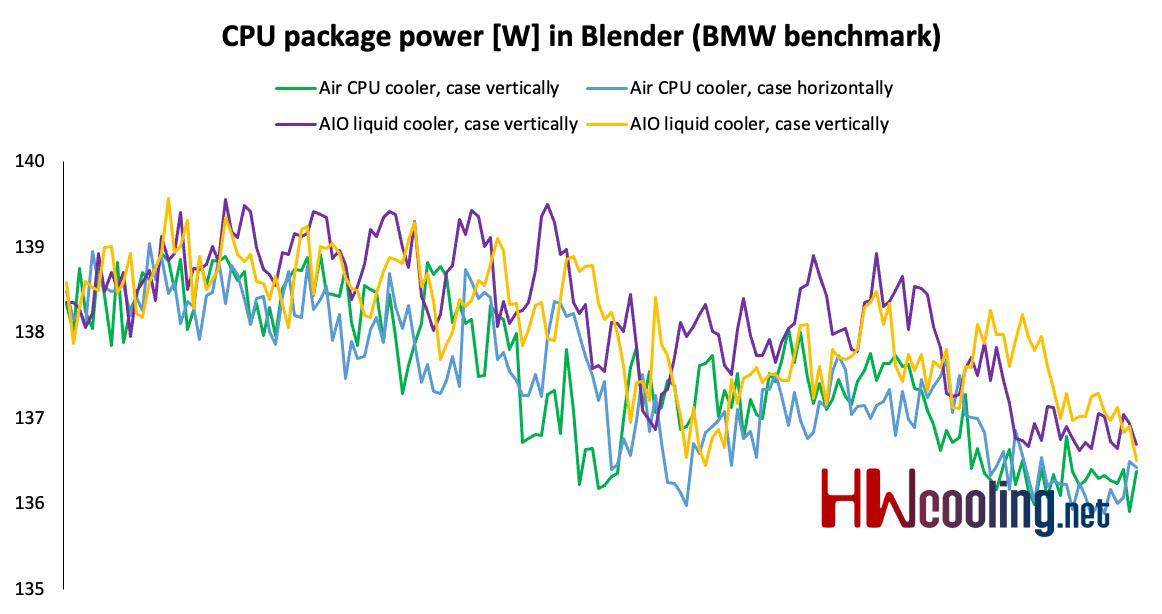
The situation is similar with power consumption, where again the air shows the lowest value, which is caused by lower clock. On the contrary, water vertically has the highest consumption, thanks to the highest clock.
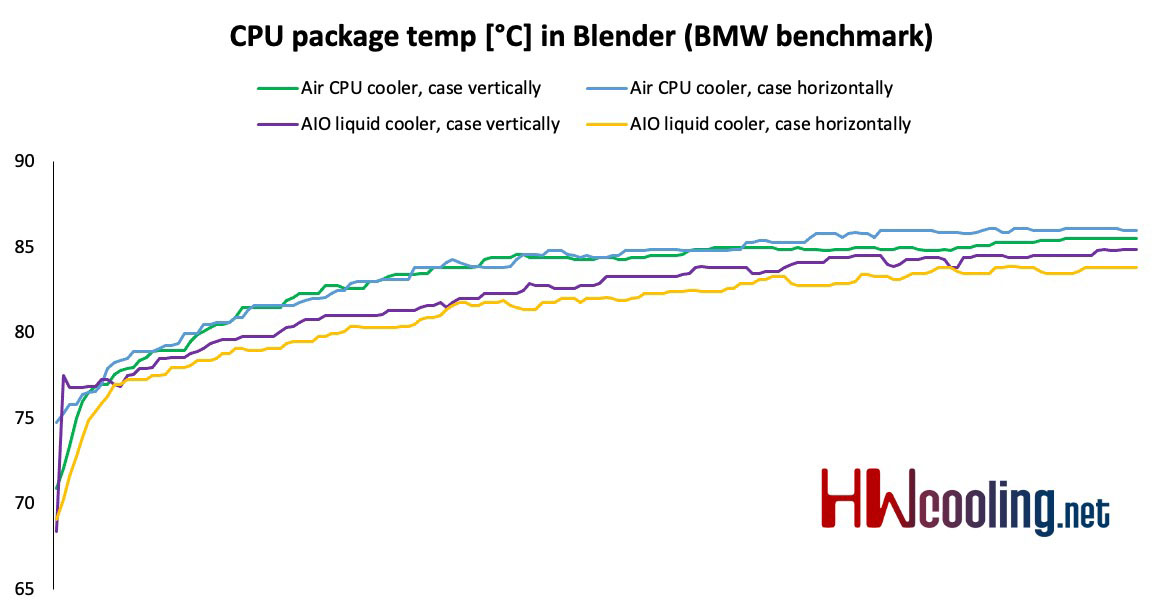
Processor temperatures more or less confirm the assumptions from the previous graphs and are therefore higher than air, although only by 2–3 degrees Celsius. The horizontal position with air proved to be the worst, the water in the same position is the best. However, you can see that higher clock is achieved with water vertically and the difference in temperature is not high, so this seems to be the most optimal solution.
Practical results show only a minimal difference. The rendering time with air was 2:50 minutes, with water 1–2 seconds slower.




