


Last week, we took a look at the Asus ROG Astral GeForce RTX 5080 OC Edition. It has a powerful cooler, but by default, the fan control pushes speeds high, and card is anything but quiet. So, I also measured how the card’s behavior changes when lowering fan speeds, how different power limit settings affect performance, and what the OC scanner does to the clock speed/voltage curve and how that impacts performance.
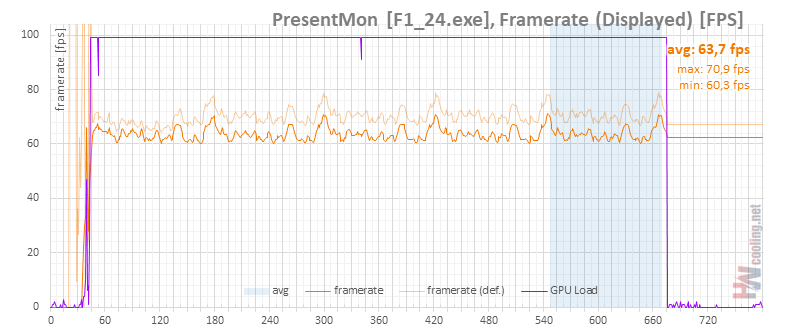
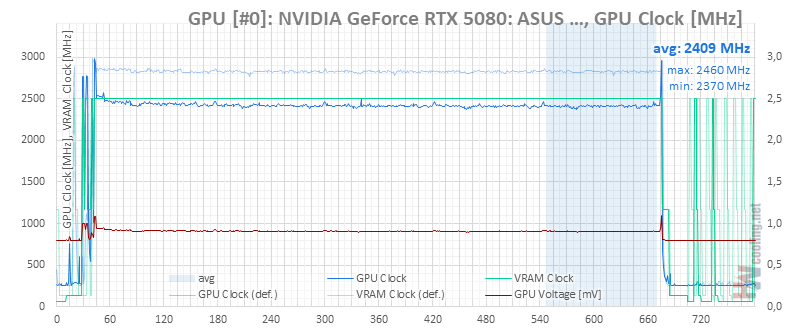
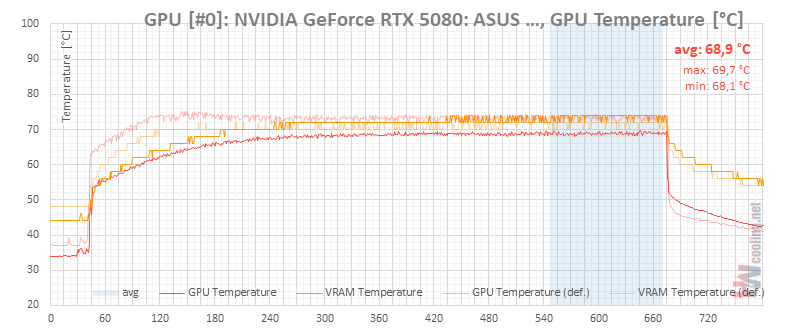
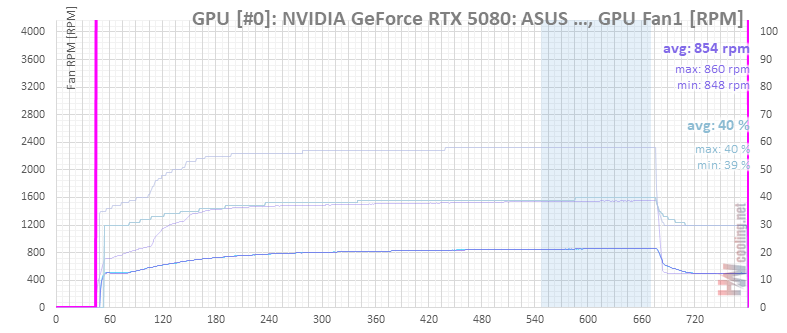
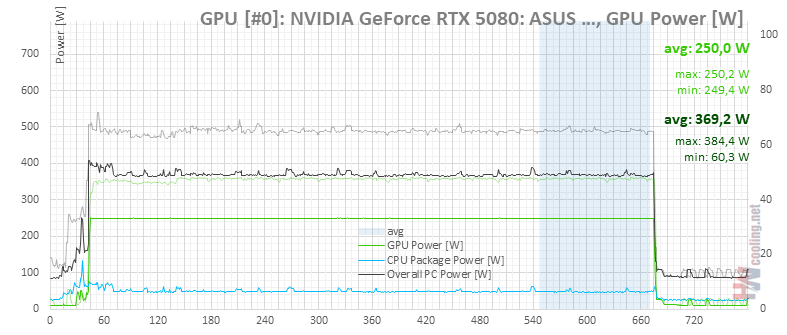
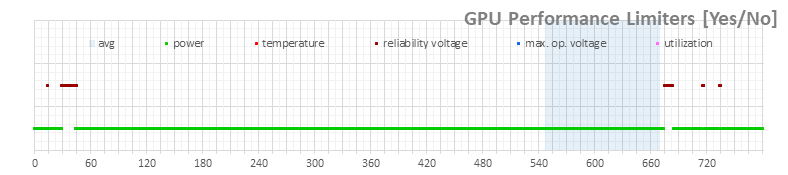
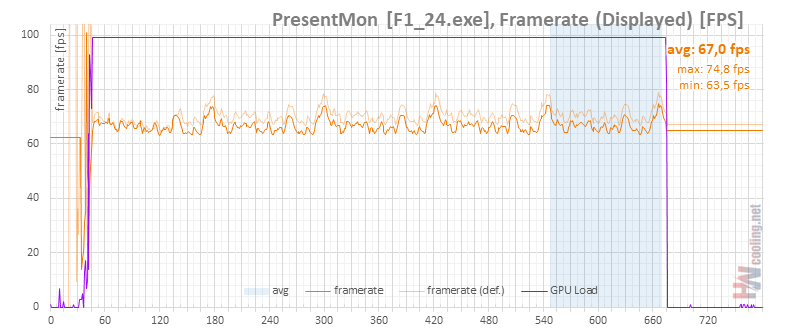
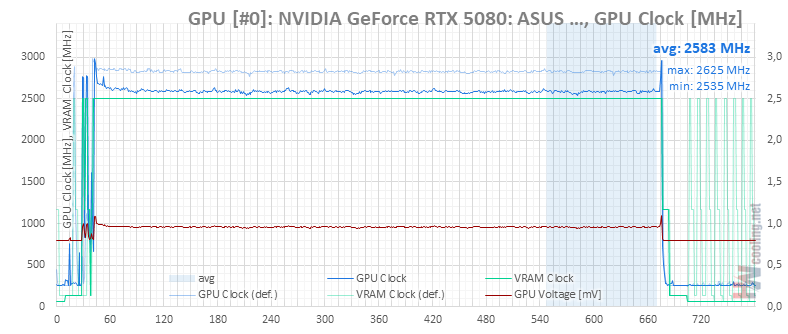
Power limit 69 %, 250 W
It is clear that you probably won’t buy graphics for nearly 1800 euros to reduce the GPU clock speed by 400 MHz and its performance by some 12% by throttling the power limit at the bottom end. But purely in terms of improving the power/watt ratio, the result is pretty luxurious. And with this setting, you don’t even have to touch the fan control anymore to keep the card quiet.
Power limit 80 %, 288 W
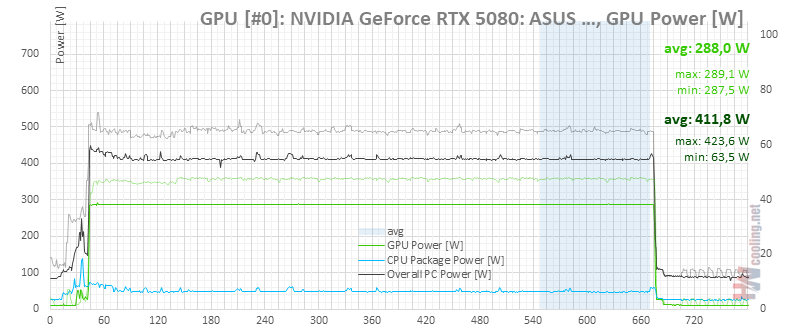
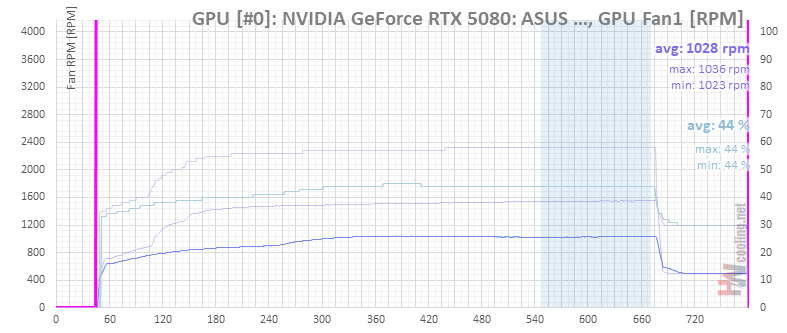
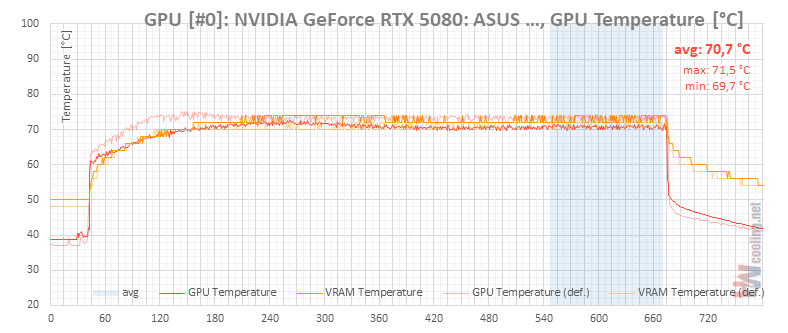
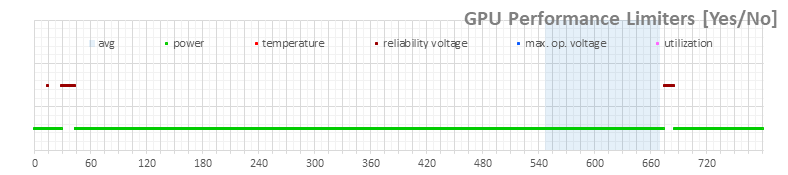
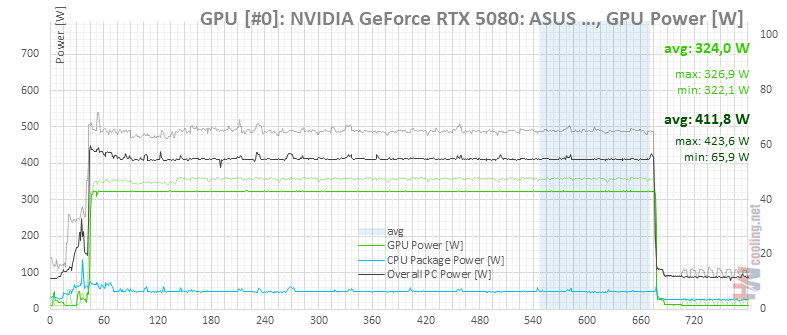
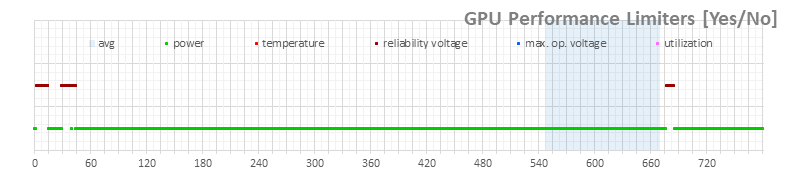
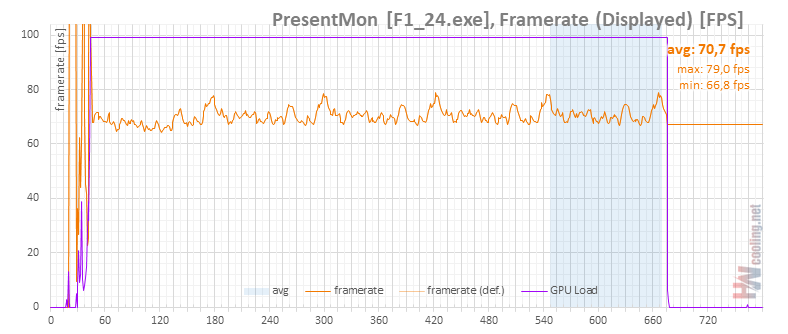
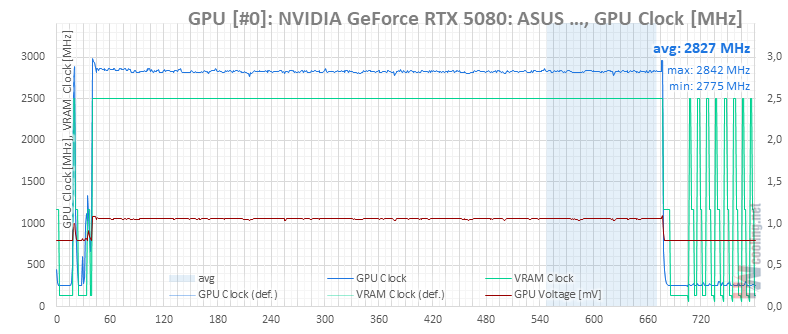
Power limit 90 % (324 W)
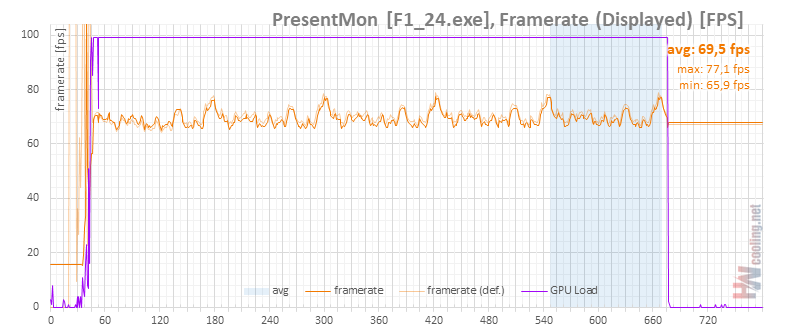
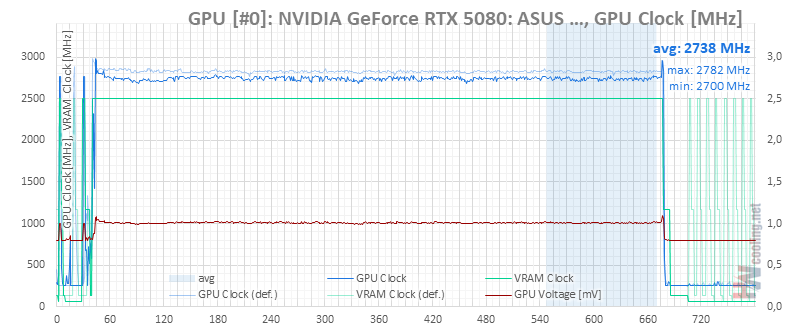
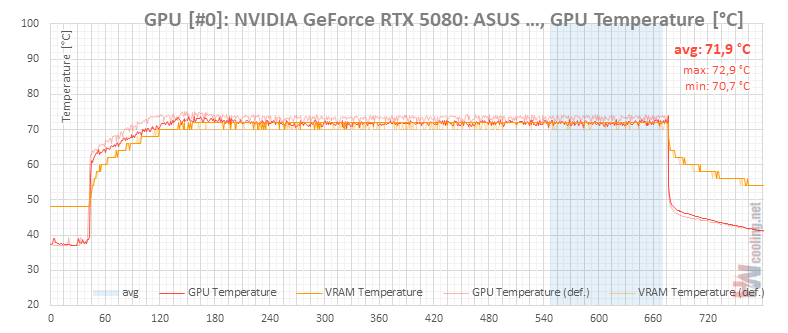
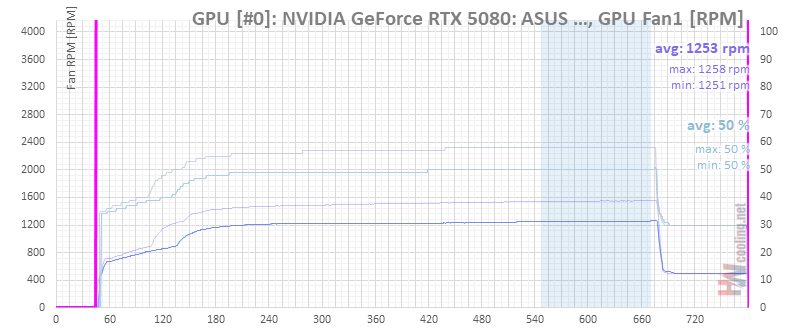
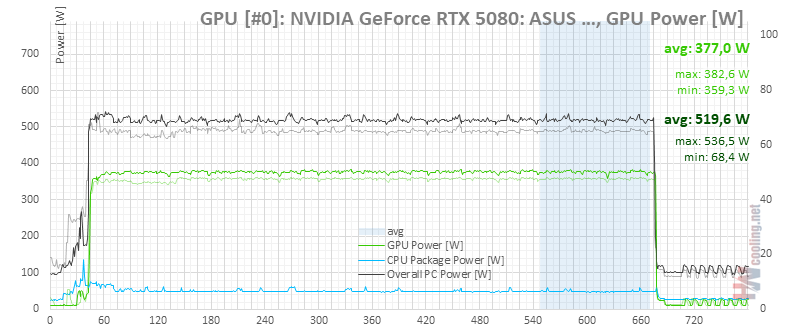
Power limit 100 % (360 W)
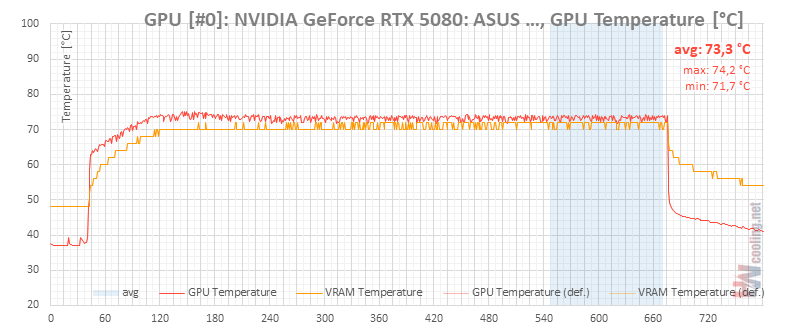
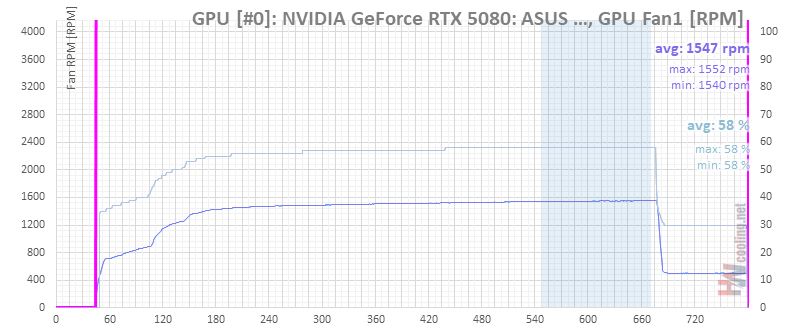
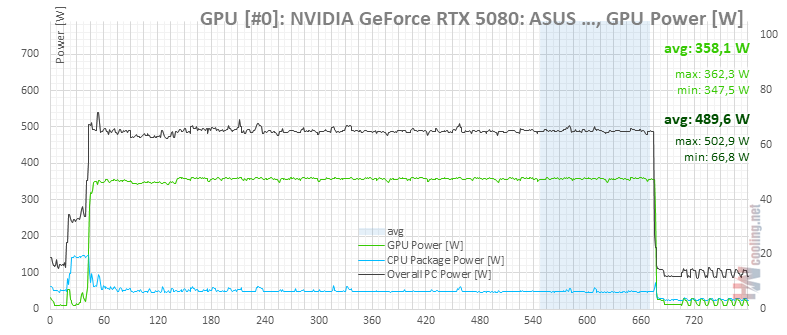
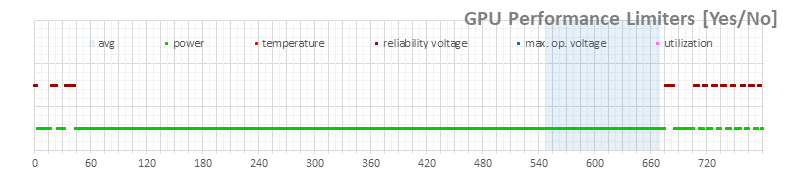
Power limit 111 % (400 W)

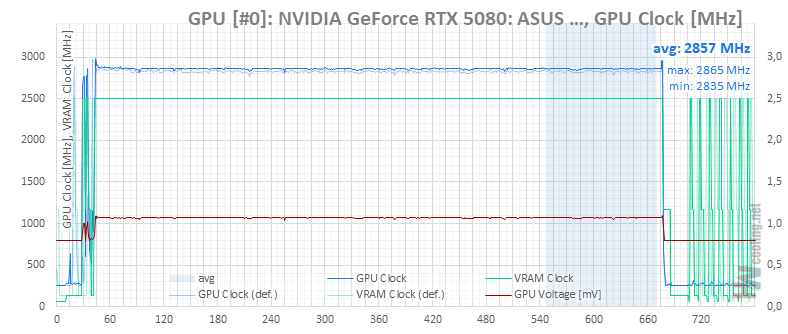
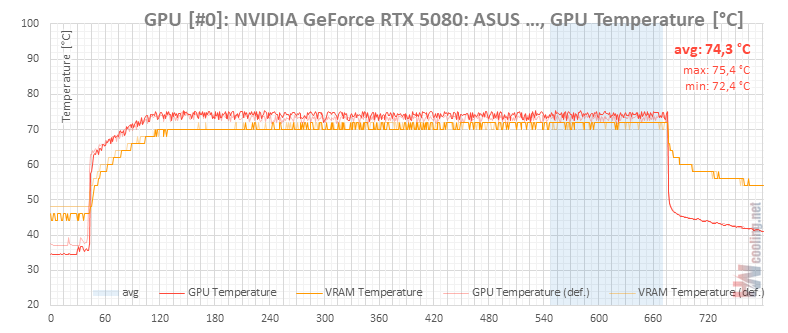
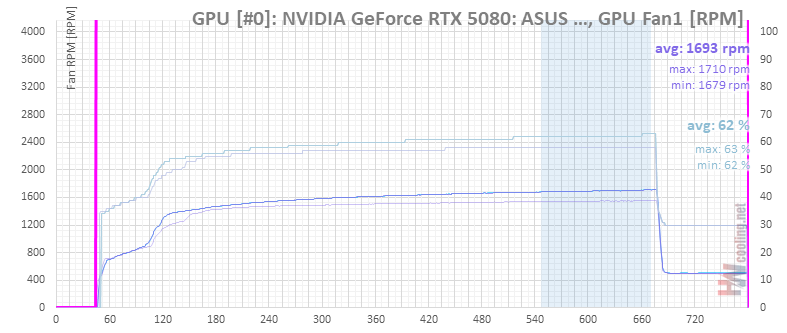
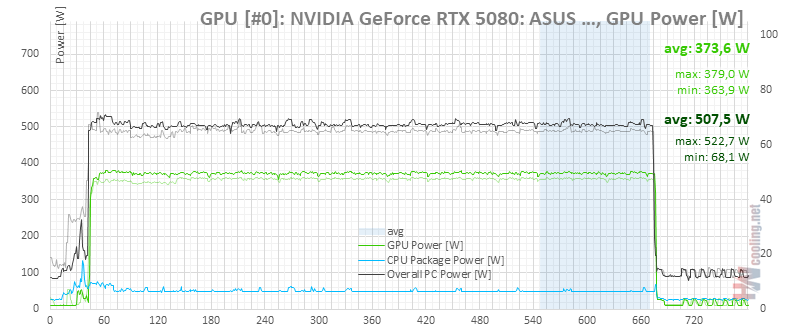
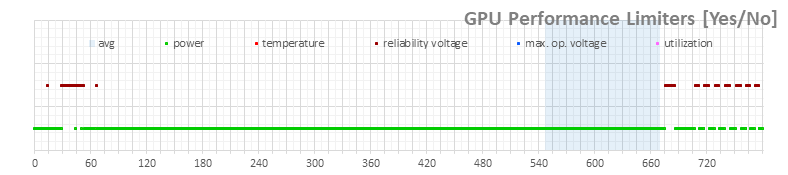
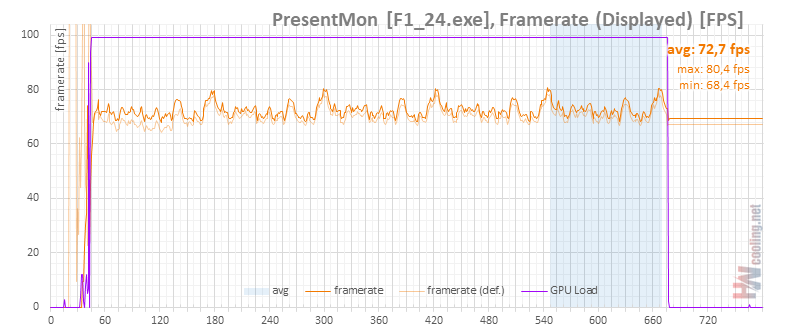
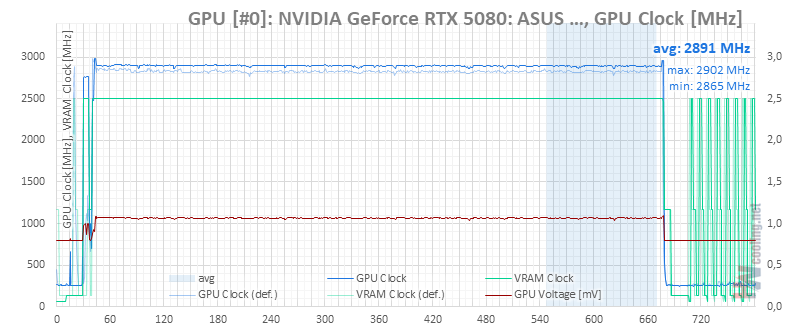
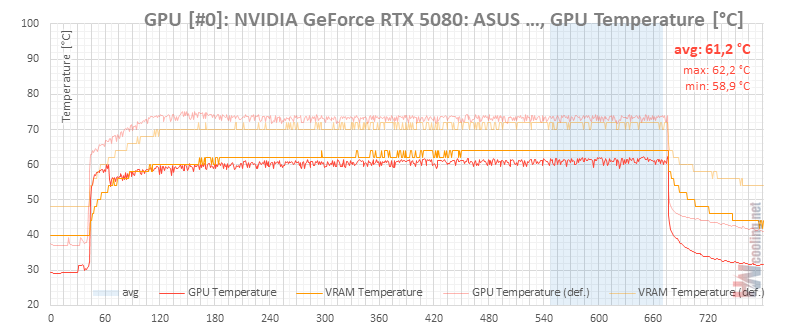
Power limit 111 % (400 W), fan 100 %
On the maximum limit setting, I also tried putting the fans on maximum speed. It won’t change much on the clock speeds, but you’ll get an idea of the cooler’s headroom when it comes to temperatures.

⠀





