Last week, we took a look at the Asus ROG Astral GeForce RTX 5080 OC Edition. It has a powerful cooler, but by default, the fan control pushes speeds high, and card is anything but quiet. So, I also measured how the card’s behavior changes when lowering fan speeds, how different power limit settings affect performance, and what the OC scanner does to the clock speed/voltage curve and how that impacts performance.
For several generations now, Nvidia has had that special OC scanner feature that can adjust the default clock speed/voltage curve to directly suit your graphics card. After scanning, it stores the adjusted curve somewhere in the system. I have no idea if it’s in the registry or some configuration files, but once you run the scan and it passes, the drivers will automatically load it and control the clock speed according to it. And they will remember it even after reinstalling the drivers.
To get the default settings, you need to reset it. You can do this with the revert button in Afterburner, for example, and the restore button in the Nvidia app should work similarly.

With the new RTX 5080 it probably doesn’t work perfectly yet, at least it requires a restarting PC after the scan is complete, otherwise the card has wonky clock speeds and a big drop in performance (and the same problem occurred both when running the OC scanner and when scanning through the new Nvidia app.)
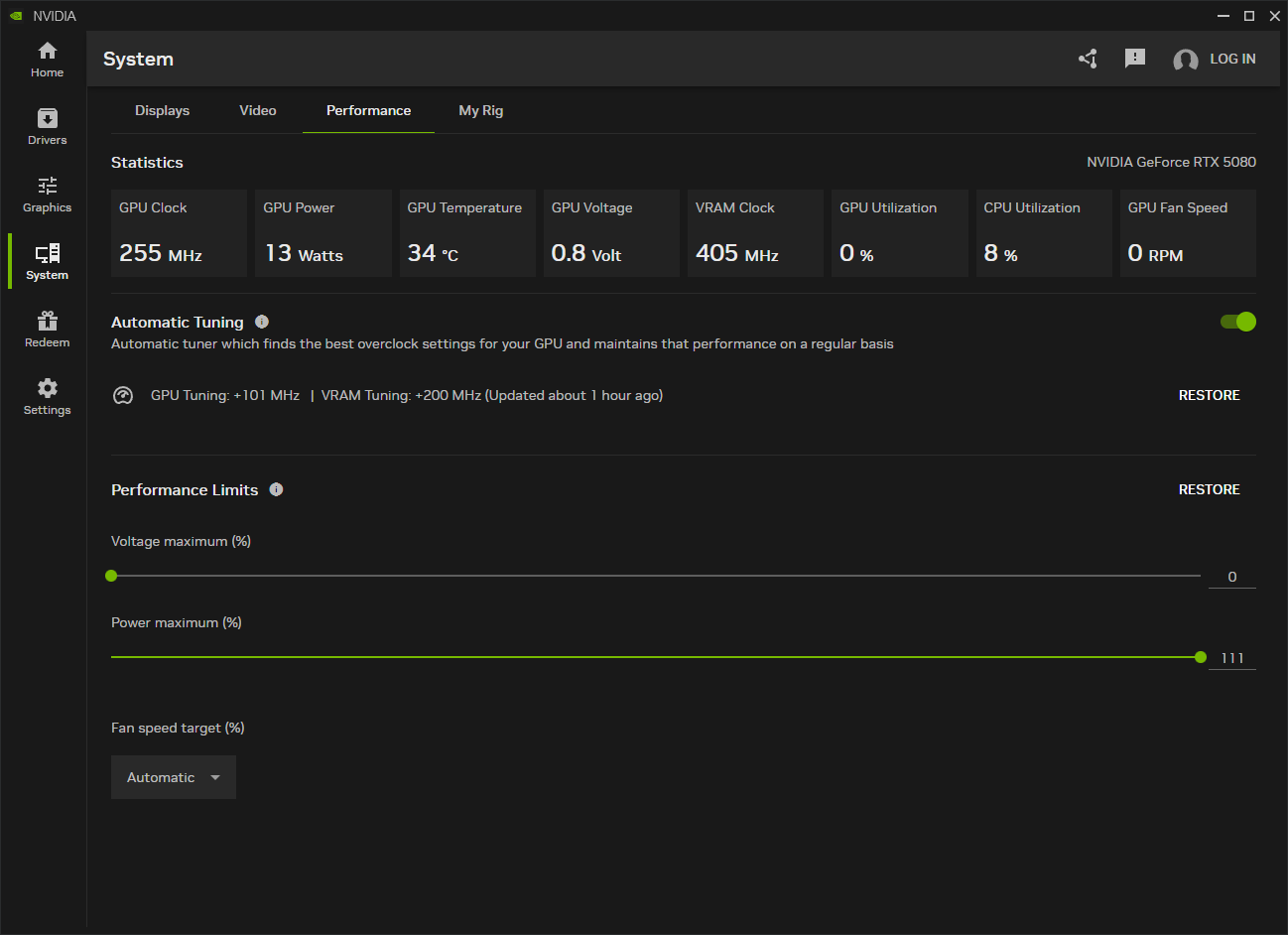
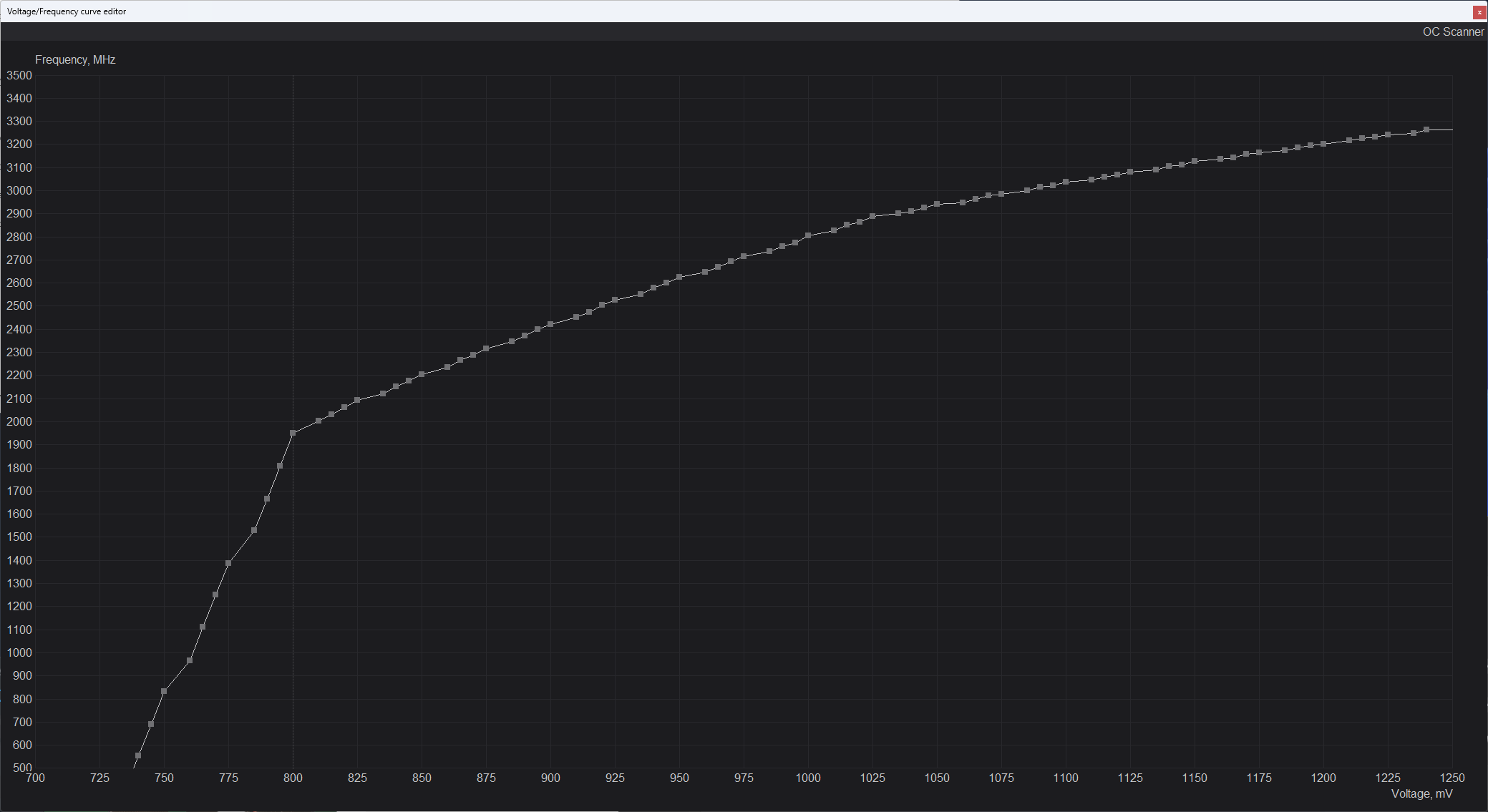
Before I had to wrap the card and ship it on, I quickly ran the automatic OC scanner. I set the power limit to a maximum of 400W and the scanner tested different clock speeds at different voltages for about half an hour. Eventually it moved the clock speed curve up 200 MHz in places, but only at the beginning of the curve at around 2 GHz. In games, where the chip’s clock speeds were higher, performance remained virtually unchanged.

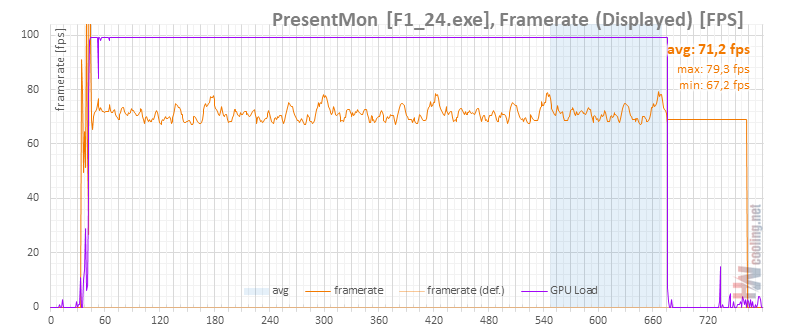
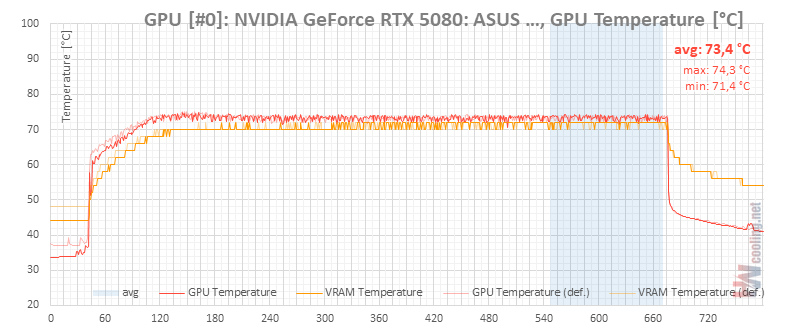
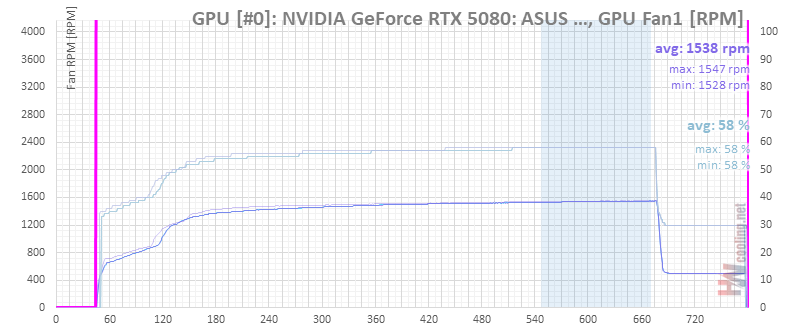
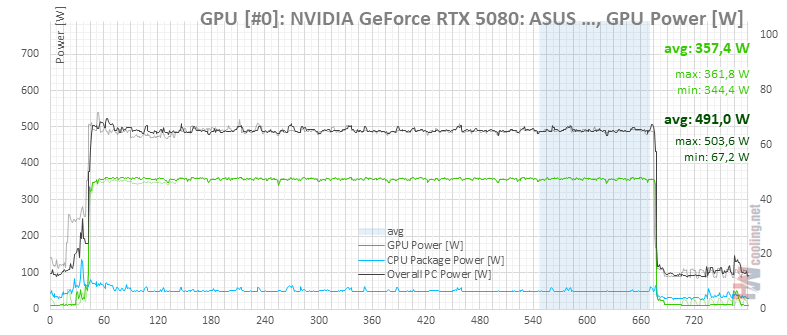
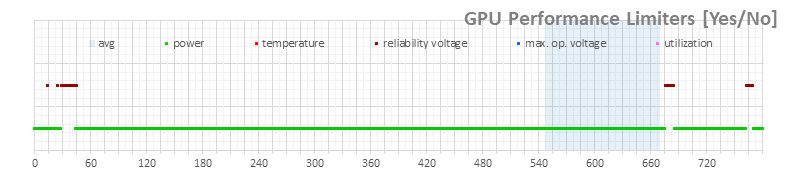
After restarting, the card started up with the adjusted voltage/clock speed curve, but with the standard power limit of 360 W:
OC scanner (auto), power limit 100 %
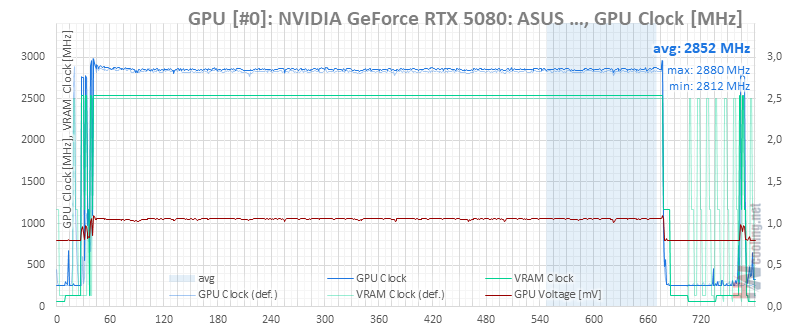
OC scanner (auto), power limit 111 %
So I ran the same test with the power limit set all the way up. The clock speed of the chip did go up, but this is due to the increase in the power limit rather than the result of automatic overclocking. The GDDR7 memory also ran a little faster though.
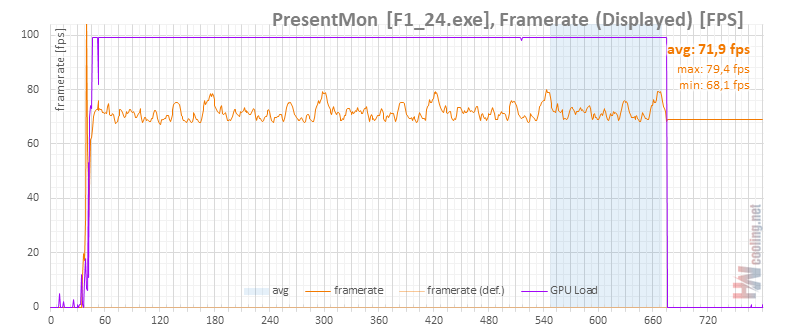
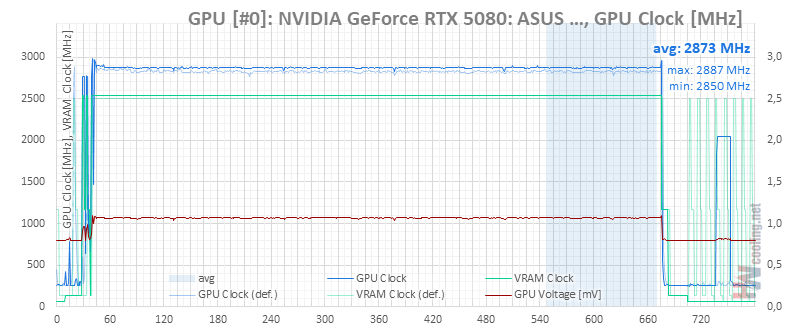

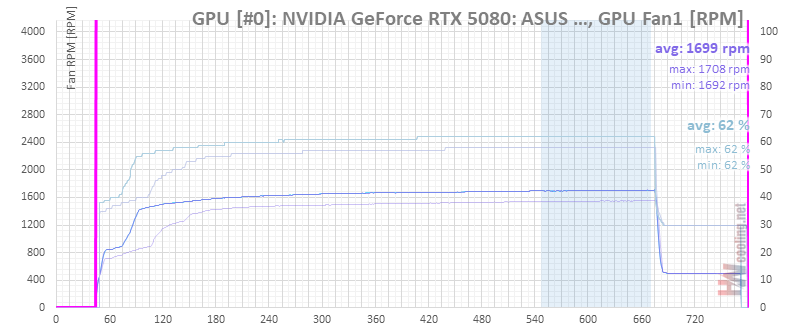

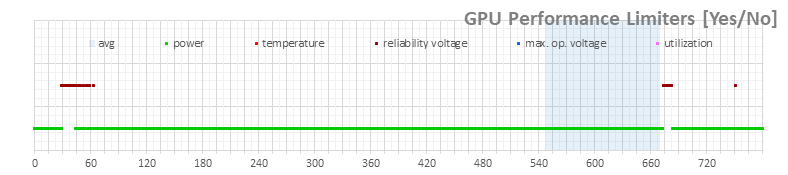
For a higher performance increase, you might need to play around with the clock speeds manually. For a better idea of what higher clock speeds will do to performance, you can check out the Gigabyte GeForce RTX 5080 review. I won’t tell you if RTX 5080s are stable at those clock speeds in everything and under all circumstances. But we’ll definitely come back to manual clock speed adjustments of RTX 50 in a future article.
From the results, it’s clear that the RTX 5080’s powerful heatsink leaves you a huge amount of room to tweak the card’s noise and power consumption. With the ROG Astral RTX 5080, it has such a margin that it’s a real shame that the regulation won’t let you go higher than 400W at the power limit.
English translation and edit by Jozef Dudáš
For more details on the current GeForce RTX 5080 offering, prices, and availability, visit the Datacomp e-shop.