


Last week, we took a look at the Asus ROG Astral GeForce RTX 5080 OC Edition. It has a powerful cooler, but by default, the fan control pushes speeds high, and card is anything but quiet. So, I also measured how the card’s behavior changes when lowering fan speeds, how different power limit settings affect performance, and what the OC scanner does to the clock speed/voltage curve and how that impacts performance.
Fan speed 40 %
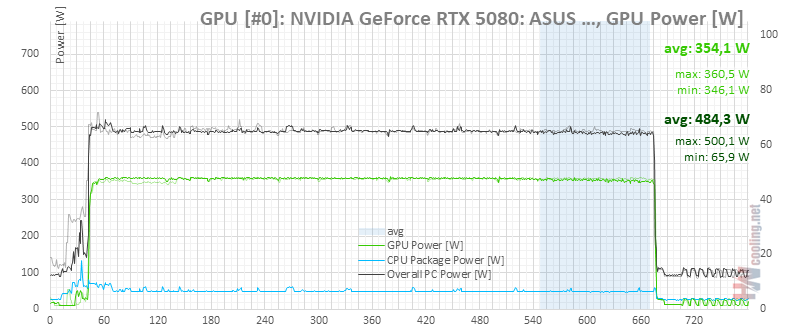
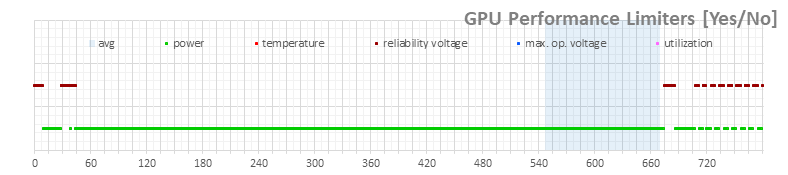
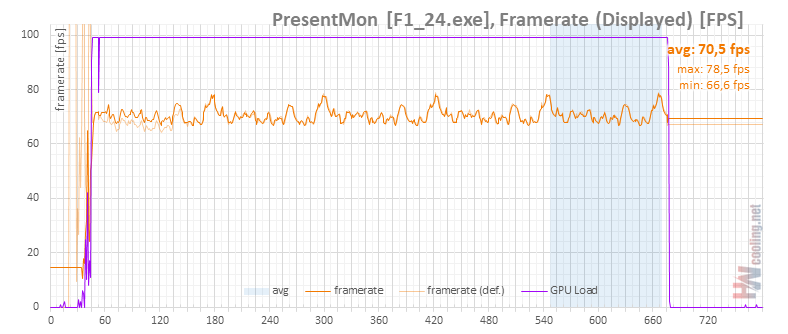
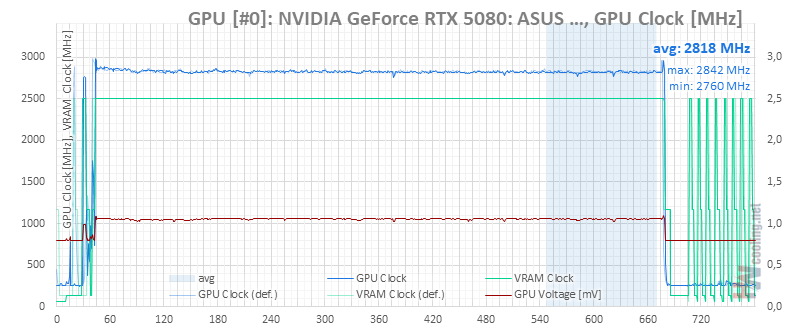
In the next set of tests, we leave the default settings with Quiet bios and set the fixed fan speed manually. I didn’t try the lowest limit of 30%, at which the fans only run somewhere around 500rpm. Nothing would probably happen, at worst the card hit the temperature limit and lowered the GPU clock by some hundred megahertz.
We’ll start at 40%, where the fans are still extremely quiet, and gradually raise their power to the maximum.
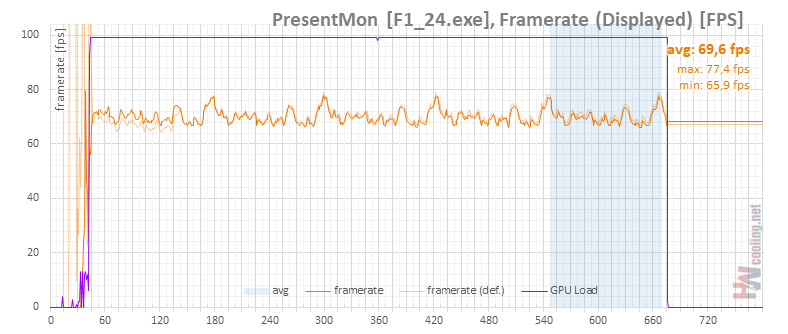
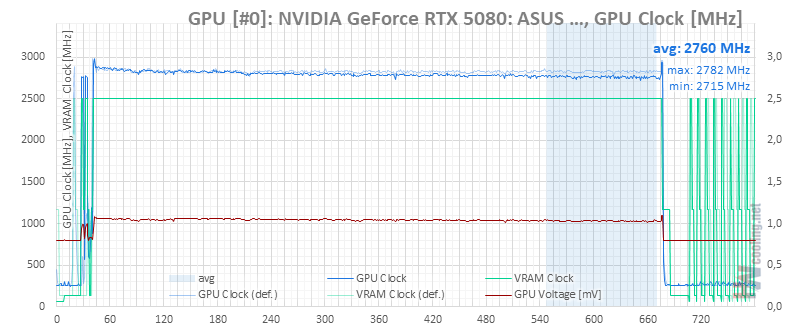
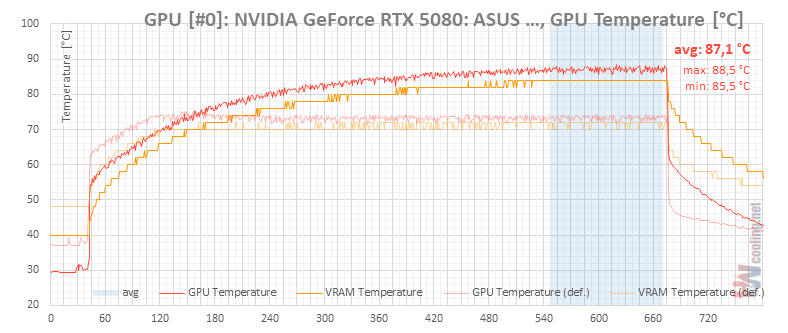
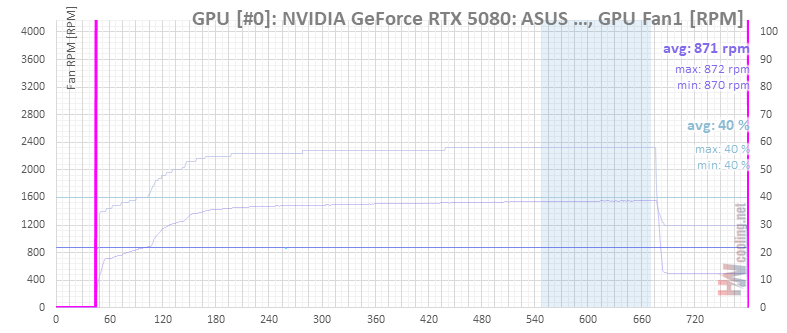
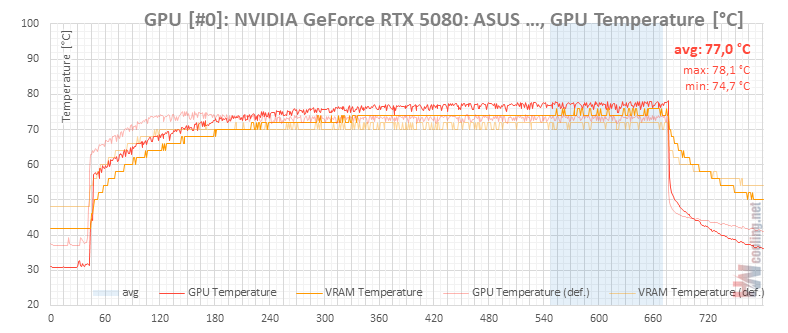
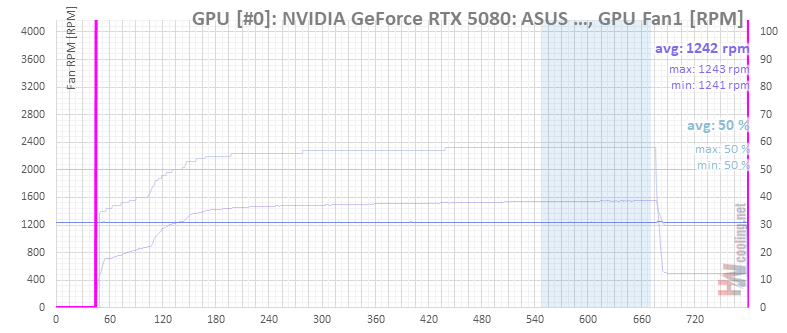
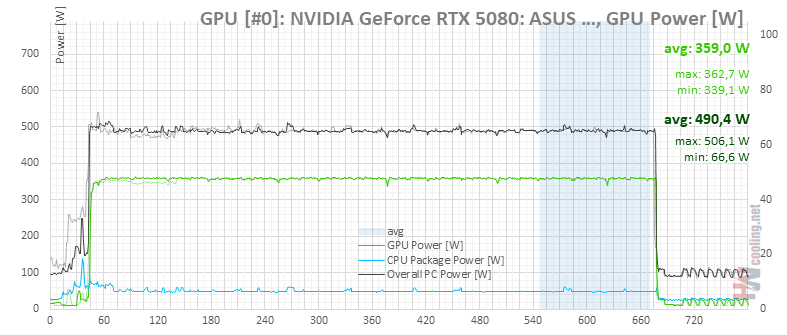
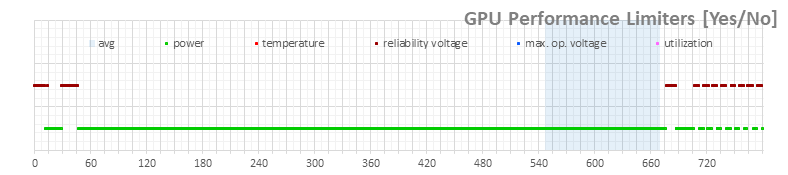
Fan speed 50 %
Fan speed 60 %
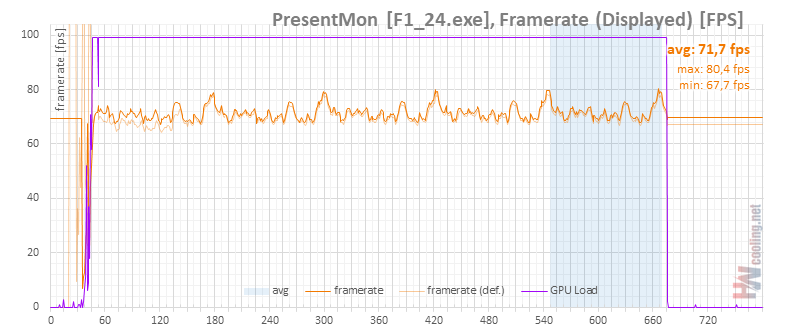
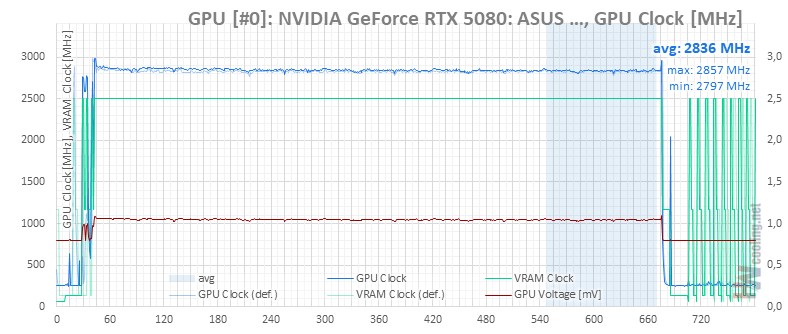
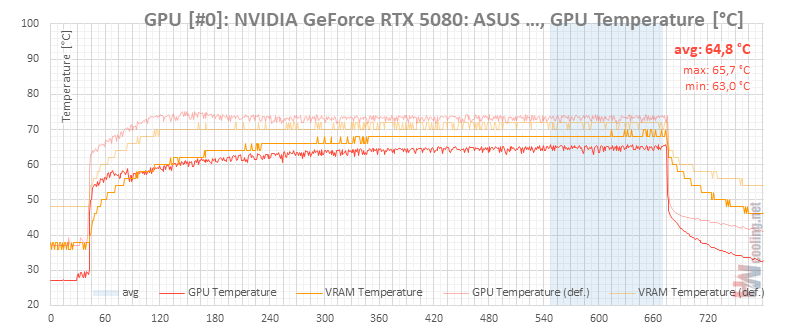

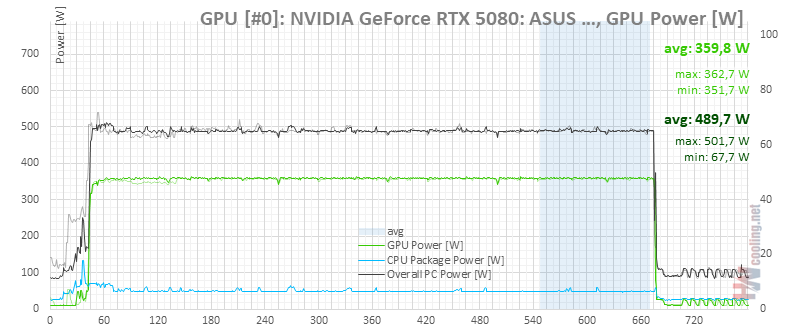
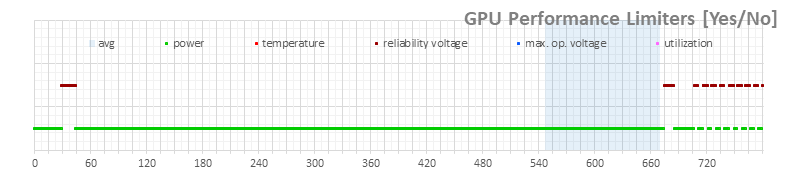
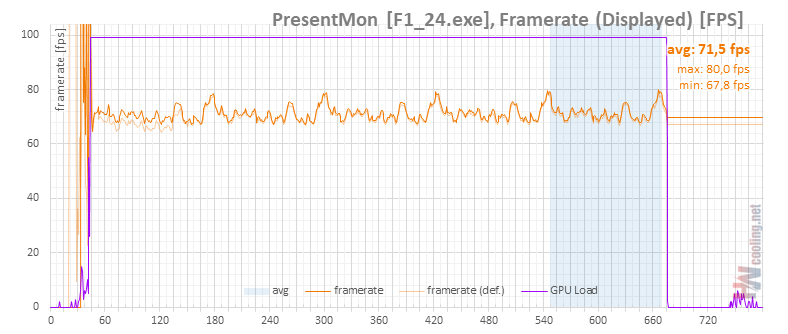
Fan speed 70 %
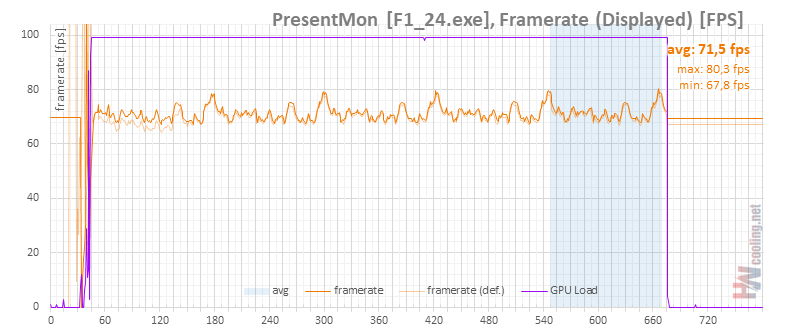
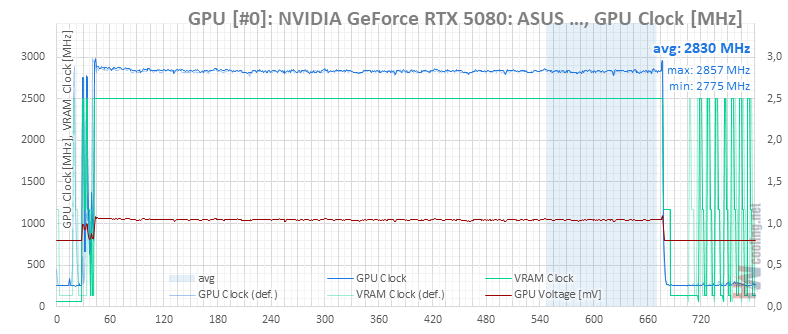
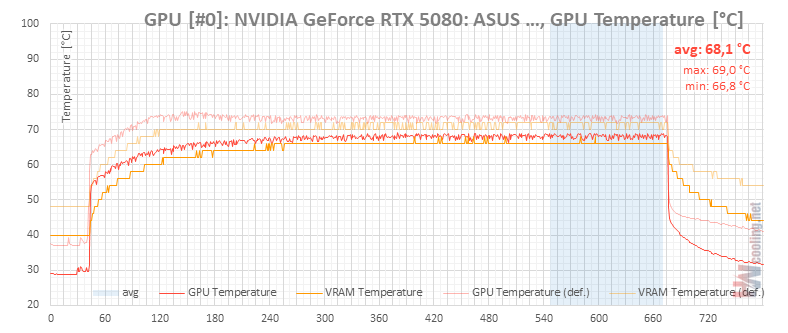
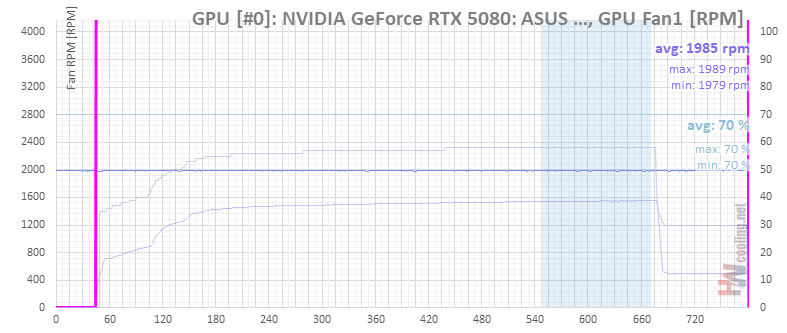
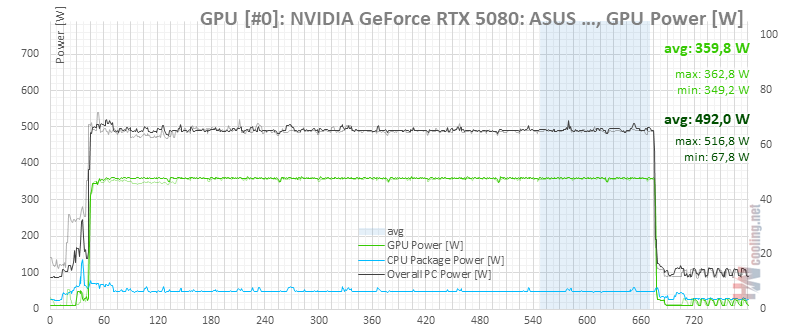
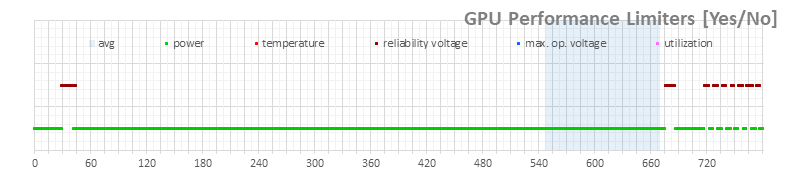
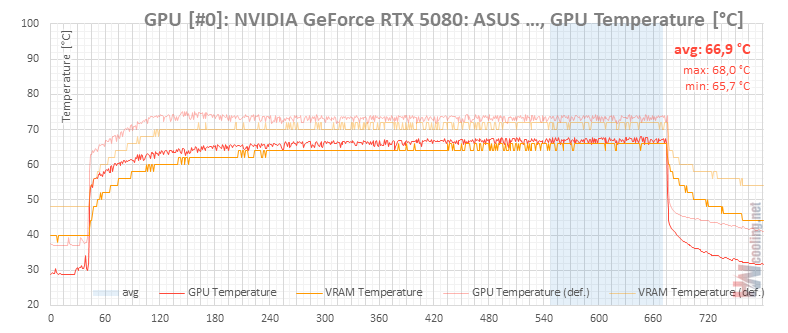
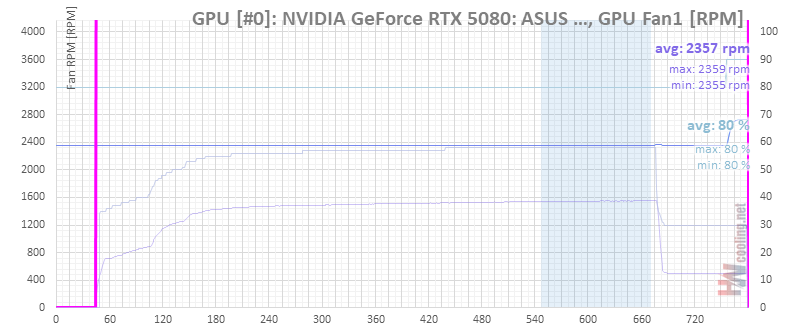
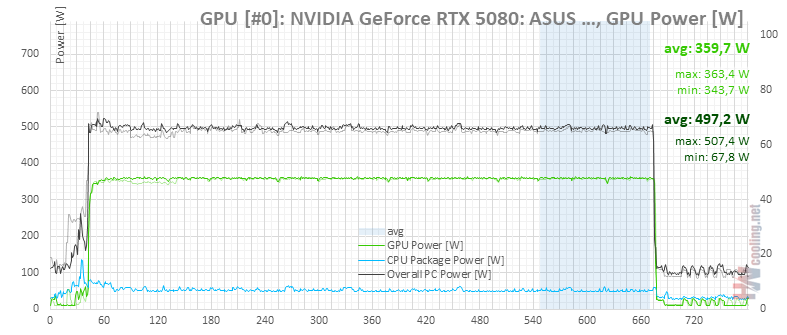
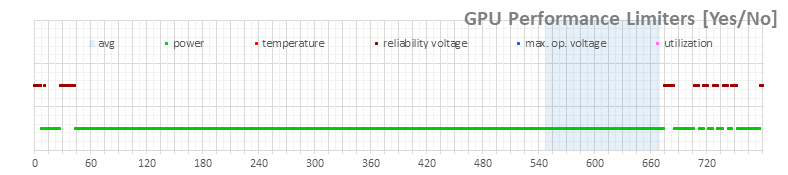
Fan speed 80 %

Fans speed 90 %
During this test, there was apparently a problem with the measurement of the GPU temperatures. Either on the monitoring API side or on the HWiNFO side. After a few seconds of load, the measured temperature of the graphics chip dropped by about 5 °C in the monitoring. All other values are unchanged – chip clock speed, memory, chip voltage, card power and fan speed are stable, so the problem probably occurred when reading the temperature. Both in the previous and the following test run with different fan speeds, the chip temperatures were as expected.

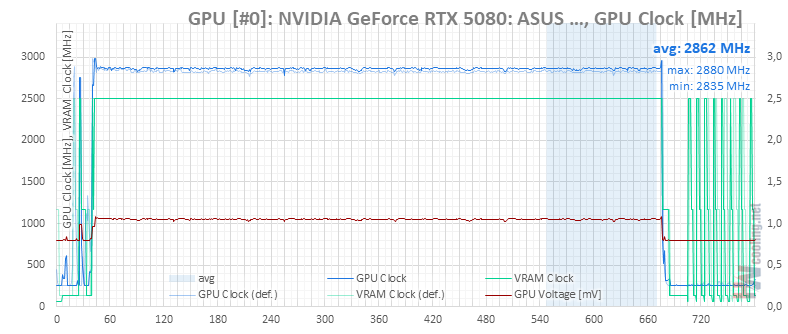
At about 70 second we can see a temperature drop of about 5 °C. Objectively, there was no obvious reason for this, even the memory temperatures are normal.
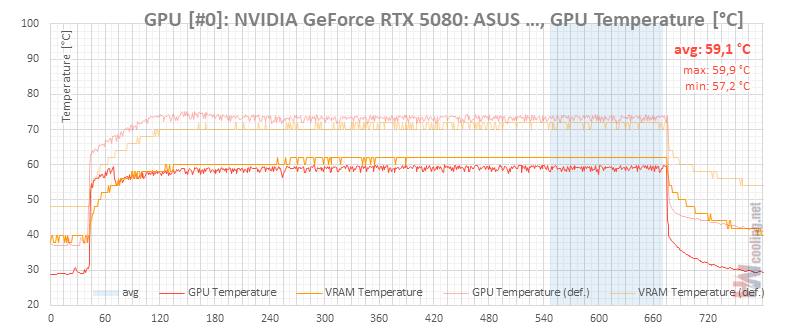
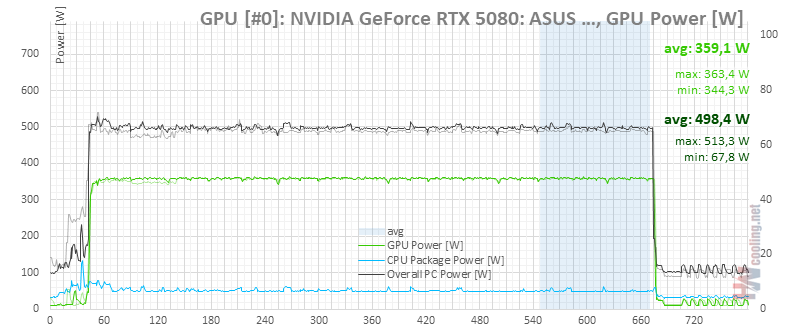

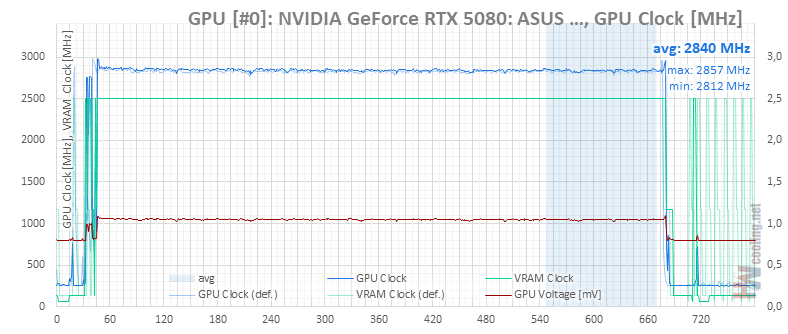
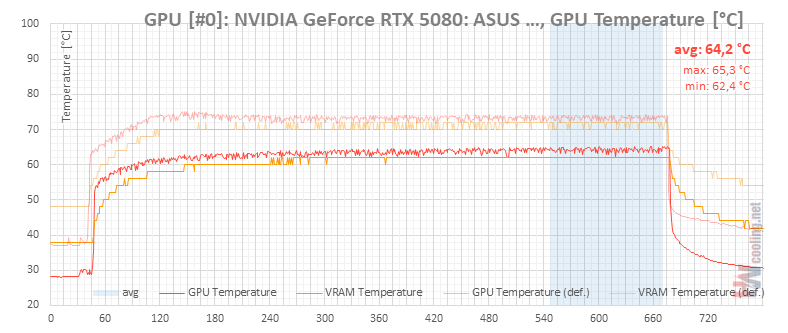
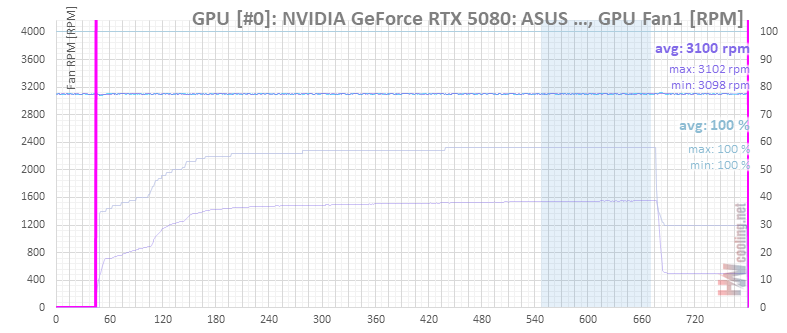
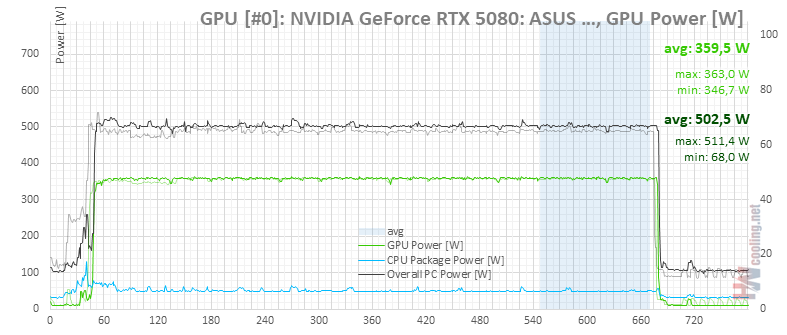
Fans speed 100 %
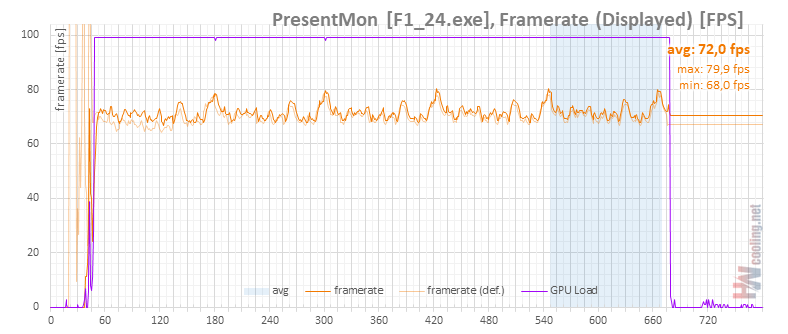
In the last test, the temperature was back to normal, the GPU temperature dropped by less than 3°C compared to the test with the fans at 80%, but the effect on clock speed or performance was at the level of measurement error. The noise level of the card is already unbearable at this setting.
⠀





