A few weeks ago, I tested the classic black version of the Asus Prime GeForce RTX 5070. It stood out for its combination of very good thermals and acoustics and an attractive price. However, one of the fans was lower quality, making the card noisier than it should have been. I decided to retest it with the white version. The good news is that the fan issue didn’t recur. As for overall noise levels, though, there’s still not much improvement.
The shroud design is one of Asus’s simpler ones — a molded white plastic frame housing three fans. Asus mixes matte and glossy textures and silver accents. Beneath it lies a transverse fin-stack heatsink.


The PCB is covered by a metal backplate with a cutout toward the rear to allow hot air to flow through.


Looking from above, you’ll see the middle fan spins in the opposite direction. This reduces airflow turbulence where fan blades meet, providing more stable RPMs and smoother acoustic output. Note that free airflow through the fin stack is limited to the area beneath the rear fan.


The heatsink occupies most of the internal volume, as seen from the side.


.


The fan impellers are 9 cm in diameter and around 11 mm in height, with slim blades. Expect them to run at higher RPMs than cards with larger fans, though that doesn’t necessarily mean more noise.


Close-up shots show MOSFET cooling on the power delivery system, as well as thermal pads for transferring heat to the backplate.

The cooler shroud can be removed without detaching the heatsink from the GPU. For the white model, we didn’t remove it again, so please refer to images of the black variant. Notably, screw mounts use metal inserts—something not always seen in more affordable cards.


The card is 30.5 cm long. It extends about 2.5 cm beyond the bracket, and you’ll need additional clearance for the power cable. The connector is located at the edge. Height-wise, it measures approximately 5 cm and occupies just under three slots.


The black version weighed 1,015 grams, while the white version came in at 1,036 grams. We reweighed the black card to confirm the 21 g difference. Although the white card’s backplate looks thicker, quick measurements showed no measurable increase.

Standard outputs for GeForce cards include three DisplayPort 2.1b connectors with UHBR20 and one HDMI 2.1b. The Prime sticks with this setup, unlike the TUF models, which often add an extra port.

The BIOS switch is located to the left of the auxiliary power connector.

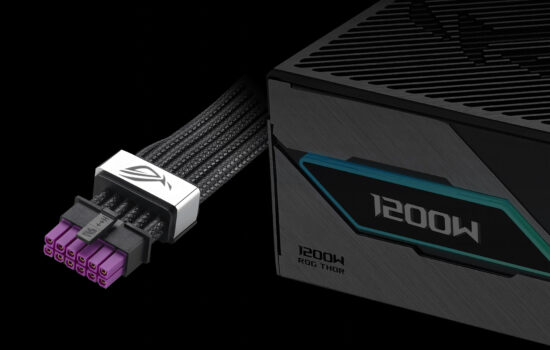
Power is delivered via a 12V-2×6 connector with the latch facing upward. Just above it, you’ll find a thermal pad. Next to the connector is a red diagnostic LED that indicates power issues. Slightly confusingly, it lights up when the PC is “off” (in standby mode), though long-time Asus users may already be familiar with this behavior.


We’ve covered the design, now let’s take a look at the test build and test results.
⠀