A few weeks ago, I tested the classic black version of the Asus Prime GeForce RTX 5070. It stood out for its combination of very good thermals and acoustics and an attractive price. However, one of the fans was lower quality, making the card noisier than it should have been. I decided to retest it with the white version. The good news is that the fan issue didn’t recur. As for overall noise levels, though, there’s still not much improvement.
A detailed description of the new technologies brought by Nvidia’s new graphics cards has been compiled by Jan Olšan in the article Blackwell: GeForce RTX 5000 architecture and innovations. It introduces the individual graphics chips Nvidia is using in the new cards, the new GDDR7 memory type, and also covers changes in cache memory, GPU compute units, updates to shaders and tensor cores, as well as improved compute units for ray tracing. The new generation of GeForce also brings support for new standards such as DisplayPort 2.1b and PCI Express 5.0.
With the new generation of cards, DLSS capabilities are evolving as well. It now supports Multi Frame Generation, which allows the generation of up to three intermediate frames, and introduces Nvidia Reflex 2, the second generation of its latency-reduction technology. This includes Frame Warp, which adjusts object and camera motion in rendered frames based on the player’s most recent input device movement data received just before the already rendered frame is displayed. A more detailed explanation can be found in the aforementioned article.
The GeForce RTX 5070 uses Nvidia’s third GPU based on the Blackwell architecture. Internally labeled as the GB205, it comes with 6,144 CUDA cores, 192 texture units, and 80 ROPs. Unlike higher-end models that feature a 256-bit memory interface and 16 GB of VRAM, this GPU is limited to a 192-bit bus and therefore ships with 12 GB of memory. The RTX 5070 is currently the only desktop GeForce card utilizing this particular GPU.
A detailed comparison of the RTX 5070’s specifications with its closest relatives in the GeForce lineup is available in the table below. From now on, let’s focus on the tested Asus model.
| RTX 5070 Ti | RTX 5070 | RTX 4070 Ti Super | RTX 4070 Ti | RTX 4070 | |
| Shader cores | Blackwell | Blackwell | Ada Lovelace | Ada Lovelace | Ada Lovelace |
| Nvidia CUDA cores (SP) | 8960 | 6144 | 8448 | 7680 | 5888 |
| RT cores | 133 TFLOPS | 94 TFLOPS | 102 TFLOPS | 93 TFLOPS | 67 TFLOPS |
| Tensor Cores | 1406 AI TOPS | 988 AI TOPS | 706 AI TOPS | 641 AI TOPS | 466 AI TOPS |
| Boost Clock | 2,45 GHz | 2,51 GHz | 2,61 GHz | 2,61 GHz | 2,48 GHz |
| Base Clock | 2,3 GHz | 2,16 GHz | 2,34 GHz | 2,31 GHz | 1,92 GHz |
| Memory | 16 GB GDDR7 | 12 GB GDDR7 | 16 GB GDDR6X | 12 GB GDDR6X | 12 GB GDDR6 12 GB GDDR6X |
| Memory Bus Width | 256-bit | 192-bit | 256-bit | 192-bit | 192-bit |
| Memory Bandwidth | 896 GB/s | 672 GB/s | 672 GB/s | 504 GB/s | 504 GB/s |
| Max. resolution | 4K at 480Hz or 8K at 120Hz with DSC | 4K at 480Hz or 8K at 120Hz with DSC | 4K při 240 Hz at 8K or 60 Hz with DSC, HDR | 4K at 240 Hz or 8K at 60 Hz with DSC, HDR | 4K at 240 Hz or 8K at 60 Hz with DSC, HDR |
| Standard Display Connectors | 3× DisplayPort, 1× HDMI | 3× DisplayPort, 1× HDMI | 3× DisplayPort, 1× HDMI | 3× DisplayPort, 1× HDMI | 3× DisplayPort, 1× HDMI |
| PCI Express | Gen 5 | Gen 5 | Gen 4 | Gen 4 | Gen 4 |
| Nvidia Encoder | 2× 9th gen. | 1× 9th gen. | 2× 8th gen. | 2× 8th gen. | 1× 8th gen. |
| Nvidia Decoder | 1× 6th gen. | 1× 6th gen. | 1× 5th gen. | 1× 5th gen. | 1× 5th gen. |
| length | by manufacturer | 242 mm | by manufacturer | by manufacturer | 244 mm |
| width | by manufacturer | 112 mm | by manufacturer | by manufacturer | 112 mm |
| height | by manufacturer | 2 slots | by manufacturer | by manufacturer | 2 slots |
| Total Graphics Power | 300 W | 250 W | 285 W | 285 W | 200 W |
| Supplementary Power Connectores | 2× 8pin PCIe (adapter) or 1× 300 W PCIe Gen 5 | 2× 8pin PCIe (adapter) or 1× 300 W PCIe Gen 5 | 2× 8pin PCIe (adapter) or 1× 300 W PCIe Gen 5 | 2× 8pin PCIe (adapter) or 1× 300 W PCIe Gen 5 | 2× 8pin PCIe (adapter) or 1× 300 W PCIe Gen 5 |
Testing the Asus PRIME GeForce RTX 5070 White OC Edition 12GB GDDR7
(PRIME-RTX5070-O12G-WHITE)
Some time ago, we reviewed the same model in black, which, with a starting price around 608 EUR, ranks among Asus’s most affordable RTX 5070 cards. Slightly cheaper should be the non-overclocked version: the Prime GeForce RTX 5070 GDDR7 12GB. In practice, however, that’s not the case in some markets, where limited availability means the OC version (Prime RTX 5070 O12G) can currently be found for less than the base 12G variant, which starts at 660 EUR.
The only cheaper options are two Dual GeForce RTX 5070 variants, though they are not widely available yet. Above them sit the TUF GeForce RTX 5070 12GB OC Edition, which we’ve already tested, and two ROG Strix models.
The white version of the Prime RTX 5070 sits above the Dual and black Prime versions in price. It currently sells for 697 EUR, so be prepared for a noticeable markup.

The card comes factory overclocked. The advertised boost clock is increased from the reference 2512 MHz to 2557 MHz. Actual boost clocks will vary depending on load and power consumption. You’ll find the GPU clock speed behavior under load in the sections with operating characteristics.
It features dual BIOS support, labeled P mode and Q mode. The base specs such as clock speeds and power limits remain the same between the two; the main difference is in the fan curve. In both BIOS modes, the boost clock is increased to 2625 MHz, while memory stays at the standard 28 Gbps GDDR7.
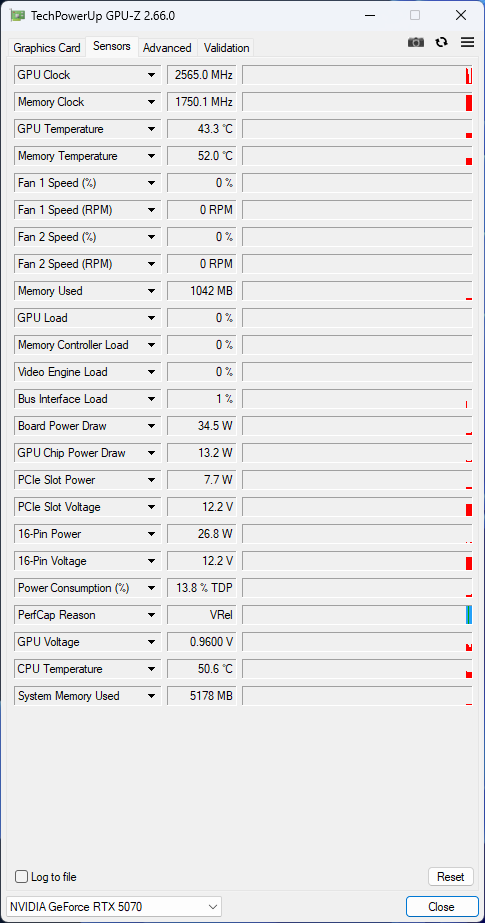
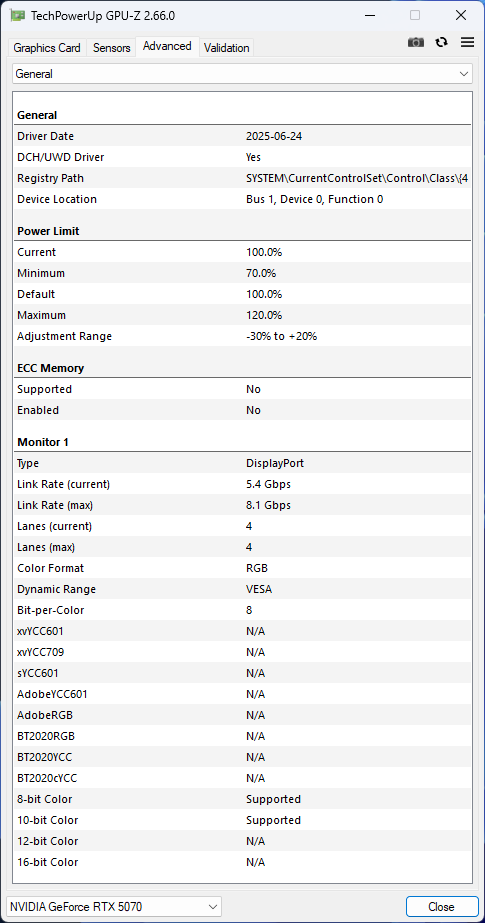
P mode is the default. Q mode can be enabled via a switch near the power connector. Below are GPU-Z screenshots showing P mode first, followed by Q mode settings.
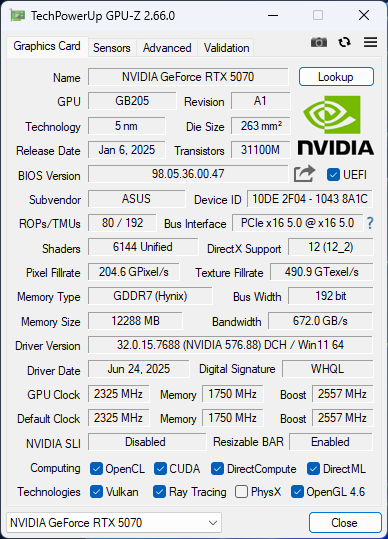
The power limit is the reference 250 W, with an adjustable range between 175–300 W (–30% to +20%). In monitoring tools, the three fans are split into two controls: fan 1 covers the outer fans, and fan 2 controls the middle one.
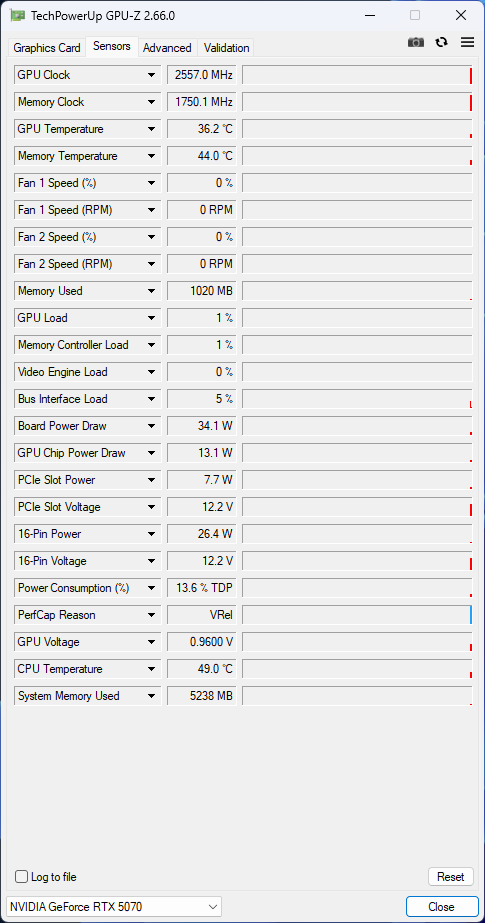
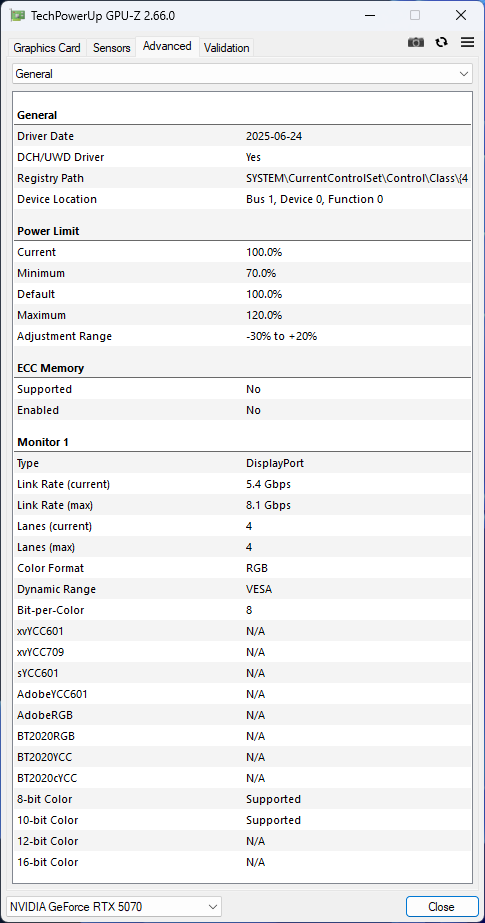


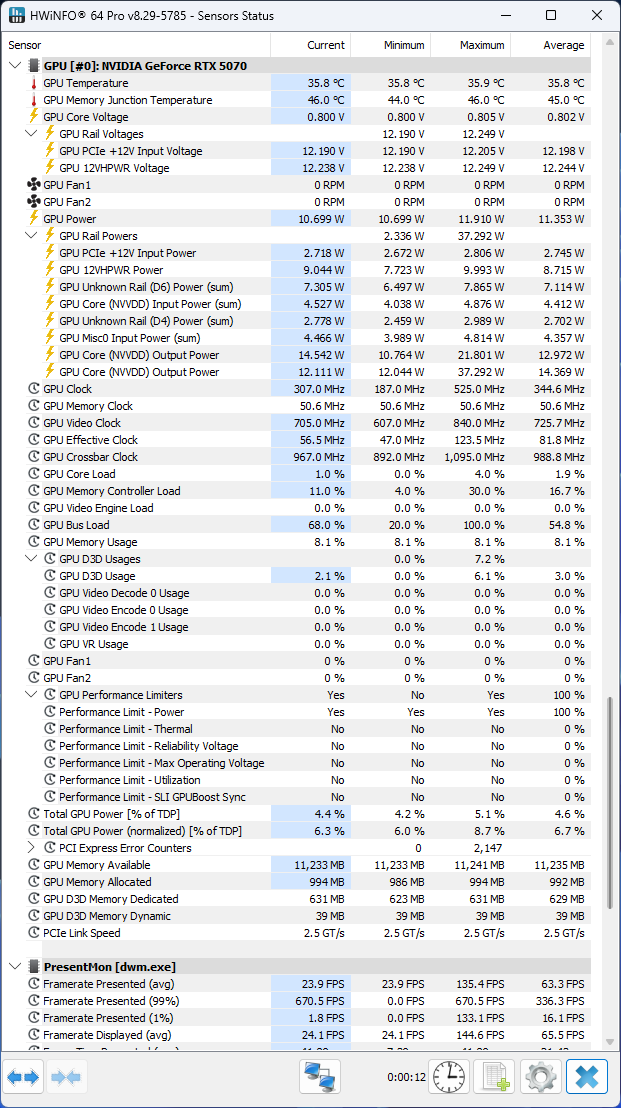
HWiNFO reads significantly more data from the card’s monitoring sensors than GPU-Z. The sensors available in the current version can be seen in the screenshot below.

Additional screenshots show Q mode BIOS settings. The only meaningful difference from P mode is a shallower fan curve, resulting in lower fan speeds under load.

The BIOS version differs from the model we tested in May—this one is two months newer. I’d really like to know whether that’s why fans now spin faster under load. But we’ll get back to that.


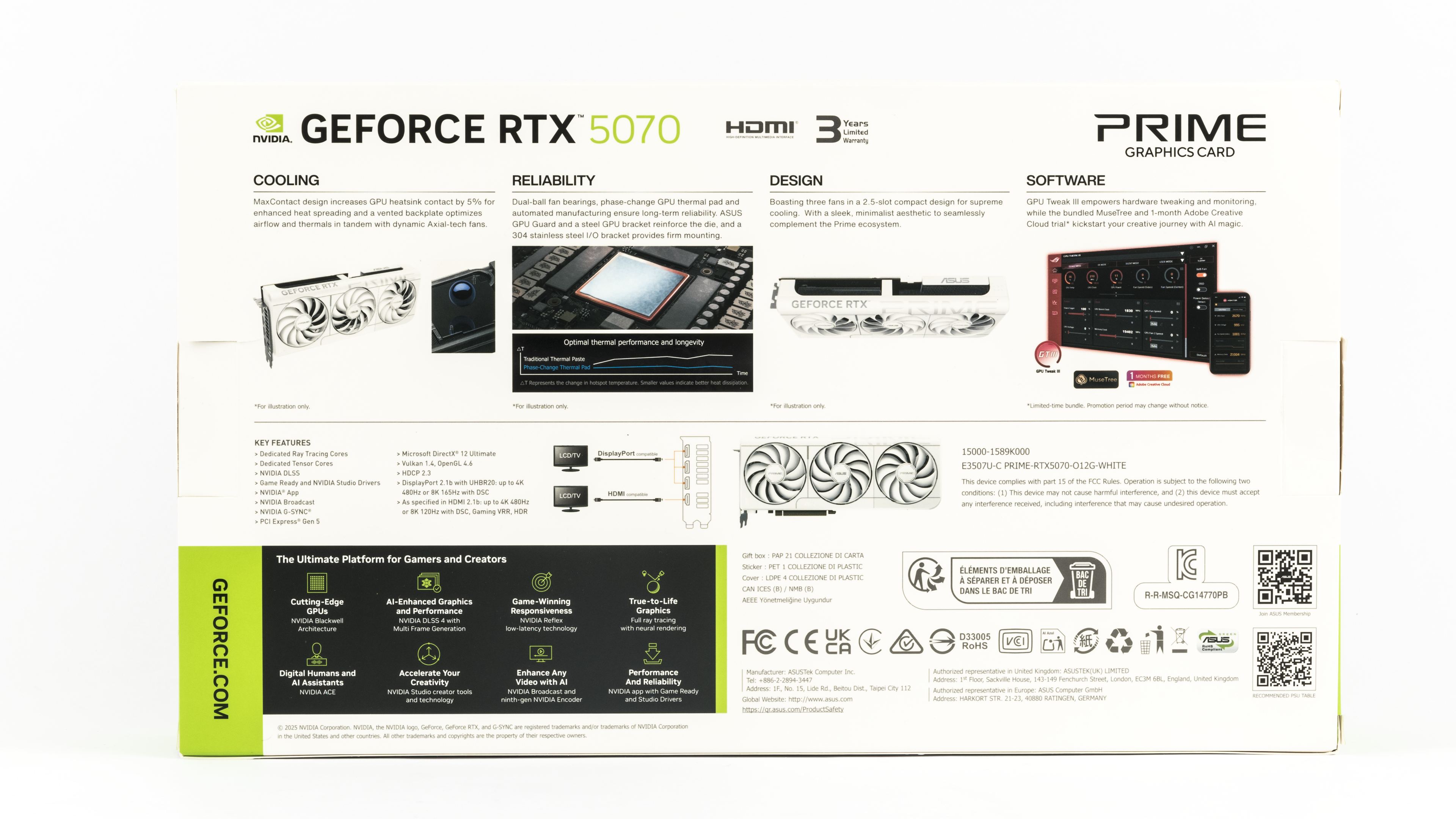
The packaging continues the white theme. On the back, Asus highlights features and technologies used in the card. The cooling system includes a MaxContact base, a backplate with a flow-through design, and Axial-tech fans. Other durability-enhancing features include dual-ball bearing fans, a phase-change thermal pad, a reinforcing metal frame, and a stainless steel I/O bracket. Its compact 2.5-slot cooler fits within the Prime ecosystem. Asus also promotes the GPU Tweak III software for monitoring, overclocking, and fan curve tuning. The rest of the box reiterates standard Nvidia features.

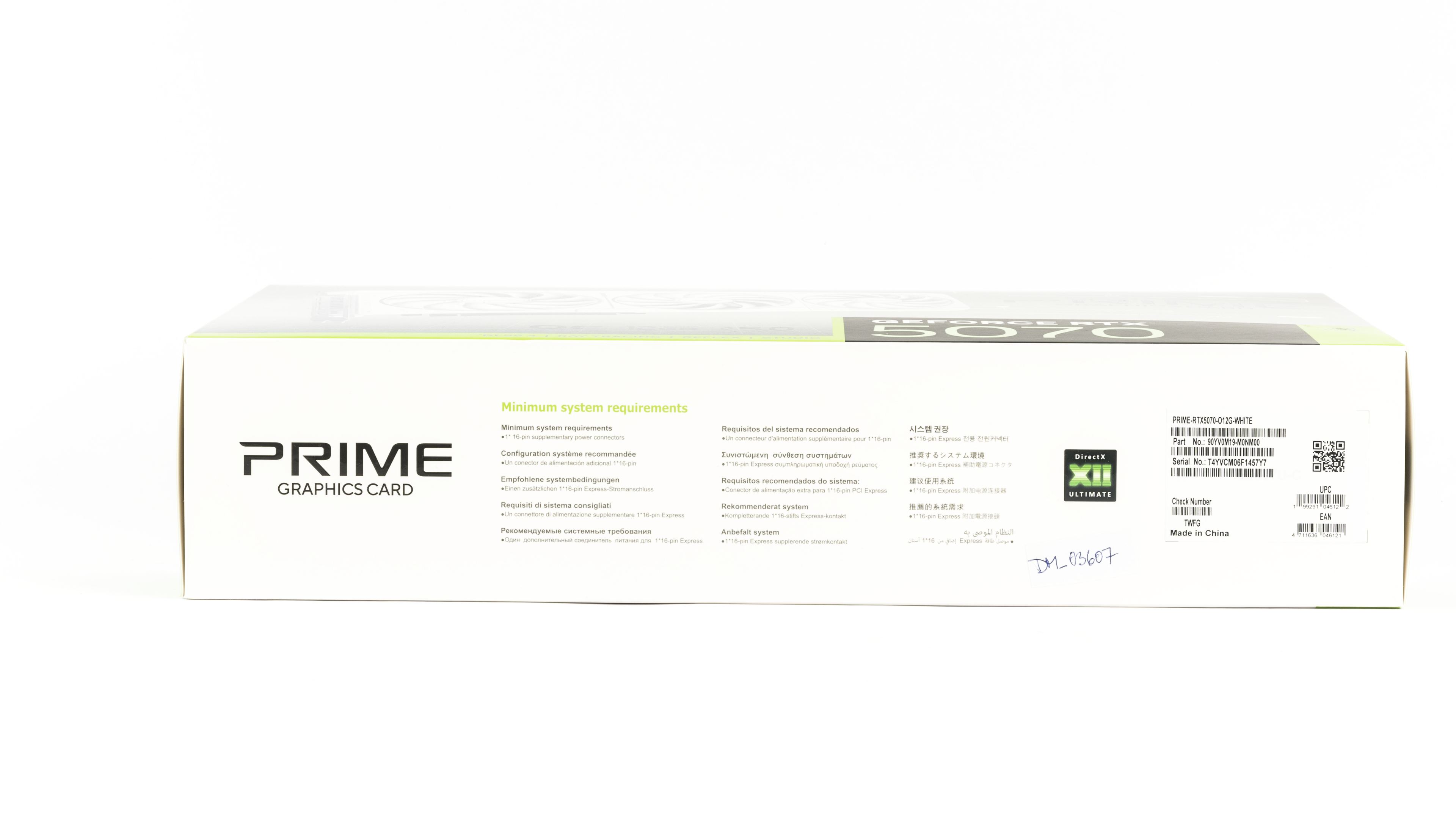
The extent of the white theme is impressive. Virtually everything usually black is now white: the inner box, foam insert, leaflet envelope, cable tie, and even the PCIe and display port dust covers.

In this context, the black power adapter sticks out like a sore thumb. Recoloring it would probably raise costs slightly. It’s a standard adapter with two 8-pin connectors and one 16-pin (12V-2×6). A nice touch: an included reusable Velcro cable tie. You’ll also find the usual set of leaflets and a quick start guide.

We’ll look at the card’s detailed features in the next chapter.
⠀