


To write that we have something mapped out to the last detail is perhaps too bold, but after proper preparation, few pieces of hardware are as easy to evaluate as fans. Of course, this had to be preceded by long preparations, developing a methodology, but you already know the story. What you don’t know yet is the first fruit, or rather the results of Akasa, SilentiumPC, SilverStone, Xigmatek or more exotic Reeven fans.
Everything changes with obstacles
So far, we have described how static pressure and airflow measurements are made under conditions where the fan has no obstacles in its path. In practice, however, fans do not usually blow into an empty space, but have a filter, grille or radiator in front of or behind them, the fins of which need to be pushed through as efficiently as possible.
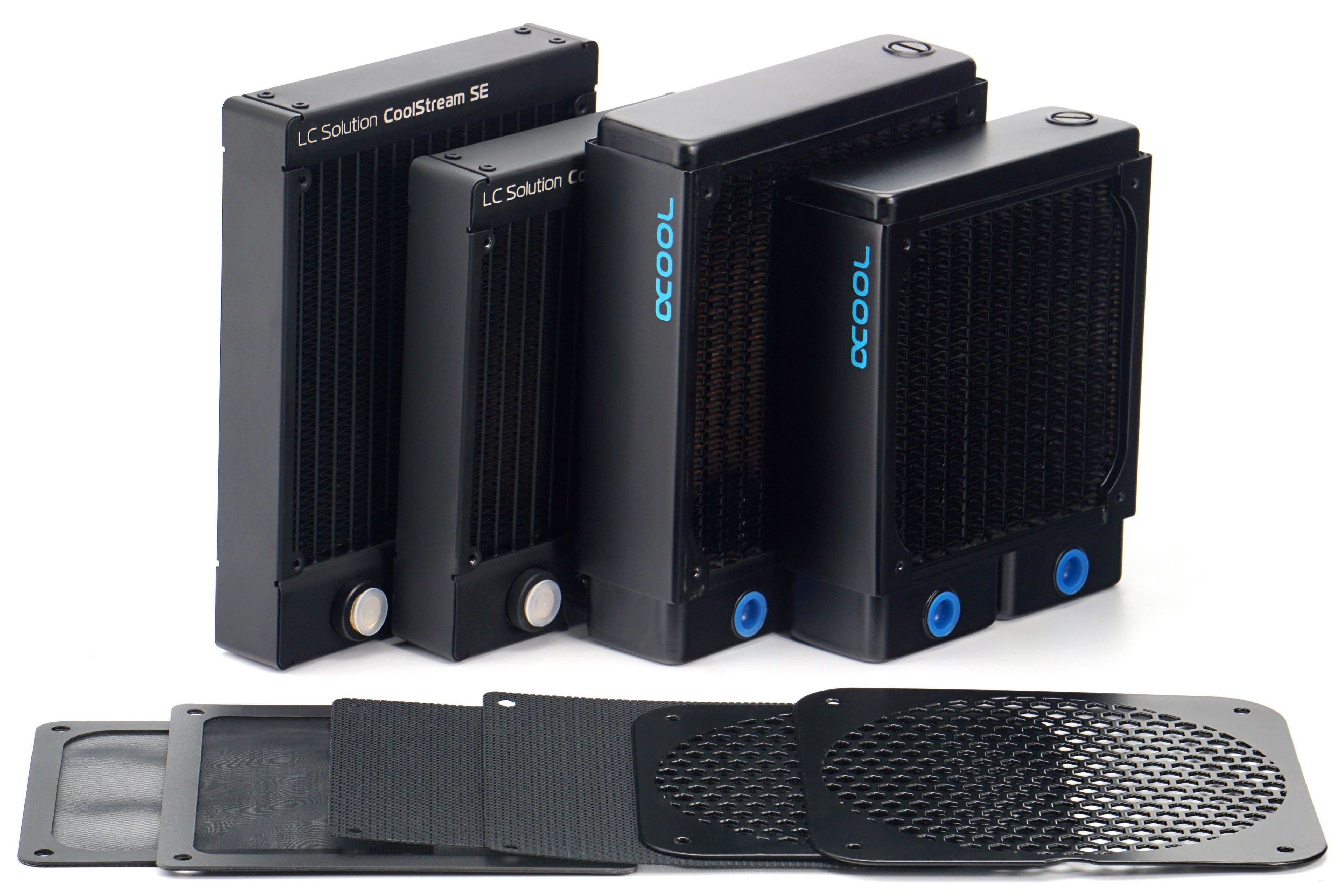
We will also measure both airflow and pressure through practical obstacles for the reasons stated above. These include two types of filters that are usually used in PC cases. One fine – nylon and the other plastic with a thinner mesh. One other obstacle is the hexagonal grille perforated at 50%, on which the vast majority of fans – intake and exhaust – are installed. In some cases, we measure the effect of the obstacles on the results at positions (behind or in front of the rotor) that are used in practice. All obstacles are both pushed through to detect pressure drops, but also pulled through, which in turn speaks to the impact on airflow.

We use two radiators that differ in thickness and fin density. The EK CoolStream SE120/140 is 28 mm thick and the FPI is 22, the Alphacool NexXxoS XT45 v2 is thicker (45 mm) but with less FPI. CoolStream’s fin disposition is also similar in parameters to AIOs. The results on the NexXxoS will again be attractive for those who build their own water cooling loops, where the fans should work well even at low speeds – hence the lower fin density.
These obstacles and especially the radiators, but also the grilles, increase the mechanical resistance in front of the fan, resulting in higher noise levels. However, we will still tune the fan speeds to the specified noise levels of 31.5 to 45 dBA. Naturally, the speeds will always be lower than when testing without obstructions, but we will maintain the noise levels for clarity. The different noise levels with and without obstacles will only be at maximum power. In this mode it will also be nice to see how the fan design works with the obstacle and in which case the noise level increases more and in which less.




Thank you so much for this! I thought that I might have just gotten a bad batch with my CM AIO cooler. Although, in my case, it’s not rattling but an uneven hum that keeps going up and down.
And thanks to your other reviews, I ordered some Noctua NF-A12x25 today. That’ll hopefully solve that. All of my other fans are Noctua too and while not all the new and best, they at least produce steady noise.
Using Noctua NF-A12x25 fans will definitely solve the issue you’re describing. The sound of the tested Cooler Master fans can be perceived differently by everyone. It’s certainly not clean in terms of aerodynamics. There’s absolutely nothing wrong with your ears. 🙂
Yeah, I’m very happy with the A12x25s! Skimming the Noctua website also reminded me that based on their description, what I heard may have been that “beat frequency”. They of course took care of that with the RPM offset in their 2x package.
Using different motors to achieve different RPMs under the same PWM signal is indeed a clever trick to reduce noise while maintaining strong airflow and cooling performance. 🙂