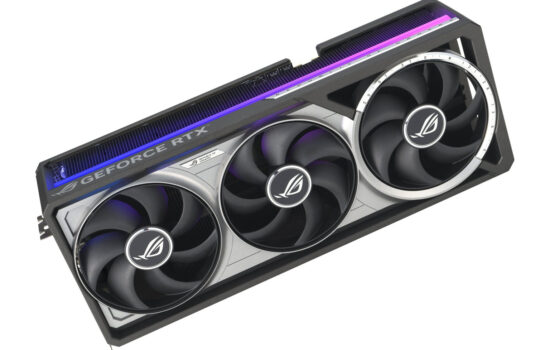
Nvidia surprised many by changing the boost limits on the new GeForce RTX 50 series, removing the option to set a temperature limit during overclocking. Now, only the power limit is adjustable, and specs list only the GPU’s maximum temperature. We’ll look at how this affects GPU Boost compared to the RTX 30 series, what happens to clock speeds and performance when limits are hit, and how to tell if your GeForce is overheating.
You’ll see more aggressive clock throttling if you disable automatic fan control. With manual fan settings, GPU Boost won’t increase RPM even when temperatures hit critical levels.
GeForce RTX 3080 FE, Default Settings, Fans Fixed at 50%, Reduced Airflow
In this test, the card uses default thermal and power limits, but fan speed is manually locked. The system fan openings are again blocked.
The control logic responds to rising temperatures gradually. Around the 300-second mark, the GPU temperature reaches the thermal limit, but the thermal flag only appears much later, and the GPU temperature continues to rise.
Toward the end of the load, memory temperatures climb to 110 °C. It’s likely that memory thermals triggered the stronger clock and power reductions. The GPU core peaked at 90.4 °C, still two degrees below its specified maximum.


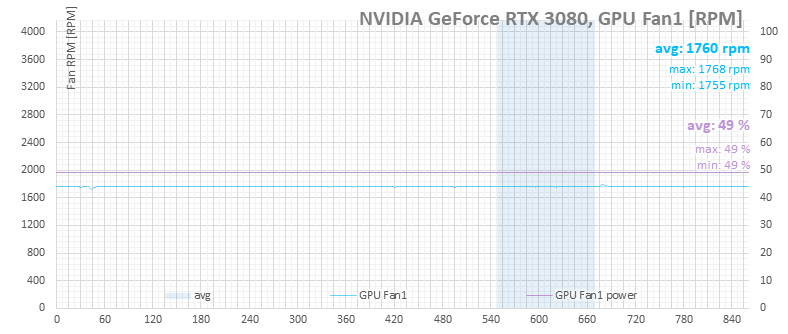
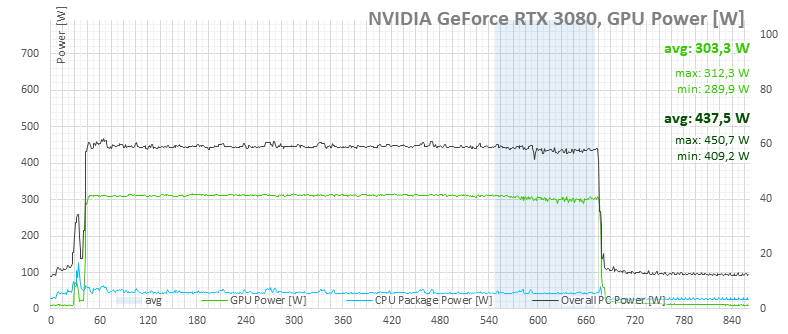
GeForce RTX 3080 FE, Power Limit 370 W, Thermal Limit 90 °C, Fans Fixed at 50%, Reduced Airflow
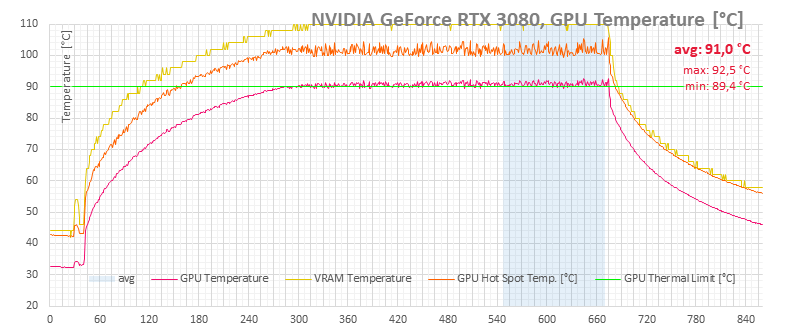
Finally, the worst-case scenario I tested with the RTX 3080: power limit set to 370 W, thermal limit raised to 90 °C, and restricted airflow. Under these conditions, temperatures hit critical levels in under five minutes of load.
Again, memory seems to be the main cause of aggressive throttling, hitting 110 °C—the level commonly associated with thermal throttling. The problem is that at the same time, the GPU reached 92.5 °C, just shy of its 93 °C maximum spec.
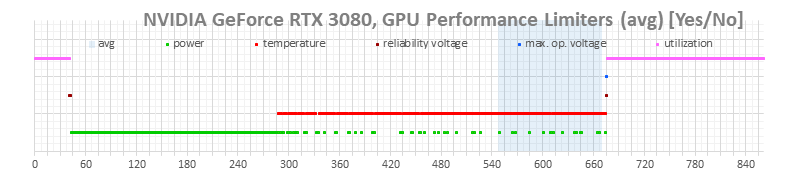

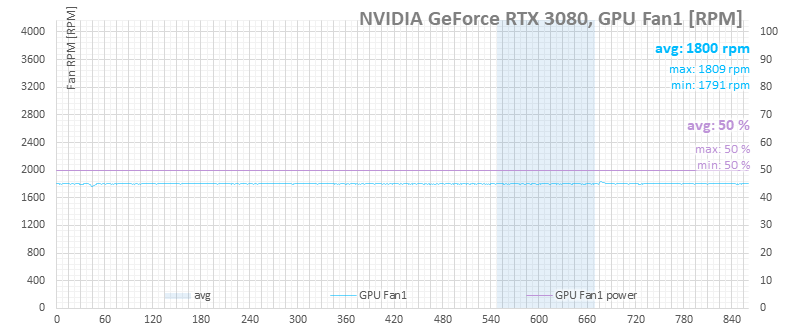
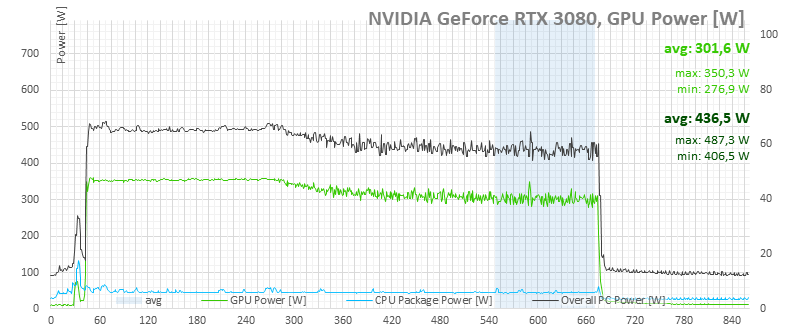
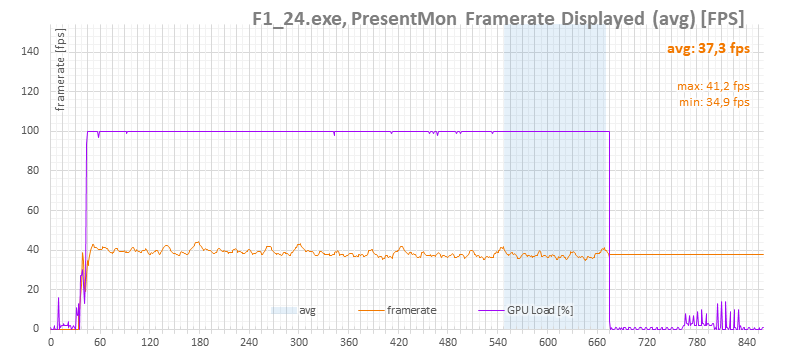
This is also where a frame rate graph is worth looking at—the clock reductions were so severe that performance dropped by several frames per second.
⠀