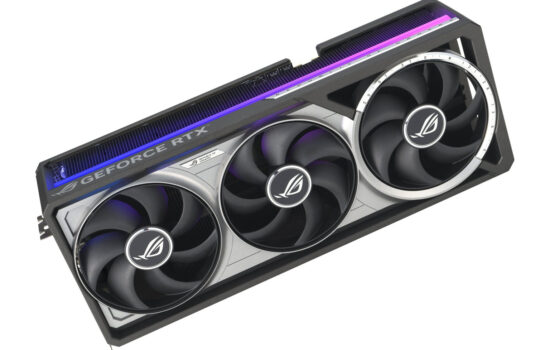
Nvidia surprised many by changing the boost limits on the new GeForce RTX 50 series, removing the option to set a temperature limit during overclocking. Now, only the power limit is adjustable, and specs list only the GPU’s maximum temperature. We’ll look at how this affects GPU Boost compared to the RTX 30 series, what happens to clock speeds and performance when limits are hit, and how to tell if your GeForce is overheating.
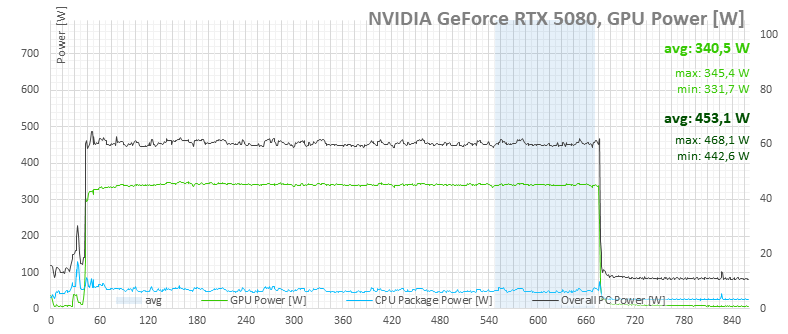
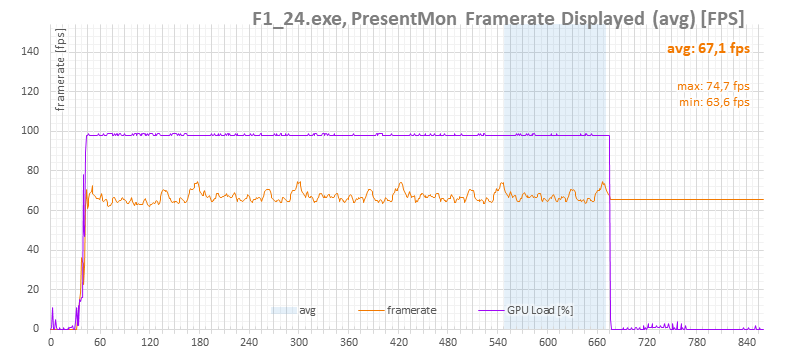
RTX 5080 FE, Default settings, Power limit 100% (360 W), Fans on auto
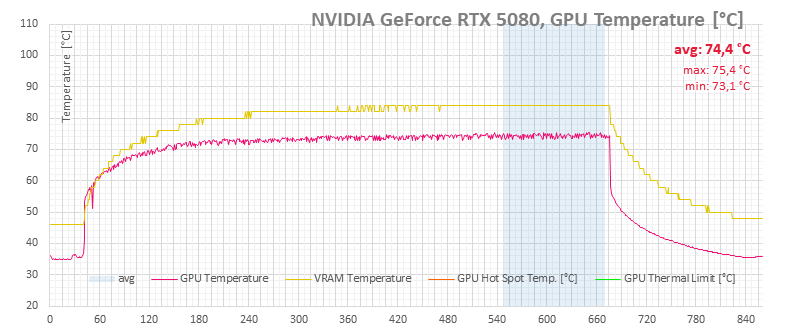
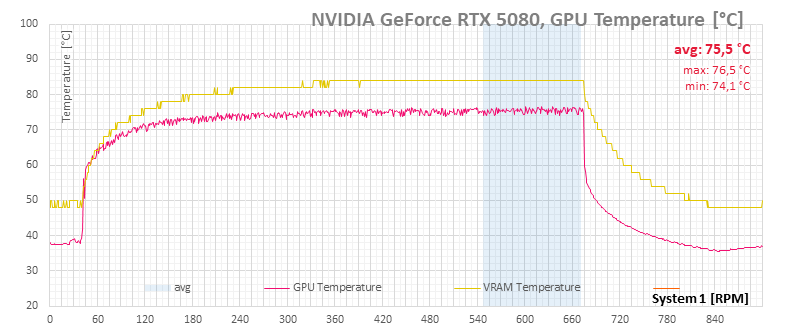
This next set of measurements focuses on the RTX 50 from the latest GeForce generation, running at default settings. Under these conditions, the GPU’s average temperature tops out at 75.4 °C.

On the RTX 5080, Nvidia has removed the adjustable temperature limit and no longer reports the hotspot temperature. Out of the four temperature readings, only two remain in the graph—the GPU temperature and memory temperature. The new GDDR7 chips handle heat dissipation much better than GDDR6, leaving a comfortable margin below their 88 °C maximum. As a result, the primary limiting factor is the power limit.
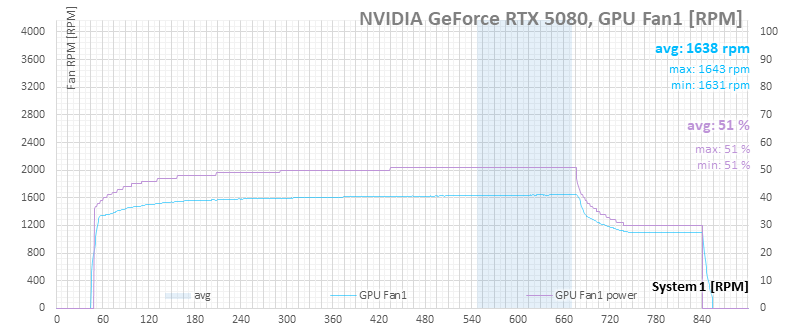
The fans, running under automatic control, max out at about 50% speed.

As the card warms up, power consumption climbs slightly, causing a minor drop in GPU clock speeds—starting at around 2,760 MHz and settling near an average of 2,724 MHz by the end of the stress test.
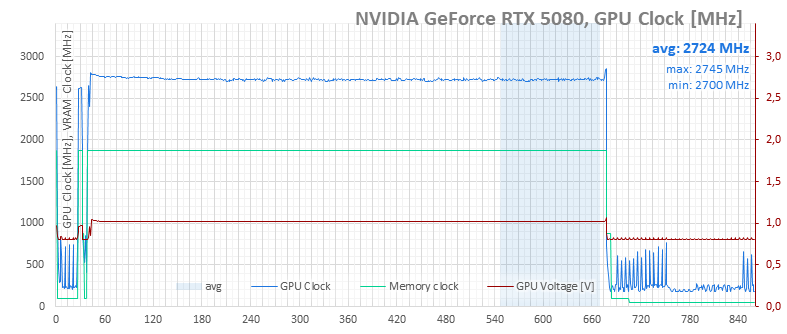
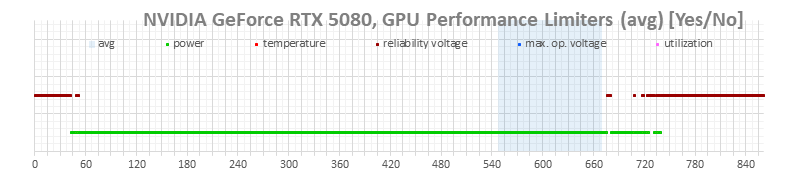
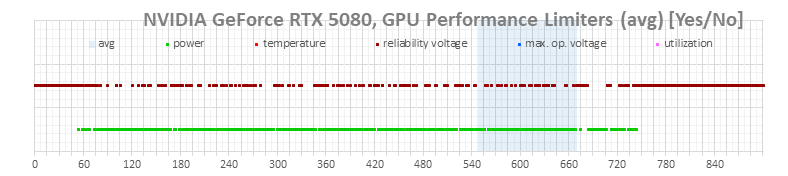
Power consumption stabilizes around 340.5 W after heating, which is below the specified 360 W power limit. However, based on the GPU boost limit indicators, the card is still power-limited. The monitoring figures likely underreport a few watts.
RTX 5080 FE, Default settings, Power limit 108% (390 W), Fans on auto
Next, we raise the card’s power limit to increase power consumption. This pushes all related metrics slightly higher. The reason for this test is twofold: the card runs hotter, and the behavior of the GPU Boost limiters changes. Instead of constantly hitting the power limit (green markers), it now alternates between power limiting and hitting the long-term safe voltage limit (brown markers).
As power consumption rises, load temperatures climb slightly as well.
And with that higher temperature, the fans spin a bit faster.
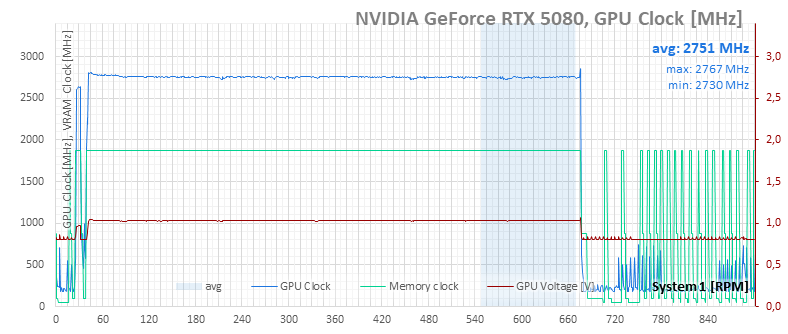
By raising the power limit, the GPU is allowed to run slightly higher along the clock speed-voltage curve, increasing the post-warmup average clock from 2,724 MHz to 2,751 MHz.
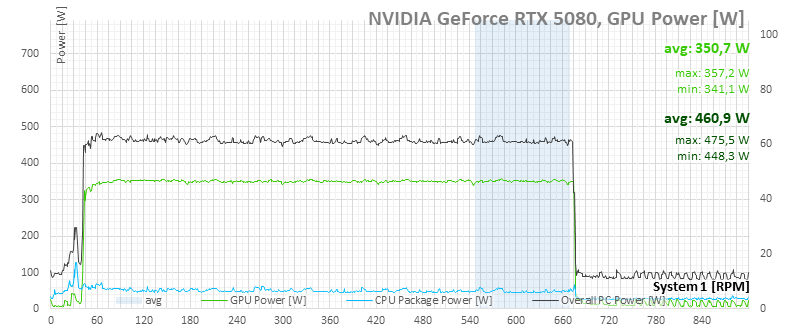
Looking at the GPU power consumption (light green), even with the power limit raised from 360 W to 390 W, the card only uses part of the headroom—going from an average of 340 W to 350.7 W. That’s because at this point, the chip hits its maximum allowed voltage, so there’s no further increase in clock speed.
⠀