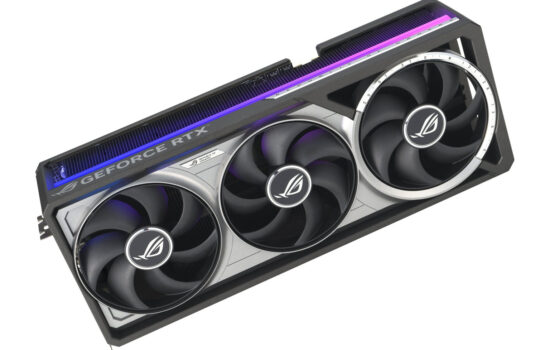
Nvidia surprised many by changing the boost limits on the new GeForce RTX 50 series, removing the option to set a temperature limit during overclocking. Now, only the power limit is adjustable, and specs list only the GPU’s maximum temperature. We’ll look at how this affects GPU Boost compared to the RTX 30 series, what happens to clock speeds and performance when limits are hit, and how to tell if your GeForce is overheating.
RTX 5080 FE, Power limit 100 % (360 W), Fans on auto, Reduced airflow
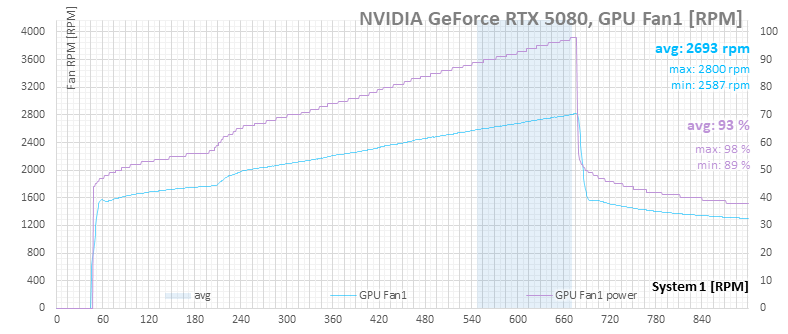
Even though the option to adjust the temperature limit is gone, the hard limit of 83 °C appears to still be in place—or at least it seems that way. After load kicks in, the card quickly ramps up its fan speed. Once the fans are up to speed, they keep increasing gradually until the GPU reaches 83 °C.
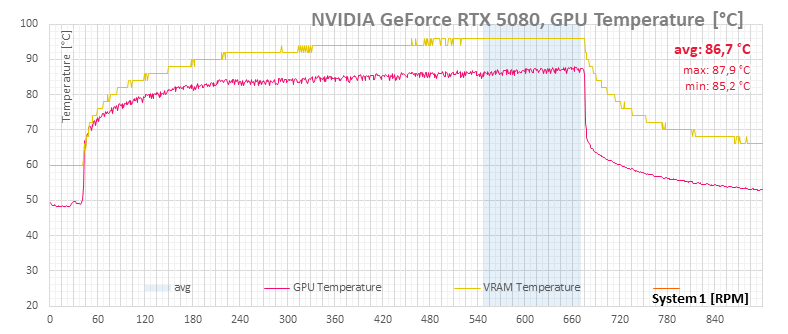
At that point, the graph shows a clear inflection where the fans start accelerating aggressively.
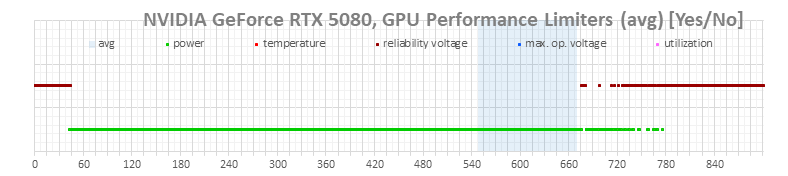
Interestingly, the limiter indicators don’t show anything here. On an RTX 3080, this is where we’d already see red dots, but the RTX 5080 monitoring doesn’t report a thermal limit yet./p>
Despite how hard we’re pushing it, the impact on GPU clocks is minimal—fan RPMs shoot up and noise increases, but clock speed drops are negligible.

It’s not visible on the power consumption either.

RTX 5080 FE, Power limit 108% (390 W), Reduced airflow
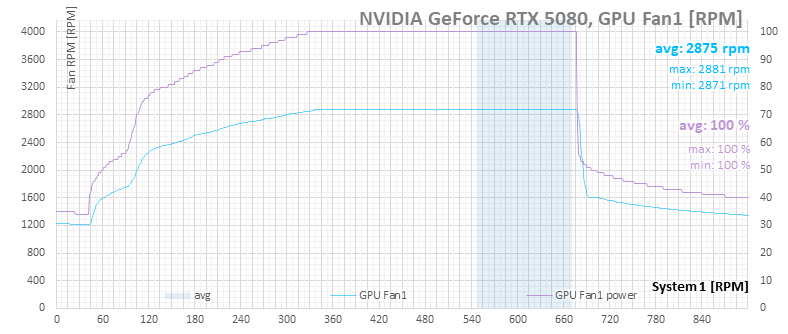
For the next scenario, we restrict airflow further by covering the case vents and push the power limit up to 390 W. Under these conditions, the card clearly starts overheating. Fan control begins ramping up gradually, but again, it looks like it becomes aggressive once the GPU hits 83 °C.
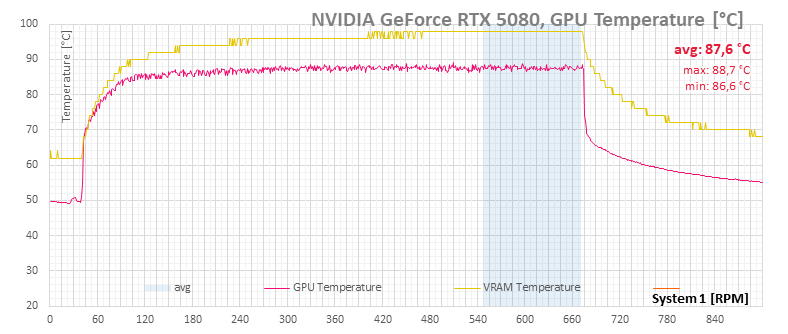
It’s only when the GPU temperature reaches 88 °C that we see the first red dots on the limiter graph, indicating the card is now hitting the thermal limit.
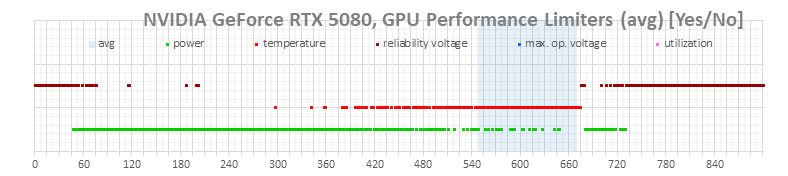
The fans then spin at full speed, yet GPU and memory temperatures continue to rise.
Only when the fans are maxed out and the limiter graph is lit red does GPU Boost begin aggressively reducing clock speed and voltage.
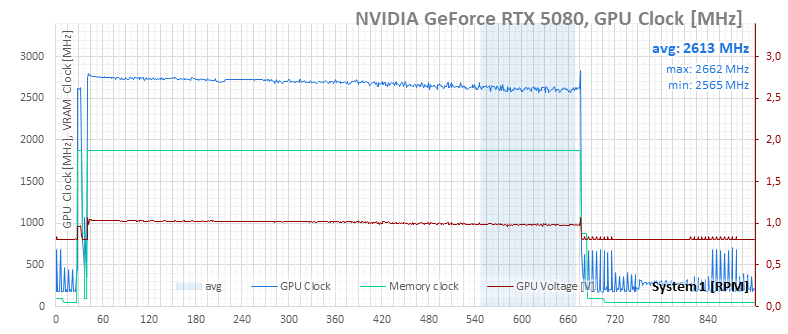
With that, the consumption of the card slowly decreases as well.

Even then, there’s no major performance collapse just yet.
⠀