


When Asus, Noctua, and Nvidia team up, it’s clear the result won’t be a compromise. For those who find the RTX 5090 already too expensive, the GeForce RTX 5080 Noctua OC Edition offers a unique combination of a massive heatsink and three top-tier Noctua NF-A12x25 G2 120 mm fans. An air cooler capable of keeping a powerful 360 W card at low temperatures with the fans spinning at just under 700 RPM is something you rarely encounter.
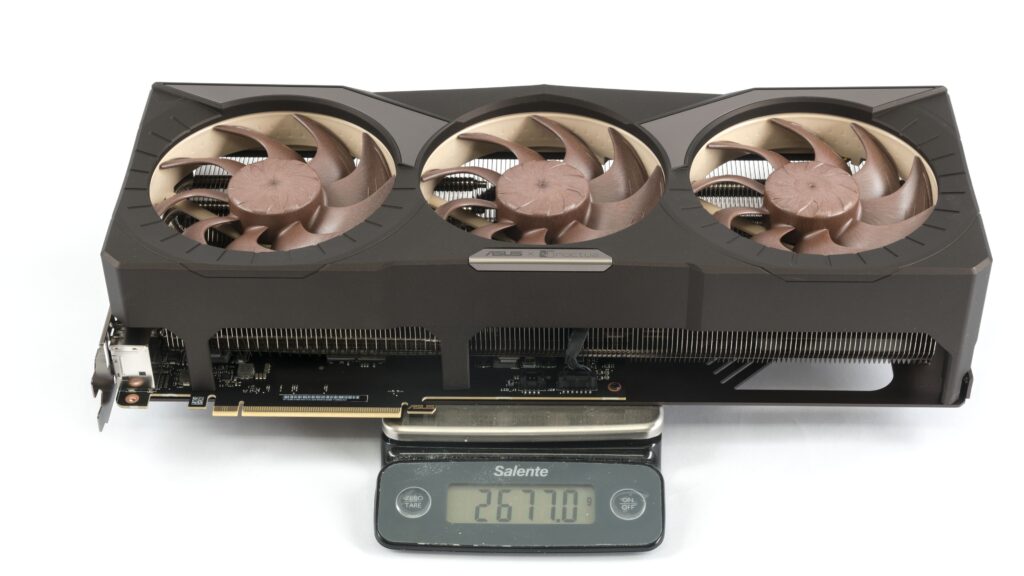
The card is equipped with a massive four-slot cooler with a trio of fans that blow air down onto the heatsink with a transverse fin stack. And it’s the largest air-cooled card that has come into my hands so far.
The NF-A12x25 G2 fans are under a massive shroud in a brown color with a metallic surface finish. It is accented with metal elements.


Noctua products aren’t fond of wild lighting with colorful LEDs, so on the side of the card, there is only a silicone strip in a lighter brown color.

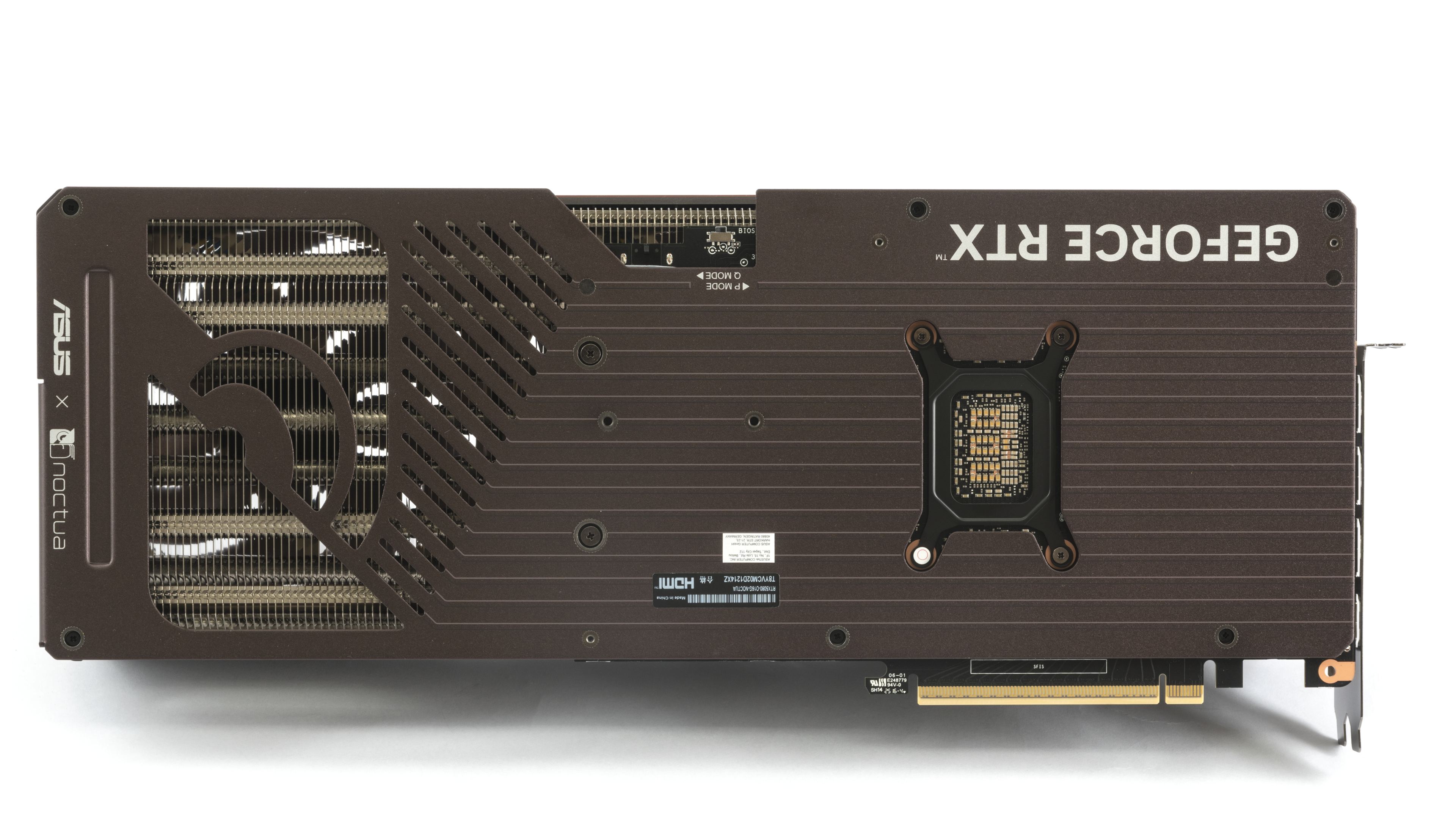
The backplate on the rear of the card also has a metallic brown color with printing. The rear third of the backplate is freely passable due to perforation.

From the top, it’s clearly visible that the fin stack under the entire rear fan is freely passable.

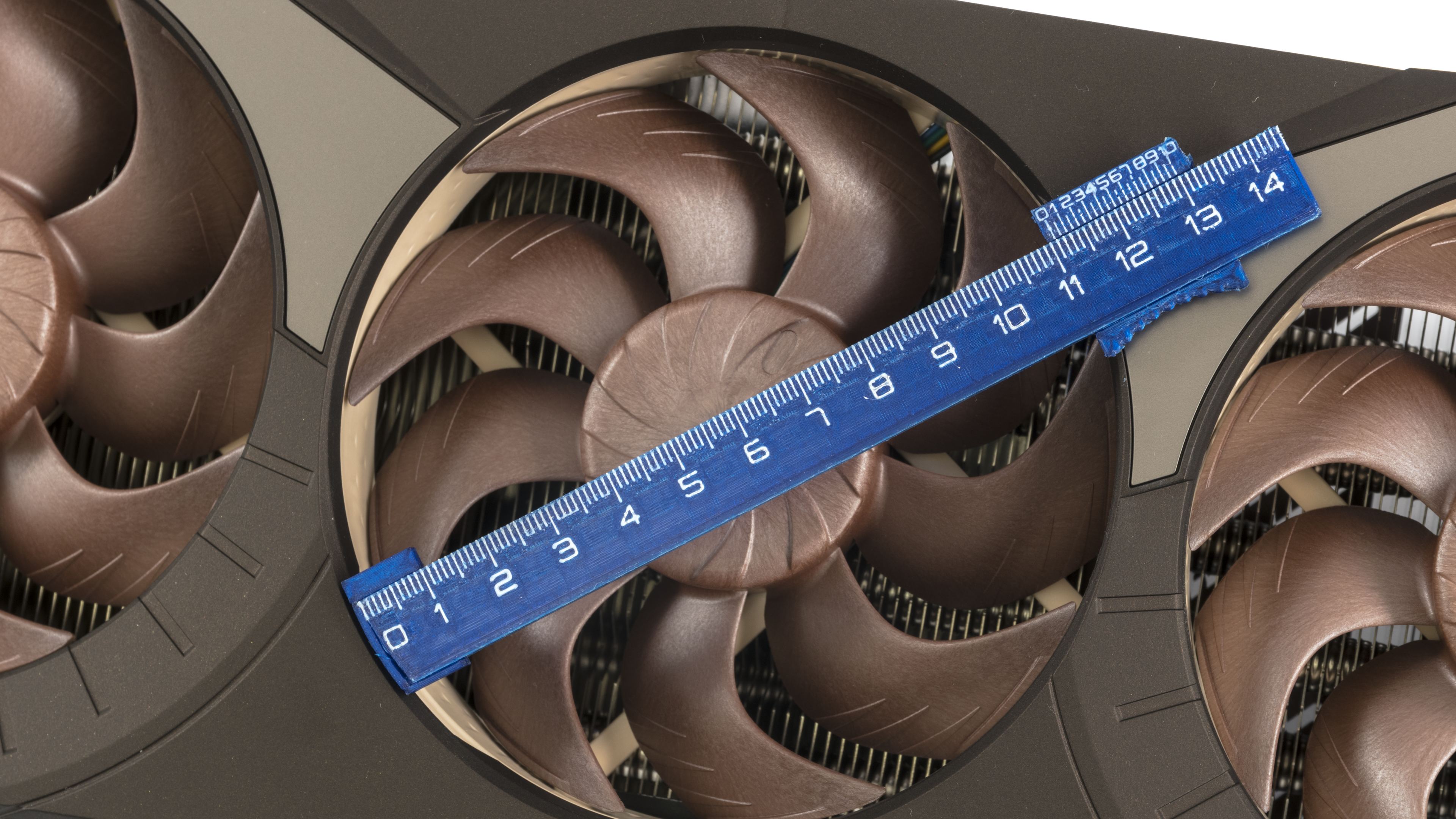
These are standard 120mm fans, so the fan impellers have a diameter of over 11 cm. The height of the impellers is over 18 mm. Interestingly, despite their non-standard height, they are recessed quite deep into the shroud.

The heatsink with a transverse fin stack fills most of the space under the shroud. In the rear part of the heatsink, which is already behind the PCB, the cooler fins are extended closer to the backplate.
Between the PCB and the metal backplate, many thermal pads are visible, which help draw heat away from the hottest components on the card. And it’s noticeable that it’s not just for show; in quiet mode, it can get quite warm thanks to these thermal pads.

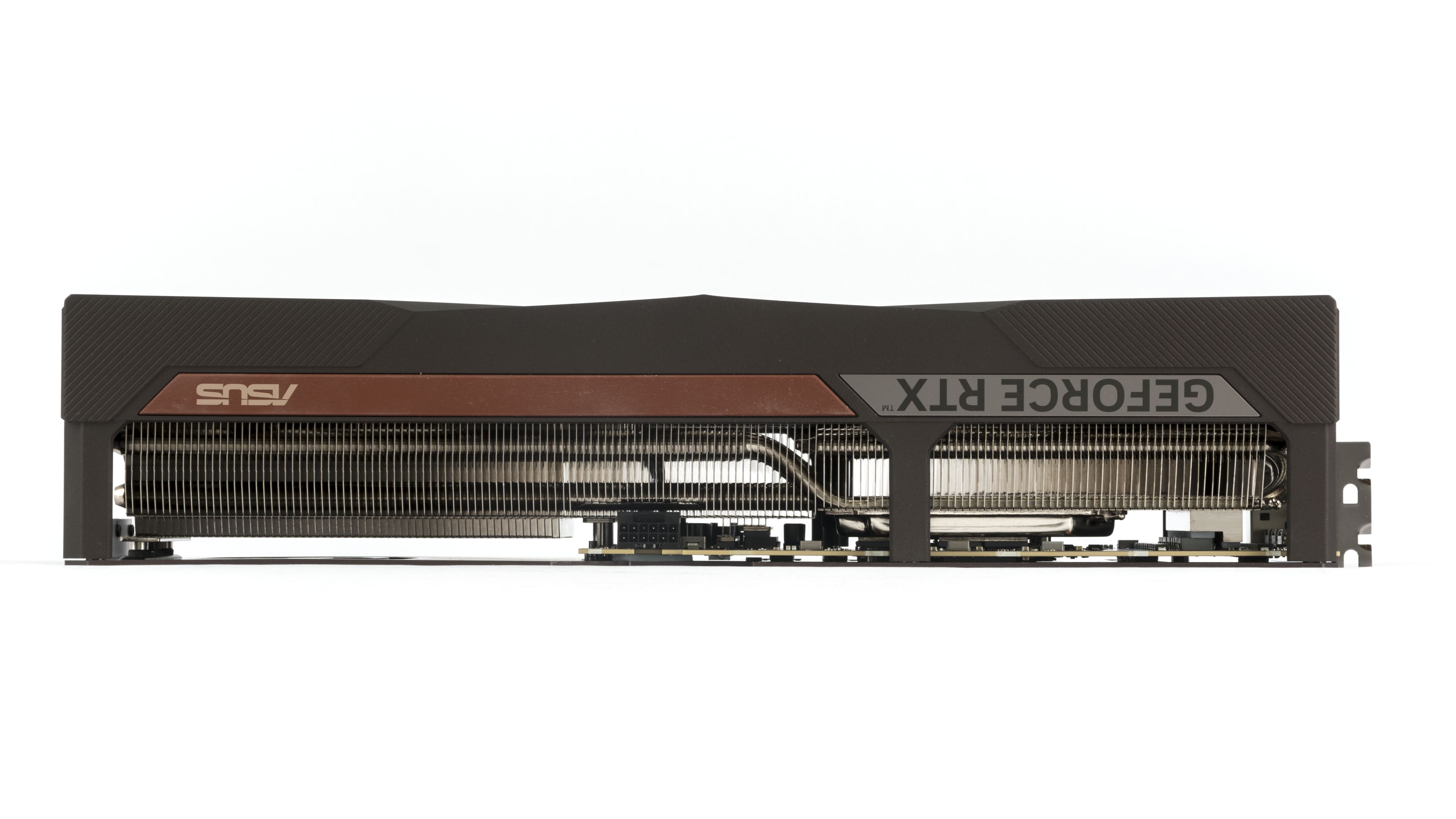
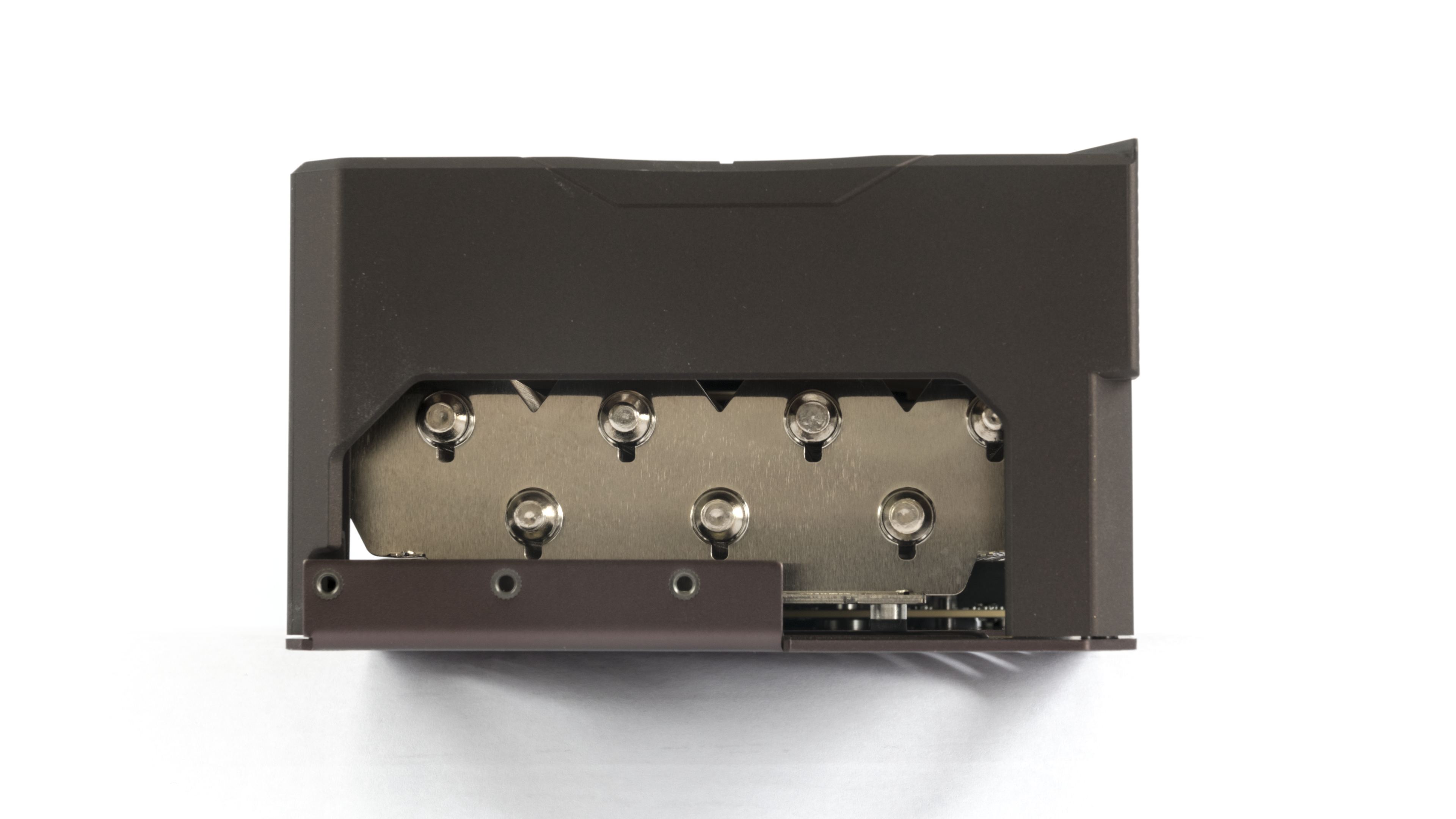
The detail below shows the cooling of the MOSFETs and chokes on the power delivery stage, visible in the gap between the capacitors. They are cooled directly by the large heatsink via thermal pads. A large vapor chamber is used on the GPU and memory.
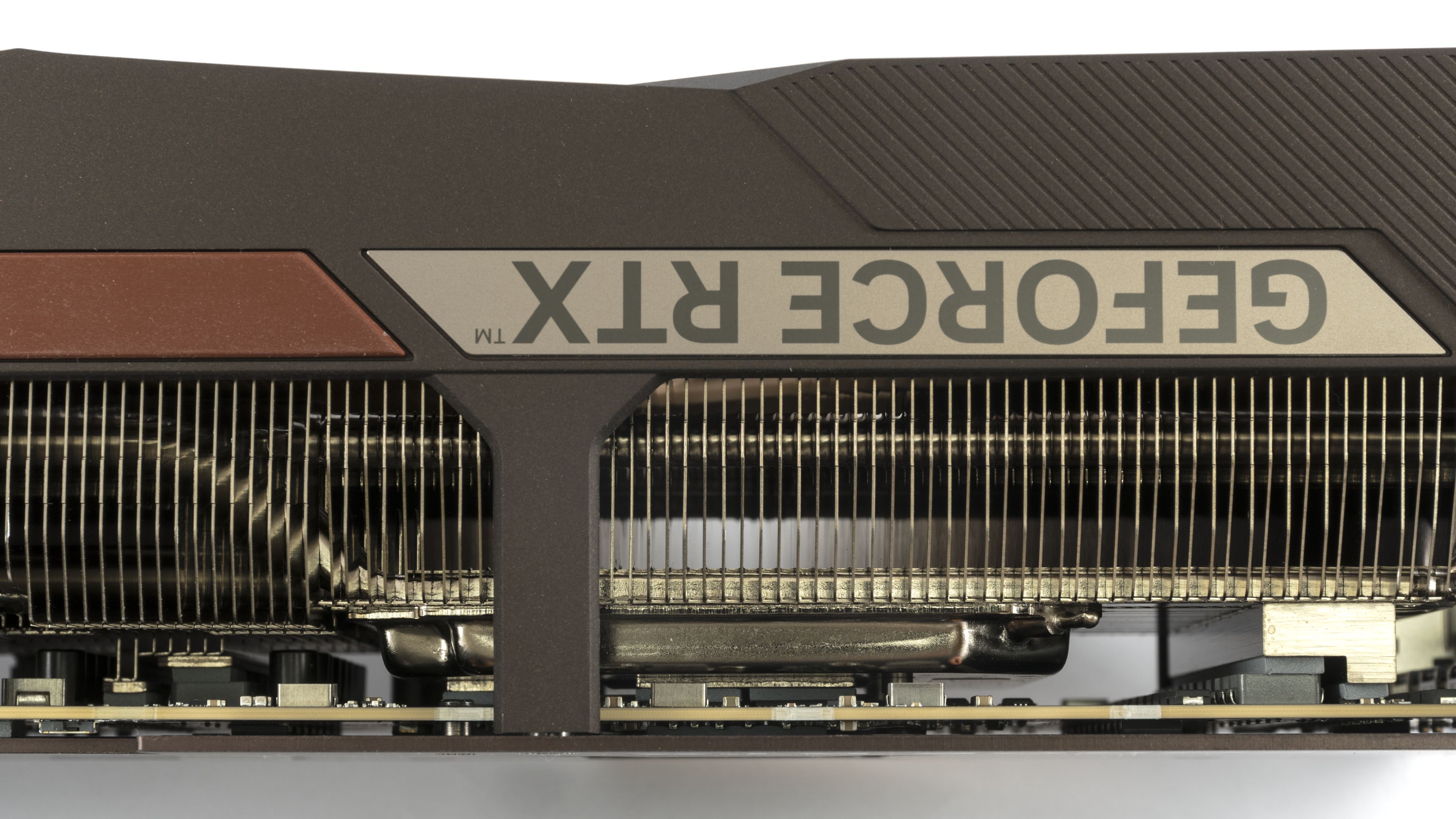
An interesting touch is the trailing edge of the heatsink’s fin stack, where shorter and longer fins alternate. Engineers say this smooths the noise profile and reduces tonal peaks.
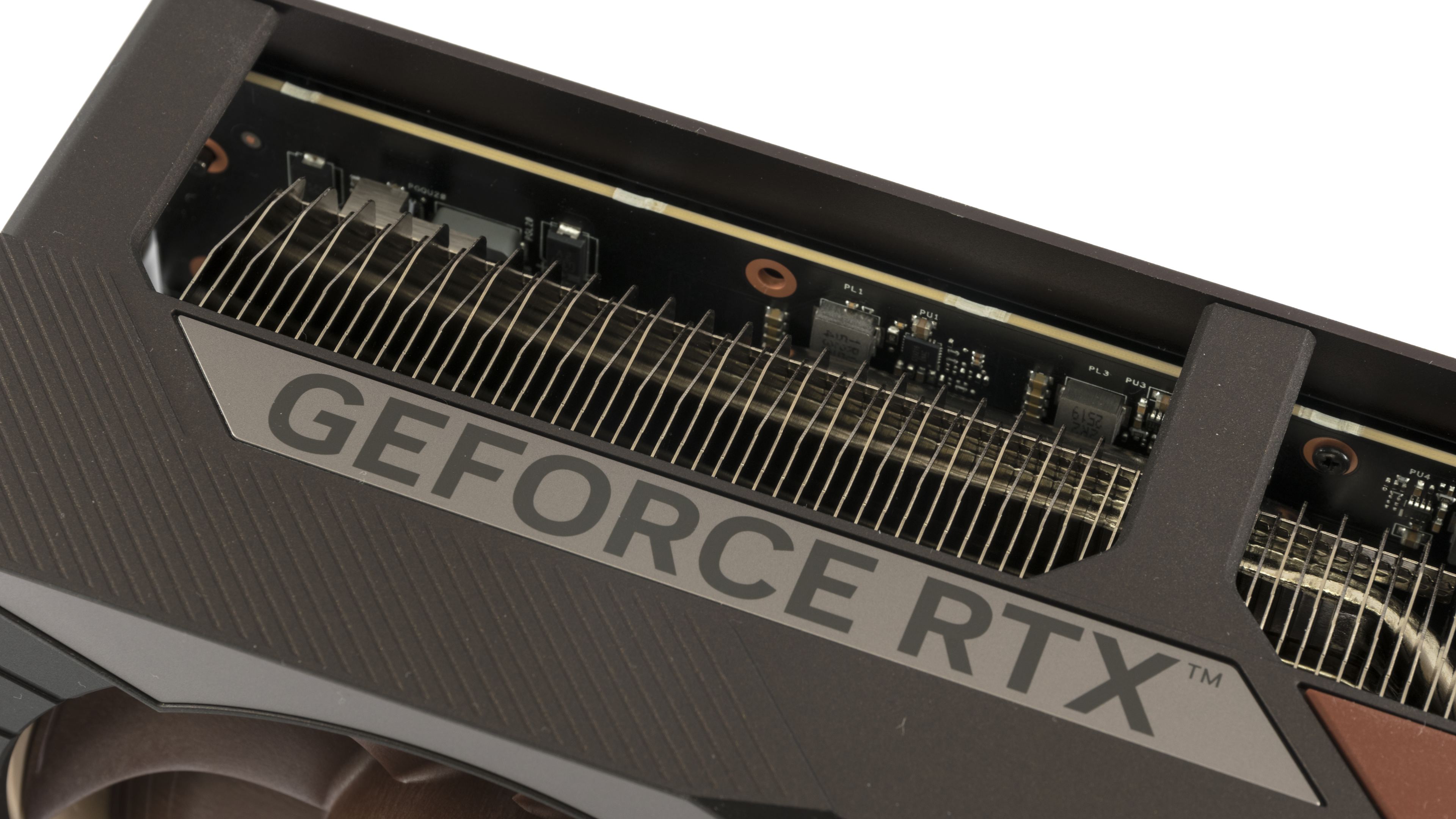
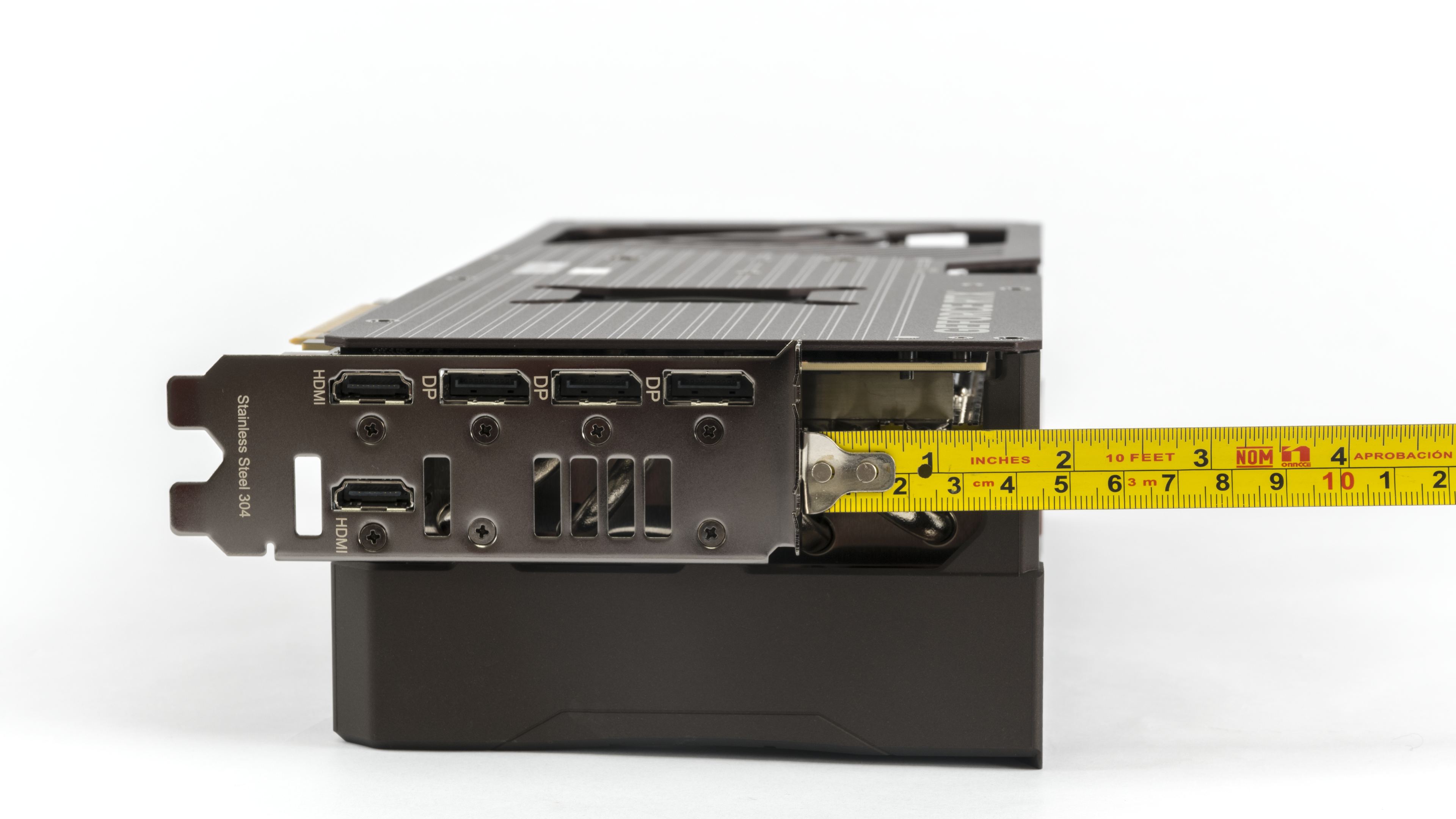
The length of the card from the bracket is a crazy 39 cm. The cooler overhangs the card from the edge of the bracket by almost 5 cm. With a height of 8 cm, the card occupies the space of four slots, and it will require a fifth slot for air intake. But in cases with a shroud at the bottom, there isn’t much you can install under the card anyway.


The weight of the card is 2.67 kg without the power adapter.
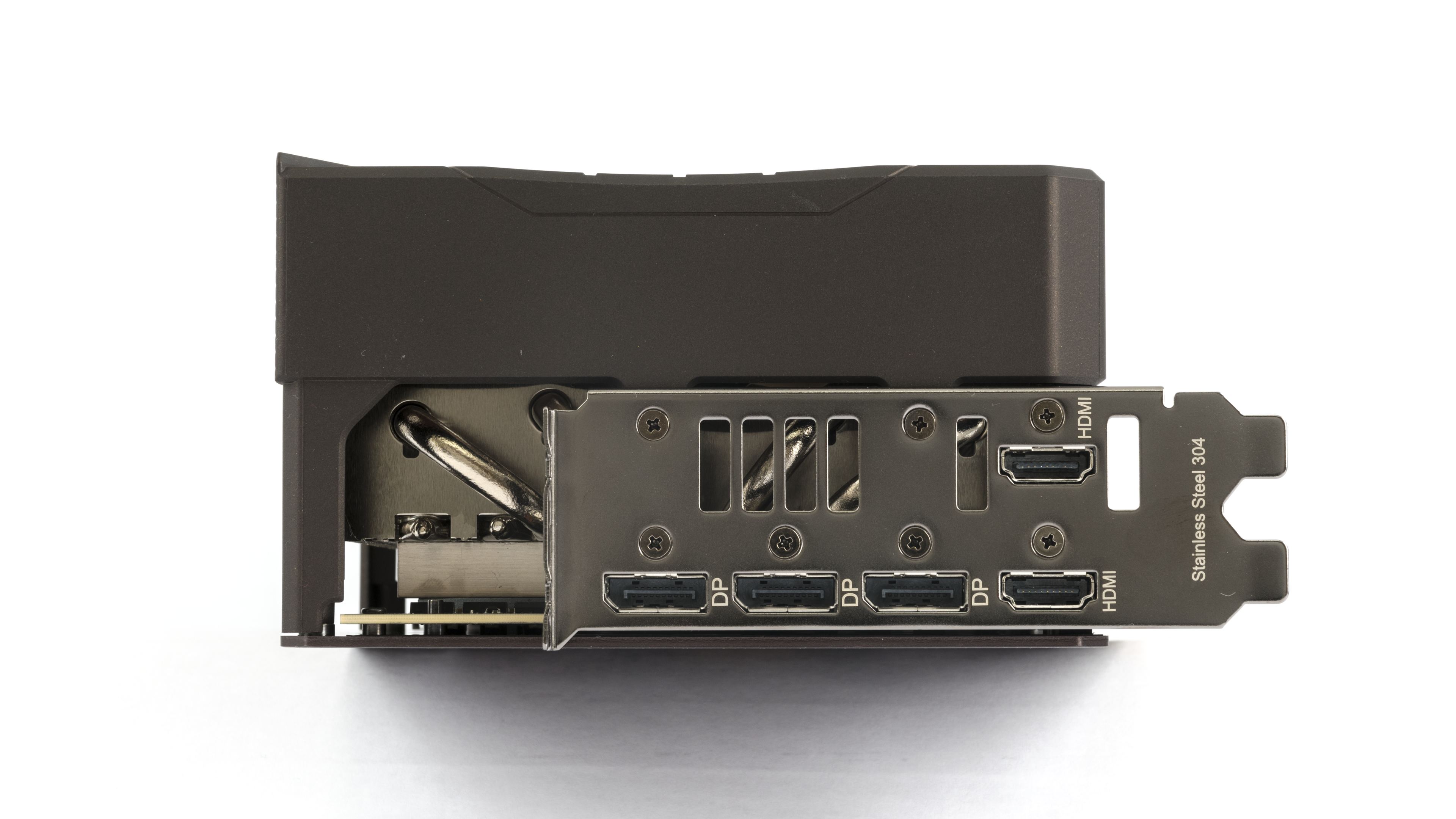
The standard equipment for GeForce cards is usually three DisplayPort 2.1b connectors with UHBR20 and one HDMI 2.1b. Asus added a second HDMI 2.1b connector. Even though a maximum of four outputs can be active simultaneously, it’s unequivocally positive that you have a second HDMI available without the manufacturer having to sacrifice a DisplayPort for it.

The 12V-2×6 connector is used for auxiliary power. It is oriented with the latch facing up. Using the supplied adapter, the card can be powered by three 8-pin connectors.
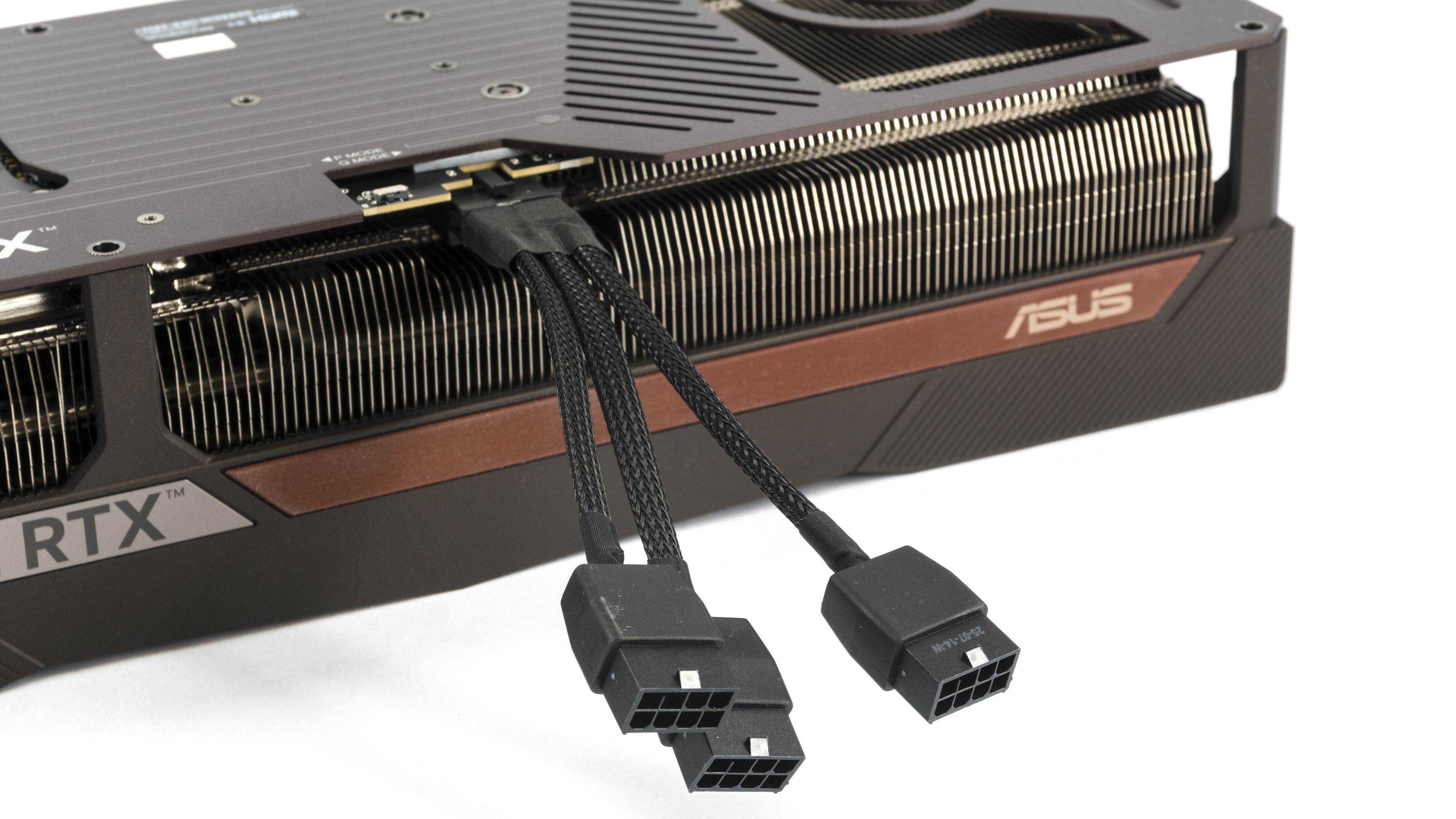
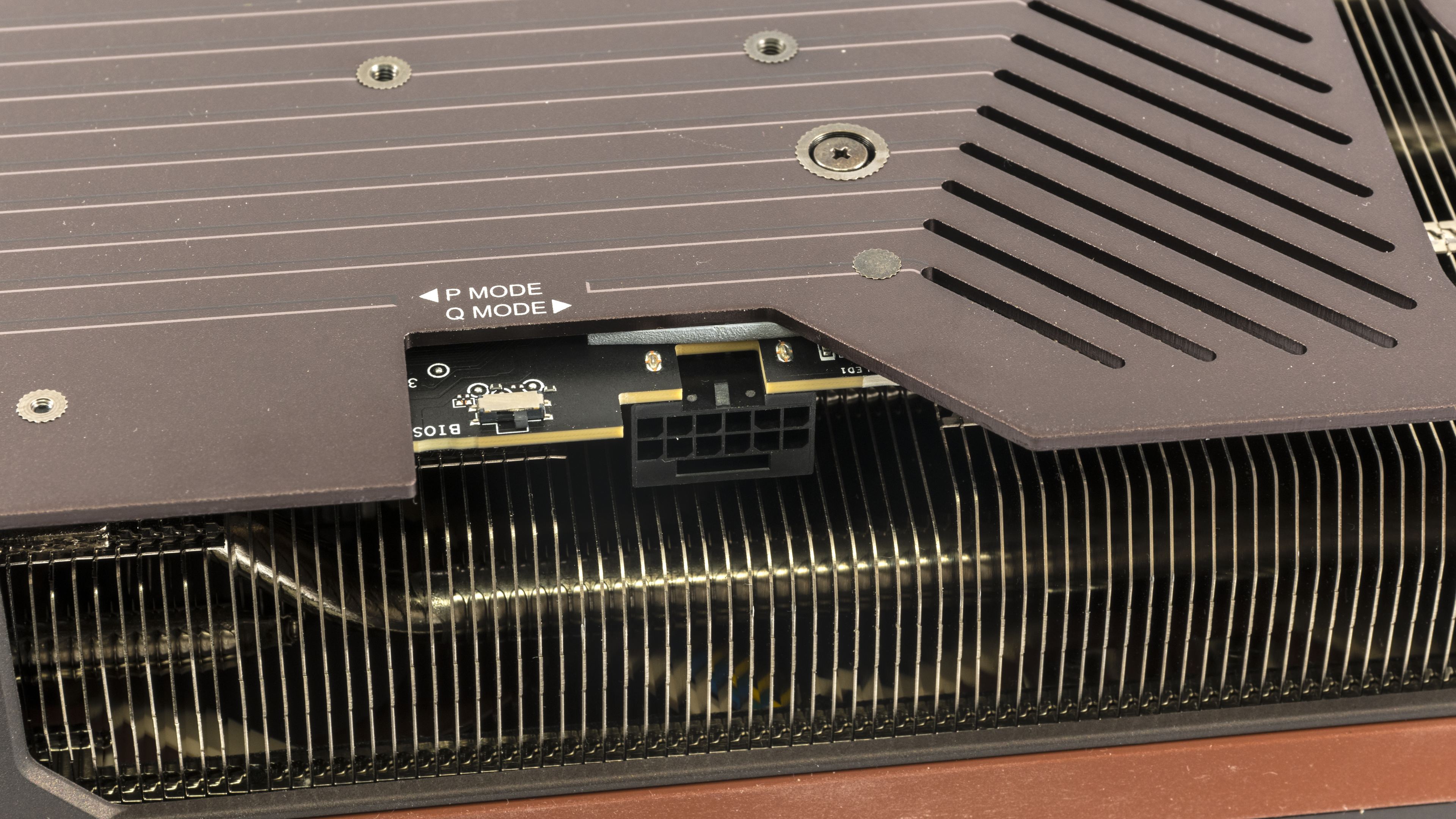
Next to the 12V-2×6 auxiliary power connector, on the right side, there is a red diagnostic LED, which is partially covered by the backplate, and on the left is the BIOS switch. The default this time is Q mode.
We’ve covered the card’s design; let’s move on to the test build and results.
⠀






it seems even on Q mode it may get outside of the silent zone when pushed hard enough…
I know, I know, all the other cards are worse, but if even 3 of these fans struggle it means a lot about the power output of modern cards, doesn’t it?
What matters most is what a “quiet” graphics card means to each individual — it’s a pretty subjective thing.
At just under 700 RPM, it’s extremely quiet. At night, when everything is silent, you can hear it if you put your ear close to the card. From a typical distance of about a meter, even on an open test bench, I can’t hear it at all. But my hearing isn’t what it was twenty years ago.
However, considering the temperatures the card reaches, there’s still some headroom to lower the fan speed by adjusting the fan curve. Throughout the day, I’ll be running additional tests across the full fan-speed range in Cyberpunk and will add line charts of clock speeds and temperatures to the article.
Without V-Sync, the coil whine is still more noticeable under load than the fans themselves—even in Q-Mode—though it’s quieter than on other cards with the same performance. The tougher part might be keeping the CPU just as quiet and getting the heat out of the case without adding noise.
I haven’t precisely tuned G2 fans yet, but 700RPM would be somewhere in the range of upper limit, for G1 that was around 670, the Q profile seems to be willing to push above that if heated enough instead of limiting the heat to ensure fans won’t spin up, requiring manual tuning
which to be fair is expected of Noctua products as they don’t tune for absolute silence as general audience expects much less, but their high quality allows to achieve it with some extra effort
the coil whine though absolutely shouldn’t be there, that’s something most companies seem to neglect the most, I know it’s hard to control and there’s a ton of variance between specific items, but at this price point it’s unexcusable
I’d say even more: it’s unexcusable at any price point that isn’t explicitly cheapened cutting all costs for the last pennies, unfortunately… getting components and accessories that don’t suffer from that is nearly impossible, like… I’m not gonna try dozens of different units of a monitor to pick the one with least whine, right?
At least when it comes to temperatures shown in the monitoring, they’re fine—even at minimum fan speeds.
https://www.hwcooling.net/en/asus-geforce-rtx-5080-noctua-oc-ed-16gb-review-silent-monster/20/
Does GPU watercooling even make sense anymore? The graphics cards are becoming quieter and cooler with each new generation, even without deshrouding.
Yes, some cards are now quiet enough that the main source of noise is elsewhere. For example, in my test rig I often find the CPU cooler is louder, because I have the fan curve set to ramp up whenever any core goes over 80 °C.
It would be more appropriate to say that it depends on the circumstances. The key difference is that liquid cooling moves the GPU’s heat to a radiator mounted away from the card, making exhausting hot air easier when the radiator is properly positioned in the case. With an air cooler, you still need to figure out exhausting the heat from the case.
It’s a bit different from processors. With a CPU, the priority is cooling a small area—the CPU itself and the surrounding VRM (voltage regulation modules).
A good block on GPU usually reduces hotspots on the die and VRAM, but it can worsen cooling of the other components. But on a graphics card, there are many hot parts spread across the entire PCB. That’s why having fans directly over the hot zones usually works best. Full-cover blocks solve the problem of cooling components, but this is an expensive and complicated solution. If, instead, the manufacturer uses a cheaper AIO cooler on the GPU and a card-mounted fan to cool the other components, it usually isn’t dead silent. The pump can also be noisy unless the manufacturer keeps it under control.
Air cooling, in contrast, is simpler, cheaper, and generally more reliable. When paired with a large heatsink with enough surface area, it can be a very competitive option.
Personally, I prefer air cooling for its ease of use, consistent long-term performance, lower risk of failure and its reliability.
Thank you for the info.
I’m building a PC with Ryzen 9 9950X and RTX 5070 Ti. The CPU is cooled by a custom liquid loop with one 420mm and one 280mm radiator. I just can’t decide whether to include the GPU in the loop. The full cover waterblock by Bykski costs about $100.
Since a water cooled graphics card does not heat up other components, such as SSD, RAM, chipset, etc, I’ll probably go with the waterblock. My radiator space should be enough for that.
There’s actually a true specialist in our country who focuses on fully liquid-cooled builds. I’ll write to Gabo (from TichéPC) — you might get a response full of hands-on experience. 🙂