


When Asus, Noctua, and Nvidia team up, it’s clear the result won’t be a compromise. For those who find the RTX 5090 already too expensive, the GeForce RTX 5080 Noctua OC Edition offers a unique combination of a massive heatsink and three top-tier Noctua NF-A12x25 G2 120 mm fans. An air cooler capable of keeping a powerful 360 W card at low temperatures with the fans spinning at just under 700 RPM is something you rarely encounter.
Final thoughts
Asus has long been known for charging premium prices for its high-end products. And Noctua, too, targets the most demanding customers. So when these two join forces, there’s little point discussing price-to-performance ratios—the RTX 5080 priced at 1,520 EUR simply can’t compete with lower- and mid-range models costing between 1,000 EUR and 1,200 EUR. From that perspective, it is and will remain extremely uneconomical—I can hardly imagine its price ever dropping to a level that would make it a value-oriented choice.
But it’s clear this card is aimed at a different audience—those who want a high-performance GPU with top-tier operating characteristics, have no issue paying extra, yet find the RTX 5090 a step too far. In that regard, there’s hardly anything better you can buy. The card combines a massive heatsink on a nearly 40 cm PCB with three premium 120×25 mm fans.
You could try to replicate something similar by taking a cheaper model, removing the shroud, and mounting three 120 mm fans directly onto the heatsink. However, the heatsink underneath would still be smaller, so there’s no way to achieve similar temperatures with the fans spinning at 680 RPM.
In Quiet mode, the fans stay below 700 RPM and are practically inaudible inside a system. Even from a normal listening distance in an exceptionally quiet environment, you won’t hear them—the bigger issue, as usual, are the coils. That said, the sample tested here produced a less piercing and high-pitched tone than other models I’ve reviewed. Much depends on the type of workload as well.
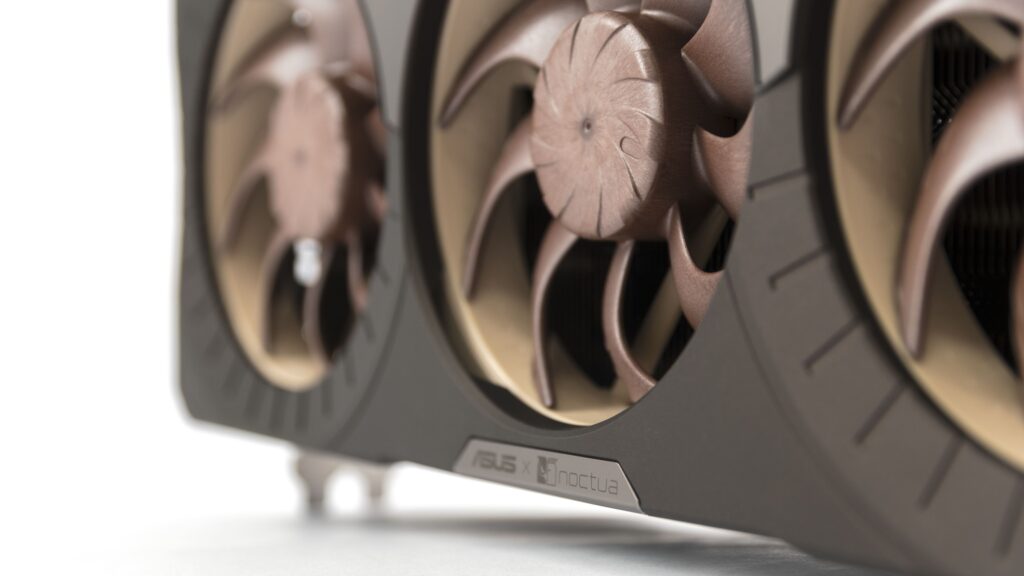
In Performance mode, noise levels hovered around 35–36 dBA—well below the average for most graphics cards. That’s a figure usually seen from high-performance GPUs with dual BIOSes running in their Quiet mode. In Quiet mode itself, the noise level is literally unmeasurable with a standard sound meter, even at close range.
I wouldn’t call the card’s size a drawback—the enormous heatsink is actually one of its biggest advantages, and Asus deserves no criticism for that. Still, you need to keep it in mind when choosing a case. These days, many manufacturers prefer more compact, shorter designs, and in plenty of mainstream cases the card’s end will bump into the front panel.
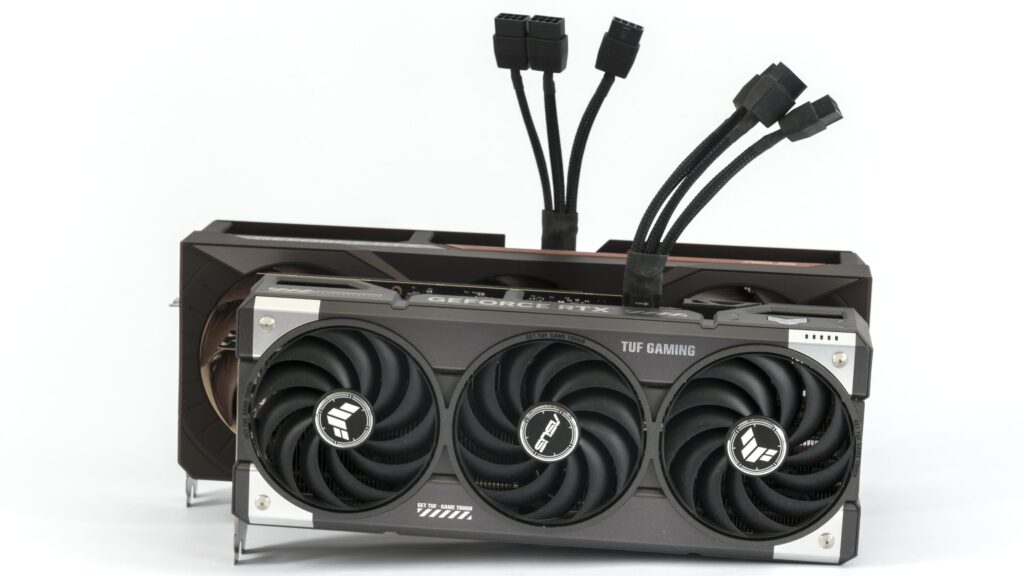
I chose the Fractal Design Meshify 2 for the test system specifically to accommodate cards like this. Inside, there’s still about six centimeters of clearance behind the front intake fans.
Some might miss bright RGB lighting, but Noctua fans likely won’t care much—and if you do, there’s still a free header on the card to add your own.
When it comes to the key factor that makes a graphics card truly exceptional—the cooling system—there’s really nothing to criticize in this joint effort from Asus and Noctua. For its operating characteristics, it fully deserves top marks. The only thing left for the ultimate pinnacle would be to mount a similar cooler on the RTX 5090.
| ASUS GeForce RTX 5080 16GB GDDR7 Noctua OC Edition (RTX5080-O16G-NOCTUA) |
|
+ Incredibly quiet in Quiet mode − Extremely expensive—almost all other RTX 5080s offer better price-to-performance ratio |
| Estimated retail price (incl. VAT): 1520 EUR |
If you want a GeForce RTX 5080 with outstanding thermal and acoustic performance—regardless of what it costs—there’s likely nothing better on the market. That’s why it earns our Top-notch! award.






it seems even on Q mode it may get outside of the silent zone when pushed hard enough…
I know, I know, all the other cards are worse, but if even 3 of these fans struggle it means a lot about the power output of modern cards, doesn’t it?
What matters most is what a “quiet” graphics card means to each individual — it’s a pretty subjective thing.
At just under 700 RPM, it’s extremely quiet. At night, when everything is silent, you can hear it if you put your ear close to the card. From a typical distance of about a meter, even on an open test bench, I can’t hear it at all. But my hearing isn’t what it was twenty years ago.
However, considering the temperatures the card reaches, there’s still some headroom to lower the fan speed by adjusting the fan curve. Throughout the day, I’ll be running additional tests across the full fan-speed range in Cyberpunk and will add line charts of clock speeds and temperatures to the article.
Without V-Sync, the coil whine is still more noticeable under load than the fans themselves—even in Q-Mode—though it’s quieter than on other cards with the same performance. The tougher part might be keeping the CPU just as quiet and getting the heat out of the case without adding noise.
I haven’t precisely tuned G2 fans yet, but 700RPM would be somewhere in the range of upper limit, for G1 that was around 670, the Q profile seems to be willing to push above that if heated enough instead of limiting the heat to ensure fans won’t spin up, requiring manual tuning
which to be fair is expected of Noctua products as they don’t tune for absolute silence as general audience expects much less, but their high quality allows to achieve it with some extra effort
the coil whine though absolutely shouldn’t be there, that’s something most companies seem to neglect the most, I know it’s hard to control and there’s a ton of variance between specific items, but at this price point it’s unexcusable
I’d say even more: it’s unexcusable at any price point that isn’t explicitly cheapened cutting all costs for the last pennies, unfortunately… getting components and accessories that don’t suffer from that is nearly impossible, like… I’m not gonna try dozens of different units of a monitor to pick the one with least whine, right?
At least when it comes to temperatures shown in the monitoring, they’re fine—even at minimum fan speeds.
https://www.hwcooling.net/en/asus-geforce-rtx-5080-noctua-oc-ed-16gb-review-silent-monster/20/
Does GPU watercooling even make sense anymore? The graphics cards are becoming quieter and cooler with each new generation, even without deshrouding.
Yes, some cards are now quiet enough that the main source of noise is elsewhere. For example, in my test rig I often find the CPU cooler is louder, because I have the fan curve set to ramp up whenever any core goes over 80 °C.
It would be more appropriate to say that it depends on the circumstances. The key difference is that liquid cooling moves the GPU’s heat to a radiator mounted away from the card, making exhausting hot air easier when the radiator is properly positioned in the case. With an air cooler, you still need to figure out exhausting the heat from the case.
It’s a bit different from processors. With a CPU, the priority is cooling a small area—the CPU itself and the surrounding VRM (voltage regulation modules).
A good block on GPU usually reduces hotspots on the die and VRAM, but it can worsen cooling of the other components. But on a graphics card, there are many hot parts spread across the entire PCB. That’s why having fans directly over the hot zones usually works best. Full-cover blocks solve the problem of cooling components, but this is an expensive and complicated solution. If, instead, the manufacturer uses a cheaper AIO cooler on the GPU and a card-mounted fan to cool the other components, it usually isn’t dead silent. The pump can also be noisy unless the manufacturer keeps it under control.
Air cooling, in contrast, is simpler, cheaper, and generally more reliable. When paired with a large heatsink with enough surface area, it can be a very competitive option.
Personally, I prefer air cooling for its ease of use, consistent long-term performance, lower risk of failure and its reliability.
Thank you for the info.
I’m building a PC with Ryzen 9 9950X and RTX 5070 Ti. The CPU is cooled by a custom liquid loop with one 420mm and one 280mm radiator. I just can’t decide whether to include the GPU in the loop. The full cover waterblock by Bykski costs about $100.
Since a water cooled graphics card does not heat up other components, such as SSD, RAM, chipset, etc, I’ll probably go with the waterblock. My radiator space should be enough for that.
There’s actually a true specialist in our country who focuses on fully liquid-cooled builds. I’ll write to Gabo (from TichéPC) — you might get a response full of hands-on experience. 🙂