


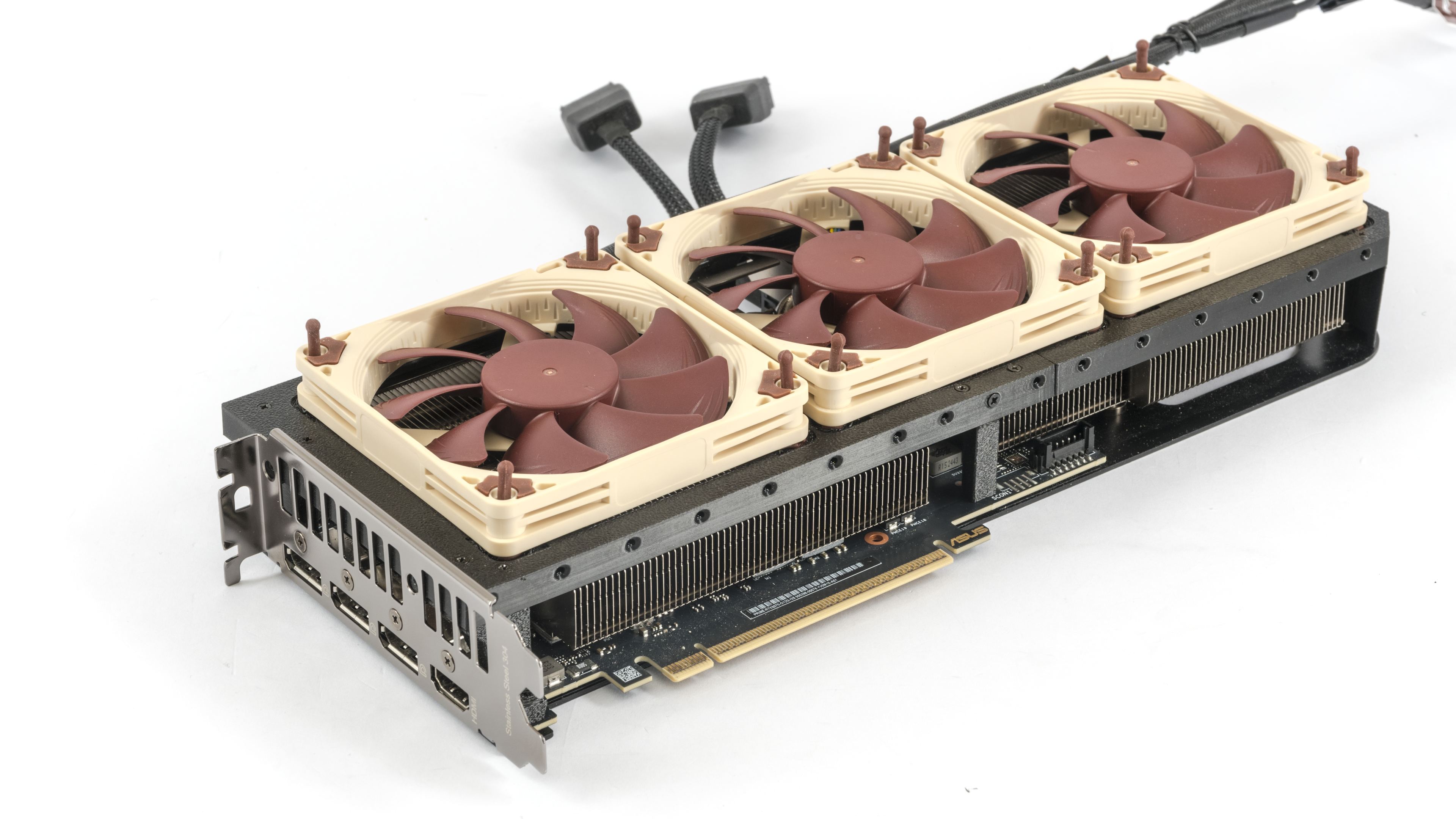
On most mid-range Asus graphics cards, the shroud is easy to remove. We already tried classic 120 mm fans on this card, but they do not suit its narrow, long PCB: they make the card much wider and still fail to cover the heatsink along its full length. A trio of 92 mm Noctua fans fits better on the 30 cm card, and the range includes the low-profile NF-A9x14 for noticeably quieter cooling at lower speeds overall.
In the next batch of tests, we measure the card with a trio of Noctua NF-A9x14 fans. Before the main test sequence, we run a single warm-up loop with three runs at 40% fan speed. This warm-up is not shown in the charts below; they start with the first measured run at 100% fan speed. The fan speed is then gradually reduced down to 20%. Going lower usually makes no sense, because at very low fan speeds and GPU temperatures above 85 °C the card’s automatic control starts to throttle GPU power, clock speeds, and therefore performance quite noticeably. The pauses between individual test runs are only a few seconds, so the system stays fully warmed up throughout the testing.
Manual Fan Control, Fan Speed from 100 % to 20 %, step 5 %
The following graphs show detailed measurement runs. Each shows four runs at one setting, with average values read from the highlighted segment. When hovering over the interactive graph from left to right, the values measured in that particular fan performance range should be displayed.
If the interactive graphs don’t work for you, there are also standard expandable images for each setting below them. The steps are from 20 to 100% performance in 5% increments, and the set value is also visible in the image title.
In this chapter, we look at a summary of how the card behaves across the full fan-speed range. The charts here are just simple overviews; detailed results for each fan setting are available in the interactive graphs in the next section.
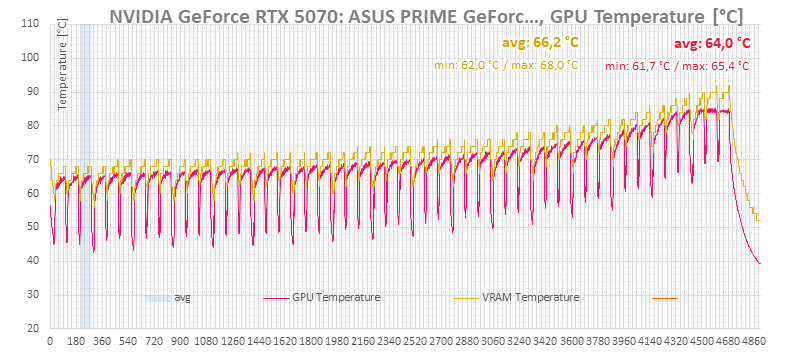
In the fan-speed chart, you can see how the manually set fan speeds line up with the fan-speed percentage reported by the card. The fan speed configured on the Corsair Commander Pro cannot be logged, so the purple curve shows the same fan-control value set on the graphics card instead. I took advantage of the option to manually set the same percentage on the card’s fan-header output, even when no fans are connected. Only the last two runs should be at 25 and 20%, but these values can no longer be set via NVAPI.
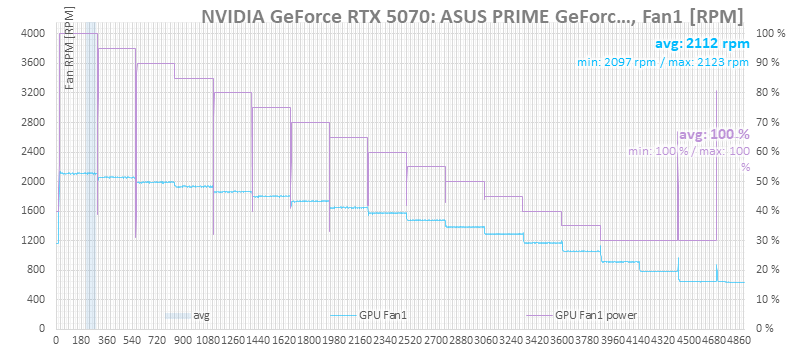
The next chart shows the CPU temperatures. You can also see here that higher fan speeds on the graphics card help keep the CPU a bit cooler, although the difference is not as big as with the stock fans, which can run at up to 3200 rpm.
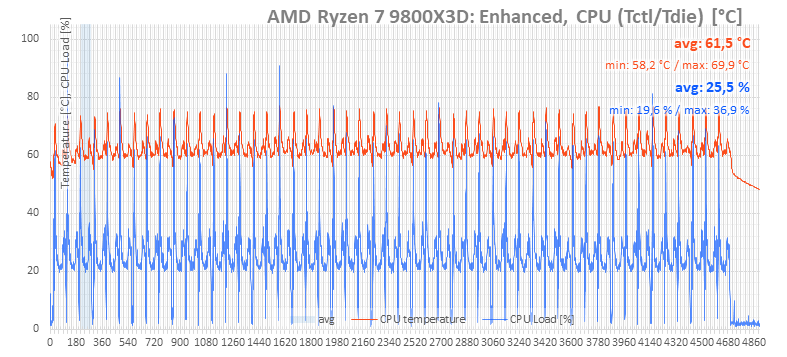
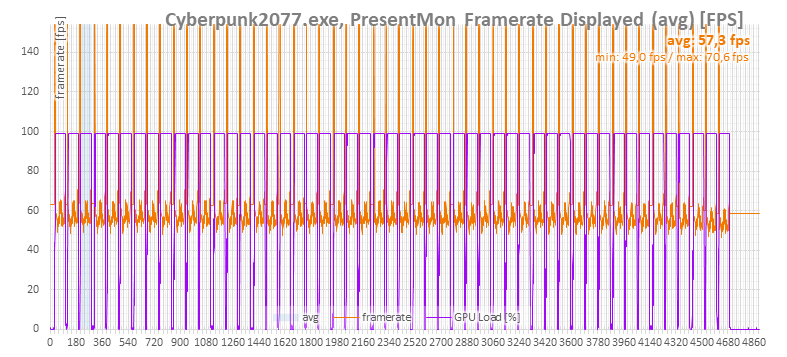
The GPU clock charts show that stronger cooling leads to slightly higher clock speeds. However, when the cooling is insufficient, the clock speeds drop much more noticeably – towards the end of the chart you can see that at the lowest fan speeds they fall off quite sharply.
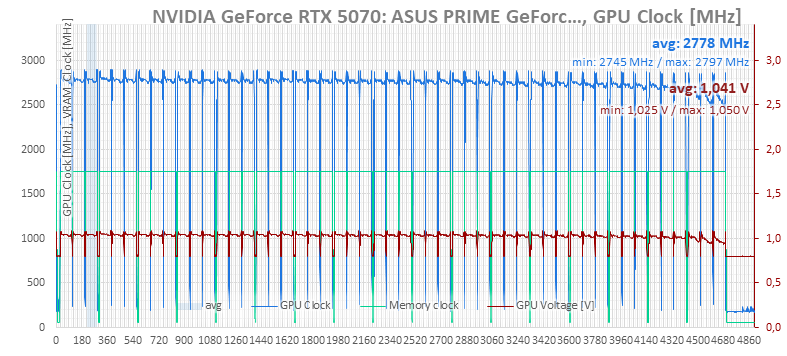
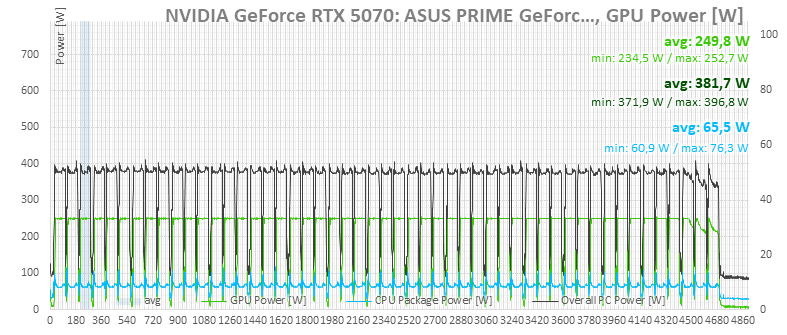
The card’s performance is clearly capped more by its power limit, even though the boost indicators point to the maximum-voltage limit.

⠀






Love this content.
Glad to this performed comparable to the A12X25. Interested to see how the A9X25 would improve the performance.
Some tests with the NF-A9x25 fans should be published this Friday, if nothing goes wrong. 🙂