





A few days ago, I tested how repasting affects the thermals and noise of Asus’s TUF GeForce RTX 5070 Ti. Today, we’ll take it a step further. We’ll take advantage of the fact that the card’s design allows easy removal of the shroud and and mount different fans directly onto the heatsink—in this case, a pair of Noctua’s classic NF-A12x25. We’ll measure how the noise profile changes while keeping temperatures under load the same.
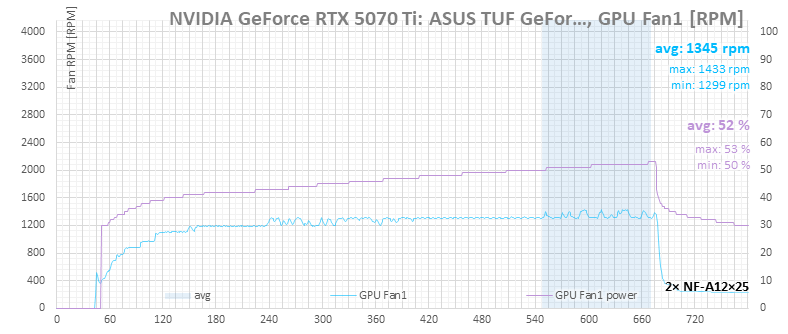
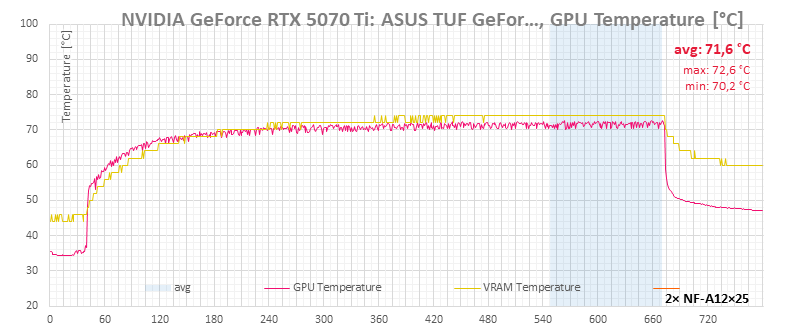
In the temperature graphs, you can see that the GPU core temperature on a fully warmed-up card oscillates rapidly within a range of about 3 °C.

With the default fan curve settings in FanControl, this causes the RPMs of the Noctua fans to fluctuate more than they do under the card’s own control. The changes are only in the low tens of RPM, so they’re not audible as obvious shifts in noise. You can smooth them out by adjusting the hysteresis settings.
Hysteresis is when a system’s output depends not only on the current input but also on its previous state. In fan control, it’s used to prevent RPMs from responding to every tiny temperature change. Speeds increase only after a more significant rise in temperature and decrease only after a more substantial drop. This stops constant RPM oscillations—and the noise fluctuations that come from changes in airflow.
This is easy to fine-tune: for example, you can disable symmetry between acceleration and deceleration, increase the threshold for reducing RPMs when temperatures drop, and extend the time over which the controller lowers speeds. This way, it reacts quickly to rising temperatures but avoids cutting fan speeds too soon after a brief dip of less than two degrees—which would then cause them to ramp up again seconds later.
I increased the temperature-drop threshold for lowering RPMs to 3 °C and extended the deceleration interval to 5 seconds.

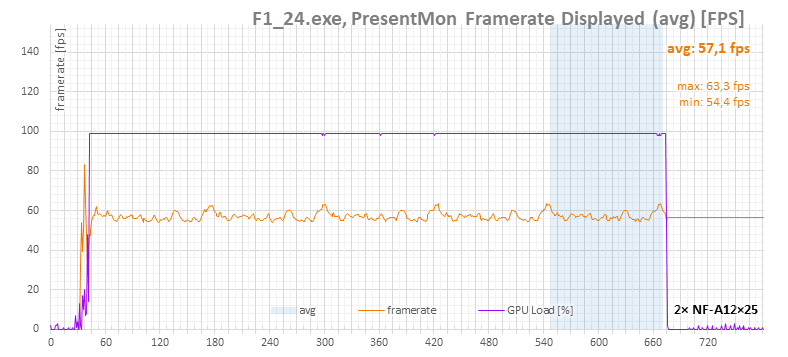
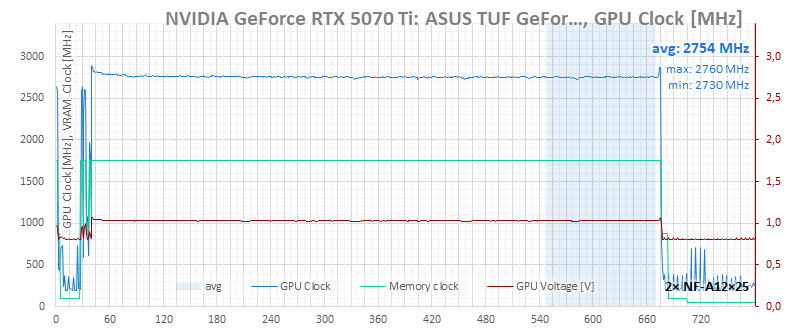
We can see how this changes fan-control behavior in the F1 24 benchmark, which provides a steady, long-term load that makes differences more visible than short, repeated tests in Cyberpunk or Metro.
F1 24, 4K

With adjusted hysteresis | default settings
With adjusted hysteresis | default settings
With adjusted hysteresis | default settings
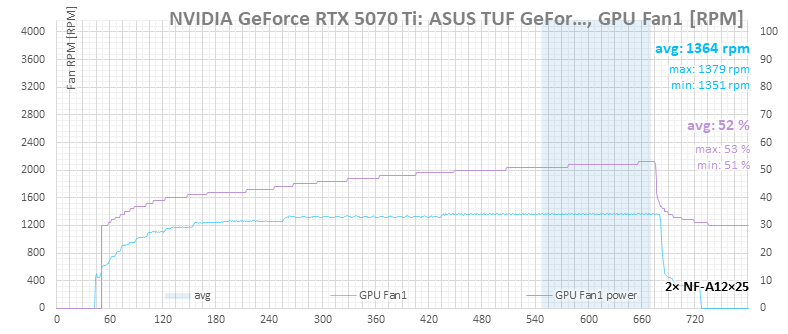
With adjusted hysteresis | default settings
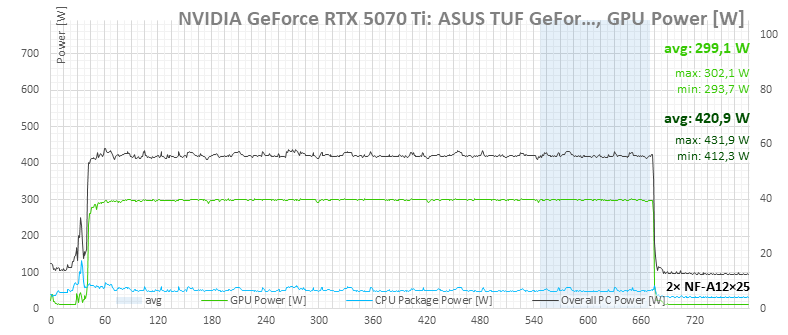

With adjusted hysteresis | default settings
⠀





