


GS series includes a stylish and compact family of high-performance MSI laptops and the GS66 Stealth is its latest addition. I’ve always had a weakness for thin but powerful devices and that’s exactly what GS meets. However, with the high performance of Core i9 and RTX 2080 Super, the question arises as to how thermal management is handled. In less than 2 cm thin and about 2.1 kg body, it is really a challenge to deal with such powerful components.
Gamut, brightness and color difference
We measured the image qualities of the display using the Datacolor Spyder5Elite color analyzer. The display is one of the key features of gaming laptops for a full-featured travel experience. The recently tested pair of Asus laptops chose a graphical rather than a gaming approach, just a 60 Hz 4K display with ultra-accurate colors is not the first thing that comes to mind when you say a gaming display after all. MSI did not make this “mistake” and fitted the tested piece with a real gaming panel as it belongs to a gaming laptop. It’s a 15.6″ IPS display with Full HD resolution in 16:9 aspect ratio (1920 × 1080 px) and incredible 300 Hz. It’s the fastest panel I’ve ever seen live, and I’ve just recently been enjoying 240 Hz monitors. However, the display doesn’t offer G-Sync, which is a bit of a shame, other configurations offer either a 240 Hz display with the same resolution or a similar Asus 60 Hz 4K display, but for me the best choice is the 300 Hz piece just tested.
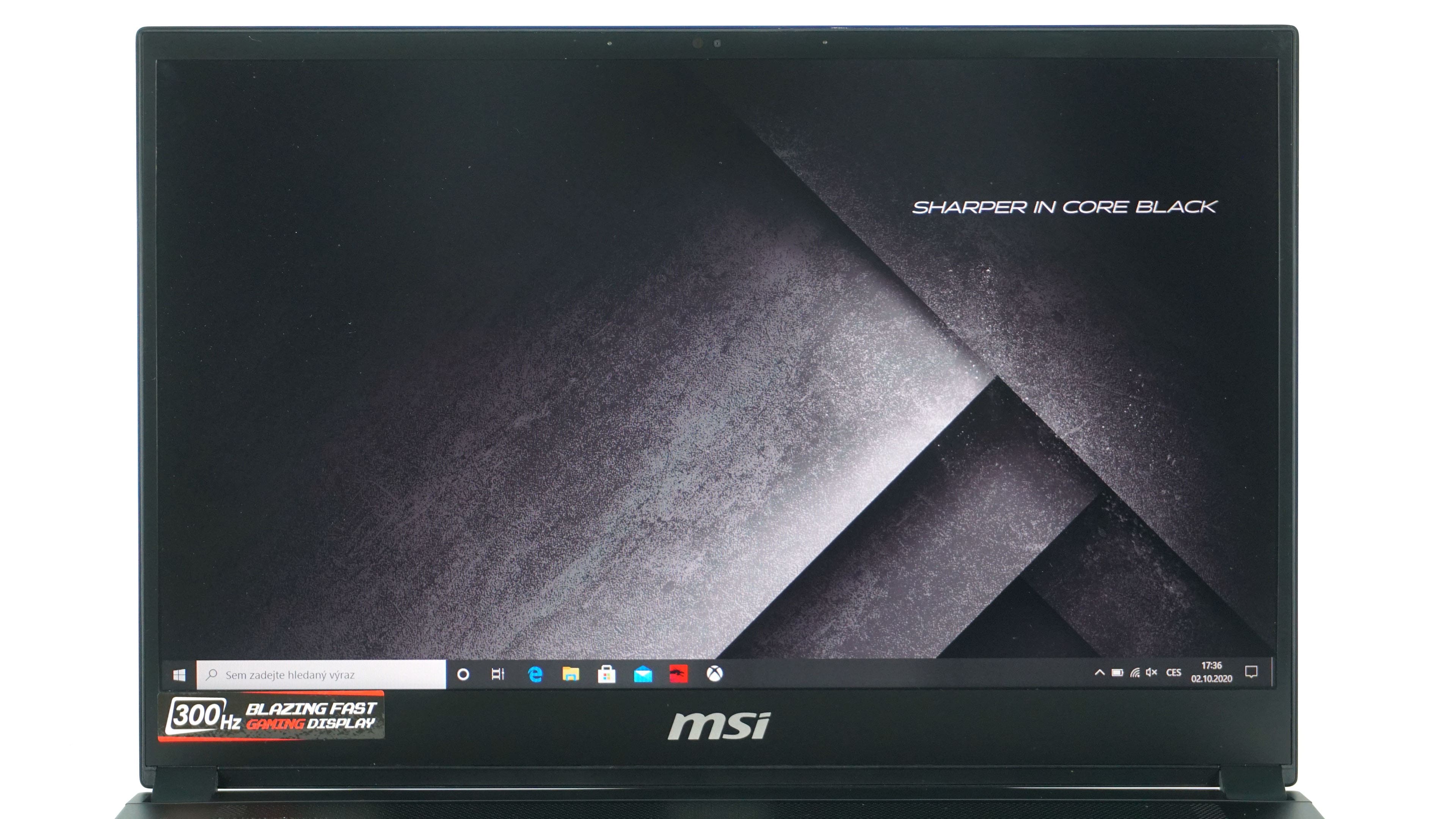
The manufacturer does not specify any parameters for the display on the website, except for the refresh rate. They only mention the thin 4.9 mm edges on the sides and the 84% display to body ratio, which is spoiled mainly by the lower bezel. I am happy to forgive the slightly thicker upper edge of the notebook due to the presence of IR camera.
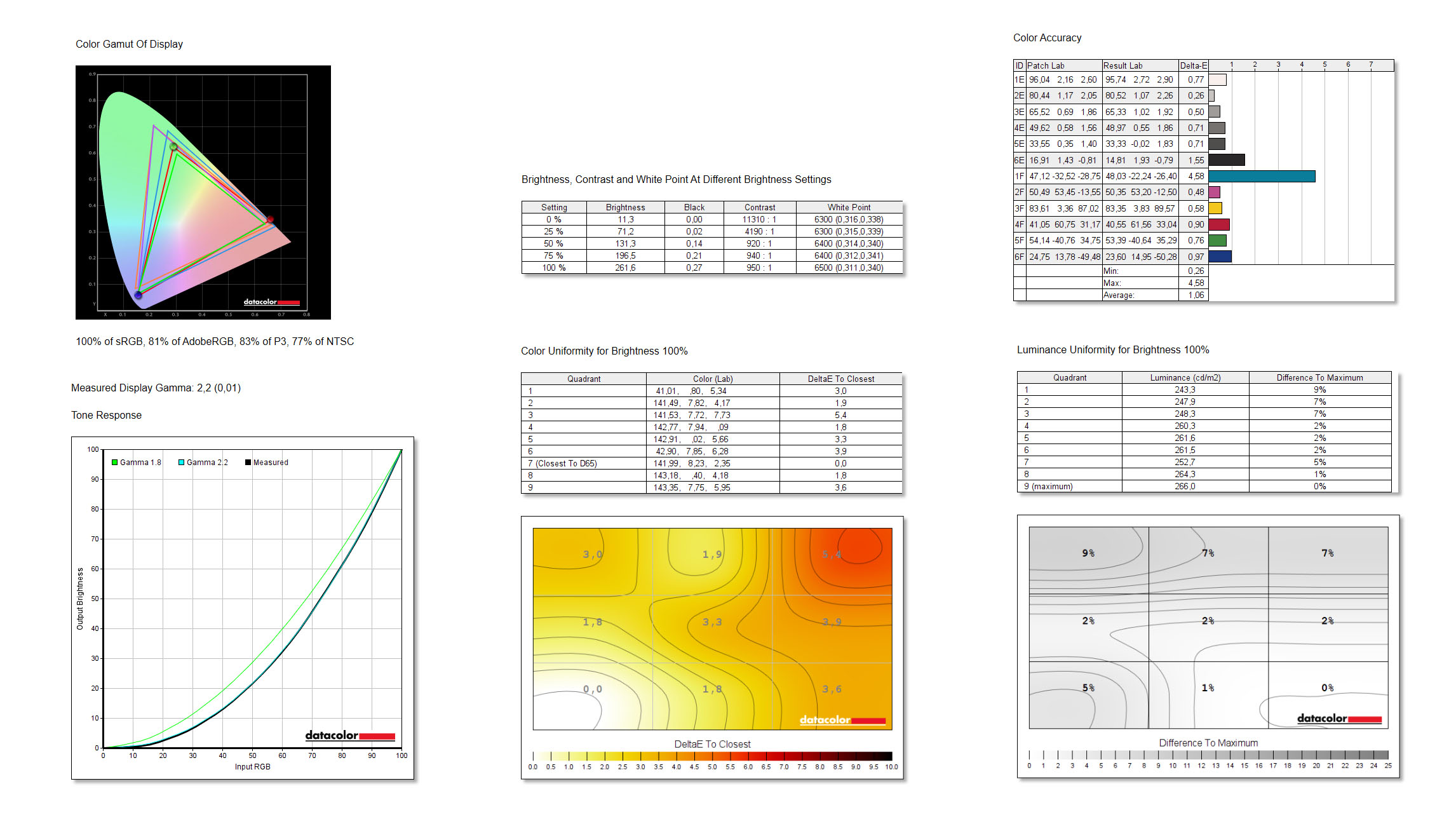
Although the manufacturer does not specify any parameters in the specifications, the display definitely has nothing to be ashamed of. 100% sRGB coverage, 81% AdobeRGB, 83% DCI-P3 and 77% NTSC are really respectable values for a gaming 300 Hz panel. Sure, it’s not 100% AdobeRGB as the Asus pieces had on 4K panels, but those didn’t have the same refresh rate as this one from MSI, and I think that’s more important in gaming. Gamma exactly copies the value of 2.2. The uniformity of colors and brightness is relatively good, although we see a slight color difference in the upper right corner. Delta-E is also very good with an average of 1.06, although we see a relatively large difference in turquoise. Perhaps the only disadvantage is the lower brightness, which reached a maximum of 260 nits at a maximum, which is not enough in the competition of 400–500 nit displays. However, this will limit you more or less only when used outdoors.

The MSI True Color application is used for display controls, where you can switch between several modes or adjust the color parameters accordingly. There are also options for calibration, crosshair display or division of the screen into partitions.




thank you for the information
What are the standout features of the MSI GS66 All Black Razor with Core i9 and RTX 2080 Super?
It will be the high gaming or application performance, which is likely to be connected with higher noise levels. 🙂