





With the new generation of GeForce GPUs, Asus is introducing the new ROG Astral series. Positioned at the top of Asus’s lineup, it inherits high-end features from previous ROG Strix models, including a dual BIOS, system fan control, a robust design, factory overclocking, and a large, top-notch cooler. It doesn’t just come with three but a total of four fans. However, this premium package comes at a significant price.
Aside from its enormous size and robust metal frame, the card’s cooler looks fairly standard. The heatsink has an open fin design, allowing a significant amount of air to escape from the sides. The plastic shroud, finished in a metallic color, houses three large fans that blow air down onto a blackened heatsink with transverse fins.


On the outer side, there is a long light strip with ARGB LEDs and a variety of effects. If you’re a fan of colorful LEDs, this card will definitely appeal to you. The lighting in this design looks clean and elegant.
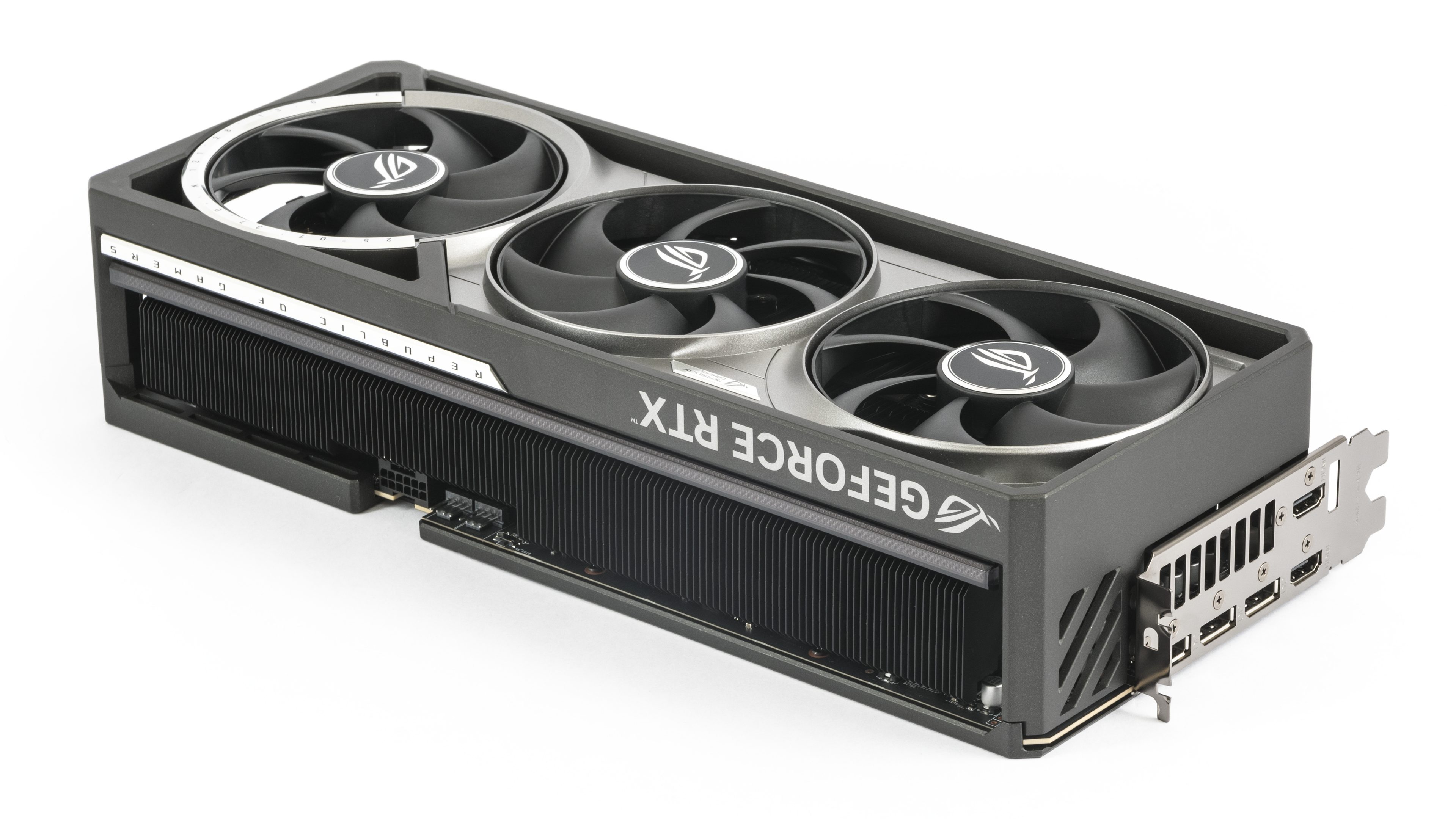
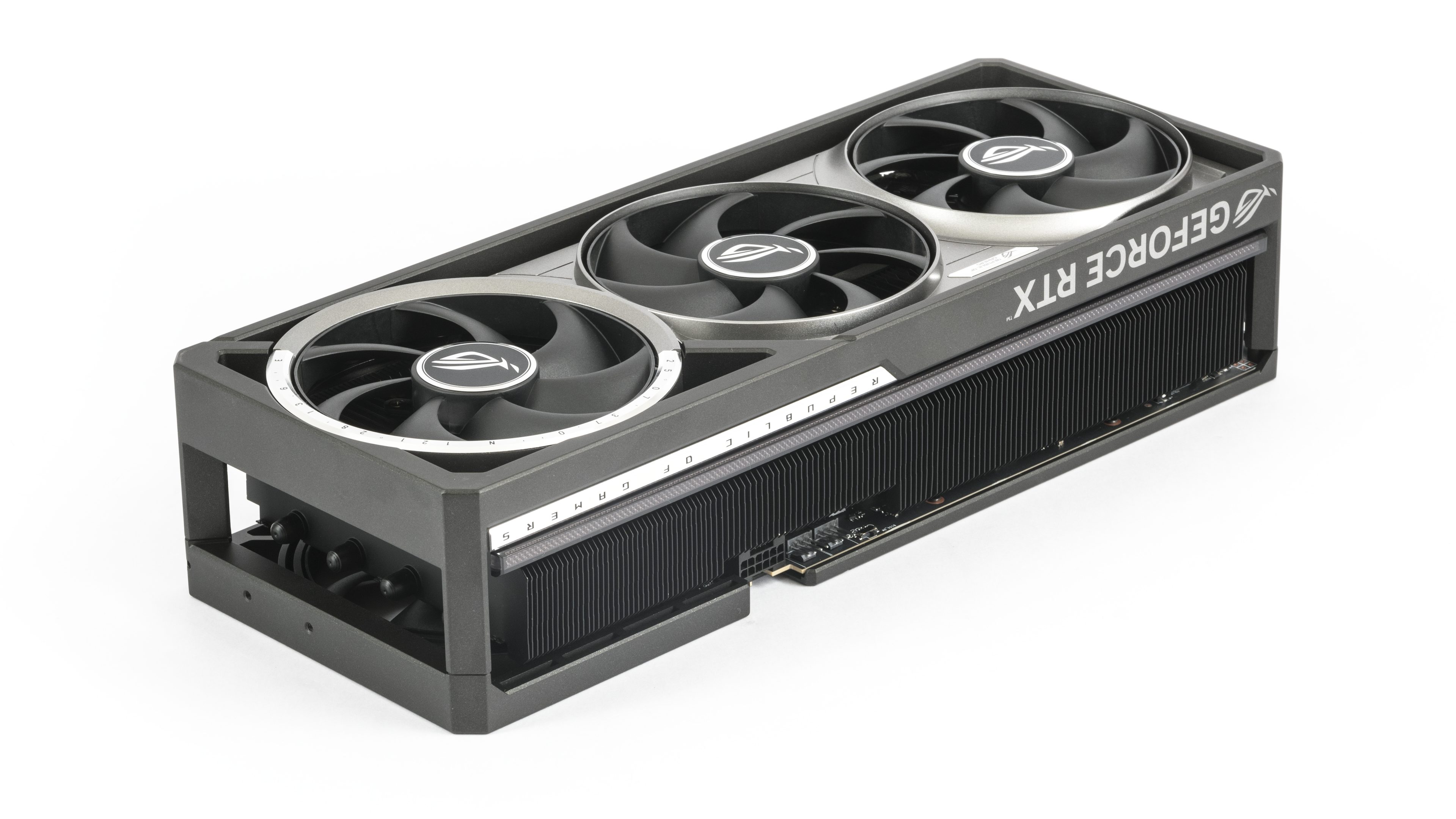
The backplate covering the PCB is also made of metal, and this is where the fourth fan comes in as a surprise.
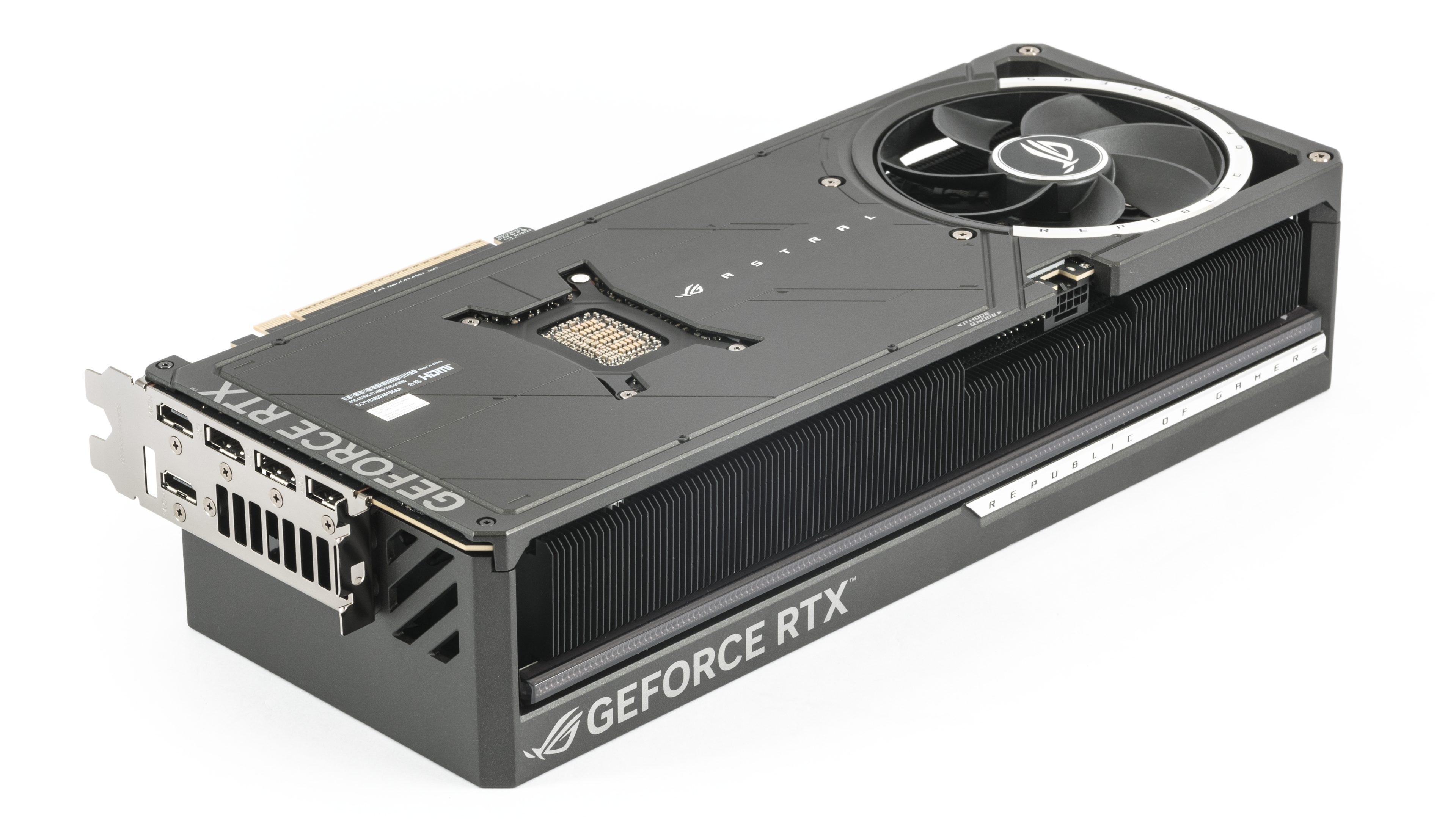

The entire rear third of the cooler beneath the third fan is fully pass-through, allowing for better airflow and heat dissipation.


From the side, it’s clear that the heatsink fills nearly all the available space beneath the massive cooler shroud.

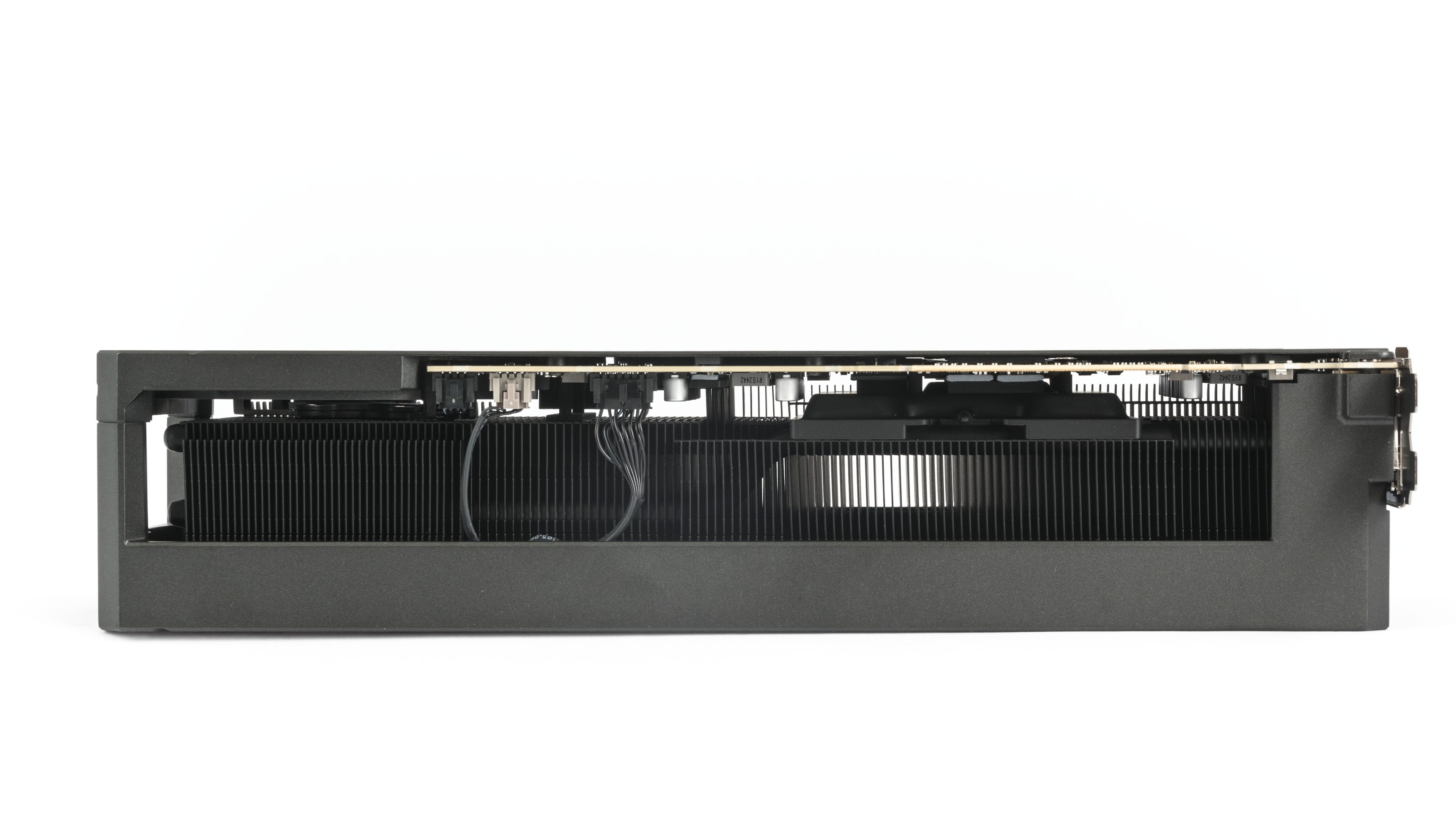
The card exceeds 35 cm by a few millimeters, which could be a problem for many cases, especially as recent case designs tend to be smaller. The width isn’t much better either–the cooler extends more than 4 cm beyond the bracket, meaning there won’t be much space for the power cable in most cases, especially if you don’t want it to be bent too much. Be prepared to need a wide case for this card.


The output configuration is above standard–on the bracket, you’ll find three DisplayPorts and one HDMI port. In the previous generation, Nvidia was lagging behind AMD in supporting the latest DisplayPort standards, but with the RTX 50 series, the situation is corrected, as the DisplayPorts now support the DP 2.1b standard with UHBR20. At the rear of the shroud, there are also three screws for mounting the card to the case, and I would definitely recommend using them with this card.


Where cheaper cards typically have a connector for additional power, Asus has packed much more onto the PCB. Starting from the left, there’s a switch between the high-performance BIOS (on the left) and the quiet BIOS (on the right). Next, there are two 4-pin connectors for fans–these allow you to connect system cooling and directly control the system fans through the GPU Tweak III application. The advantage here is that the fans can directly respond to the most significant heat source in the case–the graphics card.
Next, there’s the additional power connector, which also features a few unique elements. Besides a thermal pad designed to help cool the power connector, there are diagnostic LEDs that indicate problems with the additional power supply. For a truly refined monitoring experience and connector status checks down to the individual pins, you’ll find those features in GPU Tweak.

⠀





