Relative to computing (or gaming) performance, it has the lowest power consumption at factory settings. And the ROG Strix Z790-A Gaming WiFi II also sits among the more modern motherboards available for the Intel LGA 1700 platform. It’s already from the “second wave”, where network connectivity has been upgraded (to WiFi 7) and for example the support for DIMM Flex, useful for memory with extremely high bandwidth, is also new.
Conclusion
In many ways, the ROG Strix Z790-A Gaming WiFi II is a truly remarkable motherboard. Of all the Z790 chipset models tested so far, it has the highest efficiency, across a variety of load types. From very high to minimal, corresponding to an “idle” Windows operating system. In that situation, the CPU power consumption of few boards is lower, and the same statement holds true for higher loads, where “as low as possible” power consumption is perhaps an even more important feature.
We didn’t see below 300W with the Core i9-13900K in Cinebench R23 (MT) on any motherboard’s EPS cables. The computing performance is high, so it can be praised for its superior efficiency. Credit for this goes to the efficient VRM combined with less aggressive power supply. Consumption in both gaming and single-threaded loads is also slightly lower than on other motherboards.
The fact that the VRM is well over-dimensioned is also evidenced by temperature tests, whose results are far from critical values even without coolers. Those are robust and there won’t be many boards with lower temperatures.
On the other hand, there may be reservations about the non-support of PCIe 5.0 for the M.2 slot (for the most powerful SSDs). PCI Express 5.0 is only supported for graphics cards (and for someone this may be fine, because even if it were an option, the SSD would not cannibalize the PCIe lanes). And then, if you care about the new motherboard remaining relevant, then only the 2.5 Gb Ethernet connection may matter. WiFi 7 is great, but with the Gigabyte Z790 Aorus Pro X, for example, for a comparable price, there’s already that M.2 slot with PCIe 5.0 SSD support in addition to the 5-gigabit LAN.

Of course, Asus has other advantages, which include elegant release of the latch on the first PCIe ×16 slot with the Q-release button, easier mounting of external WiFi antennas, and last but not least, an above-standard portion of USB ports on the rear panel. But there is only one internal 19-pin for front panel connection. This means that a portion of USB connectors on cases with high-end trim will remain unconnected.
Having checked the speed tests, we can say that everything is within the norm, as expected. Whether it’s tasks dependent on CPU and graphics card performance or speeds of M.2 slots, USB ports or LAN. The SSD coolers are one of the more powerful things you’ll see on motherboards, although they’re relatively low, with no significant articulation, they feature a supremely large footprint (and apparently an efficient TIM). If it’s not just the long coolers shared by two SSDs, cooler (1) is longer to support up to 110mm M.2 SSDs.
We don’t normally mention it, but we will now: It’s also worth noting with Asus motherboards (including this one) the push for wider CPU cooler support. That’s because of the double spacing of the mounting holes, where in addition to the wider one (LGA 1700) there is also a narrower one (LGA 1200/115x). This makes even coolers that don’t officially support the LGA 1700 platform compatible. The unique DIMM Flex technology is also attractive for owners of ultra-fast DDR5 memory, for which Asus also maintains a list of supported modules.
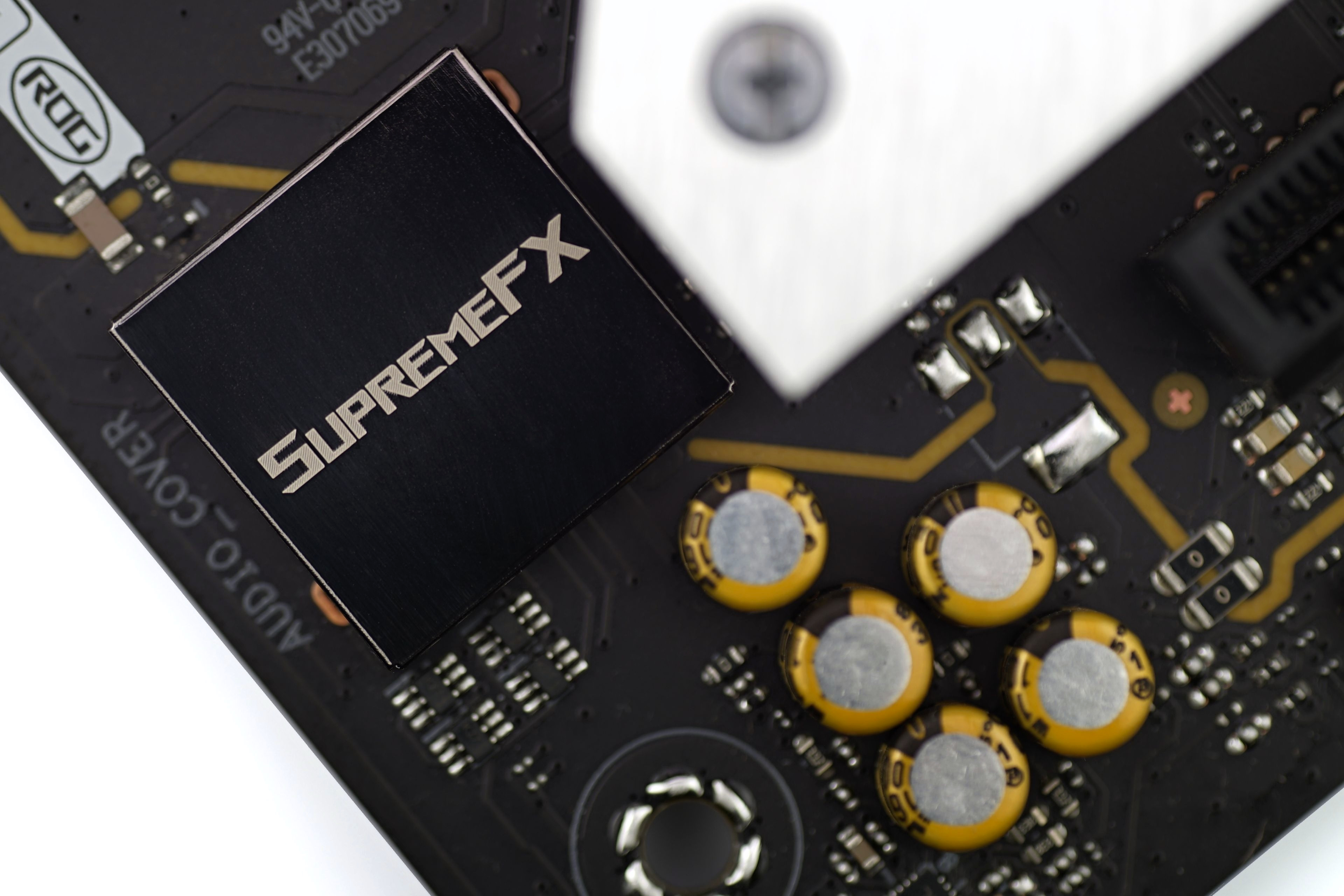
Overall, the ROG Strix Z790-A Gaming WiFi II is an attractive motherboard that may or may not be optimal. It depends on which of the subsets have what value to you. While the price may be reasonable for some (and they may appreciate the SupremeFX sound adapter or one of the other attractive things – don’t forget about that top-notch efficiency), some may not approve of it. For example, considering the lack of PCIe 5.0 for SSDs or 5 Gb LAN. It’s a matter of individual priorities.
English translation and edit by Jozef Dudáš
| Asus ROG Strix Z790-A Gaming WiFi II |
| + Powerful 19-phase power delivery (VRM)... |
| + ... handles even the Core i9-14900KS without power limits |
| + Option to manually overclock the CPU by changing the multiplier… |
| + ... and "automatic" overclocking options (AI OC, MCE) |
| + Very efficient power management |
| + Higher performance coolers (both VRM and SSD) |
| + Up to five fast (four-lane) M.2 SSD slots |
| + As many as twelve USB connectors on the rear I/O panel |
| + Detailed fan management options |
| + Handy Q-release system for unmounting the card in the first PCIe ×16 slot |
| + Support for ultra-fast WiFi (7)... |
| + ... and DIMM Flex |
| - Lack of PCIe 5.0 support for SSDs in this price range... |
| - ... and only 2.5 Gb LAN |
| - Only one internal connector for two USB 3.2 gen. 1 ports |
| Suggested retail price: 420 EUR |
Some of the tested motherboards are also available in the Datacomp e-store

Special thanks also go to Blackmagic Design (for a DaVinci Resolve Studio license) and Topaz Labs (for DeNoise AI, Gigapixel AI and Sharpen AI licenses)