To provide the best experiences, we and our partners use technologies like cookies to store and/or access device information. Consenting to these technologies will allow us and our partners to process personal data such as browsing behavior or unique IDs on this site and show (non-) personalized ads. Not consenting or withdrawing consent, may adversely affect certain features and functions.
Click below to consent to the above or make granular choices. Your choices will be applied to this site only. You can change your settings at any time, including withdrawing your consent, by using the toggles on the Cookie Policy, or by clicking on the manage consent button at the bottom of the screen.
Technické uloženie alebo prístup sú nevyhnutne potrebné na legitímny účel umožnenia použitia konkrétnej služby, ktorú si účastník alebo používateľ výslovne vyžiadal, alebo na jediný účel vykonania prenosu komunikácie cez elektronickú komunikačnú sieť.
Technické uloženie alebo prístup je potrebný na legitímny účel ukladania preferencií, ktoré si účastník alebo používateľ nepožaduje.
Technické úložisko alebo prístup, ktorý sa používa výlučne na štatistické účely.
Technické úložisko alebo prístup, ktorý sa používa výlučne na anonymné štatistické účely. Bez predvolania, dobrovoľného plnenia zo strany vášho poskytovateľa internetových služieb alebo dodatočných záznamov od tretej strany, informácie uložené alebo získané len na tento účel sa zvyčajne nedajú použiť na vašu identifikáciu.
Technické úložisko alebo prístup sú potrebné na vytvorenie používateľských profilov na odosielanie reklamy alebo sledovanie používateľa na webovej stránke alebo na viacerých webových stránkach na podobné marketingové účely.



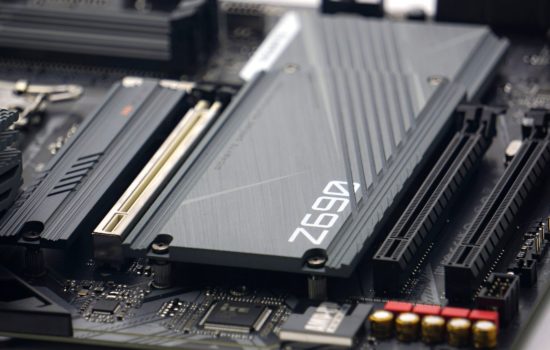



Do you guys think this board would handle the 13900K? With power limits and decent air cooling (Noctua NH-D15, U14S, Dark Rock Pro 4, AK62, or Thermalright PA 120SE?
With a power limit of 253 W? The Pro Z690-A DDR4 is up to the task for such a load, although you have to expect lower power efficiency. But that’s only natural in this class.
Hey guys, I have a Gigabyte 750h psu that i bought back in 2020, thing is.. it only has 1x 8pin CPU power connector, this motherboard required 2x 8pin CPU power connectors, i want to purchase this motherboard along with a i5 13600k (im not gonna do overclocking at least until i change the psu) am I gonna be ok with just 1x 8pin CPU power cable connected ?
Yes, a single 8-pin EPS connector (or a pair of two 4-pin connectors) will be sufficient with the Core i5-13600K, and by a wide margin. It’s capable of 336 W, and your processor’s power draw won’t be more than 180 W.
First of all, congratulations for the work done, I have never seen such complete tests for motherboards. There are so many information that I didn’t even think about, now I’m confused. Before, I didn’t think about the consumption or the achieved CPU clock speed.
MSI MAG B660M Mortar WiFi (128 USD) it consumes less energy and at the same time keeps the CPU at a higher frequency!
MSI Pro Z690-A DDR4 (170 USD): I thought it was a clear winner, I thought I’d put a 12600k on it and then in a few years upgrade to a 13900k or maybe even the 14 series. More lanes.
At the same time, there are chances that I will not upgrade to a CPU on the same platform. Hard to chose, or not?
I wouldn’t be put off by the difference in achieved clock speeds. This is just the sort of thing that can be well controlled by a simple manual adjustment of the settings. The Pro Z690-A DDR4 board obviously has a more aggressive minus offset setting for AVX instructions and therefore achieves lower CPU clock speeds in Cinebench. But in games and at lower load they are already the same as with the B660M Mortar. To a certain extent, until the limits of the VRM (in)efficiency are reached, the power draw can be tuned. It’s possible that what makes a bigger difference in the power draw than VRM efficiency (the components on the Pro Z690-A DDR4 don’t look that much worse on paper…) on the hardware side is that the Pro Z690-A DDR4 has a significantly more aggressive power supply, which can be adjusted. But that’s all a matter for detailed manual tweaking and fine-tuning.