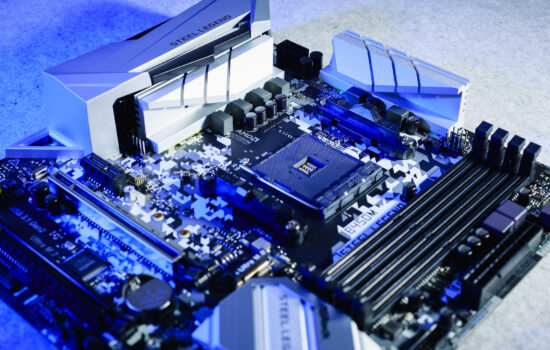
Configurations on the LGA 1851 platform have been possible for some time even on motherboards with the Intel B860 chipset. These are cheaper and primarily aimed at lower-power processors, but they also have headroom for high-performance CPUs. This is the case with the Tomahawk WiFi variant by MSI. A lower price, yet still a high standard, includes support for the future-proof PCI Express 5.0 interface, among other features.
Conclusion
As a more affordable option for the Intel LGA 1851 platform, the MSI MAG B860 Tomahawk WiFi motherboard can definitely be attractive. The VRM here is very robust and over-engineered. Considering that the target is lower-power processors (with a TDP of 65 W), the results with the Core Ultra 9 285K are truly impressive. And don’t forget, the VRM thermal tests are conducted without heatsinks, so with them, the temperatures will be lower than the measured 90 °C.
Energy efficiency is also decent, with lower power consumption compared to most Z890 motherboards. This is mainly due to the less aggressive power delivery in the default settings. Stability, meanwhile, remains high, and we didn’t encounter any crashes or other undesirable complications during testing.
Power consumption is also low under light loads, whether in single-threaded applications or idle states. Here, of course, it also matters whether all power is drawn from the external EPS connector. Some current to the CPU socket may also flow through the 24-pin connector, which we don’t analyze in motherboard testing. Either way, the B860 Tomahawk WiFi performs very well in terms of operational characteristics based on the results obtained. At the same time, we didn’t encounter any performance anomalies in any of the scenarios. Neither in tasks primarily tied to CPU performance, nor in those dependent on the GPU. And if you’re worried that a motherboard with the B860 chipset might deliver lower performance than Z890 models, those concerns are unfounded. There’s no reason for such behavior.

While you can’t manually overclock the processor on the B860 Tomahawk WiFi, without power limits, even the CU9 285K can exceed 5 GHz on all cores. And with a more powerful cooler than the one we use, you can go even higher. In this regard, it’s a truly reliable motherboard, even though it’s primarily aimed at weaker processor models. But as the tests show, it’s also well-prepared for the opposite end of the spectrum, meaning high-performance “K” models.
Special praise goes to the 5-gigabit Ethernet, which isn’t a given in this class (and is somewhat sporadic). SSD speeds in the M.2 slots are high, and the same applies to the USB ports (at least when it comes to 10 Gb and faster ones…). The SSD coolers are below average in efficiency, but not counterproductive – they reduce the temperatures of the controller and memory (SSD).
Overall, the MSI MAG B860 Tomahawk WiFi motherboard can be rated positively. In its price category, it offers favorable operational characteristics, and the equipment is decent, including up to three M.2 slots, one of which (like the first PCIe ×16 slot) supports PCIe 5.0. MSI didn’t skimp here, and the external connectors are plentiful (with up to ten USB ports), along with fast LAN and WiFi (7). The old audio adapter (Realtek ALC897)? Yes, that needs to be mentioned too. If you’re aware of everything that’s been said and see more advantages than disadvantages, then go for it – the B860 Tomahawk WiFi will be a good choice.
English translation and edit by Jozef Dudáš
| MSI MAG B860 Tomahawk WiFi |
| + Strong 15-phase power delivery (VRM)... |
| + ... capable of handling even the Core Ultra 9 285K without power limits |
| + Up to ten fast USB connectors (including USB4) on the rear I/O panel |
| + Rich selection of internal and external connectors for the price... |
| + ... and support for PCI Express 5.0 (for both the graphics card and SSD) |
| + Detailed fan management options |
| + Clever mechanism for (de)mounting expansion cards in the first PCIe ×16 slot... |
| + ... and also the first SSD cooler |
| + Fast Ethernet connection (up to 5 Gb) in both directions... |
| + ... and support for very fast WiFi (7) |
| - Weak efficiency of the SSD coolers |
| - Only four SATA connectors... |
| - … and only one internal connector for two USB 3.2 gen. 1 ports |
| Suggested retail price: 264 EUR |
Some of the tested boards are also available in the Datacomp e-store

Special thanks also to Blackmagic Design (for the license to DaVinci Resolve Studio) and Topaz Labs (for the licenses to DeNoise AI, Gigapixel AI and Sharpen AI)