


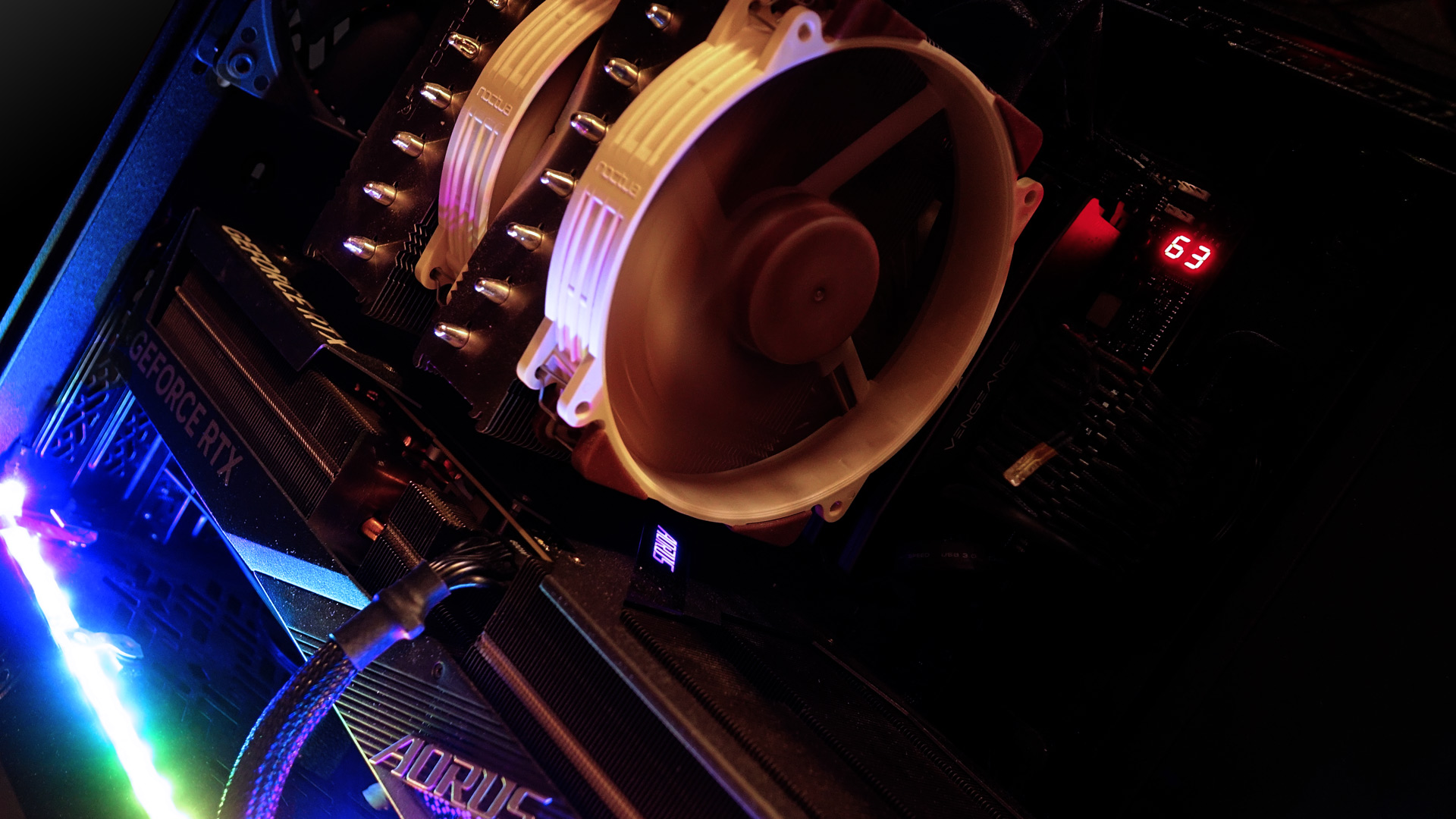
While building a PC, most people are satisfied when the computer works, performs as expected and remains reasonably quiet. Unless you’re one of those who care more about the journey than the destination, you probably haven’t spent much time tinkering with system cooling. That’s where we come in. We’ll test what makes sense to address and what doesn’t, and how it impacts computer’s performance and behavior.
Motherboard and Component Temperatures, System Fans Power Duty Cycle: 100%–0%
The following charts show the temperatures from the internal sensors on the motherboard, one of the memory module’s SPD chips, and the SSD controller.


Temperatures in the Upper Part of the Case, System Fans Power Duty Cycle: 100%–0%
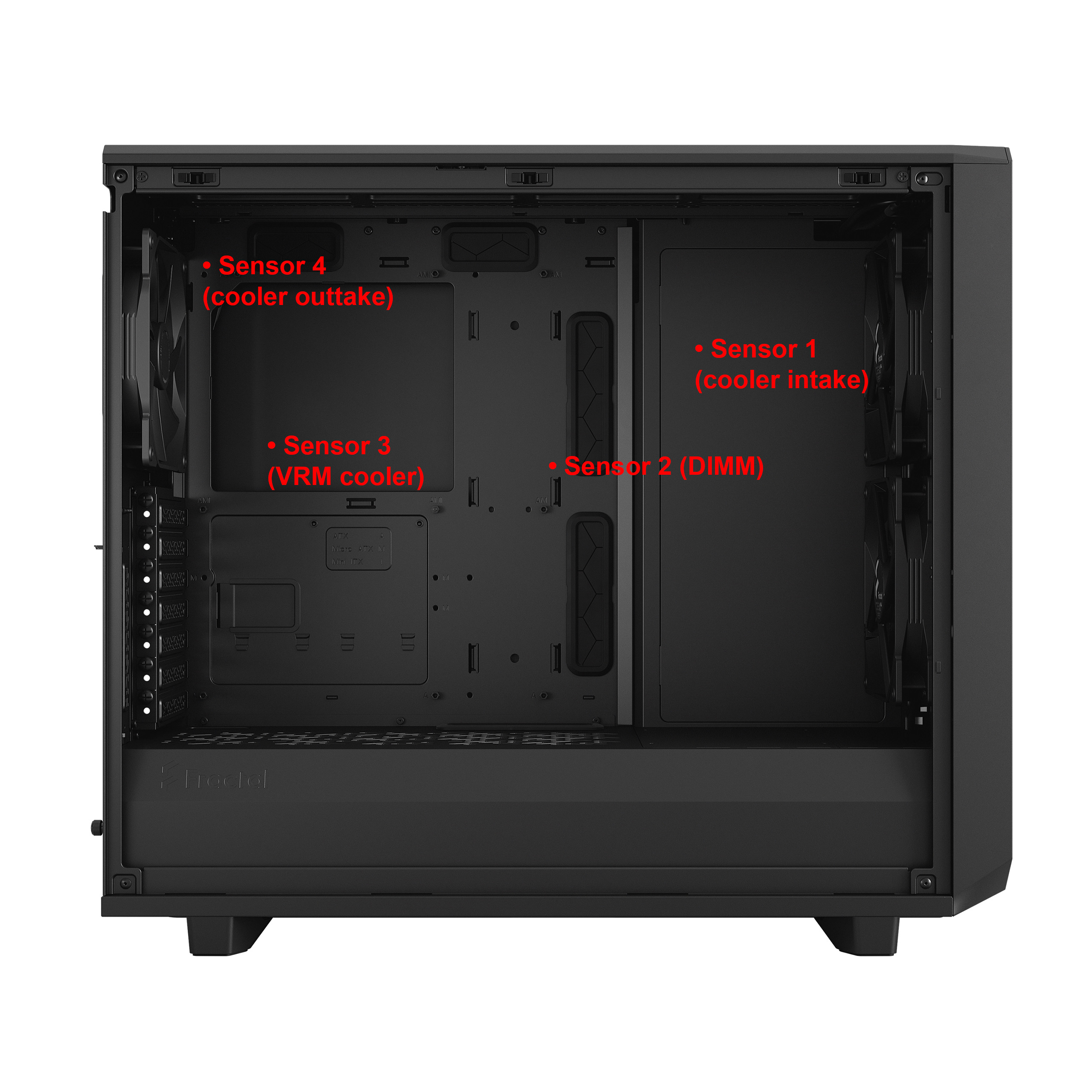
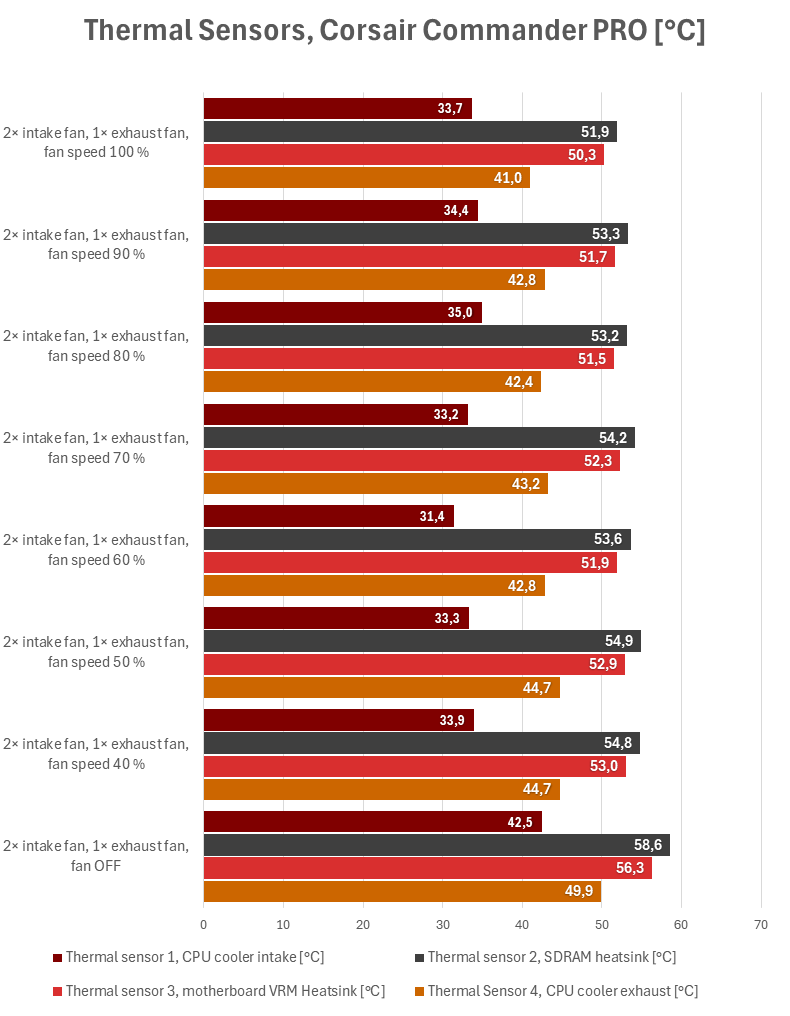
The next pair of charts shows the readings from the thermal sensors of the Corsair Commander Pro controller. The approximate locations of the sensors within the case are illustrated in the image.
The trends throughout the entire test

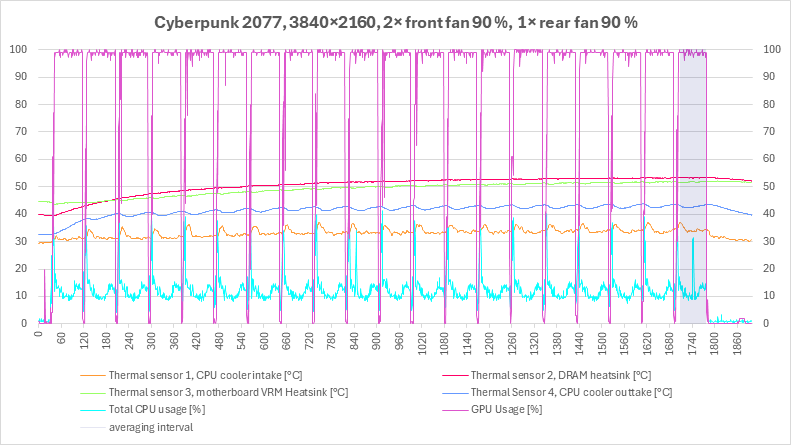


Fan power duty cycle 100%, 90%, 80%, 70%

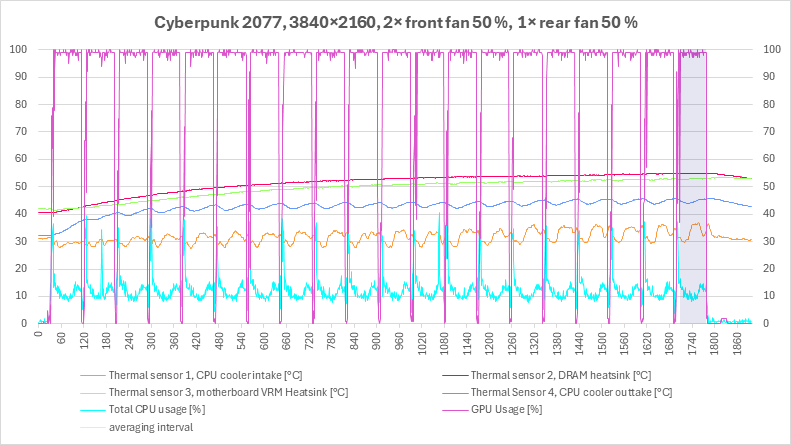
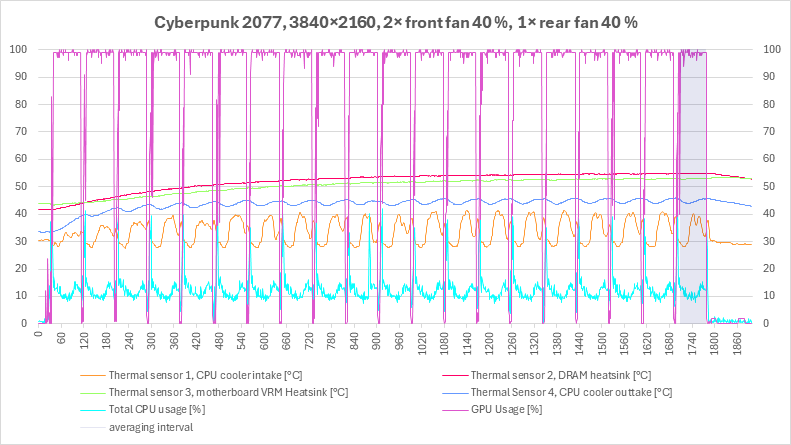

Fan power duty cycle 60%, 50%, 40%, 0%
A detailed view of the final loop


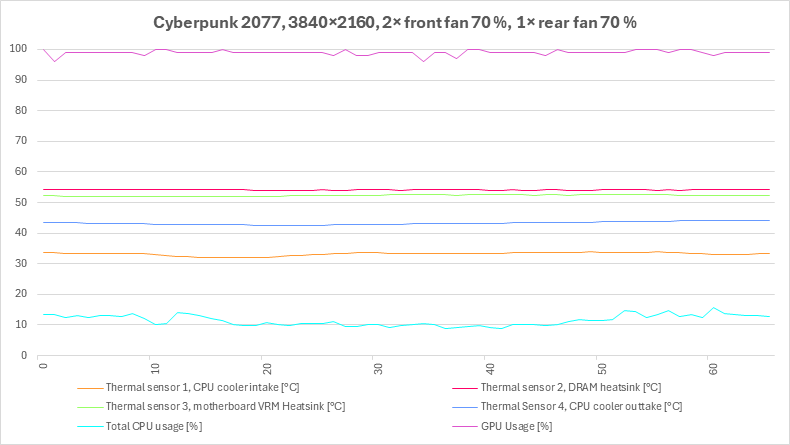
Fan power duty cycle 100%, 90%, 80%, 70%


Fan power duty cycle 60%, 50%, 40%, 0%
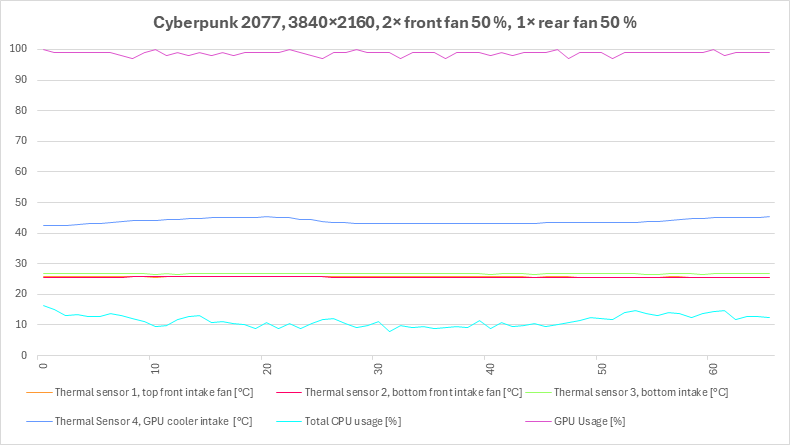
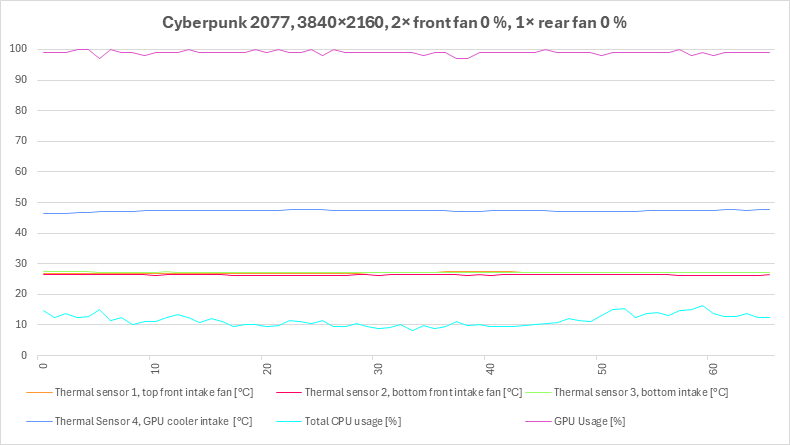
Temperatures at the Intake and in the Lower Part of the Case, System Fans Power Duty Cycle: 100%–0%

As a precaution, we also measure temperature values at the intake. However, the sensor placed directly below the graphics card is more interesting. When the fans are stopped, the temperature below the graphics card rises significantly, indicating that some of the heated air recirculates beneath it.

The trends throughout the entire test

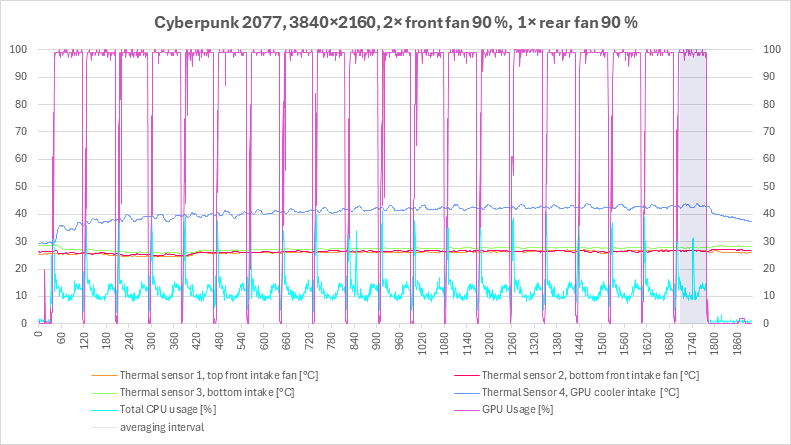

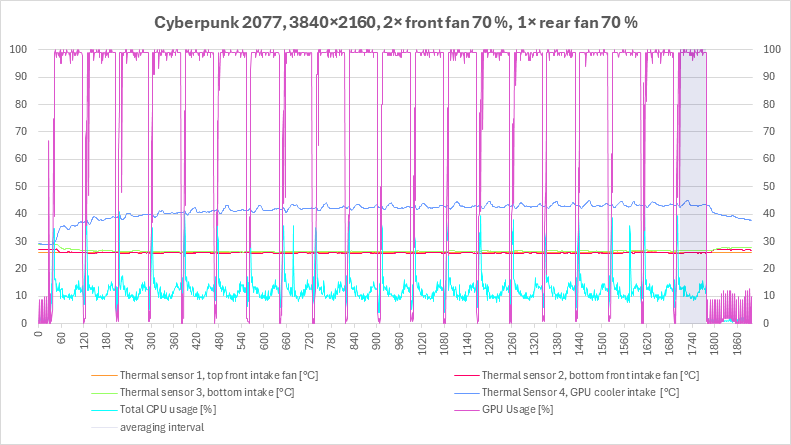
Fan power duty cycle 100%, 90%, 80%, 70%

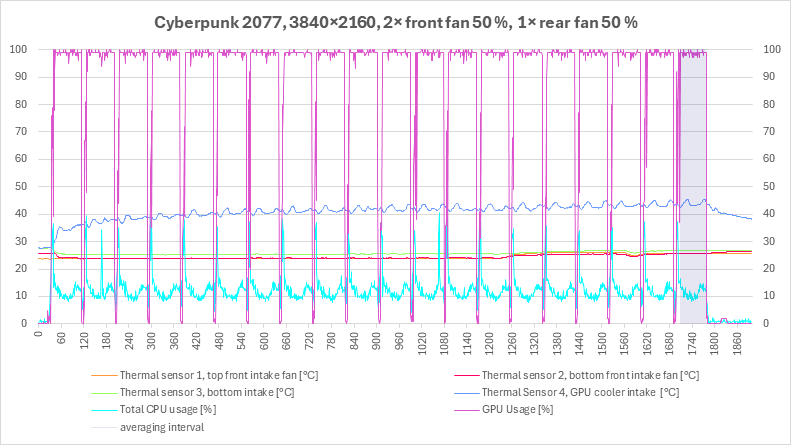

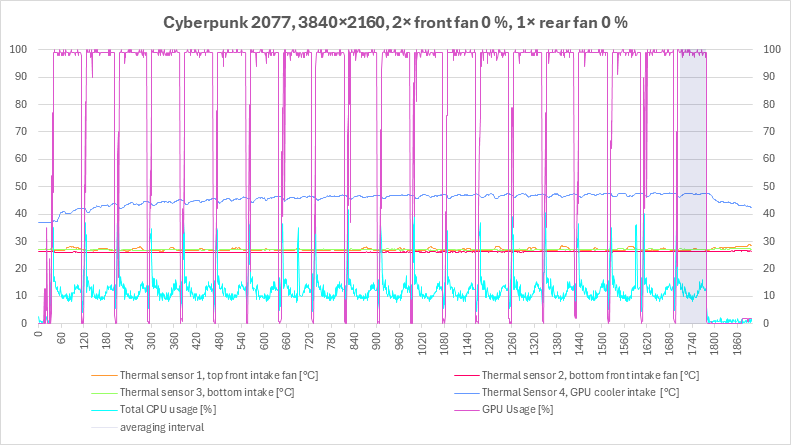
Fan power duty cycle 60%, 50%, 40%, 0%
A detailed view of the final loop


Fan power duty cycle 100%, 90%, 80%, 70%
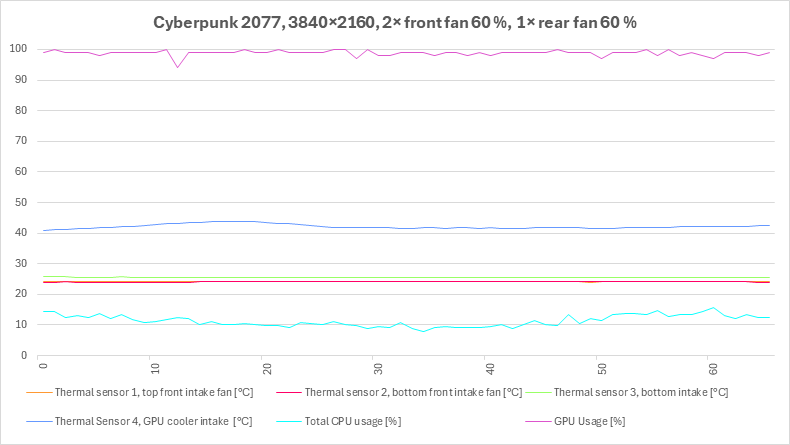

Fan power duty cycle 60%, 50%, 40%, 0%
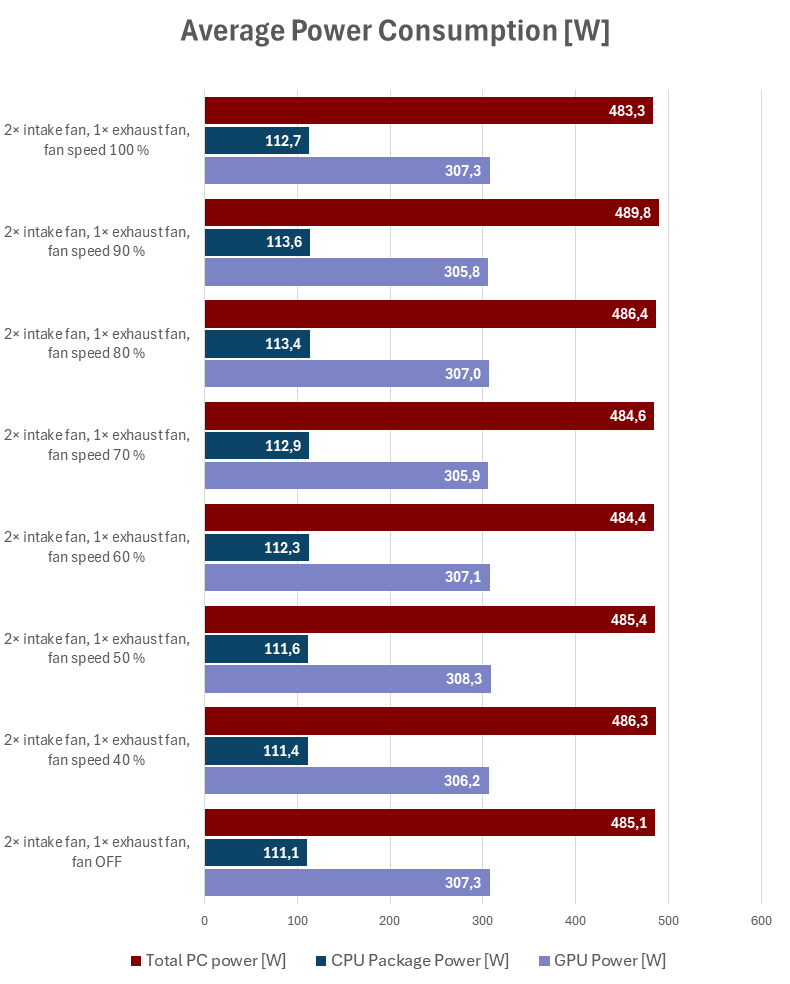
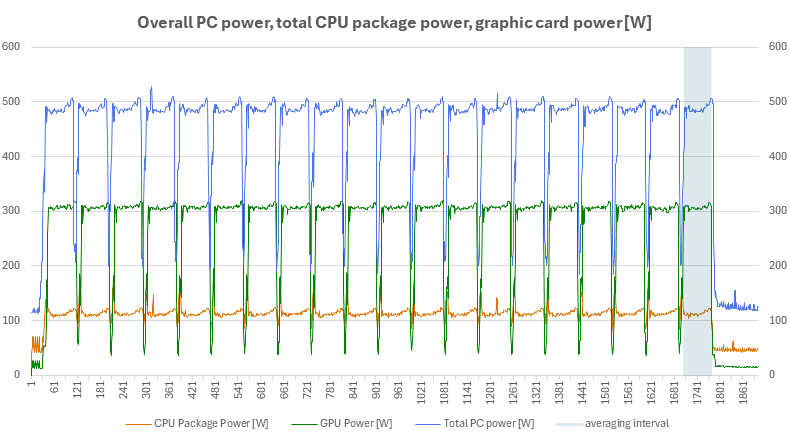
Total PC power, CPU Power, GPU Power, System Fans Power Duty Cycle: 100%–0%
The final charts include a control measurement of the system’s total power consumption using a wattmeter, as well as the power consumption of the processor and graphics card measured by their internal sensors.


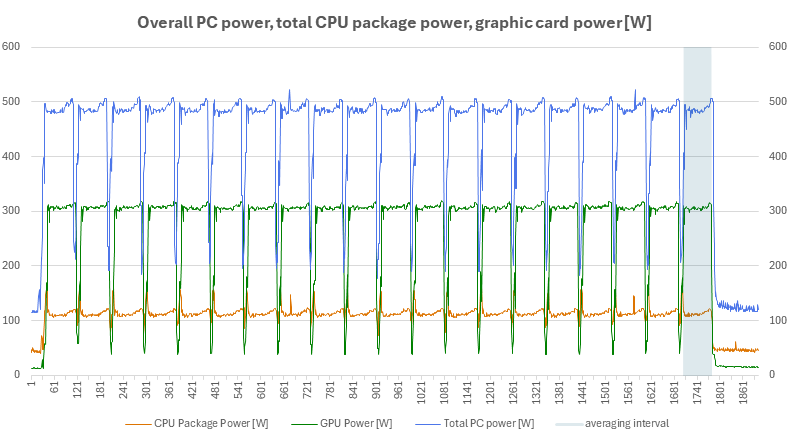
Fan power duty cycle 100%, 90%, 80%, 70%
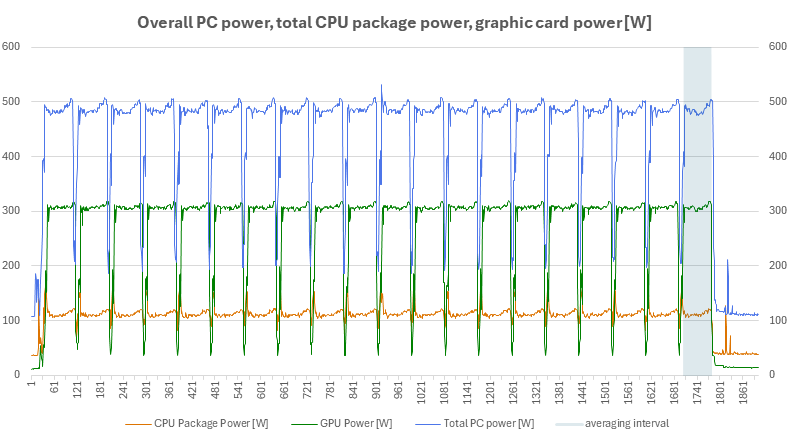

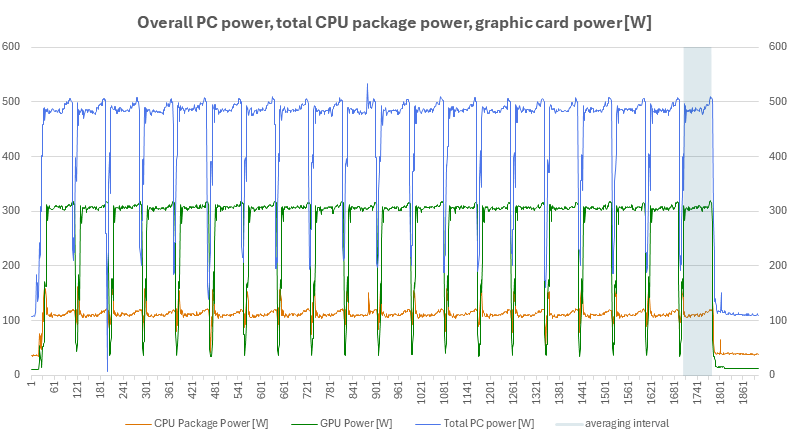
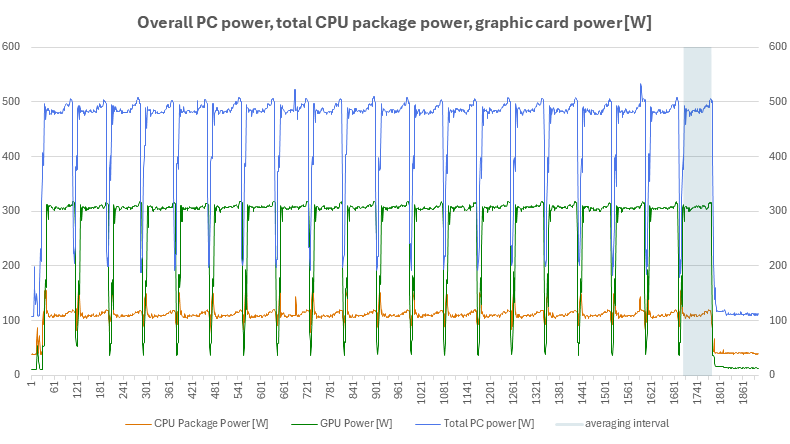
Fan power duty cycle 60%, 50%, 40%, 0%
⠀



