


The fan carrying one of the most popular brands in the field has been tested against the latest competitors. Among them are the new Arctic P14 Pro (A-RGB), Noctua NF-A14x25 G2 PWM and Thermaltake Toughfan 14 Pro. And many others (including the FD Momentum 14/RGB) with which the TL-B14 will cross paths. In any case, the geometry of the Thermalright impeller is efficient, the price is low, and the results are impressive.
33 dBA or 33 dBA
The noise level, given as a single dBA value, is good for quick reference, but it doesn’t give you an idea of exactly what the sound sounds like. That’s because it averages a mix of noise levels of all frequencies of sound. One fan may disturb you more than the other, even though they both reach exactly the same dBA, yet each is characterized by different dominant (louder) frequencies. To analyze thoroughly with an idea of the “color” of the sound, it is essential to record and assess noise levels across the entire spectrum of frequencies that we perceive.

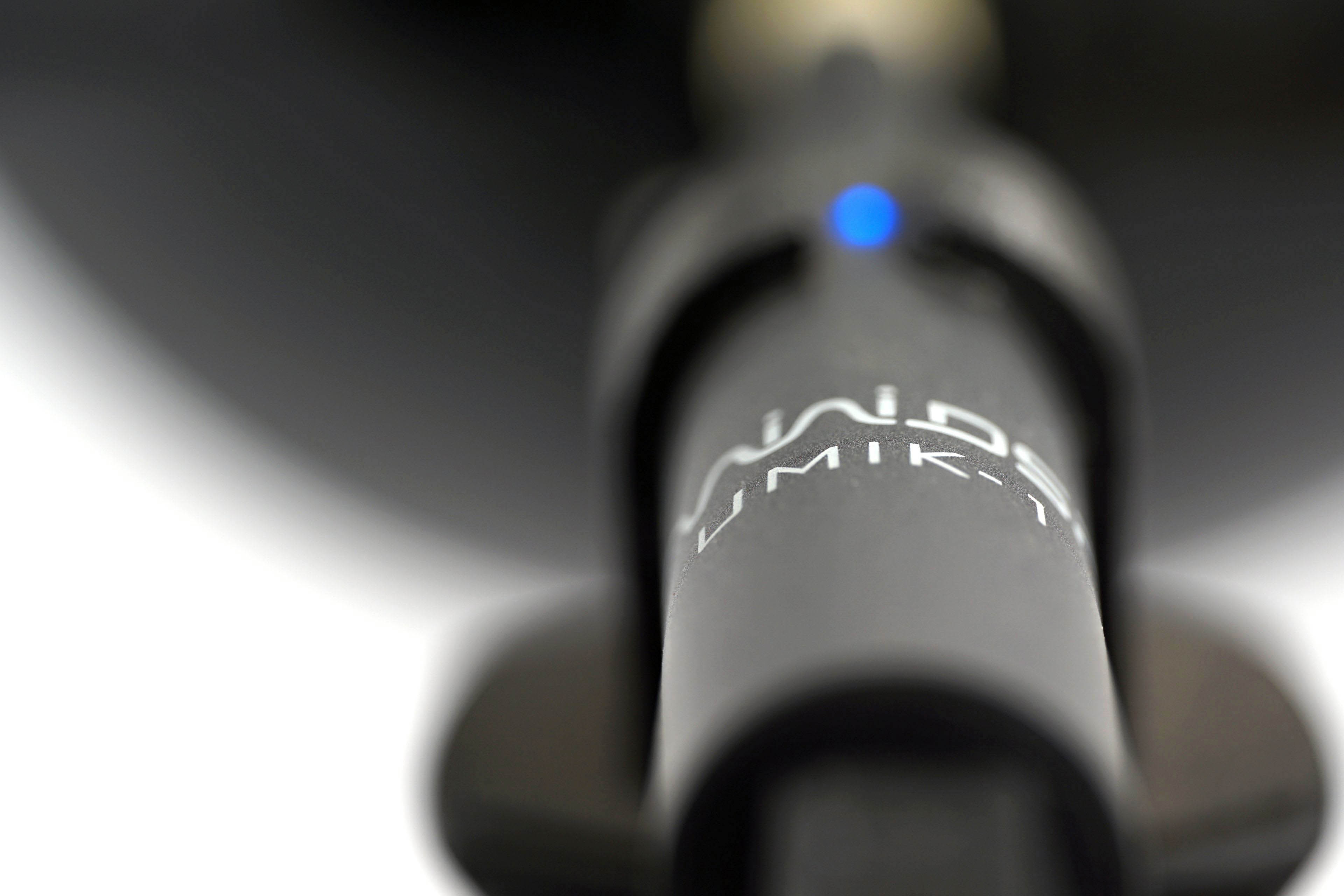
We already do this in graphics card tests, and we’ll do it for fans too, where it makes even more sense. Using the UMIK-1 miniDSP microphone and TrueRTA’s mode-specific, fixed dBA application, we also measure which frequencies contribute more and which contribute less to the sound. The monitored frequency range is 20-20,000 Hz, which we’ll work with at a fine resolution of 1/24 octave. In it, noise levels from 20 Hz to 20 000 Hz are captured at up to 240 frequencies.
The information captured in the spectrograph is a bit more than we will need for clear fan comparisons. While you’ll always find a complete spectrograph in the tests, we’ll only work with the dominant frequencies (and their noise intensities) in the low, mid, and high bands in the comparison tables and charts. The low frequency band is represented by 20–200 Hz, the medium by 201–2000 Hz and the high by 2001–20 000 Hz. From each of these three bands, we select the dominant frequency, i.e. the loudest one, which contributes most to the composition of the sound.
To the dominant frequency we also give the intensity of its noise. However, in this case it is in a different decibel scale than those you are used to from noise meter measurements. Instead of dBA, we have dBu. This is a finer scale, which is additionally expressed negatively. Be careful of this when studying the results – a noise intensity of -70 dBu is higher than -75 dBu. We discussed this in more detail in the article Get familiar with measuring the frequency response of sound.
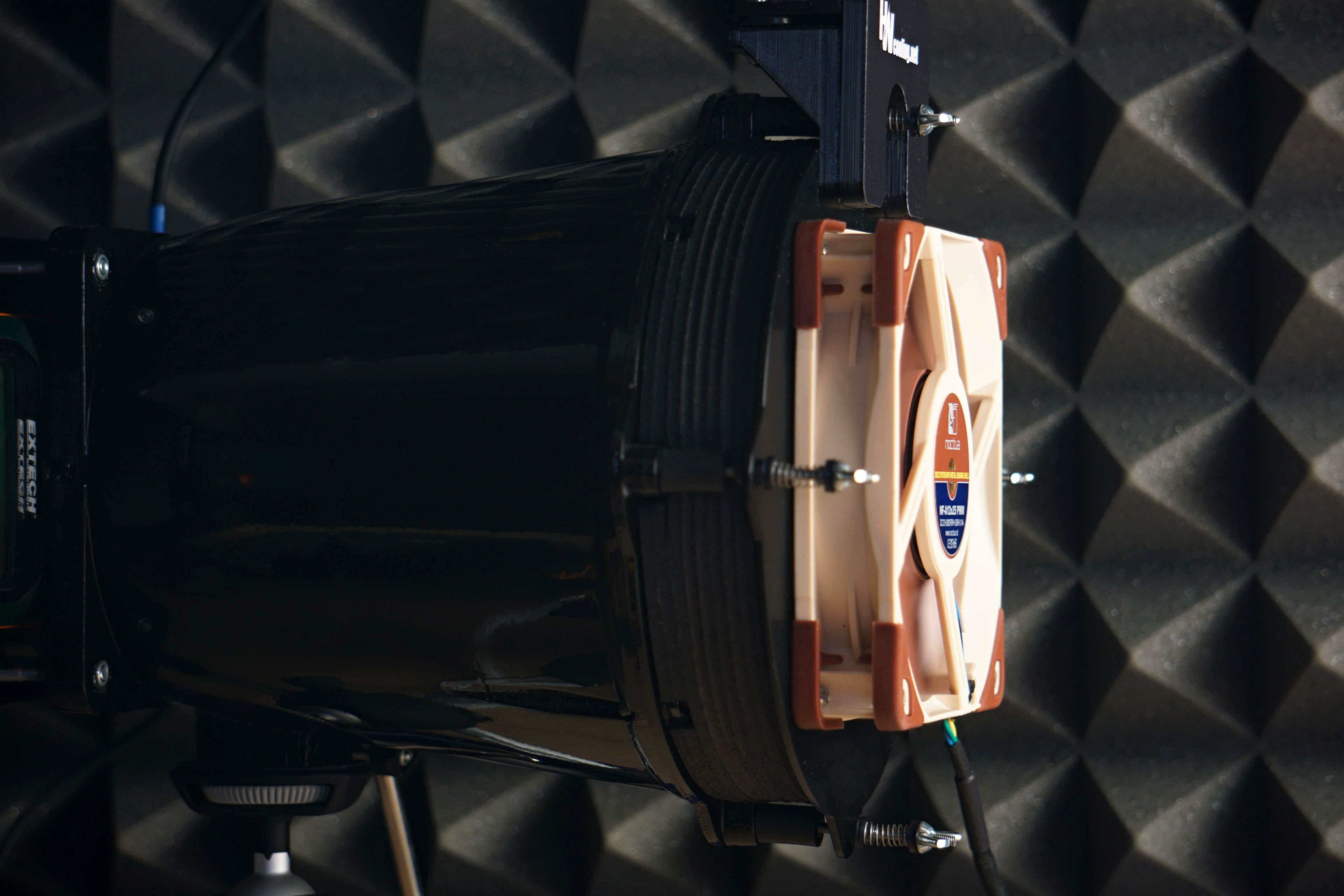
Strict acoustic safeguards are required to ensure that these measurements can be carried out with satisfactory repeatability at all. We use acoustic panels to measure the same values at all frequencies across repeated measurements. These ensure that the sound is always reflected equally to the microphone regardless of the distribution of other objects we have in the testlab. The baseline noise level before each measurement is also naturally the same. The room in which we measure is soundproofed.
Like the noise meter, the microphone has a parabolic collar to increase resolution. The latter is specially in this case not only to amplify but also to filter out the noises that occur whether we want them or not behind the microphone. We are talking about the physical activity of the user (tester). Without this addition, human breathing, for example, would also be picked up by the spectrograph. However, this is successfully reflected off the microphone sensor by the back (convex) side of the collar. As a result, the spectrogram only contains information about the sound emitted by the fan itself.




I have this installed as a back exhaust fan on my Fractal Design Define S. In the front I have three of the Fractal Design’s older dynamic GP14.
This fan has a specific prrrrrrrrrr noise that becomes pronounced above 1100rpm.
I somehow prefer it over the extremely annoying high pitched whine of the Arctic P14 PWM.
My quest for a satisfactory quiet fan over 1000rpm continues.
Are you sure that the noise is not actually being generated by the grille on which the fan is mounted? Maybe it is resonating with the TL-B14 fan and is the source of the unwanted noise. With other fans this doesn’t necessarily have to happen, of course…
Please review the Thermalright TL-C12015B. Maybe the best slim fan after the P12 slim, and important as the range for slim fans is limited.
Wow, Thermalright’s offering is quite impressive in this slim space. 😉
TL-B12015: https://www.thermalright.com/product/tl-b12015/
TL-B12015 Extrem: https://www.thermalright.com/product/tl-b12015-extrem/
TL-H12015B: https://www.thermalright.com/product/tl-h12015b/
TL-C12015B: https://www.thermalright.com/product/tl-c12015b/
TL-H12015B-S: https://www.thermalright.com/product/tl-h12015b-s/
TL-C12015S: https://www.thermalright.com/product/tl-c12015s/
TL-C12015L: https://www.thermalright.com/product/tl-c12015l/
and super-slim (13mm) in 140mm format
TY-14013R: https://www.thermalright.com/product/ty-14013r/
That’s a very nice list of fans. Thanks for sharing! 🙂
Yes, the TL-C12015B looks good. Thanks for the tip! We are adding it to the list and will ask Thermalright for samples when we get the opportunity. No promises, but let’s hope we’ll get to see its tests on here. 🙂
1. For some reason, the positive/negative list in the evaluation section seems empty. Can you check if that’s also the case on your end?
2. On the topic of Thermalright, have there ever been considerations of reviewing some of TR’s CPU air coolers?
I’d love to see some of the detailed analysis you guys do for the likes of the Phantom Spirit 120 Evo, Royal Pretor 130 Ultra or the Peerless Assassin 140, just as examples for their 3 most performant recent models.
Sorry, no idea why this was posted a reply to you (Yamato). It was supposed to be a question to Ľubomír.
Thank you for the heads-up. 🙂
1.) The +/- table really was empty, but everything’s fixed now.
2.) We’re definitely interested in Thermalright coolers, and we already have a sample of the Royal Pretor 130 in the test lab. Their lower representation in our tests is only due to weaker local distribution, but that doesn’t change the fact that we want to cover Thermalright coolers too. The English edition of HWCooling does have global reach.
Is the TL H12-X28 anywhere in the schedule? Looks like a pretty good 120mm ARGB workhorse if the specs are anywhere near accurate
We don’t currently have the TL-H12-X28 fan in our testing plans. I agree its design is extremely attractive, but I’m constrained by limited time. While I believe we’ll eventually get around to testing this fan, I really can’t make any promises right now.
I’m sorry if it has been asked before or if it’s already on the schedule, but could you guys review the Sudokoo Mach140 fan, the Sudokoo Proteus 360 AIO and the Thermalright Stream Vision AIO?
IIRC, Sudokoo Mach is on the schedule, but I don’t know if it’s 120 or 140. 😛
Either will be great. Comparing the 120 with the Phanteks T30 or the 140 with the Arctic 14 Pro will show whether Sudokoo’s product is competitive.
I’m looking forward to it. The aerodynamic design of these fans looks really promising, and based on previous experience, I’d expect the Mach120 to deliver some very attractive results. 🙂
And you can find the TR Stream Vision AIO review here:
https://quasarzone.com/bbs/qc_qsz/views/2023652#p5
😛
Nice! Thank you!
As for Sudokoo fans, we have Mach120 samples in the test lab. Tests of these fans will definitely come out sooner or later. Regarding the Mach140—can’t say yet, we’re not that far ahead, haha. The Proteus and Stream Vision coolers are very good suggestions for future tests as well, but I can’t promise anything for now. We’ll see. 🙂
No problem! I know it’s not possible to review every piece of available gear.
Anyway, thank you for everything you have been doing!