





We won’t keep you in suspense – the Noctua NF-A12x25 G2 (PWM) is the most efficient fan we’ve ever tested. It clearly outperforms its predecessor (NF-A12x25 “G1”), as well as the Phanteks T30 and all competing 120 mm fans in the extensive database we’ve built so far. The NF-A12x25 G2 consistently comes out on top, making it an uncompromising choice for the most demanding PC builds.
These fans arrive as successors to the well-established NF-12×25 (PWM) first-generation fans, which debuted in 2018. There’s been plenty of time since then for refinements aimed at increasing the aerodynamic efficiency (and real-world cooling performance) of the original design. Noctua engineered all of this into its new NF-A12x25 G2 fans – in other words, the second generation of 120 mm fans using LCP or “Sterrox” impellers.
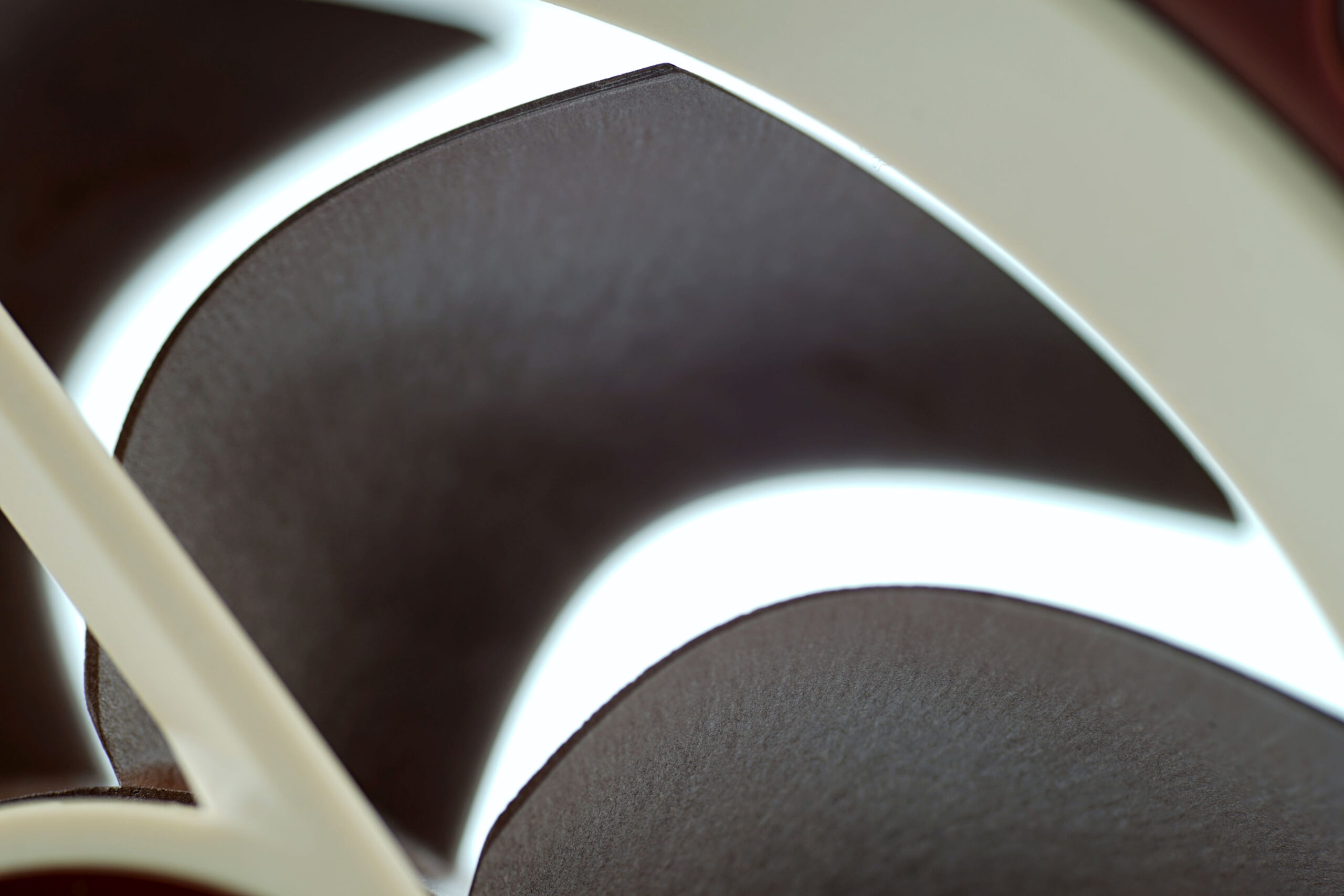
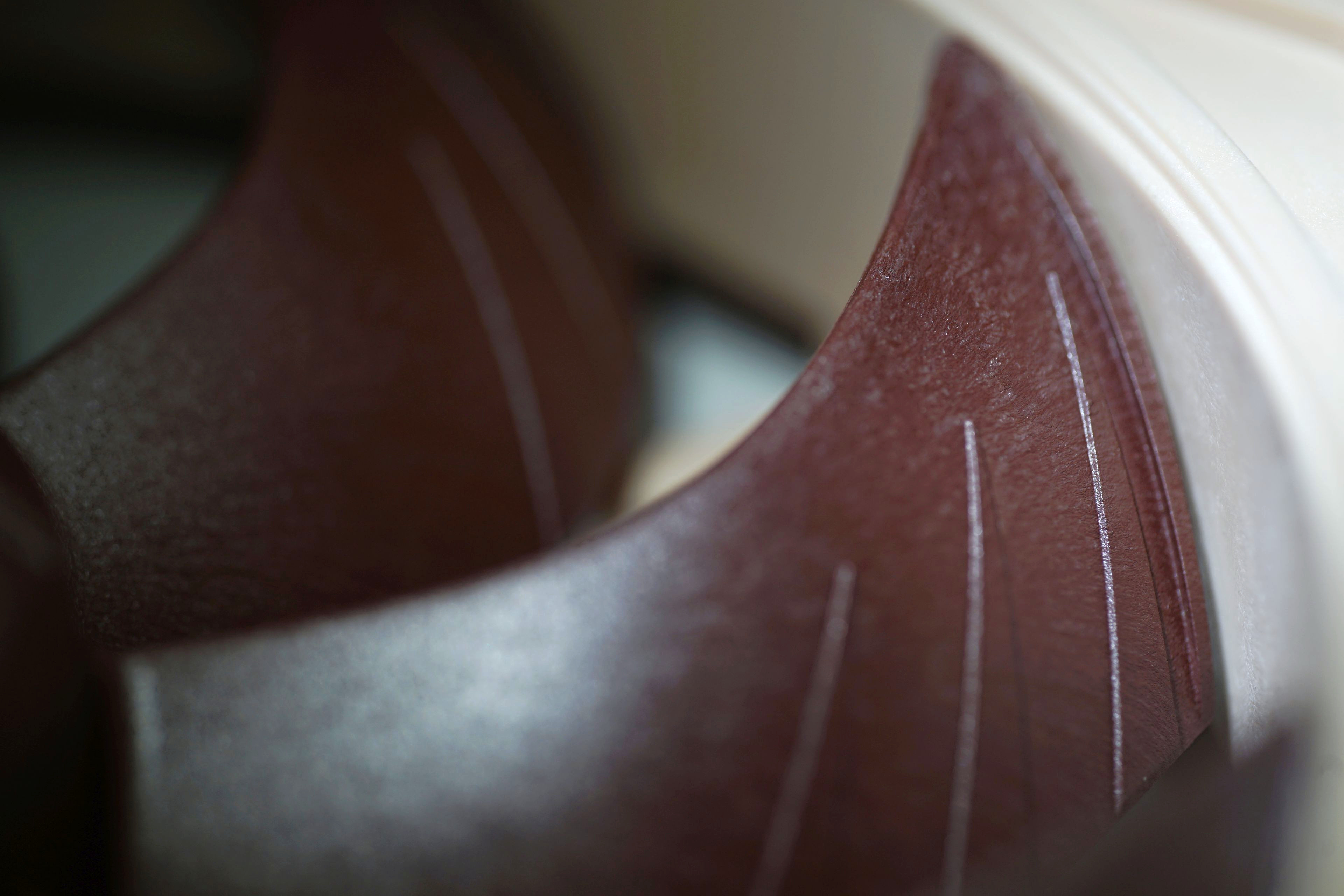
The main change lies in the blade shape. While they still feature strongly curved leading edges (a proven and efficient design), the second generation introduces a hump in the middle of the blades. This is intended to increase the utilization of the full blade surface area. As pressure naturally drops near the center of the impeller (with fan efficiency peaking towards the blade tips), this feature aims to counteract that trend. Not entirely, but at least partially – the goal is to achieve the highest possible aerodynamic efficiency even in the area close to the impeller hub.
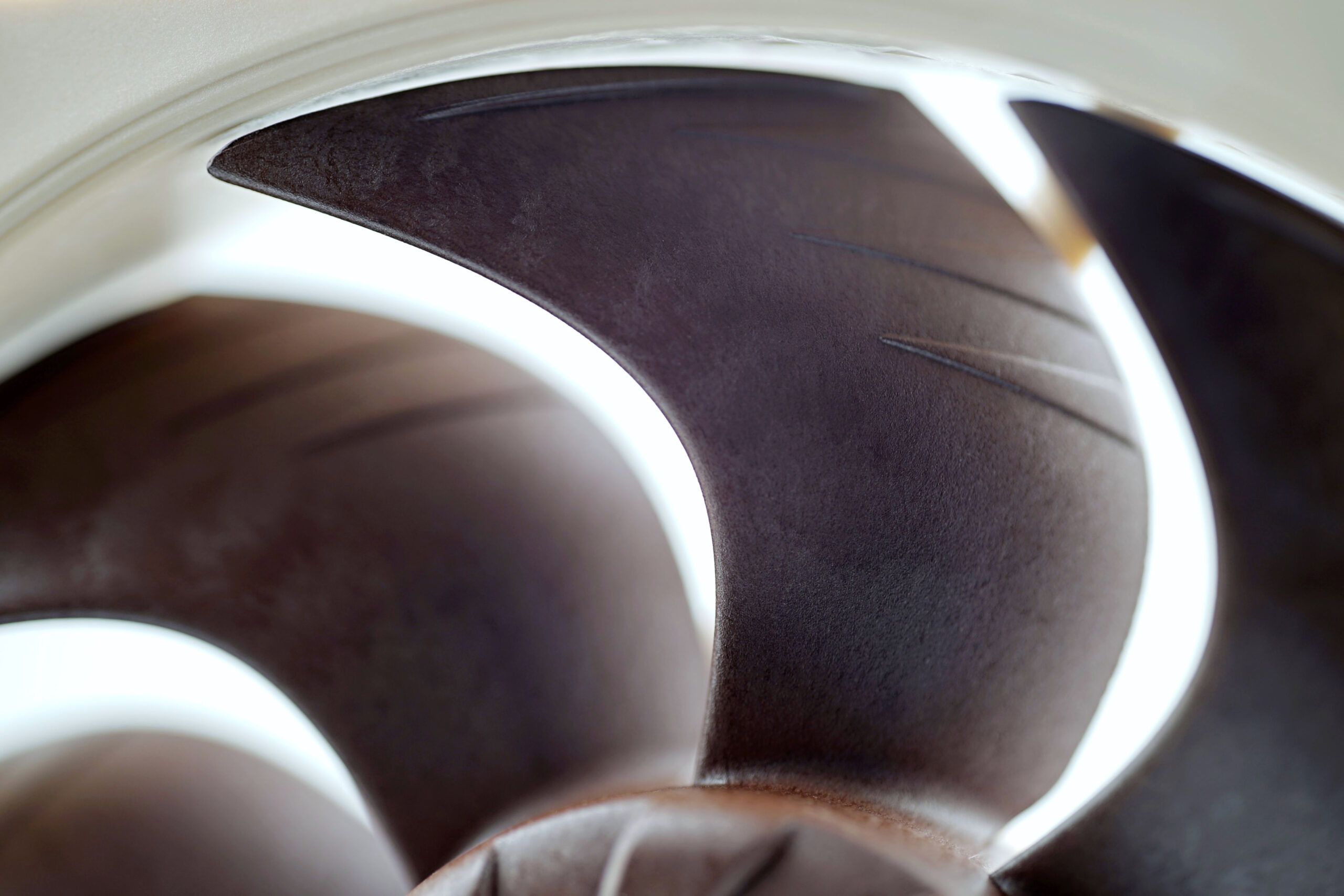
To support this goal, Noctua has added small protrusions on the impeller hub that guide the incoming airstreams into the space in front of the rotor. This is also meant to increase efficiency by introducing more airstreams at the intake, which translates into higher airflow at the output. While it might be an overstatement to call this feature crucial, and it only works well in harmony with other elements, it does contribute to the overall result.

The NF-A12x25 G2 (PWM) fan design is otherwise based on the NF-A14x25 G2 (PWM), although there are some differences. The impeller shape (Progressive-Bend) is similar, and one might loosely describe the NF-A12x25 G2 as a scaled-down version. But a more precise interpretation is that while the aerodynamic design, micro-optimization layout, and motor architecture follow the same principles, it’s worth noting that the NF-A12x25 G2 fan has a higher static pressure than the NF-A14x25 G2. Keep in mind, this doesn’t mean it’s capable of greater cooling performance than the larger 140 mm model. That model is larger, and at comparable noise levels, moves more air – even against resistance, such as on a radiator. However, since both models use nine blades (albeit with more surface area per blade in the 140 mm model), the 120 mm model has smaller gaps between blades. These smaller gaps are connected to higher static pressure or reduced airflow loss due to obstacles. It’s two ways of expressing the same phenomenon.

A new feature that Noctua now employs is the use of winglets on the blade tips. These serve to increase pressure in those regions. As is often the case with fan innovations, this inspiration comes from the aviation industry – winglets are commonly used on aircraft and fighter jets. Noctua also emphasizes that all micro-optimizations must work in harmony to deliver meaningful benefits. It’s not possible to isolate how much any one feature increased airflow or reduced noise – the end result is always a sum of many factors working together.

Another noteworthy feature of Noctua fans is the structures on the inner wall of the stator frame – the area where blade tips sweep past. These look like molded features (although formed differently, by injection molding) designed to create a micro-turbulent layer where static pressure drop is greatest. One aspect is the minimal gap between the blade tips and the frame (about 0.5 mm here), and the other is how much air escapes through this gap due to back pressure. A turbulent airflow layer increases air resistance compared to smooth frames. Therefore, ISM (Inner Surface Microstructures) play a measurable role in final performance.

The depth of these structures is shallower than on some older Noctua fans, such as the NF-A14. That’s because, when aiming for maximum efficiency, the overall aerodynamic design and the impeller-frame gap size matter. Simply put: larger gap = deeper structures (to produce a more substantial micro-turbulent layer). Of course, it’s more complex than that, but this simplification should suffice for a general understanding.
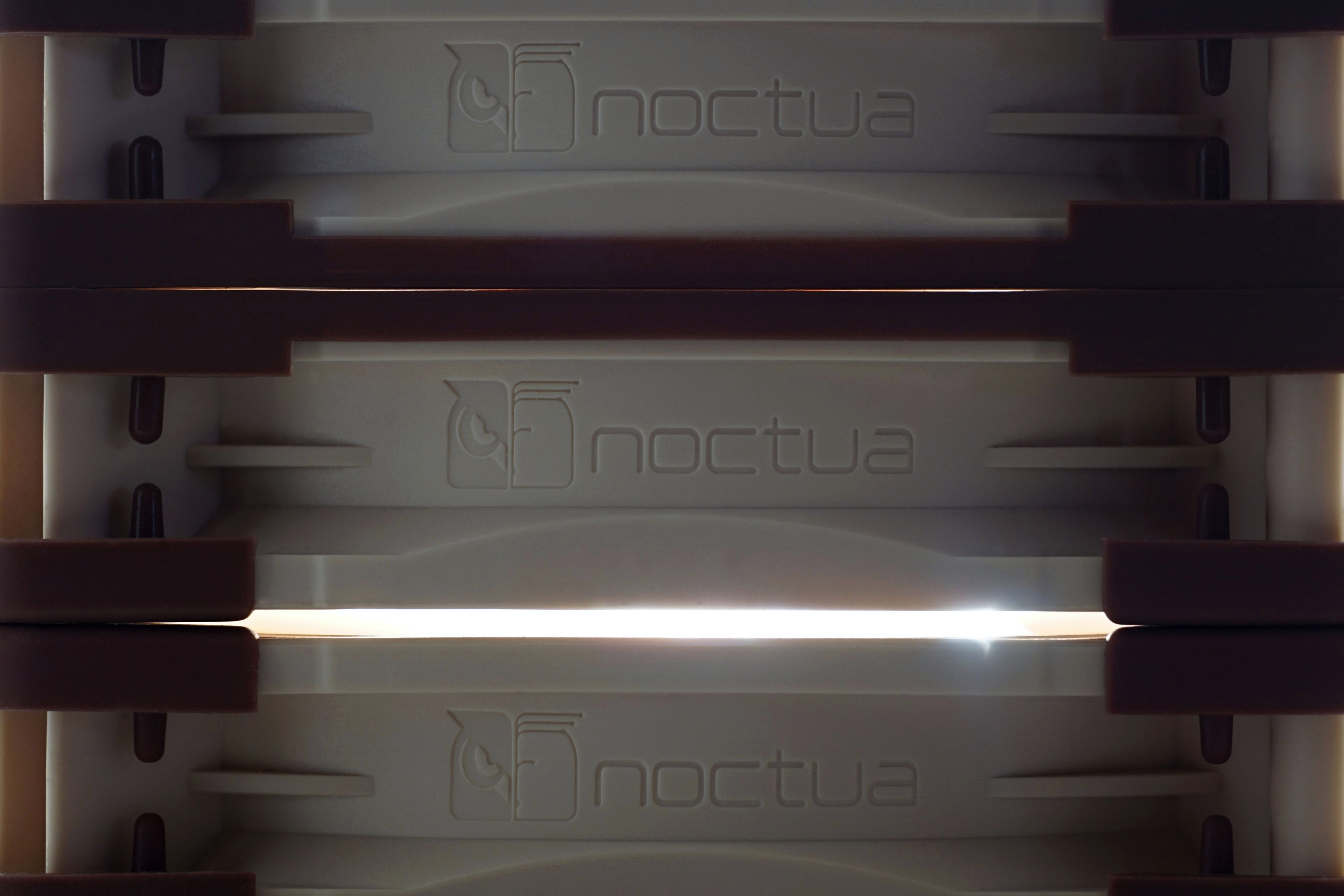
In the corners of the fan are pre-installed silicone pads for vibration dampening. These are minimal due to the use of extremely rigid liquid-crystal polymer (LCP) blades, but they still exist to limit vibration transfer to the case or heatsink. For radiator mounting, a full-frame gasket is more appropriate to seal gaps between the radiator frame and the fan, preventing loss of static pressure, airflow, and cooling performance. This gasket is included as an accessory, but must replace the original corner pads for use. For case mounting, there’s also a “soft” option with long silicone pins included in the package, along with traditional metal self-tapping screws.

To maximize airflow at minimum noise levels, the NF-A12x25 G2 fans also feature FAC (Flow Acceleration Channels) – grooves on the trailing edge of the blades to smooth micro-turbulent flow at the fan intake. And then SID (Stepped Inlet Design) – steps on the intake side meant to reduce tonal noise peaks for quieter operation. It’s a small effect, but when multiple details work in harmony, the result is something great – and that’s precisely what defines the Noctua NF-A12x25 G2 fans.
The Noctua NF-A12x25 G2 fans, by the way, come in multiple speed variants. Besides the “PWM” models, there are slower “LS PWM” versions (capped at 1100 RPM), and there’s also the dual-pack “PWM Sx2-PP”. These fans use different motors: one fan is slower (variant PPA), and the other even slower (PPB), with a 50 RPM differential. This design aims to avoid overlapping tonal peaks, which vary at different speeds, leading to lower overall noise without sacrificing cooling performance.
To reduce speeds from the default ~1800 RPM to ~1500 RPM, the NF-A12x25 G2 PWM variant also includes a NA-RC7 low-noise adapter – a resistor cable that lowers voltage (from 12V down) for fan regulation. Also bundled are standard accessories like the NA-EC1 extension cable (total length 50 cm, 20 + 30 cm) and a NA-YC1 “Y” splitter for connecting multiple fans to a single header.
Please note: The article continues in the following chapters.




as usual, no tests at “no noise” scenario, but seeing how G2@31dBA spins faster than G1 and G2 at the same PWM (so lower speed) outperforms G1 it means we got a new standard depth king
comparison to T30 remains inconclusive
Well, the “no noise scenario” is quite disputable, especially w/o the anechoic chamber.
According to the Acoustics Bulletin Vol42 No03, a minimum difference of 10 dB between a noise floor and a measured noise level is recommended. If the noise floor is 20 dB and the appliance is 20 dB, the sound meter should measure 23 dB ( 10*log10(100)=20, 10*log10(100+100)=23).
If the noise floor is 20 dB and appliance is 30 dB, then the sound meter should measure 30 dB (10*log10(1000)=30, 10*log10(100+1000)=30,41)
However, the HWC measured noise level of 31 dBA is all right , as long as the methodology states: “It is important to add that our noise level measurements are incomparable to the values quoted by the fan manufacturers”.
Nevertheless, setting fan RPM to “no noise scenario” w/o anechoic chamber would be quite precarious. 😉
…but maybe I am wrong (I am no expert in acoustics) 😛
I realize testing at actually that low noise levels is hard, expensive, time consuming and only few freaks care
but it’s one of rare cases when even available tests show trends well enough to heavily imply G2 is a beast
G1 have some potential competition, trends aren’t clear enough and we don’t know whether the noise floor won’t be raised by bearings or motor, in case of G2 though I trust these won’t fail (like the whiny motor of noiseblockers that only shuts up when the speed is high enough for aerodynamic noise to become an issue)
In my opinion, the “31 dBA mode” is “no noise.” The noise level in this mode is extremely low, but I understand – you want it even lower. However, at the moment, we are not able to go below this noise level (we don’t have the resolution), and personally, I think it wouldn’t even be useful for most users. Again, in our testing methodology, the quietest mode is so quiet that most users wouldn’t be able to tell it apart from passive operation, even from a short distance. Sure, there are users with extremely sensitive hearing and so on, but… 🙂
Yes, at comparable noise levels and normalized to a very low noise level, the NF-A12x25 G2 PWM fan is always faster than the NF-A12x25 G1 PWM.
I understand it’s not technically possible to perform such tests without big investments, I just know you measured G1 to spin at 787RPM at this noise level and that all 3 of mine need to stay below ~680 to not piss me off, from the usual working position, within a closed case below the desk, and I don’t consider my ambient noise to be especially low
I assume people saying (and believing!) these fans are silent even at 1250RPM are subconsciously filtering out their sound, a feat my brain can’t perform at all, possibly even unable to disable that filtering until the noise grows even stronger
It’s not true zakius, we are just hearing things 😉 I’m still sitting on my custom-cooled GTX 950 because I’m terrified to buy. GPUs are so overpriced. Then I need to pay a lot extra $ for one of the top models to have proper cooling. Another step is the coil whine lottery. Later, I’m forced to replace the fans and the shroud with 2x 120mm Noctuas and a custom shroud, which I probably need to figure out and print myself, because the few that exist either don’t fit my model or have a terrible design. So much money, so much hassle. Everything because “the human ear can’t hear below 30% max RPM”.
asus x noctua card set to a lower power limit, lower voltage and lower fan speeds would work
probably
A lower power limit on a graphics card does not automatically mean its coil whine is quieter than another graphics card with higher power draw. This has already been shown in detailed frequency analyses from earlier tests. 🙂
Is there a way to print the whole article?
Thanks for the inquiry. Unfortunately, we don’t have a feature that reformats the article into a print-friendly version. :/
Any chance on a review of the P12 pro’s? According to cybenetics atleast, it seem’s to be beating both the phanteks and noctuas on static pressure albeit less airflow at matching noise levels.
Yes, today – 2 PM (CET). 🙂
Appreciate it! I was debating on whether it was worth upgrading to these over the p12 pros that come stock on the LF3 Pro aio since I never run them over 2108 rpm (around 30dba on cybenetics scale)
So unfortunately, today’s release of the P12 Pro tests won’t happen after all. I’m sorry about that. The tests are ready, but Arctic is postponing the launch of these fans at the last minute. :/
It’s all good! Will be looking forward to the official release of both the review and the fans. Any comments regarding the two relative to one another on airflow through a thicker radiator?
Airflow through a radiator is significantly higher with the P12 Pro (compared to the P12). Not only at maximum speed – where noise is naturally higher due to the significantly higher RPM of the P12 Pro – but also in modes normalized according to comparable noise levels. I think I can already state that Arctic knew what it was doing and that this change in aerodynamic design was purposeful. The performance of the P12 Pro fans on radiators is truly impressive, which was the goal – Arctic will be using these fans on the radiators of their liquid coolers as well as on heatsinks of tower-style coolers (we’re looking forward to the Freezer 37 :)). Hopefully I’m not revealing anything that should remain confidential for now. The P12 Pro fans have already been released, of course, but so far only as part of the Liquid Freezer III Pro coolers. Sold separately – hopefully next week… 🙂
I think Nate was curious, especially in comparison to the nf-a12x25 g2… which of course you knew, but you can’t reveal… so you put it perfectly within the scope of possibilities… I have to learn from you, master. 🦸(No Darth Vader emoji 🙂 )
Arctic waits for shipment of their A12x25 G2… They plan to test it hoping it’s weaker than P12 Pro… Then make some pretty graphs comparing both fans for marketing purposes like they already do… True story 😀
… 🙂
Arctics officially listed the pros on their website. 39.49 euros for a 5 pack, the race is on whether it’s worth getting the noctuas
Thanks for the info. We’ll publish the tests as soon as it’s allowed. They’re finished and ready to go; we’re just waiting for Arctic’s green light to publish.
If price is the main factor in determining whether Noctua fans (NF-A12x25 G2) are worth it over Arctic fans (P12 Pro), and cooling performance is the focus, then the answer is clear. But even more so if the user appreciates the small details that lead to greater technical refinement. 🙂
PS: 5-pack of P12 Pro PST fans at a third-party retailer:
https://www.mydealz.de/deals/abholung-in-12-stadten-arctic-p12-pro-pst-5-stuck-pc-lufter-pwm-case-fan-mit-pst-600-3000-rpm-69-mmh2o-77cfm-428eur-stuck-2595360
The price is roughly half of what you listed. 🙂
Yeah I just listed arctics “MSRP” which is never actual MSRP since they always have an insane deal / coupon going on year around. They’re having 8.50Euros and 12 euros off respectively per single and 5 pack you buy directly off their website
It’s possible that Arctic is applying a “permanently discounted” marketing model that responds positively to buyer behavior. 🙂
The P12 Pros are finally available on the Amazon US site for $8.49
Will there be P14 Pro’s on sale soon or is that months away?
Will there be a review of the Momentum 140mm?
Thanks for the info. We’ll need to remind Arctic again. If it’s already possible to purchase the P12 Pro fans, then publishing their reviews should also be possible, hopefully. 🙂
We’ll definitely cover the 140 mm fan tests. In the case of Fractal Design (with the Momentum 14 and Momentum 14 RGB), it will be relatively soon, since those fans are already released. As for the P14 Pro, it will depend on when Arctic launches them. We don’t have samples of these fans yet, and I assume their debut will happen on AIOs with 280 and 420 mm radiators. Only afterward (or maybe simultaneously with those AIOs?) will they go on sale — and when that happens, we’ll hopefully be able to review them. 🙂
they can now be purchased directly from the Arctic website, so it shouldn’t be under NDA anymore, they probably forgot to write permission for publishing it 😛
https://www.arctic.de/en/P12-Pro-PST-5-Pack/ACFAN00307A
…but I don’t see any reviews anywhere online, so who knows … 😀
The 5 packs are also available now for 27$ on Amazon now, I wonder what’s holding arctic up on the reviews…. Maybe some fan deliveries indeed 😂
Tomorrow… 😉
@Lubo
Let’s go!!! My P12 Pro from Amazon just arrived.
Very curious about the test results. It’s gonna determine if I go for Momentum 14s or wait for the P14 Pro for my 140mm case fans.
The tests of the Momentum 14 (RGB) fans will follow after the Arctic P12 Pro and Arctic P12 Pro A-RGB reviews. I can already say there’s a lot to look forward to — the Momentum 14 (RGB) are excellent fans, and if their price is acceptable for you… sure, it’s fair to assume that the upcoming Arctic P14 Pro will offer a much better price-to-performance ratio, while the aerodynamic and cooling performance will likely be quite comparable. But for precise numbers, you’ll need to wait a bit longer. First, the P14 Pro fans probably need to be released — most likely as part of the Liquid Freezer III Pro 280 and 420 coolers, or at the same time. That’s something we expect to happen in the next few days, and we’re just as curious as you are. 🙂
@ Clone
If I may guess, in the case of case fans, Momentum will probably be better… unless you have a lot of restrictions there (e.g. a solid panel and a plastic filter) 😉
Thanks guys
I’m more worried about the sound profile than the performance in terms of the value proposition, and the Momentum 14s are already available if I’m impatient
They’re gonna be installed on my Fractal North. I recently built this PC a few weeks ago, and of course there’s a ton of great fans being recently in the near future. Glad I found this site, because it’s been so helpful.
Although the measurements are done differently (different distance, different chamber, different threshold), they can be compared to some extent.
– HWBusters (Cybenetics) 20 dBA level is roughly comparable to HWCooling 39 dBA level (with HWC 39 being a bit quieter).
– Likewise, HWC 45 dBA level is comparable to HVB 25 dBA level (with HVB 25 being a bit quieter).
https://imgur.com/ogbl2xQ
Here are some direct comparisons of frequency characteristics (filter, grille, radiator) with the predecessor. Enjoy!
Thanks! That drop in noise level in the 300–400 Hz frequency range is nice. Very nice on a radiator. In other words, the typical “humming” sound is gone. 🙂
Why do the performance figures for fans vary by almost double from review to review? Review the Fractal Design Momentum review and look at the Noctua G2 Performance. Results: Static pressure through a thicker radiator – Static pressure@31 dBA, thicker radiator [mm WC] – higher is better – Noctua NF-A14x25 G2 PWM: the result is .25
This article: Results: Static pressure through a thicker radiator – Static pressure@31 dBA, thicker radiator [mm WC] – higher is better – Noctua NF-A12x25 G2 PWM .56
How can the 12cm fan be over twice as good at the same test/settings? How can I rely on any of this data?
It is in fact very common that smaller fans can achieve higher static pressure at the same noise level. You should not compare static pressure between different fan sizes.
Take the official specs of A14x25 G2 and A12x25 G2 from Noctua for example:
A14x25 G2: 24.8 dB(A), 2.56 mm H2O
A12x25 G2: 22.5 dB(A), 3.14 mm H2O
A12x25 G2 has higher static pressure while being less loud! This does not mean that A12x25 G2 can achieve higher airflow against obstacles, however.
The 12cm fan is ~22% greater than what you stated. How can the 14cm can be half as good as the12cm fan, thereby varying greatly from the manufacture’s rating. Can you explain that?
From my perspective, it seems like you’re not attributing the right importance to the individual parameters. A lower static pressure doesn’t necessarily mean a fan is less capable—or that it delivers less airflow under given conditions.
In fact, airflow might still be higher. For instance, the NF-A14x25 G2 PWM has lower static pressure than the NF-A12x25 G2 PWM, but at the same time, it delivers higher airflow.
In other words: yes, due to its lower static pressure, the A14x25 G2 experiences more drop in airflow when pushing against resistance (like a radiator). But—and this is crucial—its absolute airflow remains higher, which is what ultimately matters for cooling performance.
So, the notion that “lower static pressure equals less airflow through a radiator” simply doesn’t hold true here. Even in this comparison between NF-A14x25 G2 and NF-A12x25 G2, it doesn’t play out that way.
If any part of this feels unclear or you’d like to go deeper, feel free to point out exactly what needs more explanation—happy to walk through it in more detail. 🙂
I’ve checked everything and all looks good. Could you please clarify your first question from the final paragraph? I’m not entirely sure what you’re asking.
In general, 120 mm fans tend to have higher static pressure than 140 mm fans—but that doesn’t mean they are inherently “better.” You might have noticed that the smaller the fan, the higher the static pressure tends to be at the same airflow. We’ve explained this a few times in previous fan reviews. Larger fan formats usually exhibit lower static pressure at a comparable airflow because they have a larger non-blade area (idle cross-section). This means more air escapes backward when pressure builds up—reducing the effective static pressure. That said, you probably understand this already and may have been referring to something else?
By the way, when we used to show 120 mm and 140 mm fan results on the same chart, we included a note about that in the relevant chapters.
Hello, could you please review the Corsair RS120 MAX fan?
According to cybenetics, it’s quite comparable to the G2, with very similar features.
Hi, thanks for the question. We’re definitely interested in the RS120 Max fans, at least in terms of adding their results to our expanded database. We’ve already contacted Corsair regarding samples, but we still don’t have them. The reason is pretty clear from my point of view—we need to work our way to these fans gradually, through other Corsair products that were scheduled ahead of them. Even right now, we have older Corsair fans in the test lab that we haven’t gotten to yet. So yes, Corsair’s approach in this regard is quite reasonable. 🙂