


The new AMD Radeon RX 9000 cards with RDNA4 architecture bring higher performance and a suite of technologies to make gaming more enjoyable and improve responsiveness. We’ll focus on the technologies available to gamers and what stands behind names like Anti-Lag 2 or FidelityFX Super Resolution (FSR4). The videos show how Anti-Lag reduces latency and how FSR boosts frame rates with demanding detail settings.
In a short hands-on test, we quickly examine how FSR 4 quality settings impact performance and where the key improvements in image quality lie compared to the previous generation FSR 3.x. This would be even clearer in comparison videos, but that’s probably better left for a separate article.
On new Radeon cards, you can get FSR 4 working in most games by enabling it in AMD Software and selecting FSR 3.1 mode in the game. The drivers will then automatically replace the older version with the latest FSR 4 in supported titles.
With FSR 4, even demanding games can be played at very high graphics settings in 4K resolution on a more affordable Radeon RX 9060 XT, without frame generation. While native resolution delivered an average framerate of around 48 fps in the benchmark – which is well below the refresh rate even for cheaper 60Hz monitors and not very pleasant for gaming (partly due to higher input lag) – with FSR 4, you can reach an average of over 66 fps while maintaining good image quality.

The following examples show a comparison from the Horizon Zero Dawn benchmark, set to Very High at 2560 × 1440 resolution, with FSR in Balanced mode.
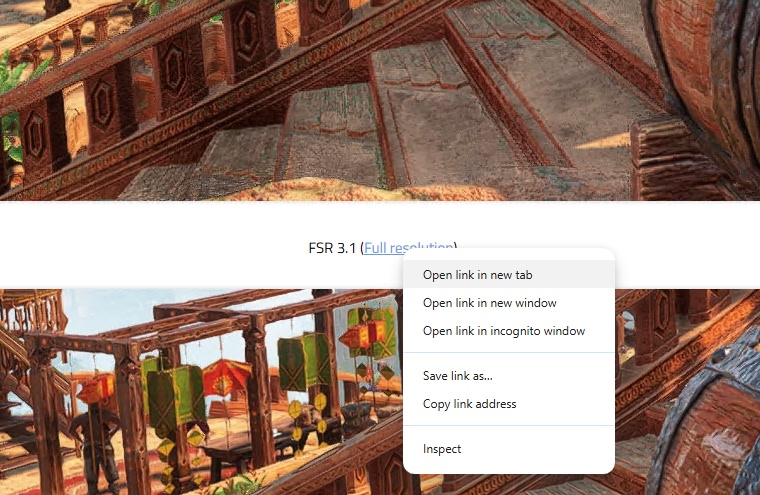
Below are cropped screenshots that you should see at 1:1 resolution on a PC with standard DPI settings. I recommend opening the images in full resolution at 100% zoom in separate tabs and switching between them using the keyboard. Otherwise, the browser may resample the images in a popup window. The best way is to click the full-resolution links with the middle mouse button, or open them in new tabs using the context menu.
FSR 4’s quality, enhanced by AI, stands out especially in image areas that were occluded in previous frames. Traditional interpolation methods struggle to reconstruct parts of the image where there were fewer samples, while trained neural networks can more effectively fill in and smooth missing image parts.
In the following example with older FSR, visible artifacts appear where the image was previously occluded by a barrel. The reduced detail is particularly noticeable on the carved railing, where the texture suffers from significant color noise due to the low number of samples. FSR 4 with AI significantly smooths out such flaws. The overall image is also sharper and more detailed as a result.
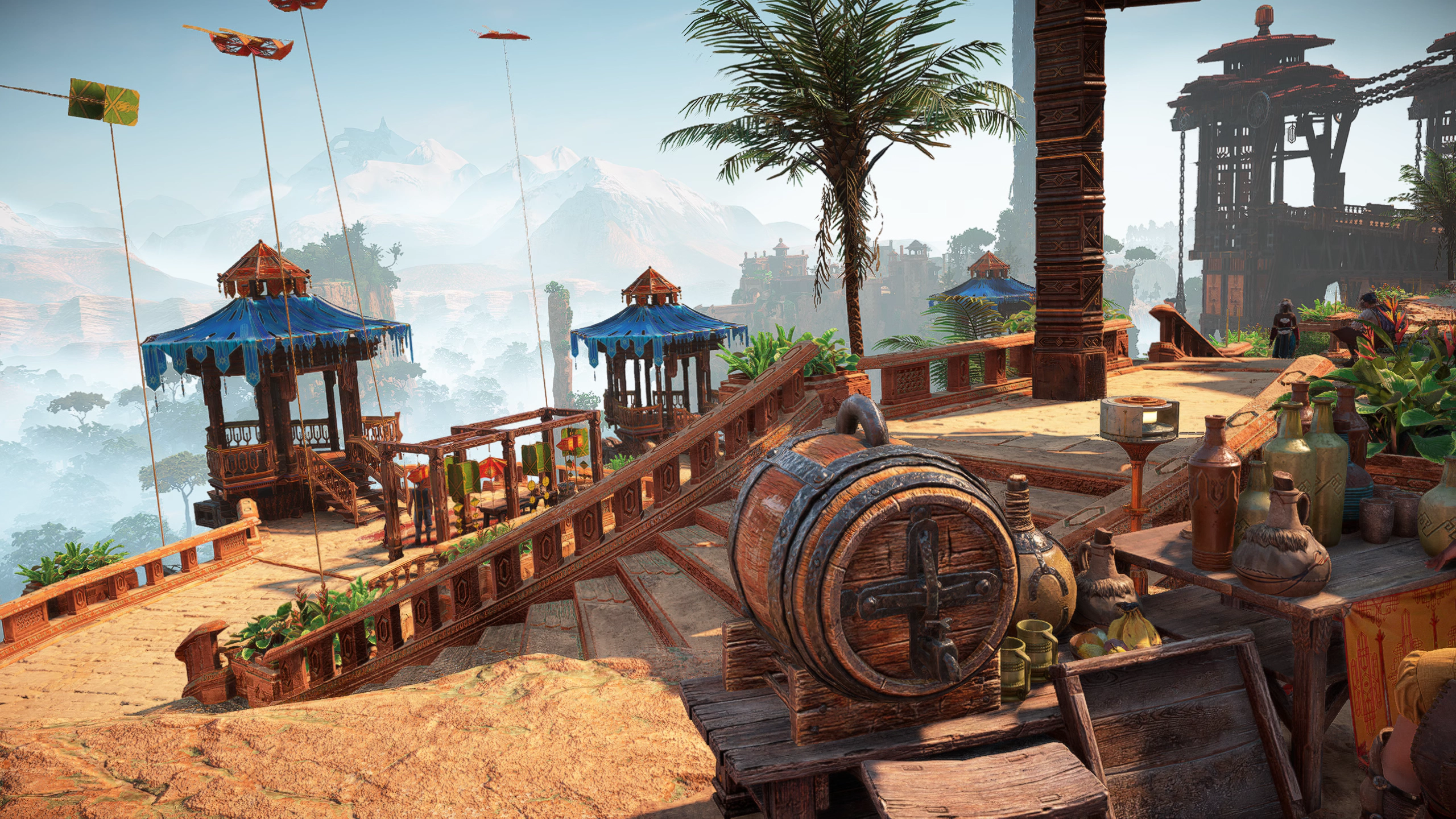
FSR 3.1 (Full resolution)
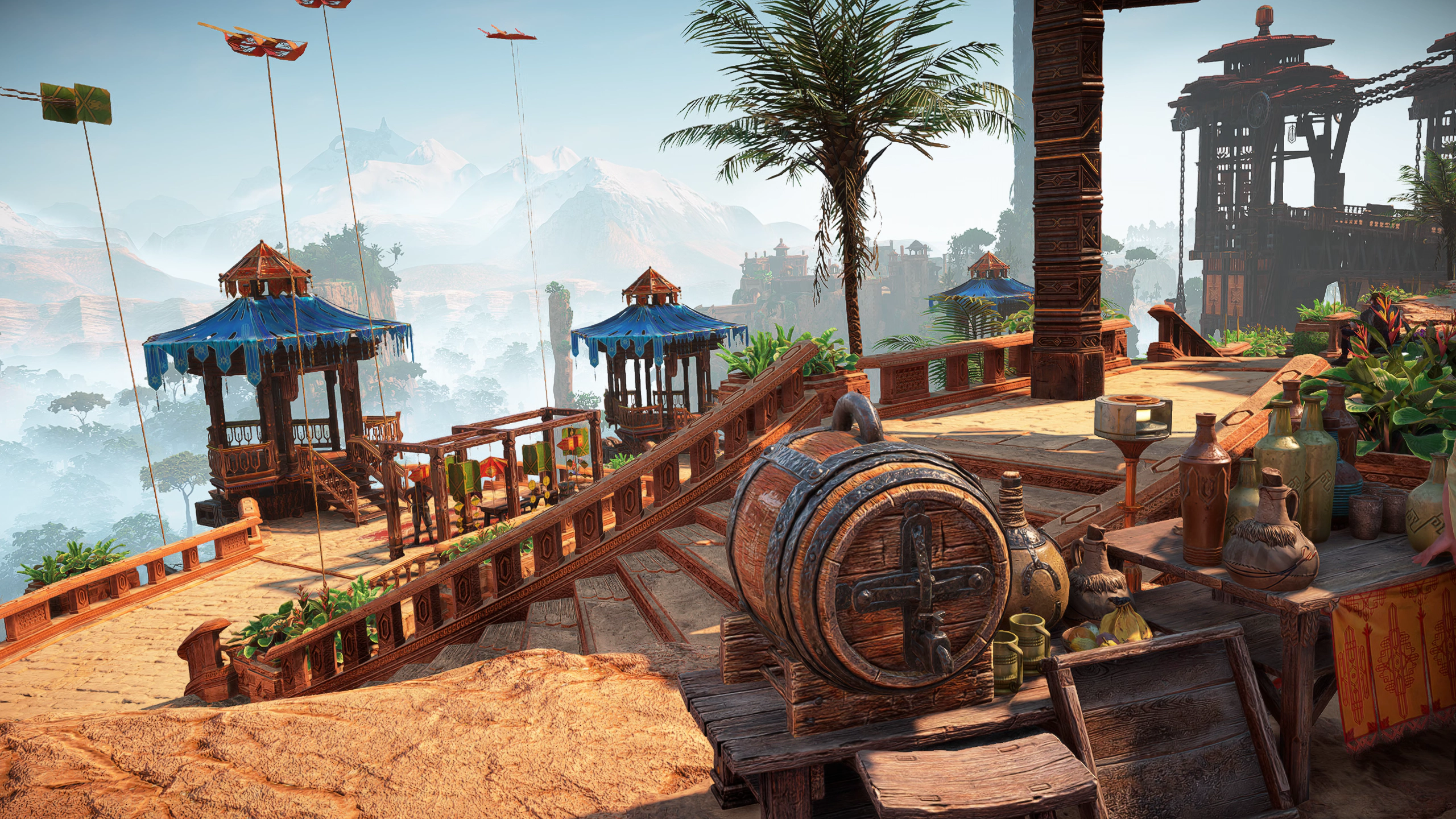
FSR 4.0.1 (Full resolution)
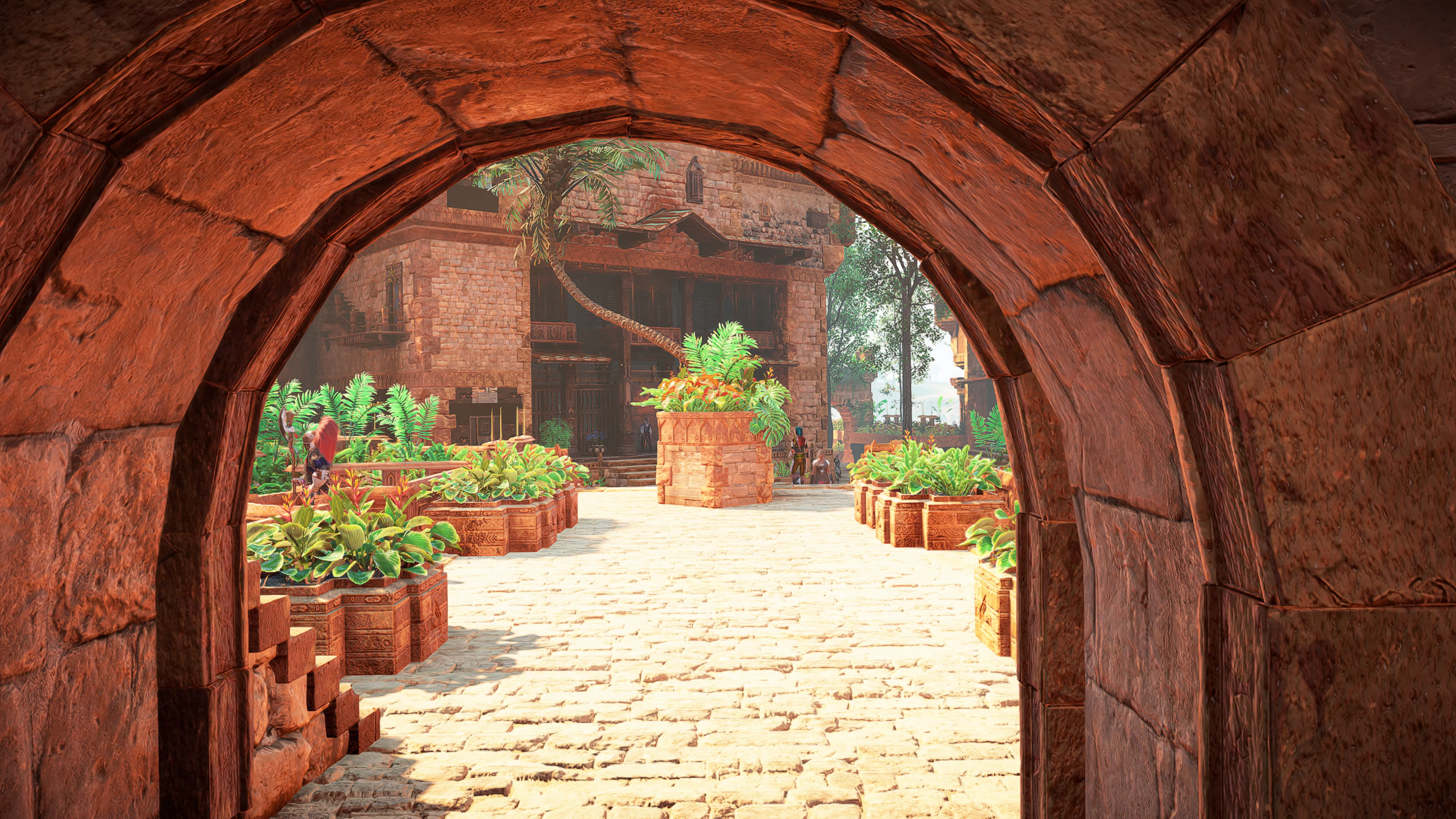
In another example, artifacts are mainly visible along the edges of arches – again a result of imperfect image reconstruction where the view was previously blocked by a stone arch.
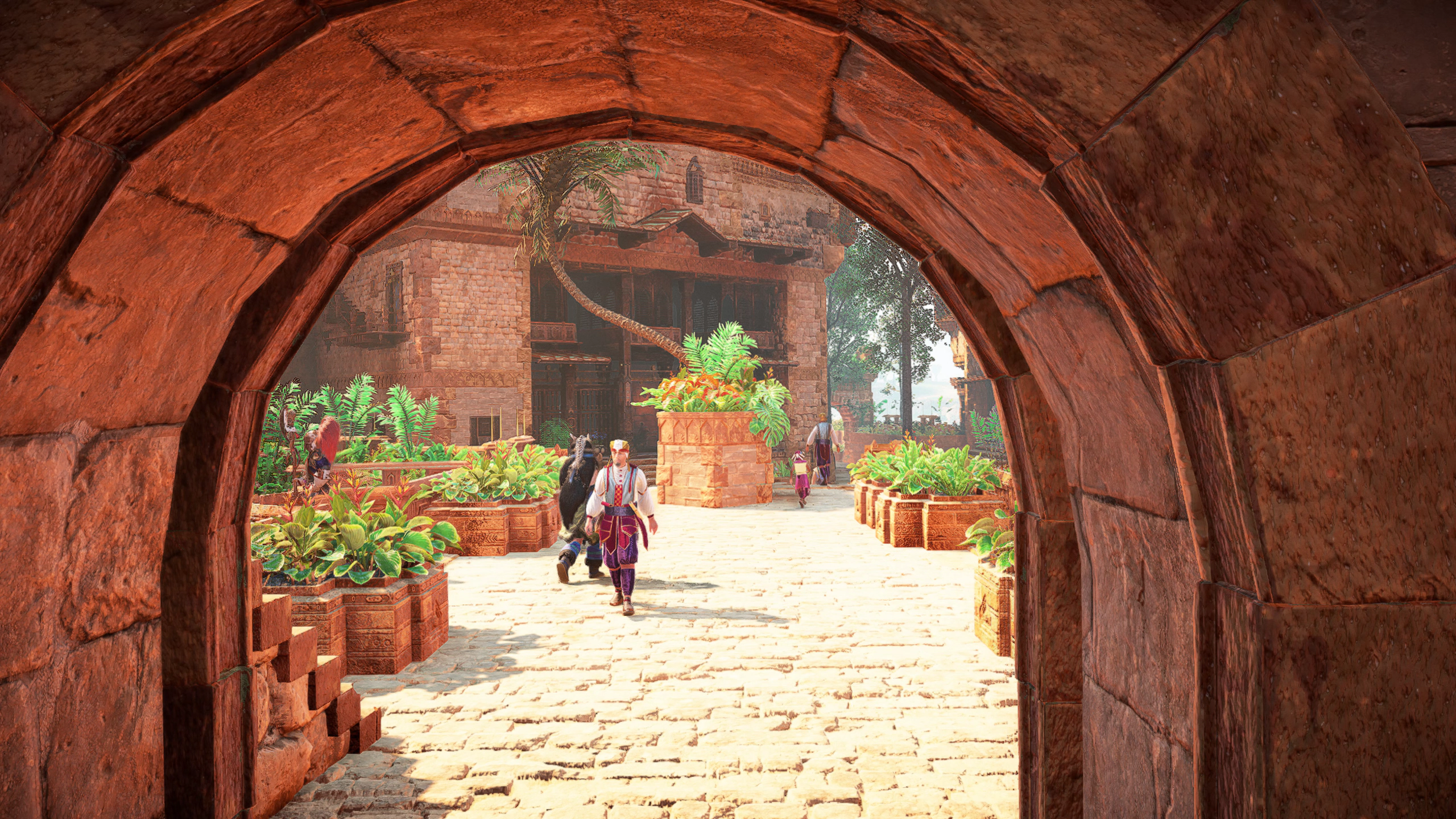
FSR 3.1 | FSR 4.0.1
(Full resolution) | (Full resolution)
And in the last examples, the improvement is most noticeable in the quality of water reflections. With older FSR, the reflection map breaks up into larger blocks, while FSR 4 smooths out these unpleasant artifacts.
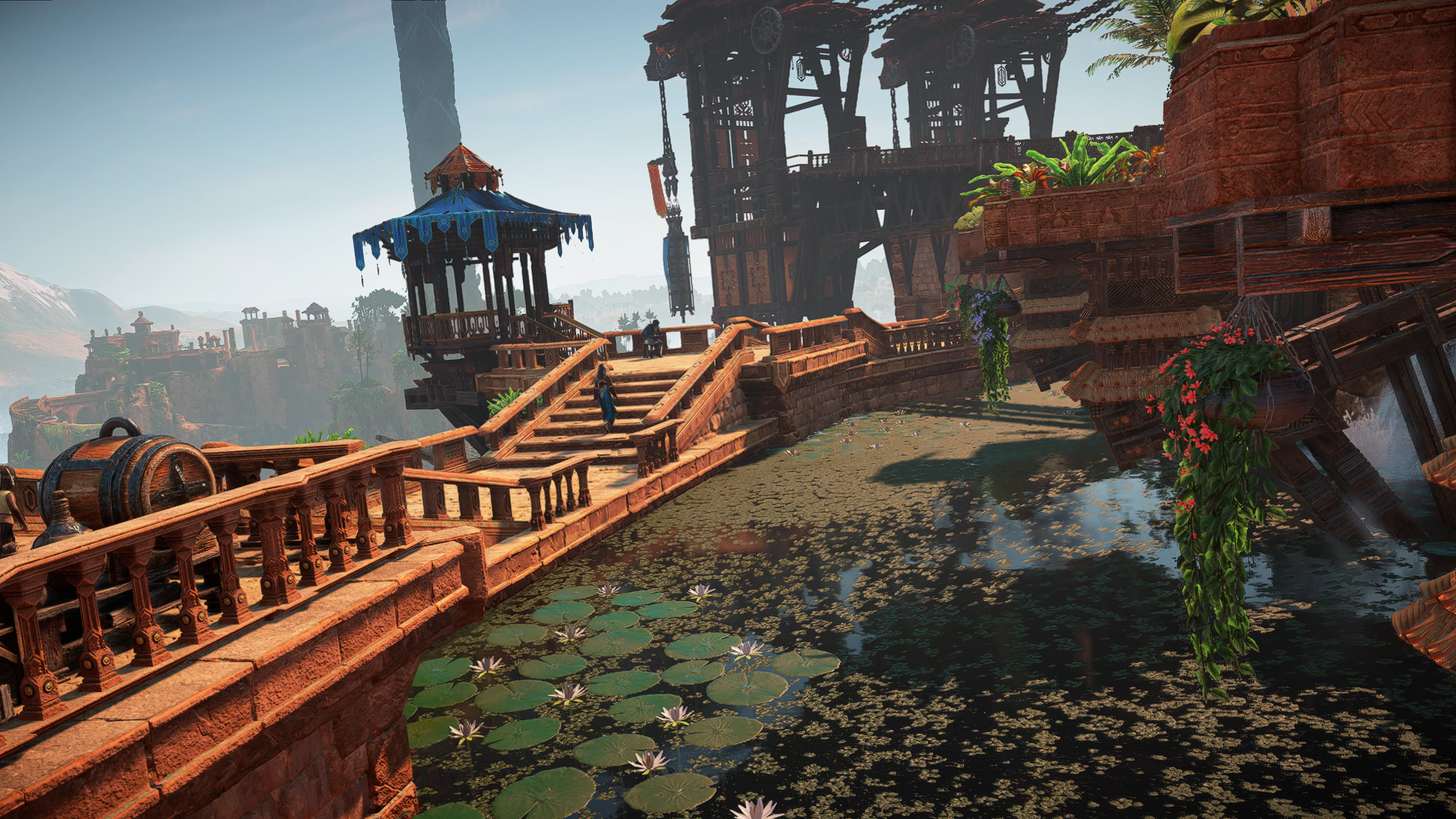
FSR 3.1 (Full resolution)
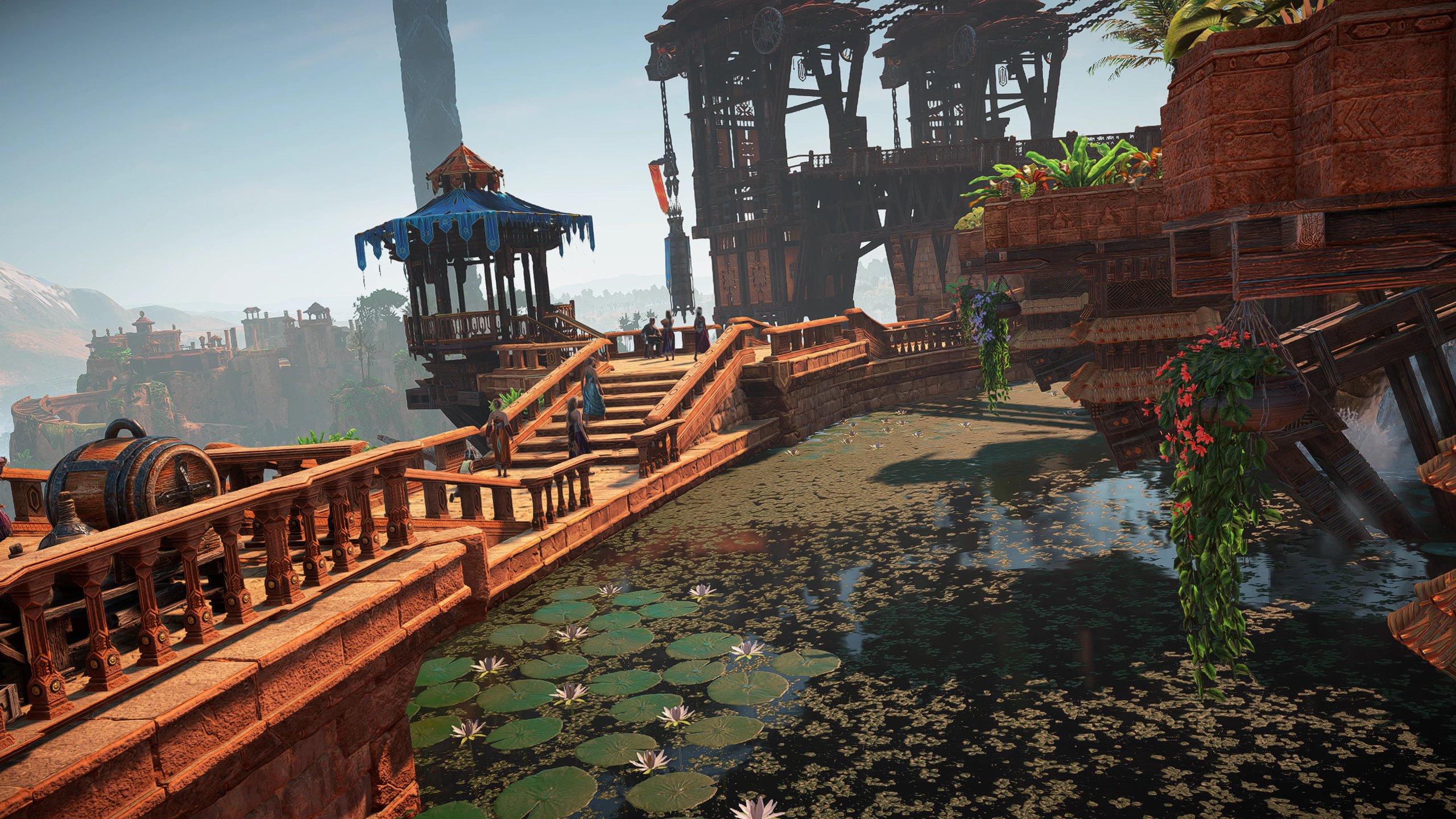
FSR 4.0.1 (Full resolution)
⠀



Some issues with your photos, the second photo from the first comparison doesn’t open at 1440p for me, the one with the arches seem to open the same fsr 3 photo for both of them. I stopped there.
Sorry about that — the thumbnails opened the correct images, but some text hyperlinks pointed to the wrong links. This should be fixed now. Thank you for letting me know.
FSR4 is a big improvement indeed, but, I own a 6800XT and whilst I will see an increase in framerates with the new cards I am afraid that comparing the price of the cards with a 20-30fps increase doesn’t add up for me especially when their new unified architecture is set to hit next year.